ControlNet and T2I-Adapter Workflow Examples in ComfyUI
Explore ControlNet and T2I-Adapter workflow examples in ComfyUI for precise control over image generation with pose, depth, and edge guidance.
Note that in these examples, the raw image is directly passed to the ControlNet/T2I adapter.
Each ControlNet/T2I adapter requires the image passed to it to be in a specific format such as depth maps, edge maps, etc., depending on the specific model to get good results.
The ControlNetApply node will not convert regular images into depth maps, edge maps, etc. for you. You will need to do that separately or by using nodes to preprocess your images that you can find Here
You can find the latest controlnet model files here: Original version or smaller fp16 safetensors version
For SDXL, stability.ai has released Control Loras that you can find Here (rank 256) or Here (rank 128). They are used in exactly the same way (put them in the same directory) as regular ControlNet model files.
ControlNet model files go in the ComfyUI/models/stability/sd-1-5 directory.
Scribble ControlNet
Here is a simple example of how to use controlnets. This example uses the scribble controlnet and the AnythingV3 model. You can load this image into ComfyUI to get the full workflow.
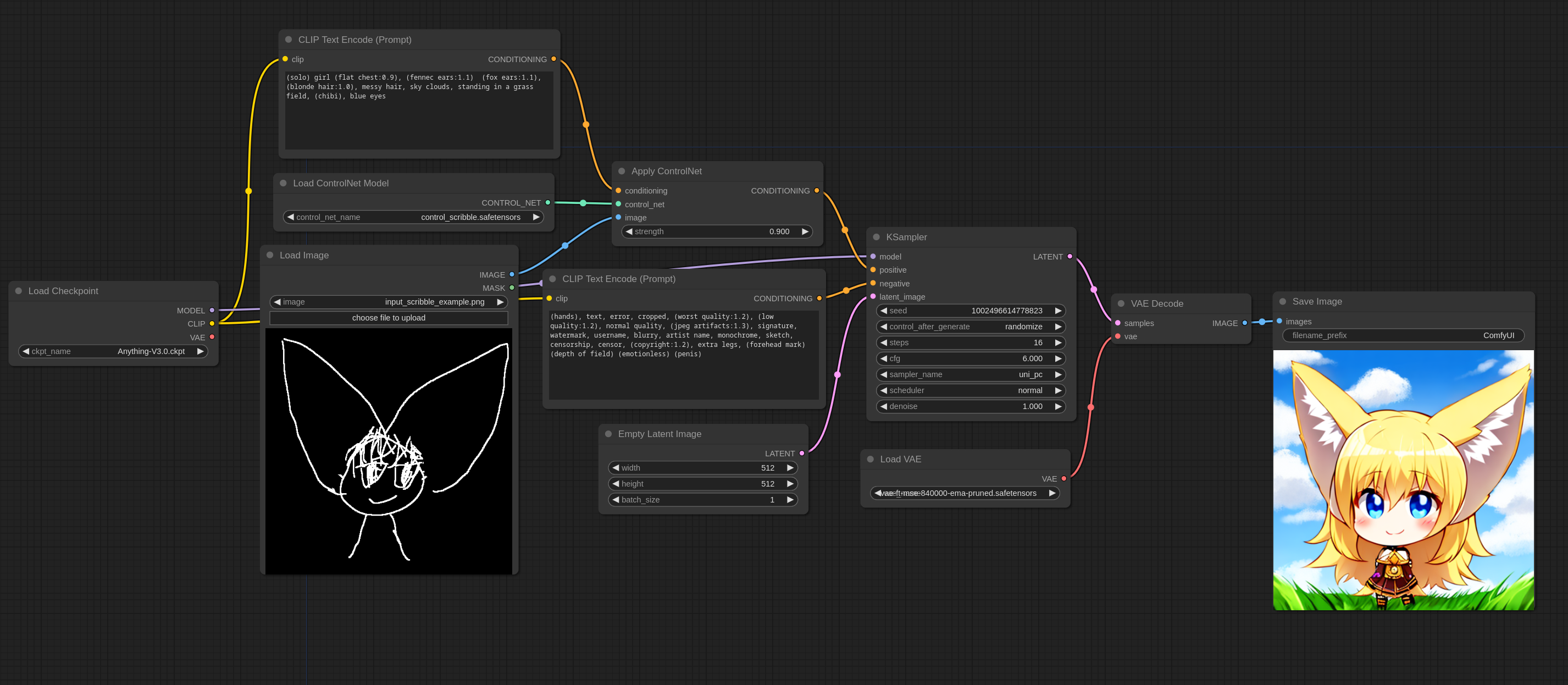
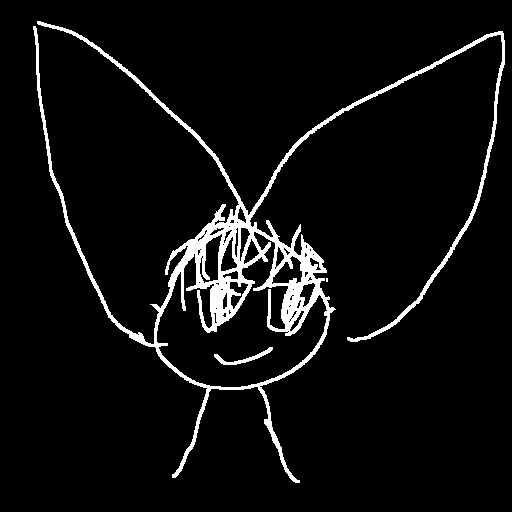
Here is the input image I used for this workflow:
T2I-Adapter vs ControlNets
T2I-Adapters are much more efficient than ControlNets, so I highly recommend them. ControlNets will considerably slow down the generation speed while T2I-Adapters have almost no negative impact on generation speed.
In ControlNets, the ControlNet model is run once at every iteration. For the T2I-Adapter, the model runs once in total.
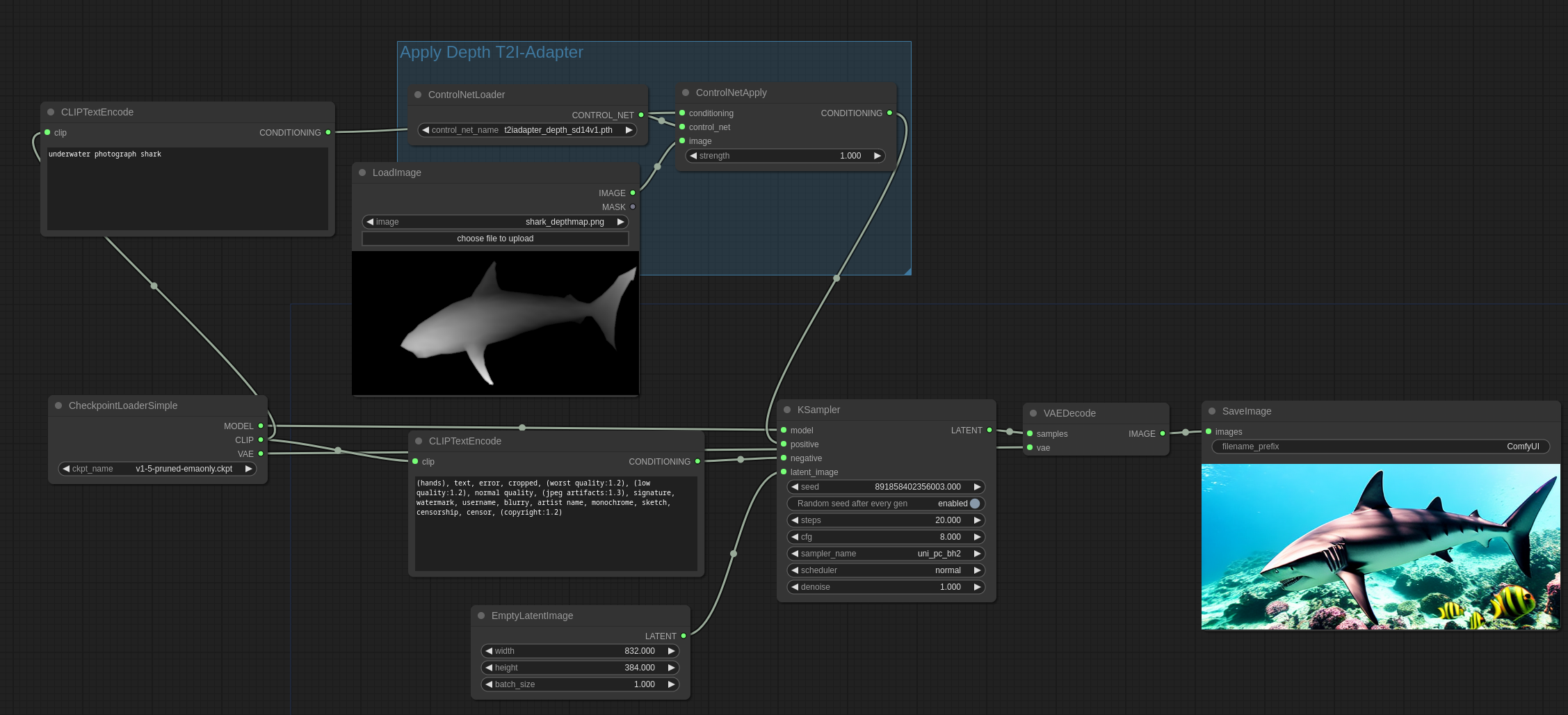
T2I-Adapters are used in the same way as ControlNets in ComfyUI: by using the ControlNetLoader node.
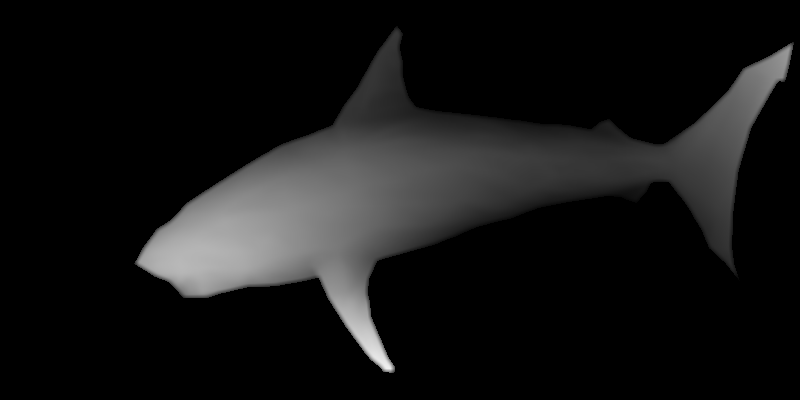
Here is the input image that will be used in this example source:

Here is how you use the depth T2I-Adapter:
Here is how you use the depth ControlNet. Note that this example uses the DiffControlNetLoader node because the controlnet used is a diff control net. Diff controlnets require the weights of a model to be loaded correctly. The DiffControlNetLoader node can also be used to load regular controlnet models. When loading regular controlnet models, it will behave the same as the ControlNetLoader node.
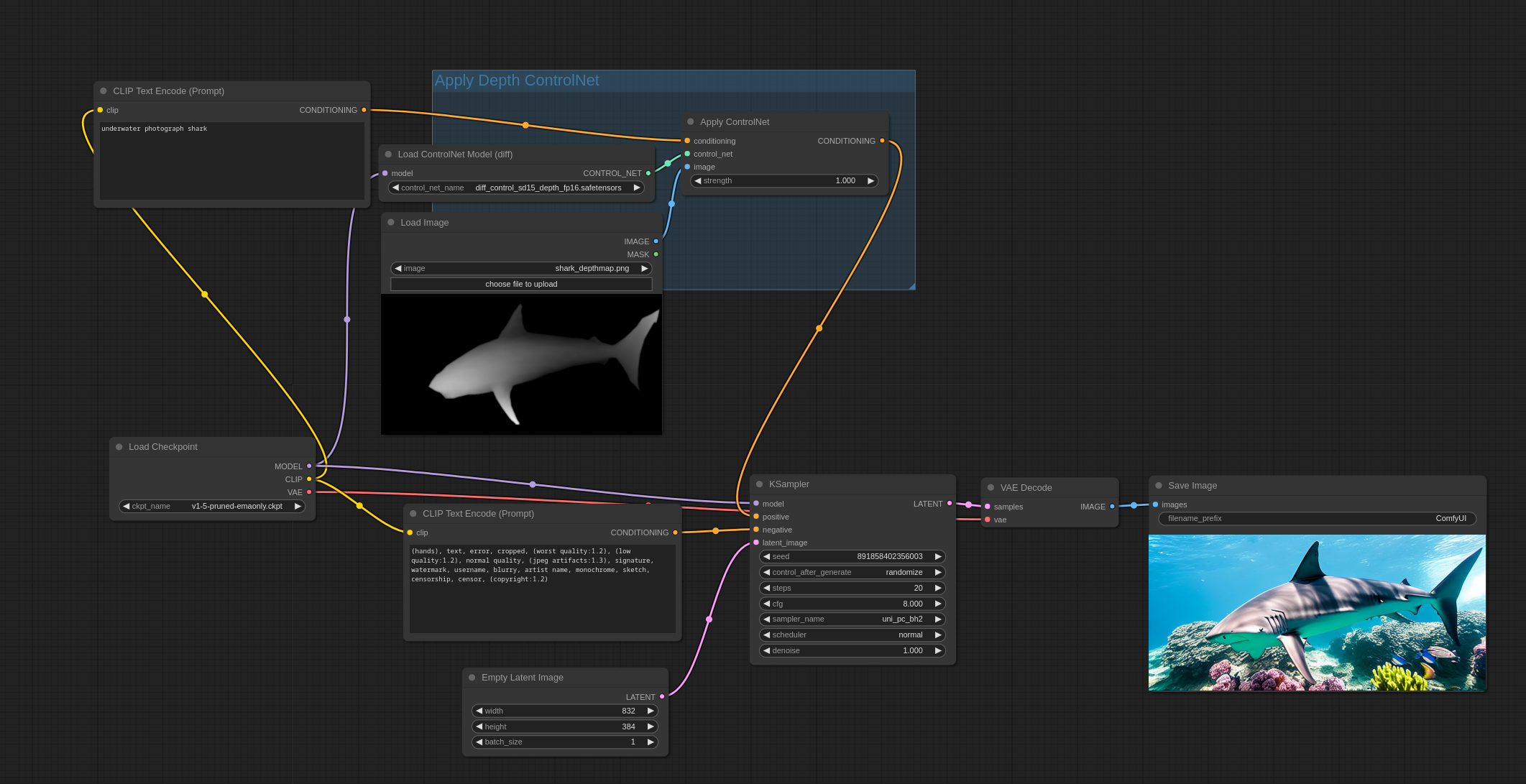
You can load these images into ComfyUI to get the full workflow.
Pose ControlNet
Here is the input image that will be used in this example:
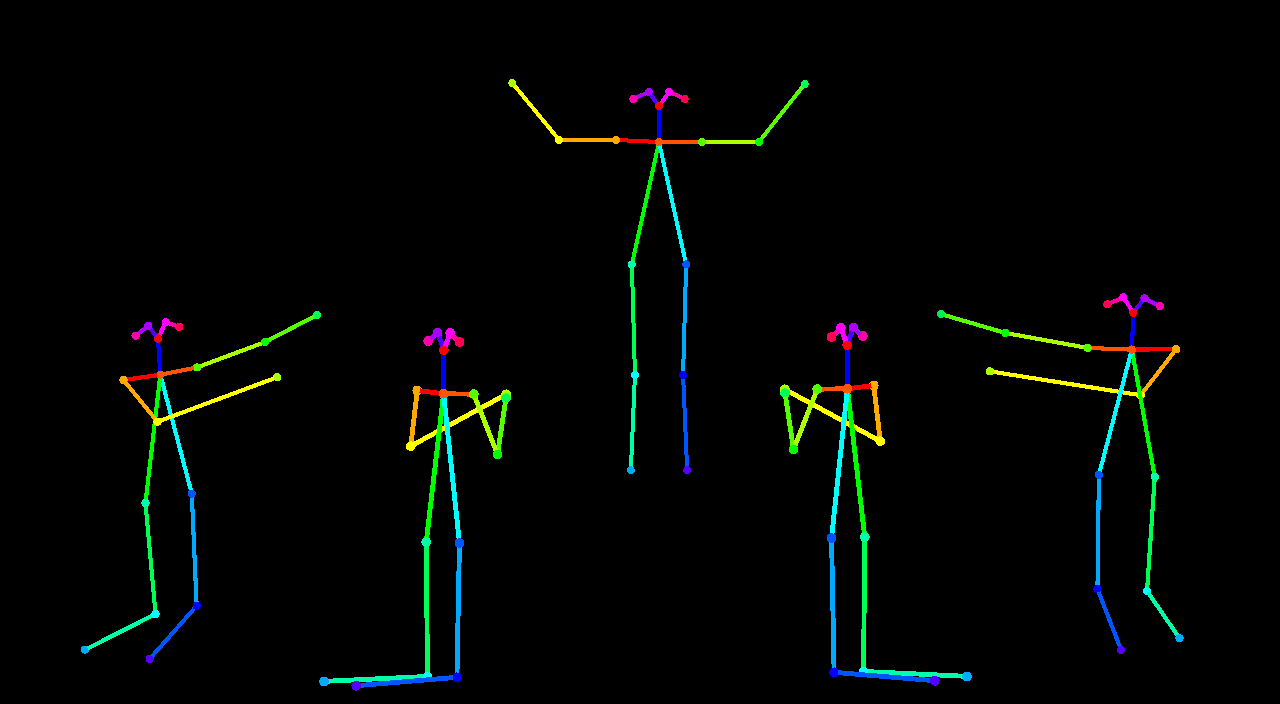
Here is an example using a first pass with AnythingV3 with the controlnet and a second pass without the controlnet with AOM3A3 (abyss orange mix 3) and using their VAE.

You can load this image into ComfyUI to get the full workflow.
Mixing ControlNets
Multiple ControlNets and T2I-Adapters can be applied this way with interesting results:
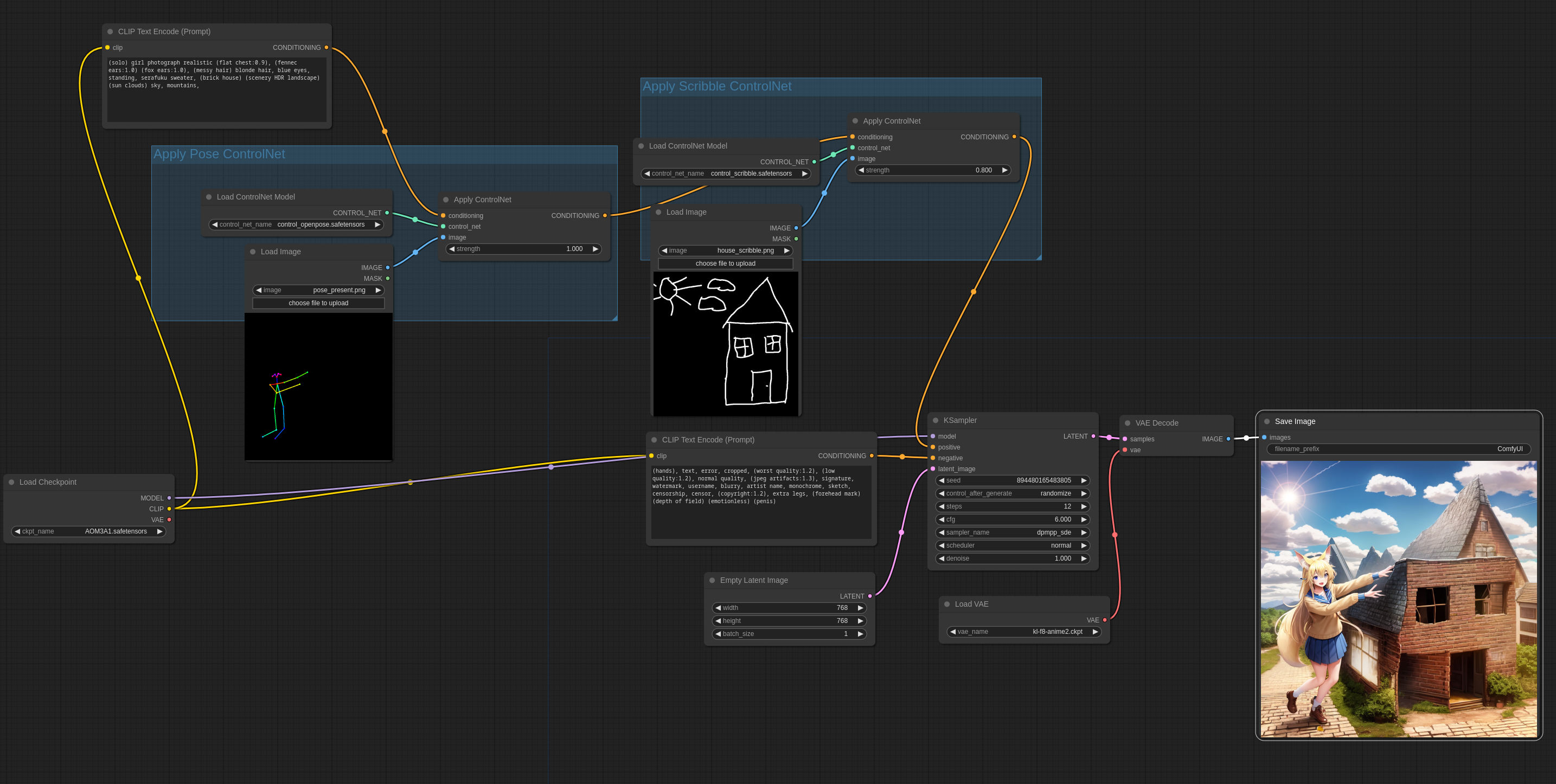
You can load this image into ComfyUI to get the full workflow.
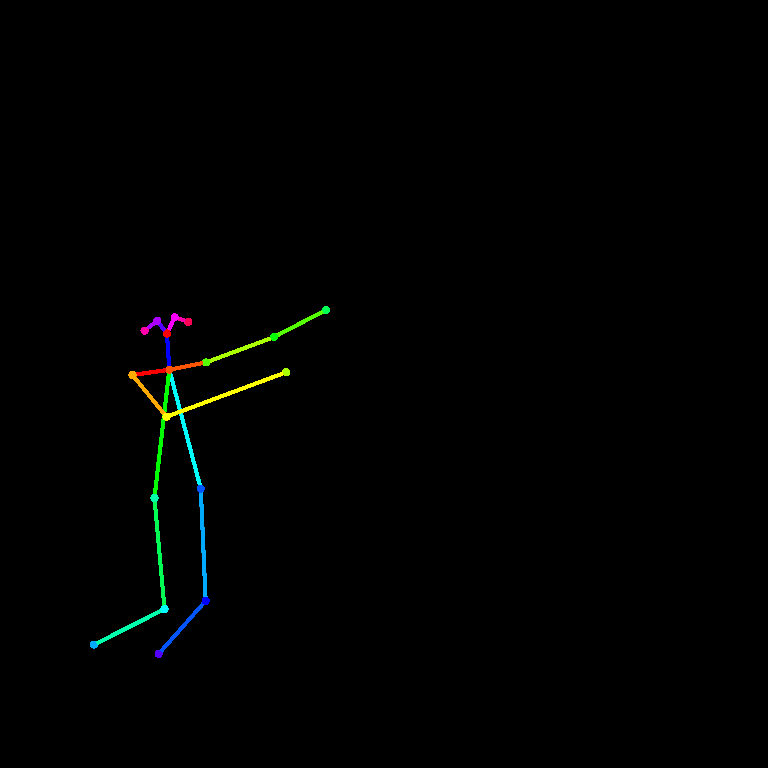
Input images:
Comments
Sign in with GitHub to join the discussion.