2-Pass Txt2Img Examples (Hires Fix) in ComfyUI
Learn how to use the 2-pass txt2img workflow in ComfyUI for high-resolution image generation with Hires fix and upscaling techniques.
Here are examples showing how you can achieve the "Hires Fix" feature.
You can load these images into ComfyUI to get the full workflow.
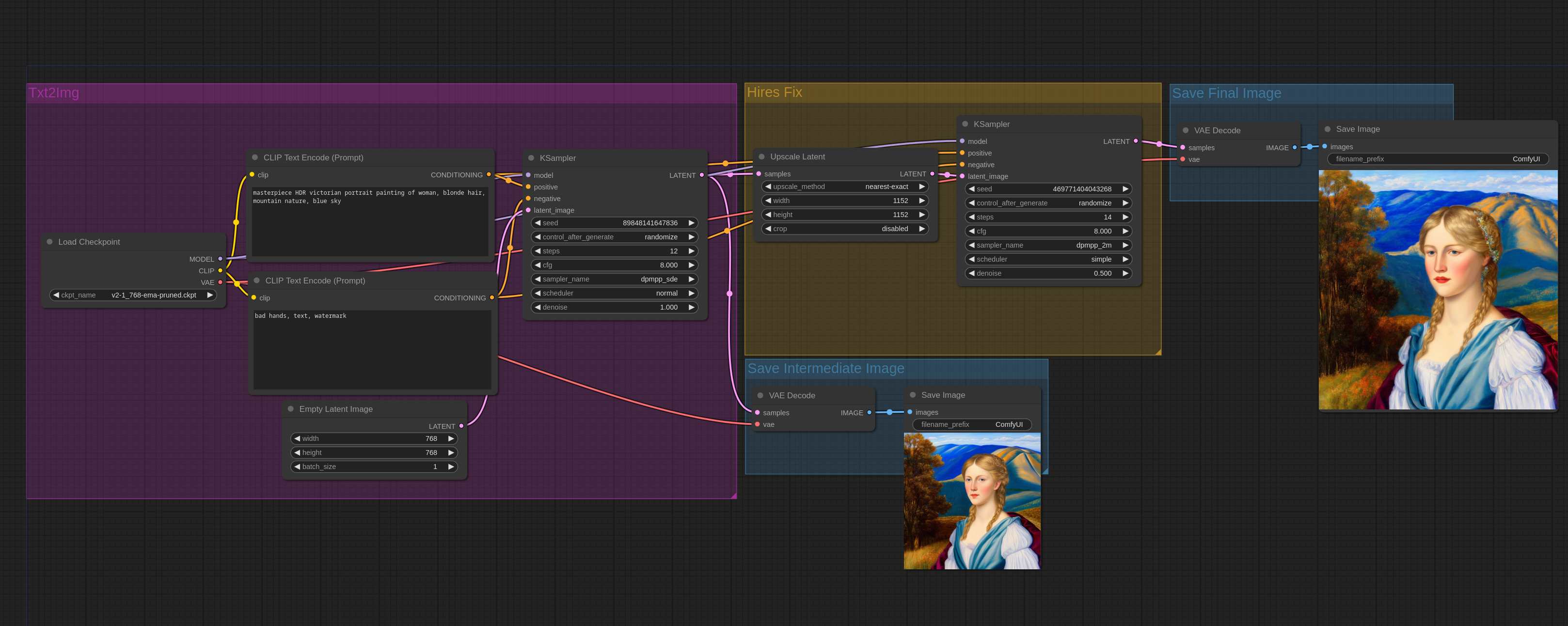
The Hires fix simply consists of creating an image at a lower resolution, upscaling it, and then passing it through img2img. Note that in ComfyUI, txt2img and img2img are the same node. Txt2Img is done by passing an empty image to the sampler node with maximum denoise.
Here is a simple workflow in ComfyUI to do it with basic latent upscaling:
Non-latent upscaling
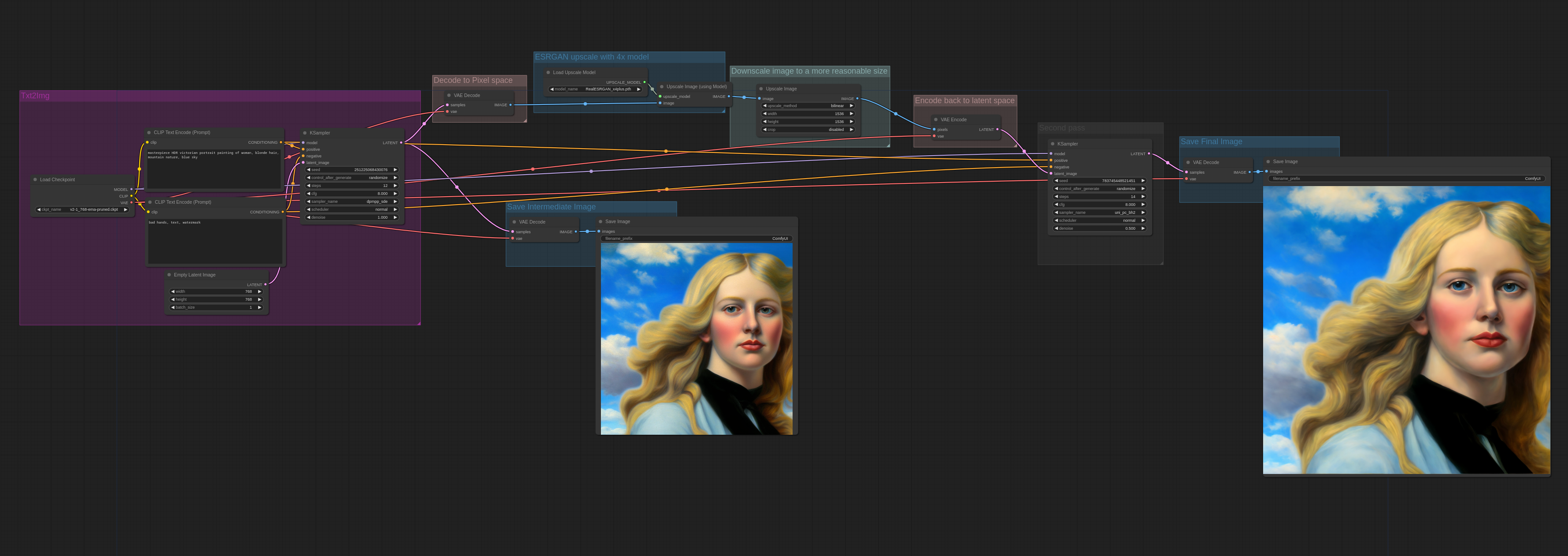
Here is an example of how the esrgan upscaler can be used for the upscaling step. Since ESRGAN works in pixel space, the image needs to be converted to pixel space and then back to latent space after being upscaled.
More examples
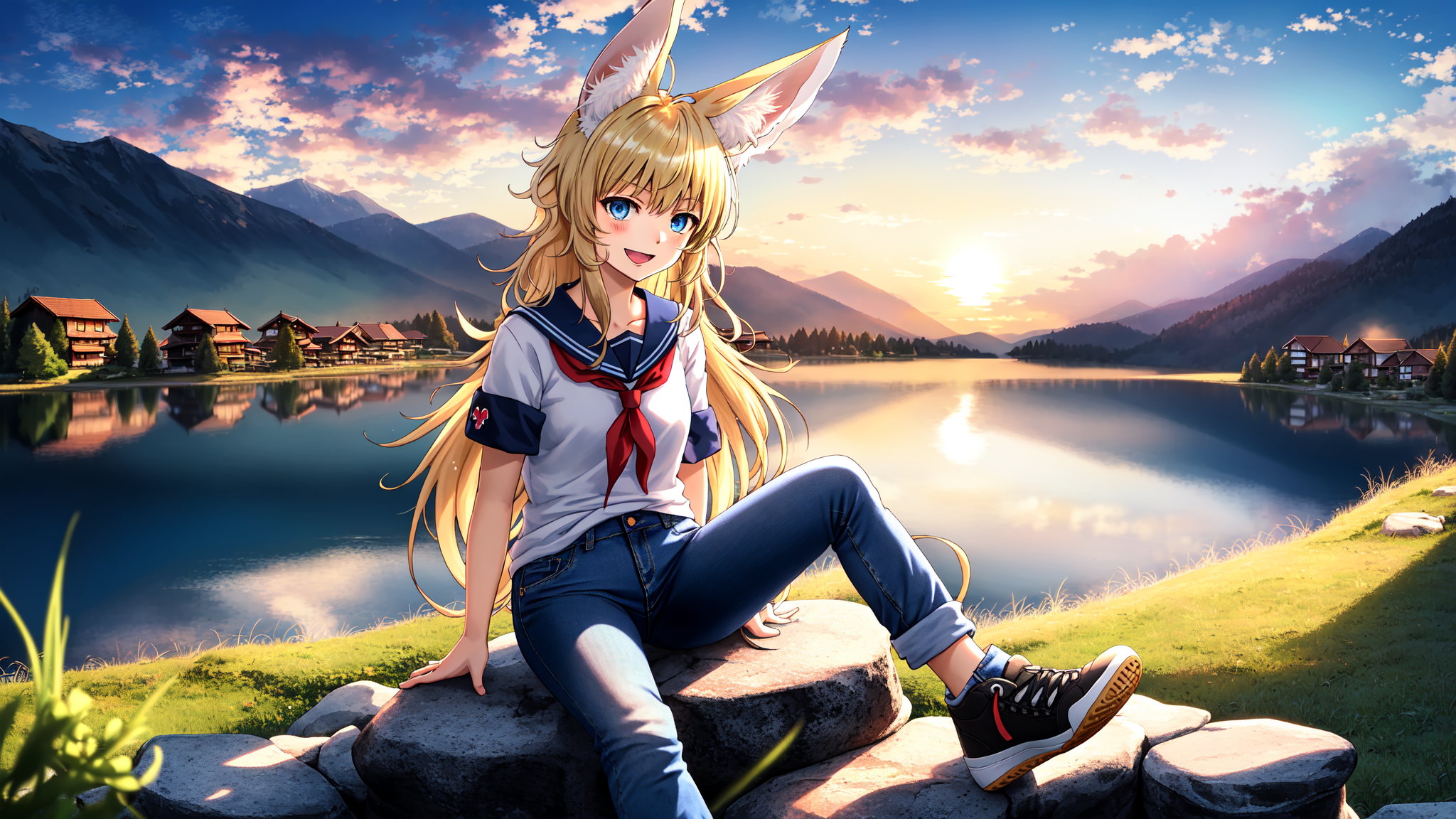
Here is an example of a more complex 2-pass workflow. This image is first generated with the WD1.5 beta 3 illusion model, upscaled in latent space, and then a second pass is done with cardosAnime_v10:
Comments
Sign in with GitHub to join the discussion.