Plenio 2.0 Sets Up Your ComfyUI Song Studio on Its Own
Plenio 2.0 for ComfyUI adds a Setup tab that plans and checks model files, auto model fields, a Song API v2, an MCP server and a player built for a room.
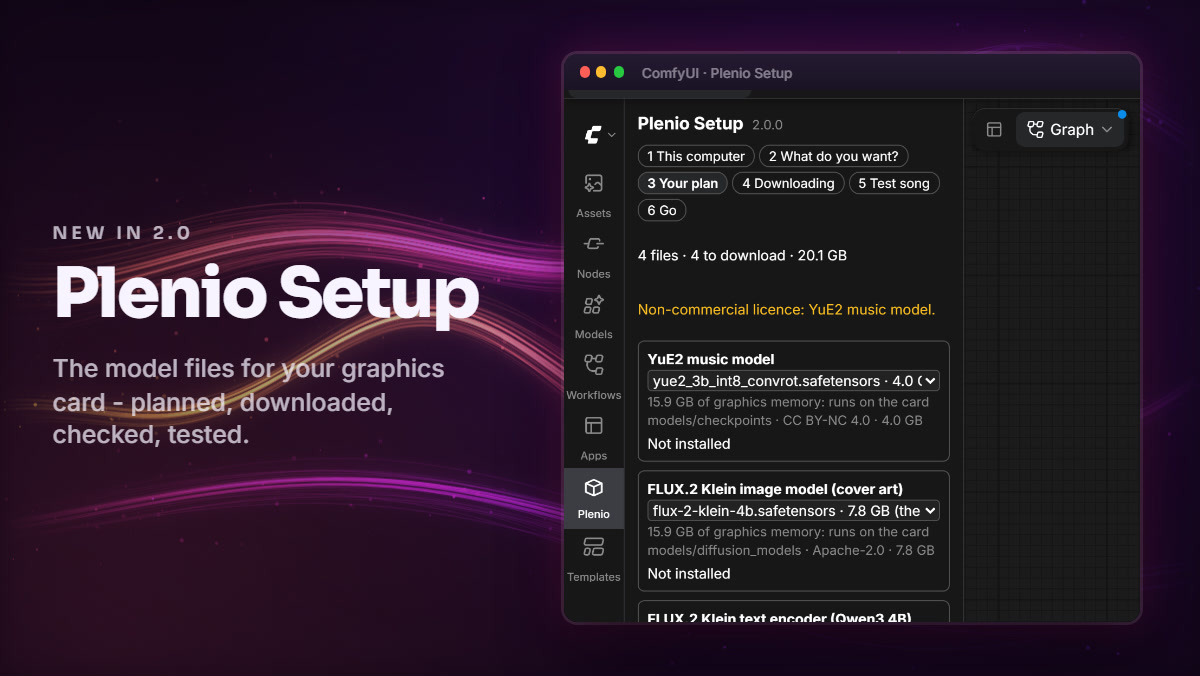
The new Plenio Setup tab reads the GPU and plans the model files before anything is generated.
The job is unchanged: a local language model writes the lyrics, YuE2 or MiniMax Music 3 sings them, and you get a mastered song with cover art, timed lyrics and sheet music. What 2.0 changes is how it gets onto your machine, and who can start it.
What's new in 2.0
| Change | What it does |
|---|---|
| Plenio Setup | reads your card, plans the model files, downloads what you confirm, checks every hash, then makes a one-minute test song |
Model fields on auto | a workflow built on one computer takes the files that suit another; a finetune or a pin is one choice away |
| Song API v2 | all five templates, jobs that survive a ComfyUI restart, review stops, one event stream, tokens for other computers |
| MCP server | plenio_mcp.py lets Claude Desktop or Claude Code ask for a song, which then plays in the Plenio Player |
| People & access | Host, Co-host, Maker, Listener and Party guest roles, invites by QR code, guest pages in seven languages |
| The Director | the player knows each song's bars and sections and changes its visuals on the section's first beat |
Setup first, then Home
Setup is a ComfyUI tab that knows your graphics card. It lists the files a song needs with their sizes and folders, downloads only what you confirm, and checks every file against its SHA-256. After the one-minute test song the tab becomes Home: a button for each kind of song, the player, and your newest songs.
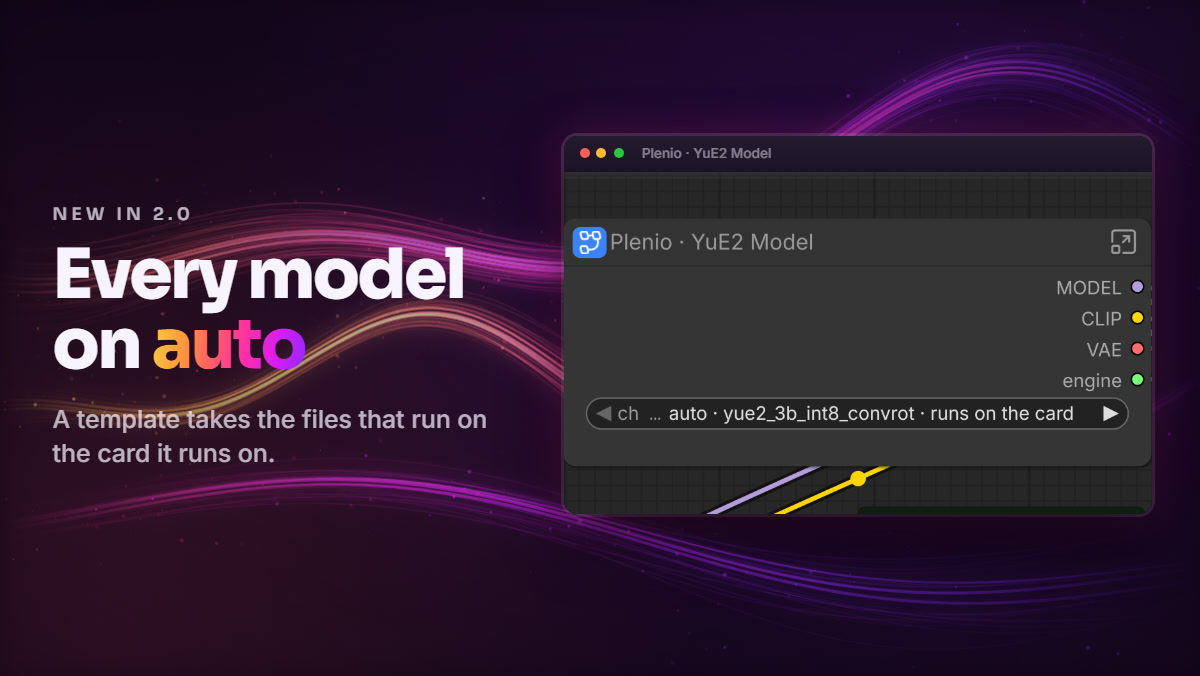
Model blocks left on auto: the same workflow picks the files that fit the machine it runs on.
Templates now write auto into every model field, so a workflow built on one computer takes the right files on another. A finetune, or a pinned file, is still one choice away.
Songs from scripts, and from Claude
Anything that can speak HTTP can drive the pipeline now. Song API v2 covers all five templates, keeps jobs across a restart of ComfyUI, stops at review points with the documents to approve or edit, and streams events. Programs on another computer need a token from Plenio Setup › API access; programs on the ComfyUI machine need none.
plenio_mcp.py is a Model Context Protocol server, so Claude Desktop or Claude Code can ask for a song and have it play in the Plenio Player. The player has its own API too: play, pause, queue and Live Play over HTTP, for stream decks and home automation.
A player for a room
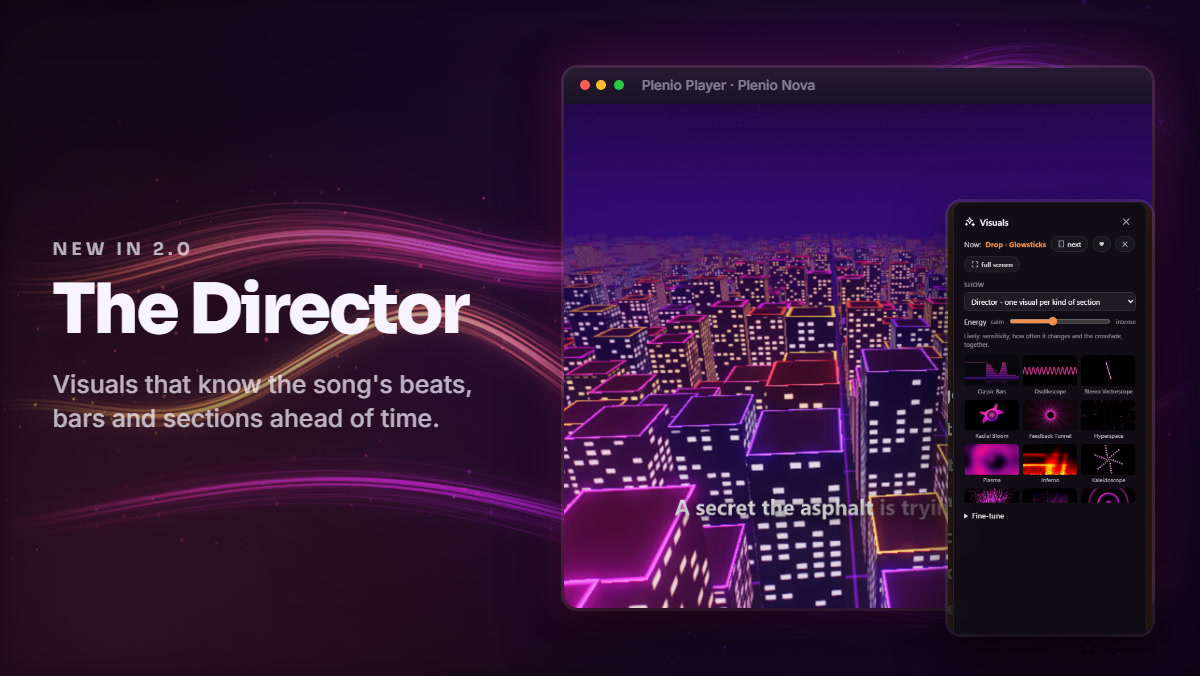
The Director in the player: each section of the song brings its own visual and its own light.
People & access gives everyone a role: Host, Co-host, Maker, Listener or Party guest. Guests join with a QR code instead of a typed password and read their page in one of seven languages, and Start a party asks three questions and switches the rest on.
The Director knows each song's beats, bars, sections and drops ahead of time. Every kind of section gets its own visual and changes on the section's first beat, and twelve signature visuals lean in before a beat and flash on it.
Getting 2.0
comfy node install comfyui-plenio-music. The pack needs ComfyUI 0.41.0 or newer, up from 0.37.0; 1.6.0 stays installable if you are on an older build.
Let Setup plan the files
Restart ComfyUI and Plenio Setup opens. Confirm the model files it plans for your card, then run its test song to check that everything sings.
Keep your old work
Workflows saved with 1.x open and run as they are, and File › Bring the model blocks up to date adds the new model fields while keeping the files they named.
The release notes for 2.0.0 and the fix release 2.0.1 cover the rest, and the README has the install steps.
Comments
Sign in with GitHub to join the discussion.