NKD Event Curve Draws When Things Happen in a MiniMax H3 Clip
NKD Event Curve is a ComfyUI node for MiniMax H3: draw a curve and the action lands where it peaks, with six guide types and timing copied from a song or another clip.
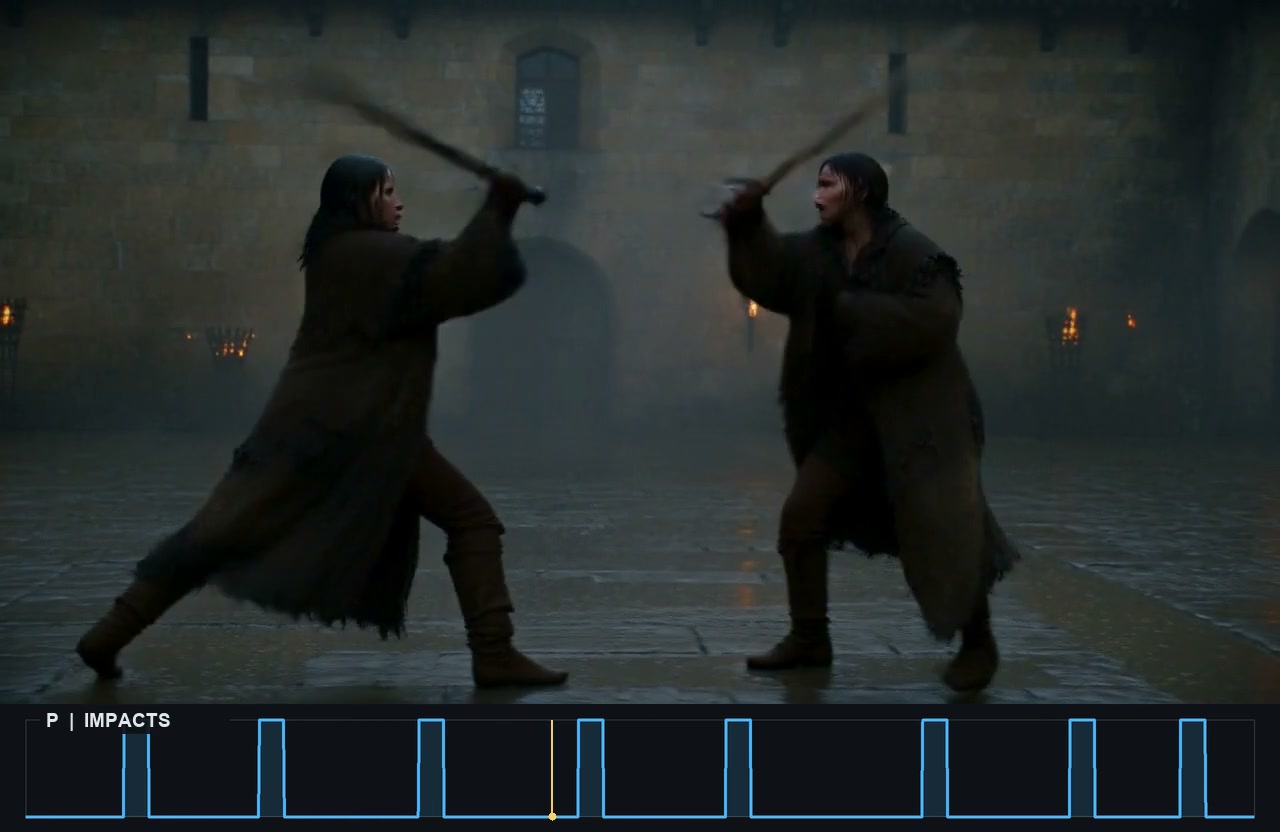
A test clip driven by a P guide: eight peaks, eight impacts.
The same take with sound. Clip by NebSH, shared in the Banodoco #minimax_h3_resources channel.
The six guides
Pick the one closest to what your prompt describes. Only P and B read the curve as on/off; the rest follow its height.
| guide | what it drives | prompt it fits |
|---|---|---|
| P punch | sharp single events | hits, bounces, steps, sword strikes |
| F flow | gradual intensity | wind, water, lights fading in |
| M motor | something revving, harder as the curve rises | engines, acceleration |
| B blast | a bang on each rise that rings while the curve stays up | explosions, gunshots, thunder |
| U uncanny | a pulsing tone, faster as the curve rises | UFOs, magic, sci-fi effects |
| W words | someone talking while the curve is up, faster the higher it goes | dialogue timing |
A dialogue take with a W guide. Clip by NebSH, same channel.
Running it
- Install NKD Basic Tools from the ComfyUI Manager, or clone the repo into
custom_nodes. - Put an NKD Event Curve node in the graph and wire its
guideoutput into Add Guide for MiniMax H3 at frame 0. The NKD MiniMax Guides node takes it in a slot if you already use one. - Match
lengthandfpsto the video latent: the default is 141 frames at 24 fps. - Leave
strengthat 0.5 and lower it if the result looks forced.
The node also outputs preview: the curve drawn as frames with a playhead, sized to stack under your clip so you can check the timing after the fact.
Timing from a song or another clip
Wire audio into source and the node follows its loudness, which is how you sync a hit to a beat. Wire video frames instead and it follows how much the picture moves, copying the pacing of a clip you already like. With no source it uses the curve you drew, or a repeating sine, square, triangle, sawtooth or pulse shape with cycles and phase.
Six curves in one graph
example_workflows/NKD H3 Event Control.json in the repo puts six Event Curve nodes in one graph: a falling bomb, waves on a pier, a car accelerating, a dialogue take and two more. Its note lists the packs and models it needs, and every guide is explained with hints in English and Spanish.
What testers ran into
- How long the guide stays on. The
untilvalue in NKD MiniMax Guides decides how far into sampling a guide is active. NebSH ran the same take at 40, 80 and 100 percent and picked by eye. - Two speakers, one curve. One W guide per character is not in the node yet; NebSH was planning to modify his own copy. The author controls speakers in the prompt with
(S1) <d> … </d> (S2)instead. - Mix guides in one shot. The author's own suggestion for a fight: P for the hits and M for the swings, each on its own curve.
Availability
NKD Basic Tools (v1.27.0, 2026-11-15). The example workflow needs NKD Sigmas Curve, NKD Preview Tools, NKD Notes, Preview Relay, KJNodes and Video Helper Suite, all listed in the workflow note.
Comments
Sign in with GitHub to join the discussion.