CLIP Text Encode in ComfyUI: Prompt Node Guide
CLIPTextEncode in ComfyUI encodes a text prompt into conditioning. Set the clip and text inputs, wire the output to a sampler and use embedding:Name for embeddings.
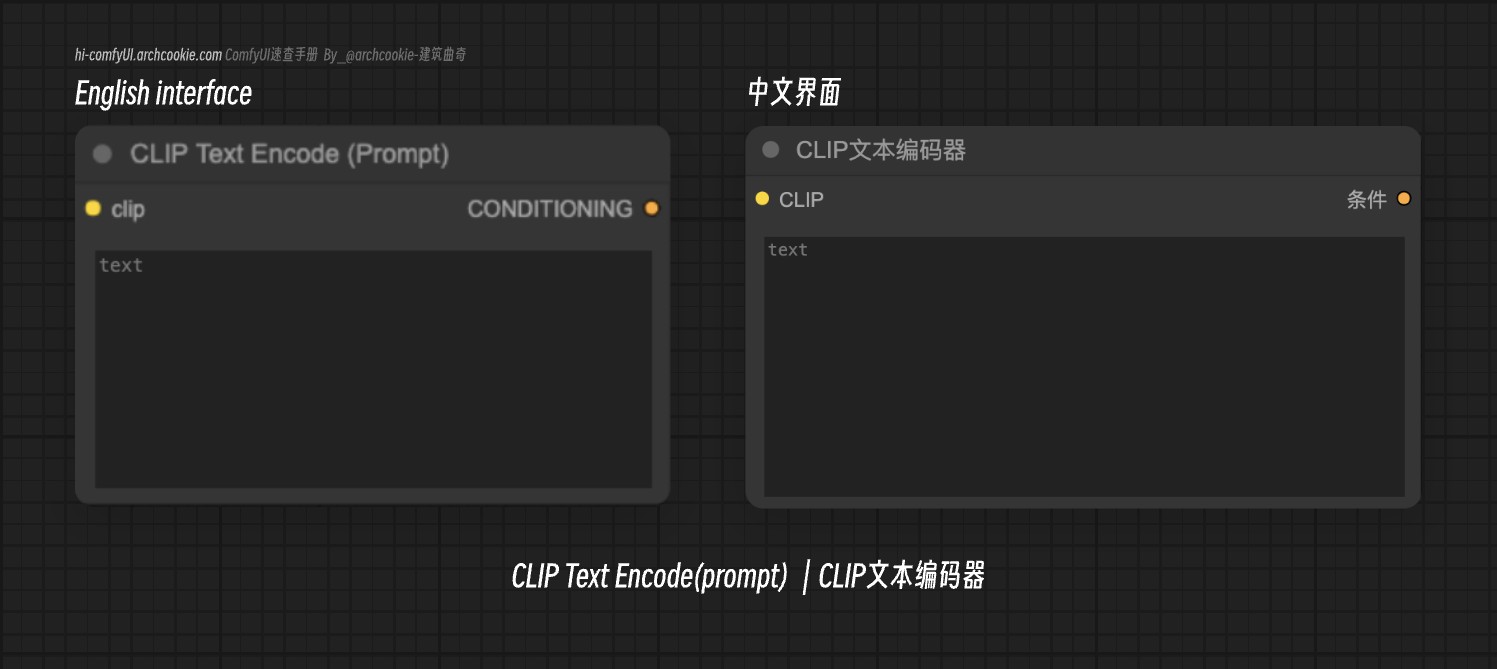
Documentation
- Class name:
CLIPTextEncode - Category:
conditioning - Output node:
False
The CLIPTextEncode node is designed to encode textual inputs using a CLIP model, transforming text into a form that can be utilized for conditioning in generative tasks. It abstracts the complexity of text tokenization and encoding, providing a streamlined interface for generating text-based conditioning vectors.
Besides normal text prompts, you can also use embedding models. For example, if you add an embedding model in the ComfyUI/models directory, you can use this embedding model in the prompt.
For example, if the corresponding model name is EasyNegative, you can use embedding:EasyNegative, in the prompt to use this corresponding model.
Input types
| Parameter | Comfy dtype | Description |
|---|---|---|
text | STRING | The 'text' parameter is the textual input that will be encoded. It plays a crucial role in determining the output conditioning vector, as it is the primary source of information for the encoding process. |
clip | CLIP | The 'clip' parameter represents the CLIP model used for text tokenization and encoding. It is essential for converting the textual input into a conditioning vector, influencing the quality and relevance of the generated output. |
Output types
| Parameter | Comfy dtype | Description |
|---|---|---|
conditioning | CONDITIONING | The output 'conditioning' is a vector representation of the input text, encoded by the CLIP model. It serves as a crucial component for guiding generative models in producing relevant and coherent outputs. |
Comments
Sign in with GitHub to join the discussion.