MiniMax H3 ComfyUI 워크플로: T2V, I2V, R2V 다운로드 가이드
ComfyUI에서 MiniMax H3를 로컬 실행하세요. 공식 T2V, I2V, R2V 템플릿으로 네이티브 스테레오 오디오를 생성합니다. 19.5GB int8 가중치, Qwen3-VL-32B 인코더, 두 VAE 설치를 다룹니다.
튜토리얼 개요
이 튜토리얼은 ComfyUI에서 MiniMax H3를 실행하는 데 필요한 모든 내용을 다룹니다: 모델 설치, 공식 워크플로 로딩, 세 가지 생성 모드(T2V, I2V, R2V) 이해, 적절한 해상도 선택, 일반적인 문제 해결까지.
MiniMax H3 Model Overview
MiniMax H3 is the latest model in MiniMax's Hailuo video line. It generates up to 15 seconds of 24 FPS video with native 32 kHz stereo audio, in any of 11 languages, at up to 2K resolution. The model is powered by a 33.1B dense single-stream omni transformer with a Qwen3-VL-32B text encoder.
Key capabilities:
- Native stereo audio: dialogue, sound effects, and music generated in the same pass as the video, no separate audio model
- Omni-modal context: any combination of text, images, video, and audio as input
- Three task modes: text-to-video (T2V), image-to-video (I2V), and reference-to-video (R2V)
- 11 languages: Arabic, Chinese, English, French, German, Italian, Japanese, Korean, Portuguese, Russian, Spanish
- Open weights: MiniMax H3 Community License, fully local inference
The open release covers H3-Base as two checkpoints: FL2VA (text-to-video and first/last-frame conditioning) and Ref2VA (reference-based generation). The H3-Context-IR preprocessing system and H3-Regenerate-2K 2K upscaling module remain hosted APIs.
시작하기
MiniMax H3는 오픈 가중치로 ComfyUI에서 지원됩니다.
- ComfyUI를 최신 버전으로 업데이트하세요 (0.30.0 이상, 기본 지원은 Comfy-Org/ComfyUI #15224에서 병합됨).
Workflow->템플릿 탐색->비디오를 열고 원하는 MiniMax H3 워크플로를 선택하세요.- 팝업 안내에 따라 모델을 다운로드하고 워크플로를 실행하세요.
모델 파일은 Hugging Face의 Comfy-Org/MiniMax-H3 저장소에 호스팅되어 있습니다.
모델 설치
다음 파일을 Comfy-Org/MiniMax-H3에서 다운로드하여 해당 폴더에 넣으세요:
Diffusion 모델 (변형 중 하나 선택):
| 모델 | 크기 | 비고 |
|---|---|---|
minimax_h3_fl2va_pruned_int8_convrot.safetensors | 19.5 GB | 권장 - 프루닝된 INT8, 약 40% 더 작음, T2V/I2V에 최적의 균형 |
minimax_h3_fl2va_int8_convrot.safetensors | 31.7 GB | 표준 INT8 |
minimax_h3_fl2va_bf16.safetensors | 61.7 GB | 풀 정밀도 |
minimax_h3_ref2va_pruned_int8_convrot.safetensors | 19.5 GB | 레퍼런스 기반 비디오 생성(R2V) 모드에 사용 |
minimax_h3_ref2va_bf16.safetensors | 61.7 GB | 풀 정밀도 R2V |
텍스트 인코더 (하나 선택):
| 모델 | 크기 | 비고 |
|---|---|---|
qwen3vl_32b_minimax_h3_nvfp4_awq.safetensors | 14.6 GB | 권장 - NVFP4 AWQ, 모든 GPU에서 실행 가능 |
qwen3vl_32b_minimax_h3_int8_convrot.safetensors | 25.3 GB | INT8 convrot |
qwen3vl_32b_minimax_h3_bf16.safetensors | 48.0 GB | 풀 정밀도 |
VAE (둘 다 필수):
| 모델 | 크기 |
|---|---|
minimax_h3_video_vae_fp16.safetensors | 4.9 GB |
minimax_h3_audio_vae_fp32.safetensors | 0.6 GB |
📂 ComfyUI/
├── 📂 models/
│   ├── 📂 diffusion_models/
│   │   └── minimax_h3_fl2va_pruned_int8_convrot.safetensors
│   ├── 📂 text_encoders/
│   │   └── qwen3vl_32b_minimax_h3_nvfp4_awq.safetensors
│   └── 📂 vae/
│       ├── minimax_h3_video_vae_fp16.safetensors
│       └── minimax_h3_audio_vae_fp32.safetensors
공식 워크플로
Comfy-Org/workflow_templates를 통해 6개의 공식 템플릿을 사용할 수 있습니다. 3개는 로컬(오픈 웨이트)에서 실행되며, 3개는 MiniMax API를 호출합니다. 이 가이드는 공식 Comfy-Org 문서에 따라 3개의 로컬 워크플로를 자세히 설명합니다.
워크플로 불러오기
방법 1: 템플릿 갤러리 (권장)
ComfyUI를 최신 버전으로 업데이트한 다음 Workflow -> Browse Templates -> Video -> MiniMax H3 경로를 통해 불러옵니다.
방법 2: 다운로드 후 드래그
JSON을 다운로드하여 ComfyUI 창으로 드래그합니다.
출력 해상도 설정
각 워크플로는 해상도 선택기(Resolution Selector) 노드를 사용하여 세 가지 설정에서 width와 height를 계산합니다.
- 종횡비(Aspect ratio): 16:9(와이드스크린), 9:16(세로), 1:1(정사각형) 등의 사전 설정
- 메가픽셀(Megapixels): 목표 총 픽셀 수. 값이 높을수록 더 큰 프레임이 생성되고, 낮을수록 더 빠르게 실행됩니다.
- 배수(Multiple): 이 숫자의 가장 가까운 배수로 반올림됩니다. H3의 해상도 그리드에 맞추려면 32로 유지하세요.
H3의 기본 캔버스는 짧은 변이 768px이며, 최대 768x1344 픽셀로 제한되고 32의 배수로 반올림됩니다. 템플릿에는 빠른 미리보기 크기가 포함되어 있습니다. 최고 품질을 원한다면 16:9에서 메가픽셀을 약 1.0으로 설정하세요. 그러면 대략 1344x768 크기가 생성됩니다.
1. MiniMax H3 Text-to-Video (T2V)
Generate videos from text prompts with native stereo audio.
Model downloads (T2V)
| Component | File | Destination |
|---|---|---|
| Diffusion model | minimax_h3_fl2va_pruned_int8_convrot.safetensors | ComfyUI/models/diffusion_models/ |
| Text encoder | qwen3vl_32b_minimax_h3_nvfp4_awq.safetensors | ComfyUI/models/text_encoders/ |
| VAE | minimax_h3_video_vae_fp16.safetensors | ComfyUI/models/vae/ |
| VAE | minimax_h3_audio_vae_fp32.safetensors | ComfyUI/models/vae/ |
Model storage (T2V)
ComfyUI/
├── 📂 models/
│   ├── 📂 diffusion_models/
│   │   └── minimax_h3_fl2va_pruned_int8_convrot.safetensors
│   ├── 📂 text_encoders/
│   │   └── qwen3vl_32b_minimax_h3_nvfp4_awq.safetensors
│   └── 📂 vae/
│       ├── minimax_h3_video_vae_fp16.safetensors
│       └── minimax_h3_audio_vae_fp32.safetensors
Prompting tips (T2V)
- Describe the whole scene: state the overall scene first (location, character, what is happening), then break it into timed shots
- Shots, camera, and audio: describe the shots, camera moves, and the accompanying audio (dialogue, SFX, music) in one prompt block
- Duration: the duration input snaps to the model's 17-frame-per-block (17k+5) grid at 24 FPS
- First/last frame: connect images to
first_frameand/orlast_frameon theMiniMaxH3ImageToVideonode to turn this workflow into first/last-frame image-to-video
2. MiniMax H3 Image-to-Video (I2V)
Generate videos from an input image, with optional first/last-frame keyframes.
Input image: 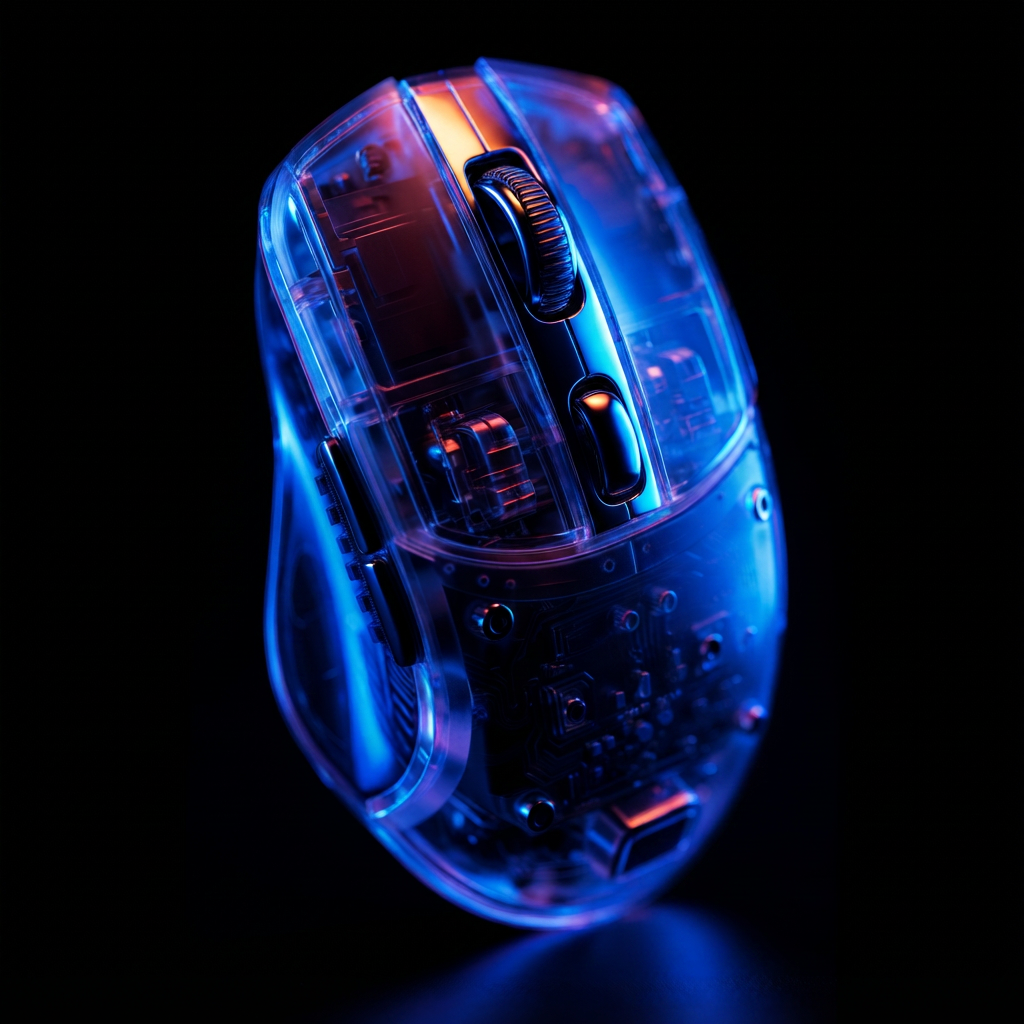 - download the default input image, or use your own.
Model downloads (I2V)
| Component | File | Destination |
|---|---|---|
| Diffusion model | minimax_h3_fl2va_pruned_int8_convrot.safetensors | ComfyUI/models/diffusion_models/ |
| Text encoder | qwen3vl_32b_minimax_h3_nvfp4_awq.safetensors | ComfyUI/models/text_encoders/ |
| VAE | minimax_h3_video_vae_fp16.safetensors | ComfyUI/models/vae/ |
| VAE | minimax_h3_audio_vae_fp32.safetensors | ComfyUI/models/vae/ |
Model storage (I2V)
Same layout as the T2V workflow (FL2VA diffusion model + NVFP4 text encoder + both VAEs).
Prompting tips (I2V)
- Keyframes: the
first_frameandlast_frameinputs are optional; the model generates the motion between them - Prompt: describe the shots, motion, and the accompanying audio (dialogue, SFX, music) in one block
- Duration: snaps to the 17-frame-per-block (17k+5) grid at 24 FPS
3. MiniMax H3 Reference-to-Video (R2V)
Generate videos that lock in a character, style, motion, camera move, or voice from any mix of reference images, videos, and audio.
Reference images:
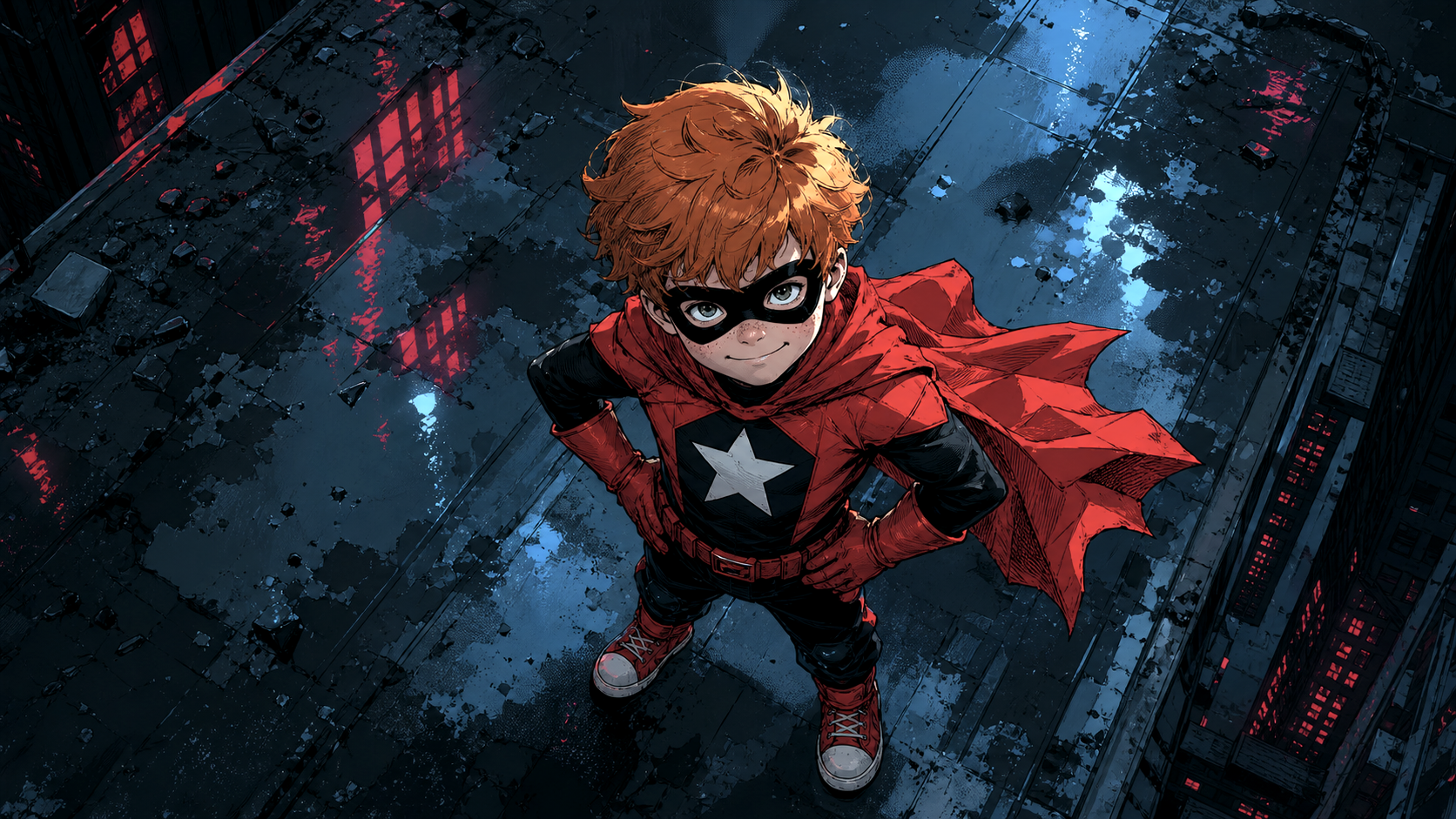 - character reference for the workflow, or use your own
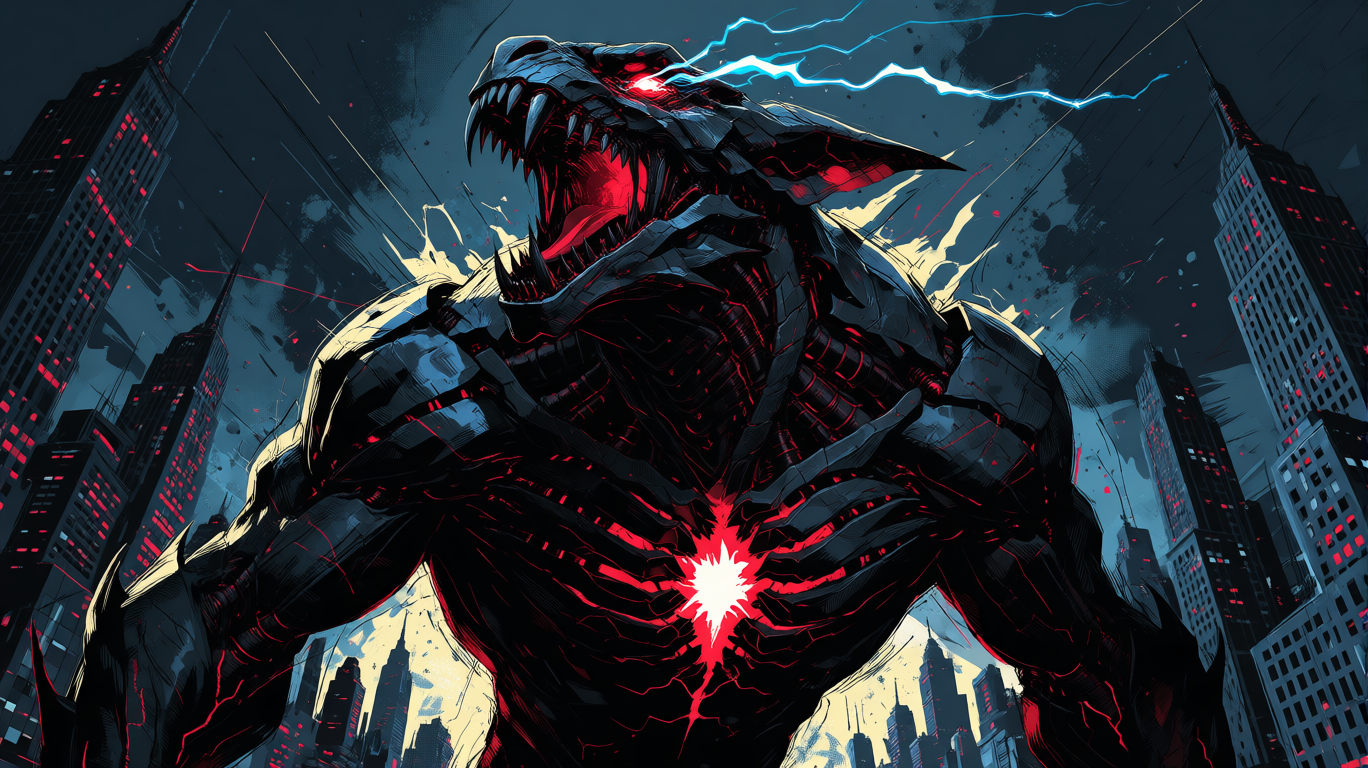 - style and subject reference for the workflow, or use your own
Model downloads (R2V)
| Component | File | Destination |
|---|---|---|
| Diffusion model | minimax_h3_ref2va_pruned_int8_convrot.safetensors | ComfyUI/models/diffusion_models/ |
| Text encoder | qwen3vl_32b_minimax_h3_nvfp4_awq.safetensors | ComfyUI/models/text_encoders/ |
| VAE | minimax_h3_video_vae_fp16.safetensors | ComfyUI/models/vae/ |
| VAE | minimax_h3_audio_vae_fp32.safetensors | ComfyUI/models/vae/ |
Model storage (R2V)
ComfyUI/
├── 📂 models/
│   ├── 📂 diffusion_models/
│   │   └── minimax_h3_ref2va_pruned_int8_convrot.safetensors
│   ├── 📂 text_encoders/
│   │   └── qwen3vl_32b_minimax_h3_nvfp4_awq.safetensors
│   └── 📂 vae/
│       ├── minimax_h3_video_vae_fp16.safetensors
│       └── minimax_h3_audio_vae_fp32.safetensors
Prompting tips (R2V)
- Reference by tag: reference each input by tag in the exact order it was connected, for example
<Picture 1>,<Video 1>,<Audio 1> - Assign each reference a job: state which reference drives which part of the shot (identity, style, motion, camera, voice); explicit assignments work much better
- Limits: up to 9 reference images, 3 reference videos (each can carry its own soundtrack), and 3 standalone reference audio clips
- ref_image_size:
matchscales references down to the generation resolution for speed;maxkeeps up to a 2048px short edge for stronger identity fidelity at the cost of speed - Sampler:
res_multistepwith abetaornormalscheduler tends to outperformsimplefor reference-heavy prompts - Note: R2V uses the
ref2vadiffusion model, a different set of weights from thefl2vamodel used by T2V and I2V
API 워크플로
로컬에서 실행하는 대신 MiniMax API를 호출하는 공식 템플릿 3개가 추가로 있습니다:
| 템플릿 | 모드 |
|---|---|
| api_minimax_h3_t2v.json | API: 텍스트를 비디오로 |
| api_minimax_h3_r2v.json | API: 참조 이미지를 비디오로 |
| api_minimax_h3_flf2v.json | API: 첫 번째/마지막 프레임을 비디오로 |
문제 해결
ComfyUI-MiniMaxH3-Cache를 설치하지 마세요. 이 커스텀 노드는 MiniMax H3 모델 코드를 전역적으로 monkey-patch하여 ComfyUI 업데이트 후 H3 생성(또는 ComfyUI 자체)을 손상시킬 수 있습니다(사용하지 않아도). lihaoyun6/ComfyUI-MiniMaxH3-Cache#4 참조. 이미 설치했다면 custom_nodes/에서 삭제하고 ComfyUI를 재시작하세요.
Q: ComfyUI에 MiniMax H3 노드가 표시되지 않습니다
ComfyUI를 버전 0.30.0 이상으로 업데이트하세요. 네이티브 지원은 2026년 8월 3일 Comfy-Org/ComfyUI #15224에서 병합되었습니다. 데스크톱 및 클라우드 업데이트는 안정적인 릴리스를 따르므로 일부 최신 테스트 버전(nightly) 지원 기능은 아직 사용하지 못할 수 있습니다.
Q: 메모리 부족 / 높은 VRAM 사용량
- bf16 대신 pruned INT8 diffusion 모델(19.5 GB)을 사용하세요
- 모든 GPU에서 실행되는 NVFP4 AWQ 텍스트 인코더(14.6 GB)를 사용하세요
- 해상도 선택기 노드에서 해상도를 낮추고(낮은 메가픽셀) 재생 시간을 줄이세요
- ComfyUI의 동적 VRAM 시스템과 블록 스왑은 시스템 RAM이 넉넉한 머신에서 도움이 됩니다
Q: 256p 또는 매우 작은 해상도에서 생성이 실패합니다
H3의 최소 해상도는 384p입니다. 256p는 완전히 실패합니다. 공식 템플릿의 해상도 프리셋을 사용하세요.
Q: 출력 비디오에 오디오가 없습니다
두 VAE가 모두 로드되었는지 확인하세요: minimax_h3_video_vae_fp16.safetensors(비디오) 및 minimax_h3_audio_vae_fp32.safetensors(오디오). 또한 워크플로에 SaveVideo에 연결된 VAEDecodeAudio 노드가 포함되어 있어야 합니다.
Q: 이미지 기반 비디오 생성을 위해 어떤 체크포인트를 사용해야 하나요?
T2V 및 I2V(첫 번째 프레임, 마지막 프레임 또는 둘 다)에는 FL2VA 체크포인트를 사용하세요. 완전한 참조 기반 생성(신원, 스타일, 음성)이 필요할 때는 Ref2VA 체크포인트를 사용하세요.
Q: 버그는 어디에 신고할 수 있나요?
- 런타임 오류: ComfyUI/issues
- UI 문제: ComfyUI_frontend/issues
MiniMax H3 성능 최적화 팁
커뮤니티에서 검증된 공식 워크플로 가속 설정:
- 샘플러와 스케줄러:
res_multistep과simple스케줄러 조합, 20스텝이 T2V와 I2V의 일반적인 기준입니다. 스텝 수를 줄이면 시간이 절약되지만 약 15스텝 미만에서는 화질이 눈에 띄게 저하됩니다. 25스텝으로 늘리면 화면 내용과 움직임이 약간 좋아지지만 생성 시간이 더 길어집니다. - Sage 어텐션:
--use-sage-attention옵션으로 ComfyUI를 시작하세요(기본 내장 기능, 커스텀 노드 불필요). 커뮤니티에서는 중급 GPU에서 생성 속도가 약 2배까지 빨라진다고 보고하지만, 해상도가 높아질수록 효과는 줄어듭니다. 결과는 GPU에 따라 다릅니다. - 해상도: 빠른 시안 제작 시 해상도 선택기를 0.4 MP 전후(예: 768x512)로 유지하세요. H3는 최소 해상도 384p에서도 사용할 수 있으며, 이는 이전 비디오 모델이 요구했던 해상도보다 훨씬 낮습니다.
- 고정 메모리: ComfyUI 0.30.x에서 고정 메모리 회귀로 인해 모델 로딩이 매우 느려질 수 있습니다.
--disable-pinned-memory옵션으로 시작하면 빠른 로딩이 복구되고 일부 구성에서는 생성 시간이 크게 단축되었다는 보고가 있습니다.
MiniMax H3 커뮤니티 양자화 모델
기본 ComfyUI에서 로드할 수 있는 MiniMax H3 확산 모델의 커뮤니티 양자화 버전입니다. 이는 서드파티 변환이며 MiniMax 또는 Comfy-Org의 공식 릴리스가 아닙니다. 라이선스와 품질 관련 사항은 각 저장소의 README를 확인하세요.
INT8
| 모델 | 설명 |
|---|---|
| DmitryDB/MiniMax-H3-INT8-Lean-ConvRot | 품질 중심의 INT8 Lean ConvRot. FL2VA와 Ref2VA 각각 약 20.9 GiB로 24 GB GPU 우선 대상으로 설계 |
| Gluttony10/MiniMax-H3-INT8-CONVROT | INT8 convrot FL2VA 및 Ref2VA. 오디오/비디오 VAE와 INT8 Qwen3-VL 텍스트 인코더 포함 |
INT4
| 모델 | 설명 |
|---|---|
| Merserk/MiniMax-H3-INT4-ConvRot | 프루닝된 FL2VA와 Ref2VA 각 11.3 GB에 INT4 텍스트 인코더 추가. 12 GB GPU 대상 |
| tsolful/Minimax_H3_INT4MixedConvRot | 혼합 정밀도 INT4 FL2VA. 균형형(INT4BQ)과 고품질형(INT4Q) 변형 제공 |
NVFP4
| 모델 | 설명 |
|---|---|
| rockerBOO/minimax-h3-nvfp4 | FL2VA의 NVFP4 및 프루닝된 INT4 convrot 변형 |
| lilcheaty/MiniMax-H3-NVFP4 | NVFP4 FL2VA 및 Ref2VA 변형. 혼합 정밀도 체크포인트 포함 |
| ModelsLab/MiniMax-H3-ref2va-NVFP4 | 참조 워크플로용 Ref2VA NVFP4 체크포인트 |
FP8
| 모델 | 설명 |
|---|---|
| rzgar/minimax_h3_fl2va_fp8_e4m3fn | FP8 E4M3FN FL2VA. 작성자는 dpmpp_2m / sgm_uniform 사용 시 8스텝이 최적이라고 보고 |
댓글
GitHub로 로그인하고 토론에 참여하세요.