MiniMax H3 Image: Open 16 MP Image Generation and Editing Model
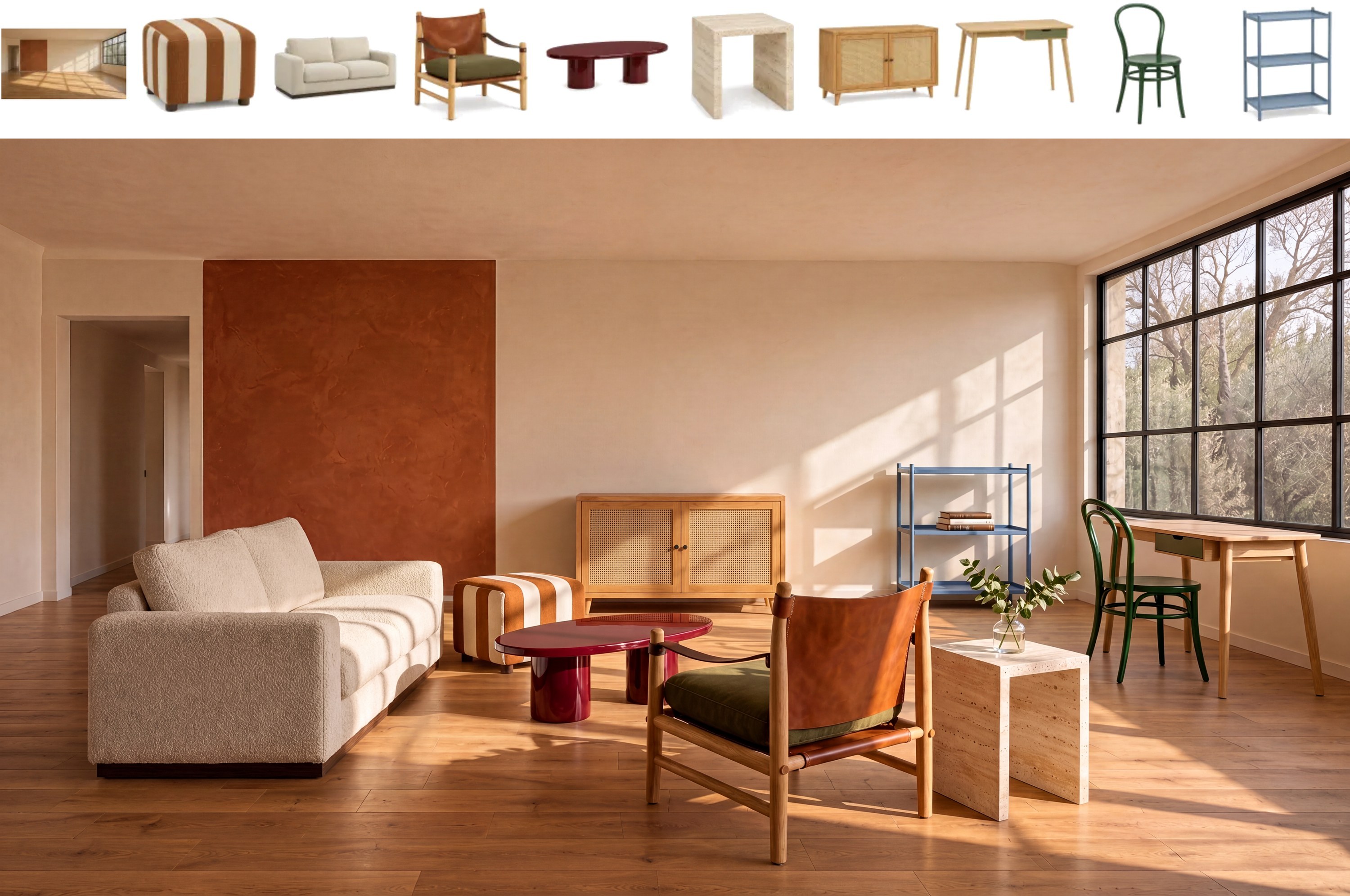
Run MiniMax-H3-Image in ComfyUI: one 33B checkpoint for 16 MP text-to-image and editing with up to 16 reference images, 6 steps at CFG 1.
MiniMax H3 Image
Text-to-ImageImage EditingMulti-Reference16 MP6 StepsMiniMax-H3-Image is MiniMax's open-weight image model. A single 33.1B checkpoint handles text-to-image and multi-reference editing at about 16 megapixels, distilled to 6 sampling steps without classifier-free guidance. It shares the H3 diffusion transformer without the audio branch and the Qwen3-VL-32B text encoder of MiniMax H3.
| Developer | MiniMax |
| Release Date | 2026-11-10 |
| Architecture | 33.1B dense single-stream DiT (H3 without the audio layers) |
| Text Encoder | Qwen3-VL-32B (layer 50 hidden states) |
| Image VAE | CNN encoder with 2D ViT decoder, 16x downsampling, 24 latent channels |
| Sampling | 6 steps, CFG 1, no negative prompt |
| License | MiniMax H3 Image Community License |
MiniMax-H3-Image generates images at roughly 16 megapixels in every aspect ratio, from 4096x4096 to 6272x2688, and edits one or more reference images with the same checkpoint. Native ComfyUI support merged on 2026-11-10 (Comfy-Org/ComfyUI #17655) and is included in v0.45.0.

Modes
| Mode | Input | Notes |
|---|---|---|
| Text-to-image | a long English description | 4 MP to 20 MP working range, best around 16 MP |
| Image editing | 1 to 16 reference images, addressed as Picture 1, Picture 2, … | the same weights, no separate edit checkpoint |
The model expects a detailed English caption. MiniMax's hosted H3-Image-Context-IR turns short prompts into one; the optional MiniMax-H3-Image-PE prompt expander (17.9 GB NVFP4) does the same locally, and the official ComfyUI templates use a 9B Qwen3.5 expander through Generate Text.
ComfyUI
- Node:
MiniMax H3 Image Conditioning(image/conditioning), optionalvaeinput that also anchors the pictures as reference latents. - Templates:
image_minimax_h3_image_t2iandimage_minimax_h3_image_editin the template browser. - Sampler settings in both templates: 6 steps, CFG 1. The default canvas is 4 MP; raise it when the card allows.
Resources
- ComfyUI tutorial (official docs)
- MiniMax H3 Image open-weights news
- MiniMax H3 model page (video sibling, same text encoder)
Guides and workflows related to this model series.
Comments
Sign in with GitHub to join the discussion.