MOSS-Image ComfyUI Workflow: Weights, Nodes and Download
Run MOSS-Image in ComfyUI: download moss_image_sft_bf16 or int8_convrot, load the qwen3.5_9b text encoder, and control layout JSON with the MOSS-Image Layout Prompt node.
MOSS-Image is a new 5B text-to-image family from OpenMOSS (GitHub | user guide), released on October 16 with two checkpoints: MOSS-Image-Base, the pre-training checkpoint kept for fine-tuning, and MOSS-Image-SFT, the model most users should run. It is a single-stream diffusion transformer in the FLUX.2 latent space paired with a stock Qwen3.5-9B text encoder, so the DiT is the only new component ComfyUI has to load. Core support merged the same day in Comfy-Org/ComfyUI PR #17095 (by Kijai).
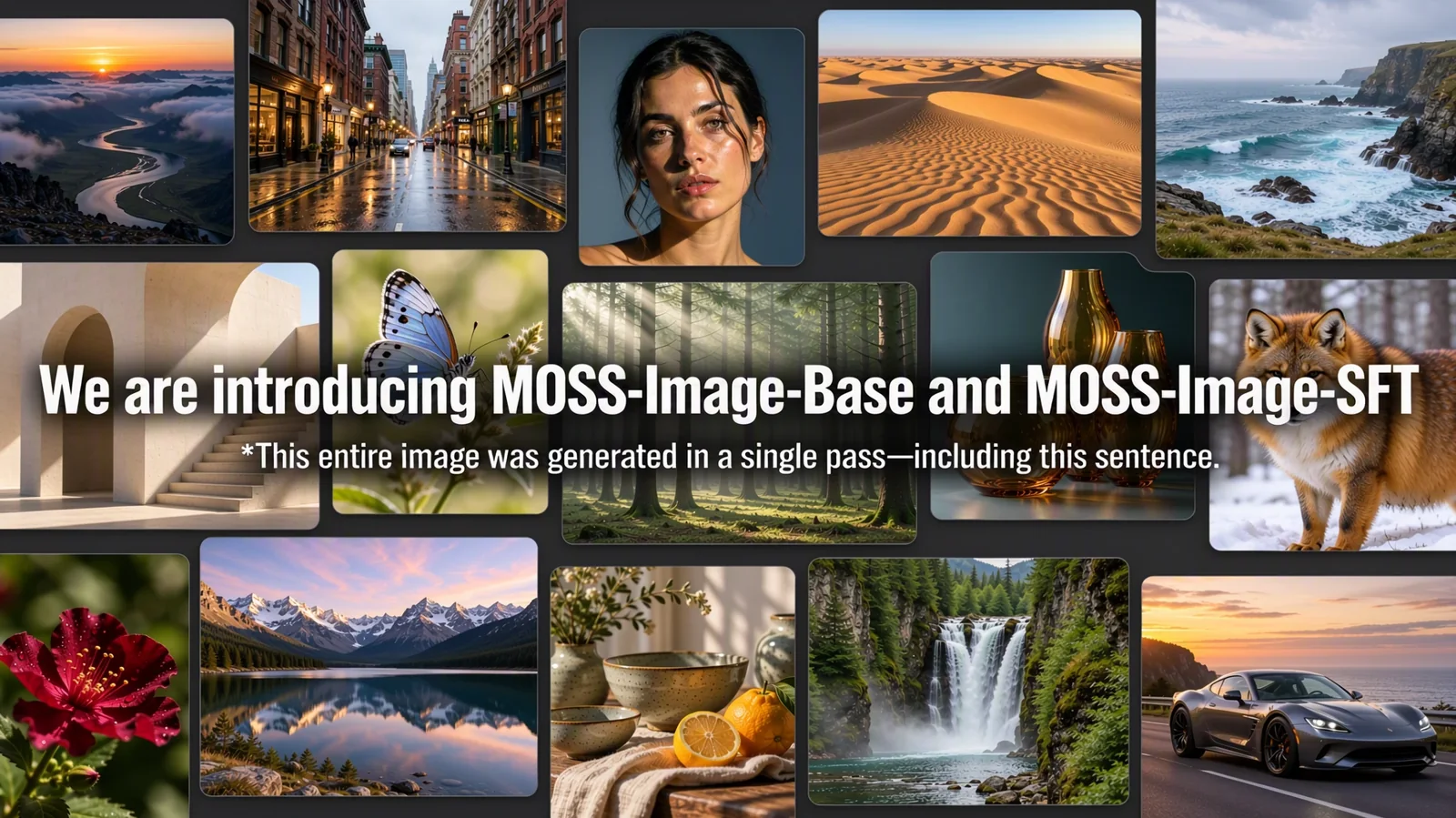
MOSS-Image-Base and MOSS-Image-SFT samples. Source: OpenMOSS
The pitch is text and structure rather than raw photorealism: the model renders legible text in English and Chinese, accepts prompts of up to 4K tokens, and adds a JSON layout mode where you describe the scene and then place text boxes and objects by bounding box. OpenMOSS also highlights LoRA fine-tuning of the base model, and trained the family across mixed GPU platforms.
Layout control
In layout mode, the prompt becomes a JSON document with a summary for the whole scene and an items array for individual elements. Each item carries a label (text, character or object), a caption, and a bbox, and text items also carry the string to render. Bounding boxes use bbox_format: "yxyx" in bbox_coord_space: "abs_centralized" coordinates, which are pixel offsets from the centre of the canvas.
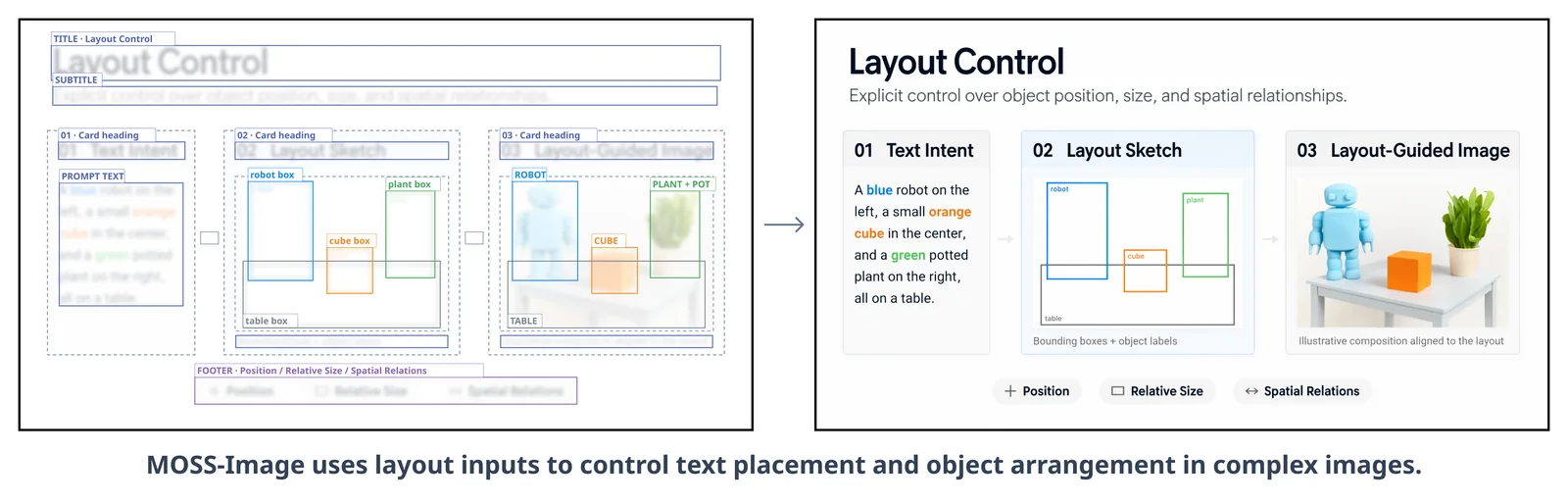
A poster generated from a layout description, with the boxes drawn over it. Source: OpenMOSS
Because the layout is data, edits become structured: change a caption or move a box, and only that part of the composition changes. ComfyUI exposes this through a new core node, MOSS-Image Layout Prompt, which converts the boxes made with Create Bounding Boxes into the model's layout JSON.
Text rendering
Text rendering in both English and Chinese is the headline capability, and the model inserts line breaks on its own when the prompt does not specify them. Prompts can be natural language, a booru-style tag sequence, or the layout JSON, and the recommended tag order is Quality, Score, Meta, Year, Character, Series, Artist, General.
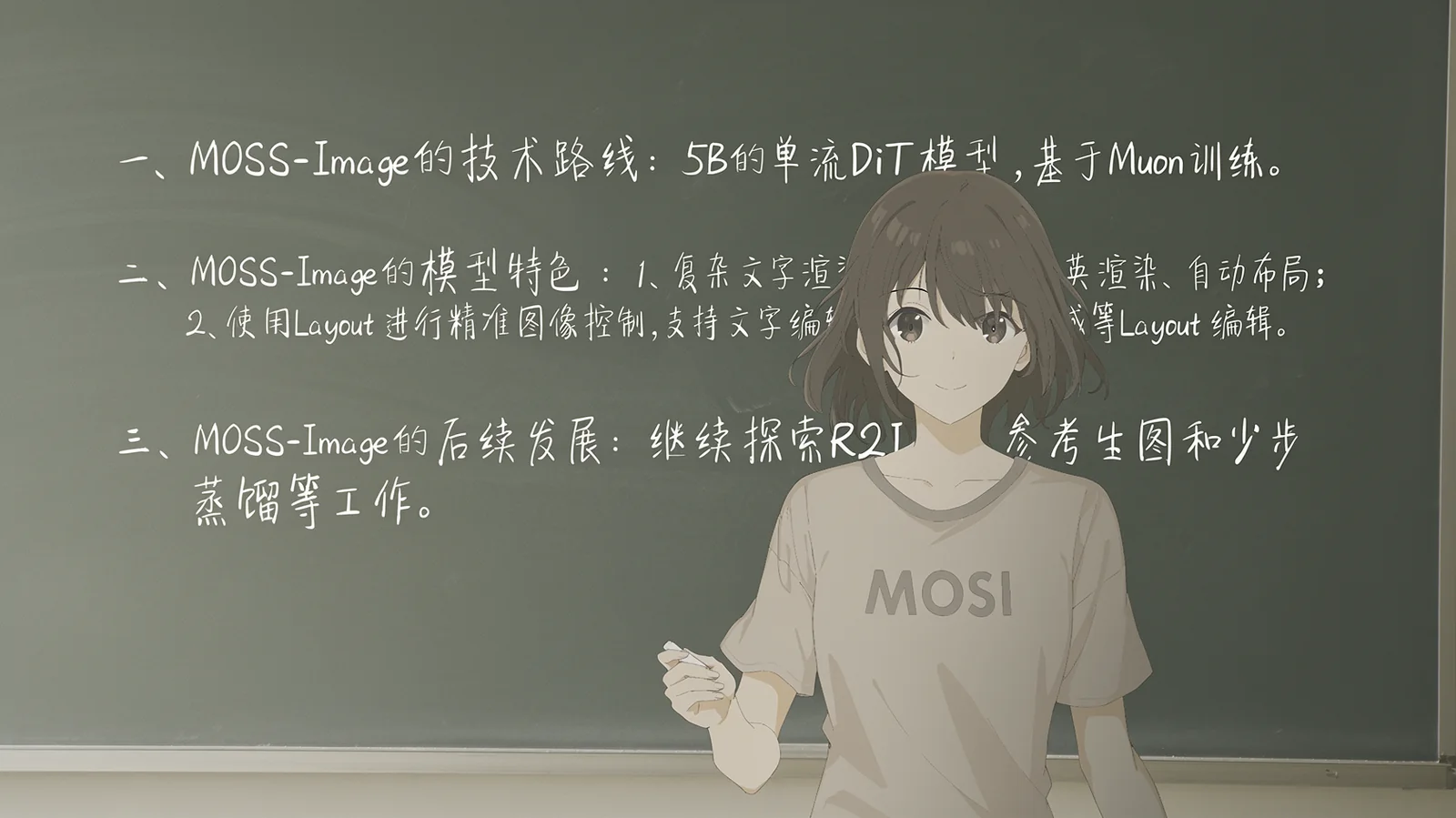
Text-heavy compositions generated from a single prompt. Source: OpenMOSS
Base vs. SFT
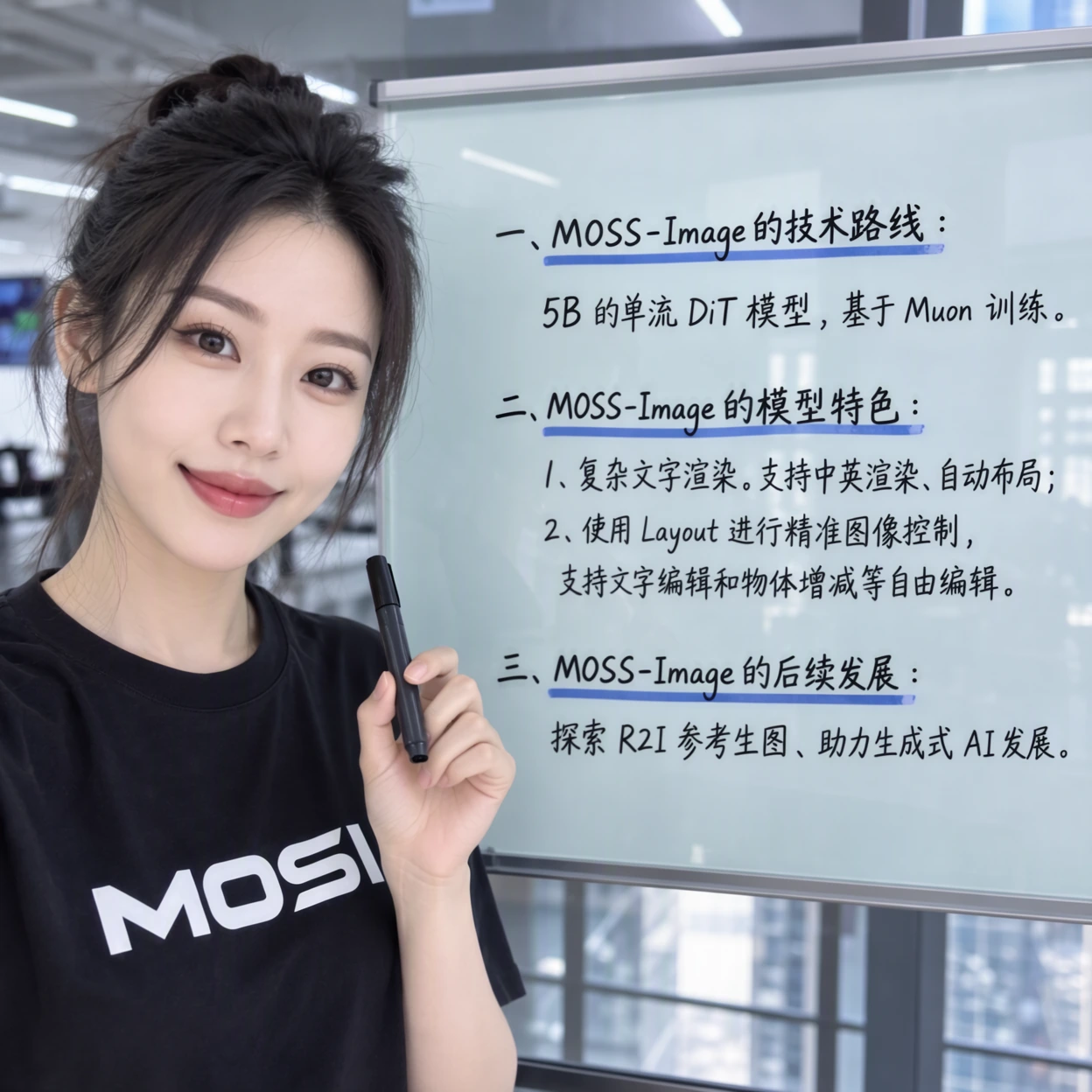
The two checkpoints share an architecture and pipeline. Base preserves the full training signal and comes with no distillation of inference parameters, which is why the user guide recommends 50 steps or more and a CFG of 3 for it; the project recommends it as the starting point for LoRA training. SFT is fine-tuned on curated data, and OpenMOSS shows it producing tidier text grouping and a more organized layout on the same prompt.
 |  |
|---|---|
| MOSS-Image-Base | MOSS-Image-SFT |
Recommended settings
| Setting | Recommendation |
|---|---|
| Sampler | Flow-matching Euler |
| Steps | 50 or more |
| CFG | 3 (range 3 to 6) |
| Shift | 5 |
| Layer skipping | Negative-branch skipping at layer 22 (22, 24 and 26 also help) |
| Resolution | 1M, 1.5M or 2M pixels recommended; 0.25M (512×512) up to 4M supported, multiples of 16 |
| Negative prompt | nsfw, worst quality, bad anatomy, watermark, jpeg artifact |
Turning layer skipping off makes output look more realistic but can collapse fine detail, according to the user guide.
ComfyUI support
Core support landed on release day in PR #17095: a comfy/ldm/moss_image DiT that loads the Hugging Face checkpoint keys as-is, the Qwen3.5-9B text encoder wiring, and the layout prompt node. The support merged after the latest release tag, so an existing install has to be updated to run it.
Comfy-Org/MOSS-Image holds the repackaged single-file weights that standard ComfyUI loaders expect:
| Folder | Files |
|---|---|
diffusion_models | moss_image_sft_bf16 (10.2 GB) · moss_image_sft_int8_convrot (5.4 GB) · moss_image_base_bf16 (10.2 GB) · moss_image_base_int8_convrot (5.4 GB) |
text_encoders | qwen3.5_9b_int8_convrot (9.8 GB) · qwen3.5_9b_w4a8_gptq (7.3 GB) |
vae | flux2-vae.safetensors (340 MB) |
The project repository also ships its own native plugin, moss-image, which installs from ComfyUI Manager and loads a local Diffusers directory through a MOSS-Image HF Loader node. Its example workflow runs 1024×1024 at 50 steps, CFG 3, shift 5 and skip layer 22:
moss-image plugin. The single-file weights in the Comfy-Org repack are the ones to use with the core nodes.
Availability
- Weights: MOSS-Image-Base and MOSS-Image-SFT on Hugging Face, mirrored on ModelScope.
- ComfyUI: core support in PR #17095, repackaged weights in Comfy-Org/MOSS-Image, and the project's own plugin via ComfyUI Manager.
- Try it without installing: Hugging Face Space.
- Docs: project homepage, user guide and the technical report.

A cross-section of MOSS-Image outputs. Source: OpenMOSS
Comments
Sign in with GitHub to join the discussion.