Ming-Image 0.2 Design: Sharper Layouts and Text in ComfyUI
inclusionAI's 6B design model gets better complex layouts, lighting and text rendering, and Comfy-Org already ships 0.2 weights that load in native ComfyUI.

E-commerce hero visuals from the official model card.
What 0.2 changes
The model card lists three improvements over 0.1: complex composition, lighting, and text rendering. Output sizes and the design-oriented prompt format are unchanged.
inclusionAI also reports that 0.2 Design placed first among open-weight models on the Artificial Analysis text-to-image leaderboard in the November 23 preliminary run. That is the author's own screenshot of a leaderboard snapshot, not an independent benchmark.
The transformer config is identical to 0.1 (30 layers, dim 3840), and the GitHub repo states 0.2 uses the same inference code as 0.1 Design. Existing diffusers setups only need new weights, not new code.
Slideshow of 0.2 e-commerce renders, assembled from the model card animation.
Files for ComfyUI
Comfy-Org republished the 0.2 checkpoints in single-file ComfyUI layout. Pick one transformer and one text encoder:
| File | Folder | Size |
|---|---|---|
ming_image_0.2_design_int8_convrot.safetensors | models/diffusion_models/ | 6.2 GB |
ming_image_0.2_design_bf16.safetensor | models/diffusion_models/ | 12.3 GB |
ming_image_0.2_ling_mini_2.0_int8_convrot.safetensors | models/text_encoders/ | 19.5 GB |
ming_image_0.2_ling_mini_2.0_w4a8.safetensors | models/text_encoders/ | 12.8 GB |
ming_image_vae_bf16.safetensors | models/vae/ | 242 MB |
The VAE is the same file 0.1 uses. Keep your existing copy if you already run Ming-Image.
ming_image_0.2_design_bf16.safetensor, without the trailing s. ComfyUI only lists .safetensors files in the loader dropdown, so rename the file after downloading.
Run it
ComfyUI core already supports Ming-Image through the TextEncodeMingImageEdit conditioning node. The official templates still ship the 0.1 pair (Ming Image 0.1 Design: Text to Image and ... Image Edit), so open the text-to-image template and point the loader at the 0.2 transformer and 0.2 text encoder.
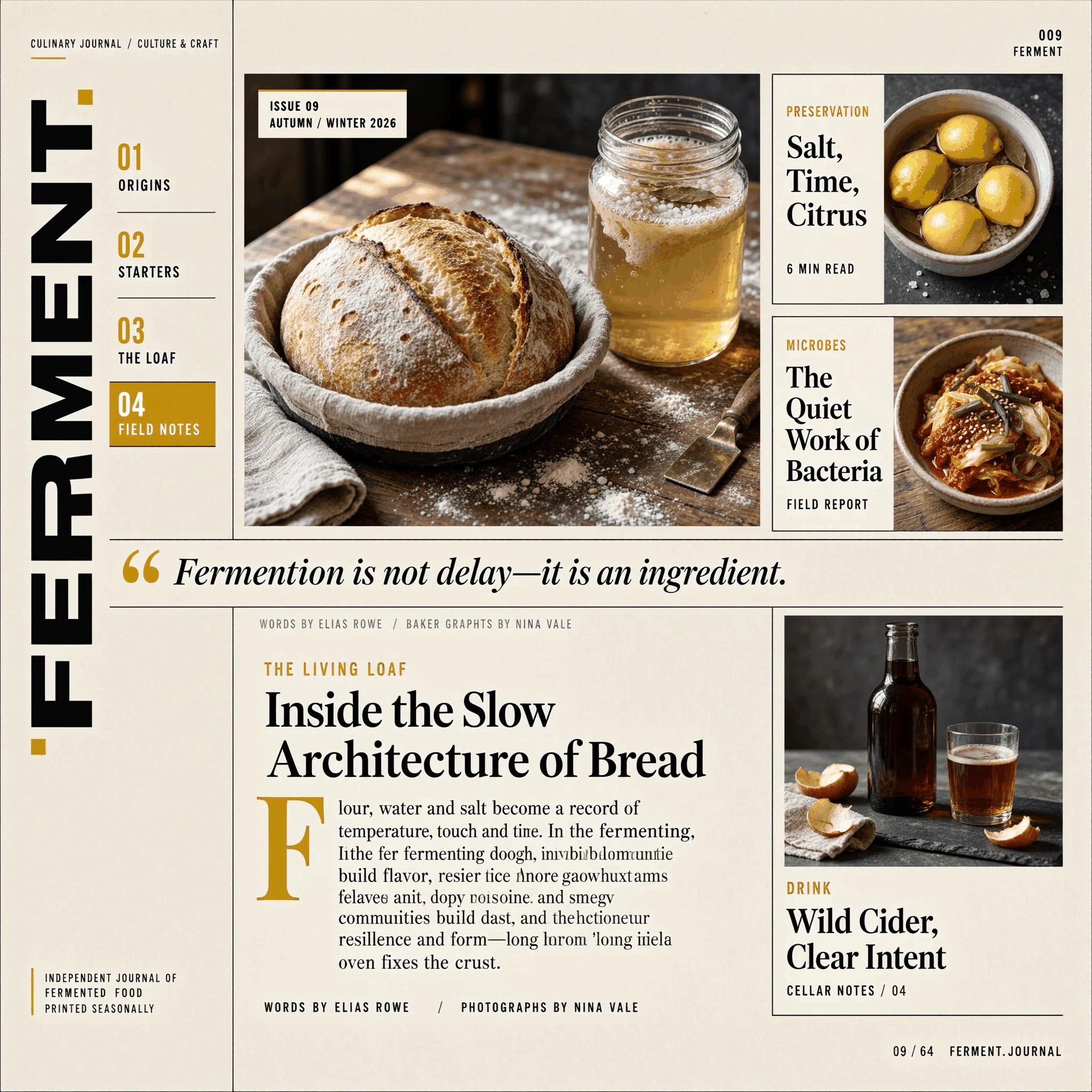
Web layout: multi-section pages with consistent type and spacing.
Recommended settings from the model card: 12 steps, CFG 1.0, BF16, 2048 x 2048 by default. The 2K buckets are 2560 x 1440 (16:9), 2432 x 1824 (4:3) and 1664 x 2496 (2:3). Use 1024 x 1024 when you just want fast drafts.
The reference diffusers script was validated on a single 80 GiB CUDA GPU. In ComfyUI, take the int8 or w4a8 pair to keep the download and VRAM down, and the w4a8 text encoder is the smaller of the two.
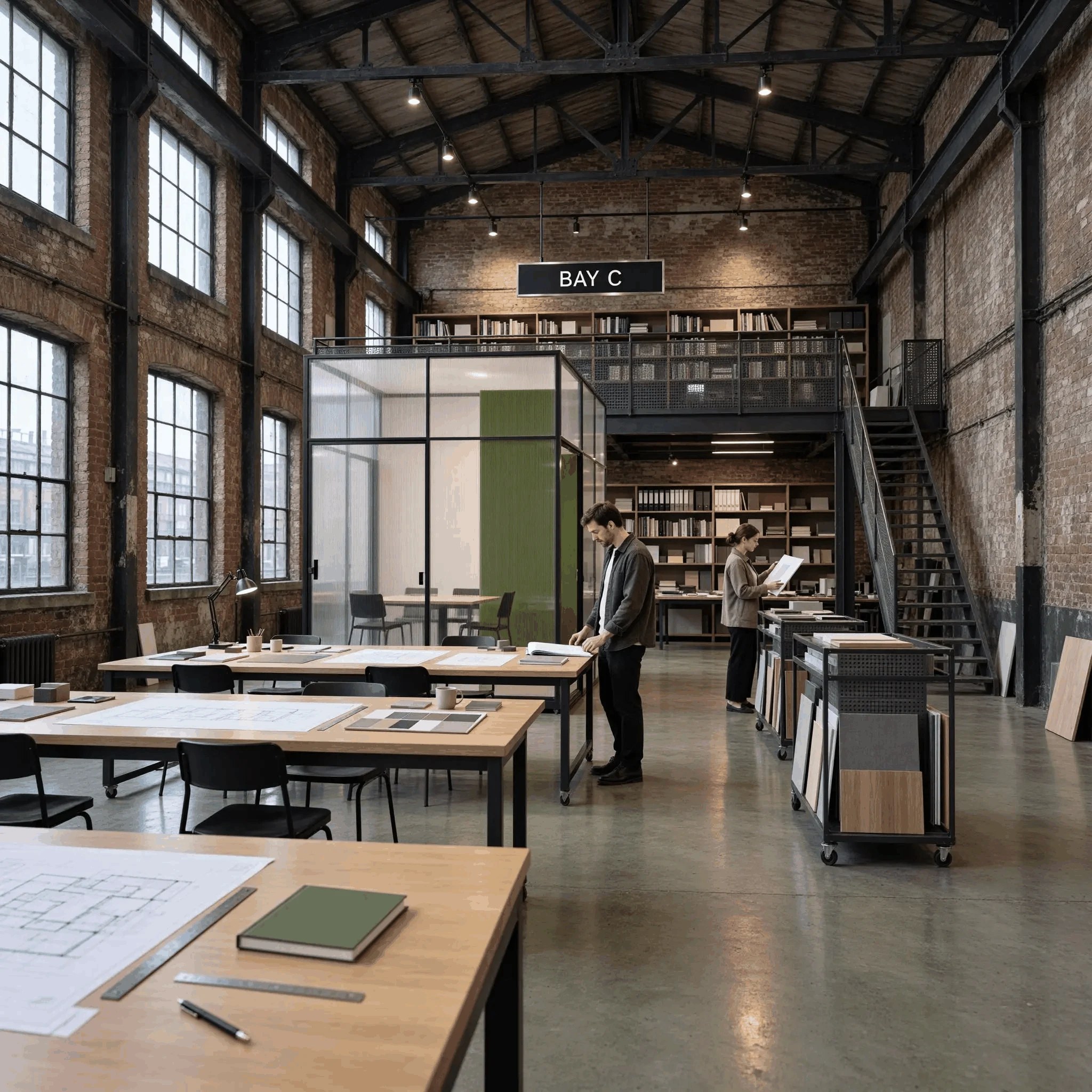
Spatial design: structure, light and shadow in a complex interior scene.
Availability
- Weights: Comfy-Org/Ming-Image (ComfyUI single-file) or inclusionAI/Ming-Image-0.2-Design (diffusers)
- Inference code and prompt templates: inclusionAI/Ming-Image
- Design and PPT skill recipes: ling-cookbook
Comments
Sign in with GitHub to join the discussion.