H3 Face Fix Rebuilds Far Faces in Finished MiniMax H3 Clips
PixelAI Labs' H3 Face Fix tracks a face in a finished MiniMax H3 clip, redraws it from a reference photo, and fades the fix out on close-ups.
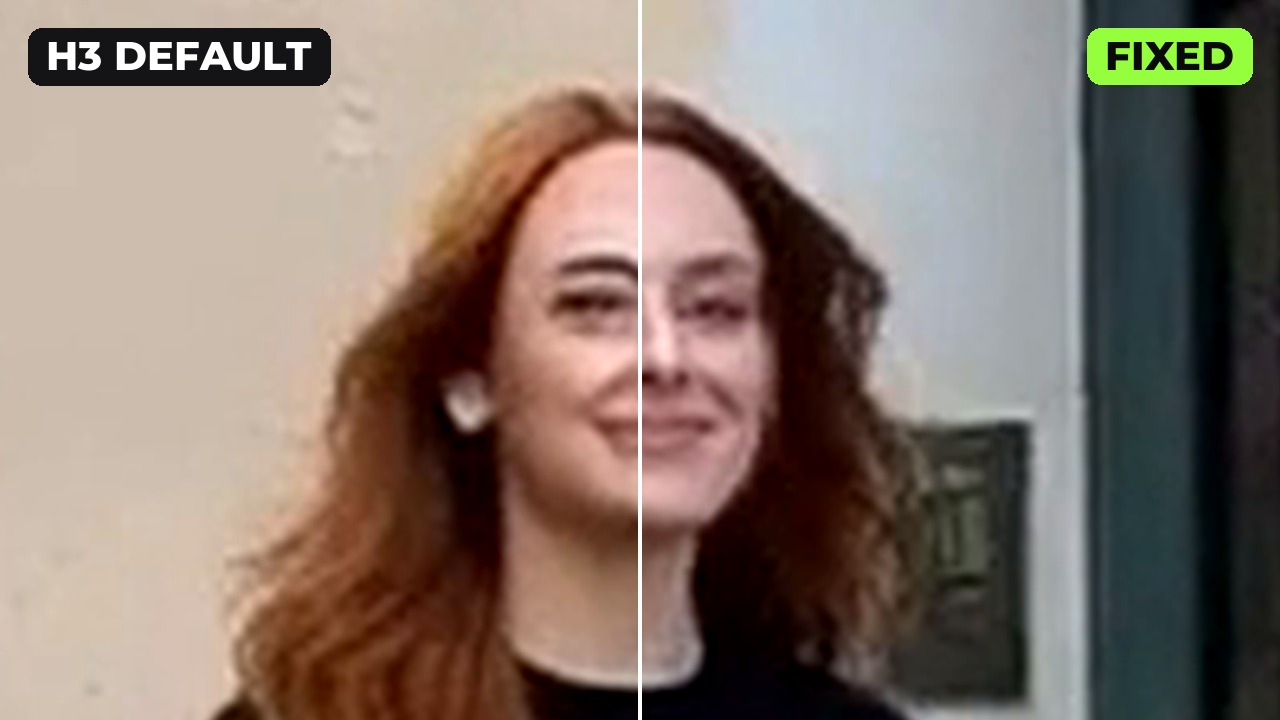
One H3 frame: face as rendered (left) and after one Face Fix pass (right). Source: PixelAI Labs
What it does
H3 holds a face together while it is big in frame and smears it once it drops to around 110 px. Re-rendering the clip at a higher resolution costs you the take, so this workflow edits the finished file instead.
It crops a 768 px square around the face, has H3 redraw it from your character photo with no prompt, cleans the result with VOSR2, and stitches back only the face pixels through a SAM 3.1 mask. Background and audio stay untouched.
The shipped node, H3 Face Size Fade, decides how much of the fix each frame gets: full below 110 px, none above 180 px, smooth ramp in between. Close-ups come out exactly as H3 made them, which matters because redrawing a large face adds wrinkles and age.
Push-in: the far face is rebuilt, and the close-up at the end is left alone on purpose.
A try-on walk where the face starts at 47 px with melted eyes.
Run it
cd ComfyUI/custom_nodes
git clone https://github.com/Pixelailabs/ComfyUI-H3-FaceFix-PixelAILabs
ComfyUI 0.45.0 or newer is required, since H3 and SAM 3.1 are built in. Six node packs from the Manager do the tracking, masking, polishing and video IO:
| Pack | Used for |
|---|---|
| ComfyUI-H3-FaceRefine | Face tracking, crop and paste back |
| MaskVidExperiments | Cleans the face mask |
| ComfyUI-VOSR2 | Final polish, downloads its ~7 GB model on first run |
| ComfyUI-KJNodes | Sage attention patch for H3 |
| ComfyUI-VideoHelperSuite | Loads and saves the video with its audio |
| ComfyUI-Impact-Subpack | Registers the ultralytics folder for the face detector |
The workflow expects Minimax-h3_Singularity_ref2va_v2_int8 (34 GB) in models/diffusion_models, the Pika H3 Flex Turbo 8-step LoRA (3.9 GB) in models/loras, the H3 text encoder and the two H3 VAEs from Comfy-Org, plus sam3.1_multiplex_fp16 and a face_yolov8n detector for models/ultralytics/segm. If you already make H3 videos you have most of these.
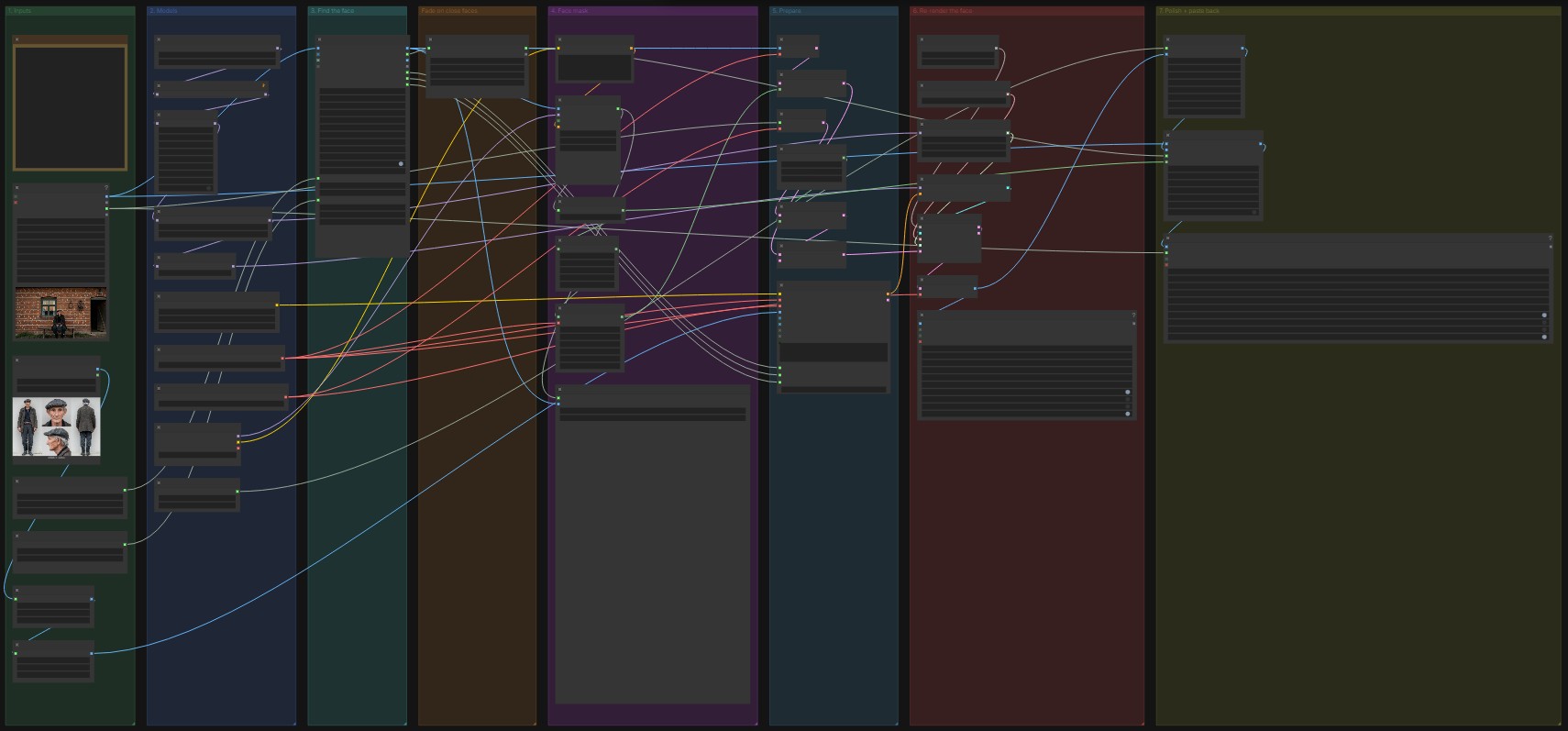
The shipped workflow: find the face, fade, mask, redraw, polish, stitch back.
Load the clip, load a clear photo or character sheet of the same face, pick largest_face or smallest_face, and press Run. Output lands in ComfyUI/output/ as H3_FaceFix_*.mp4 with the original sound.
| Setting | Default | Notes |
|---|---|---|
full_fix_below_px | 110 | Face height that gets the full fix |
no_fix_above_px | 180 | Face height from which the original is kept |
crop_factor | 2.5 | Must match the value on the Track Crop node |
reference_height | 1080 | The pixel values above are for this video height |
The rest of the graph runs euler/beta at 8 steps with denoise 0.5, the turbo LoRA at 1.0, and a 768 x 768 crop. No prompt is used.
Limits
- One face per run. For several people, run once per person with Face number 0, 1, 2 and chain the outputs. Turn
identity_trackoff on the Track Crop node for any face other than the main one. - Speed is about 4 minutes per 10 seconds of 1080p on an RTX 5090 (32 GB), before the VOSR2 download.
- Small faces only. This is a repair pass, not a quality upgrade: it does nothing where H3 already resolved the face.
Comments
Sign in with GitHub to join the discussion.