rea-video's shot-by-shot breakdown lands in ComfyUI
ComfyUI-ReaVideoBreakdown splits any video into shots, measures camera motion with optical flow, and returns one text-to-video prompt per shot from a VLM loaded with CLIPLoader.
CLIPLoader, so there is no API call and no extra vision model.
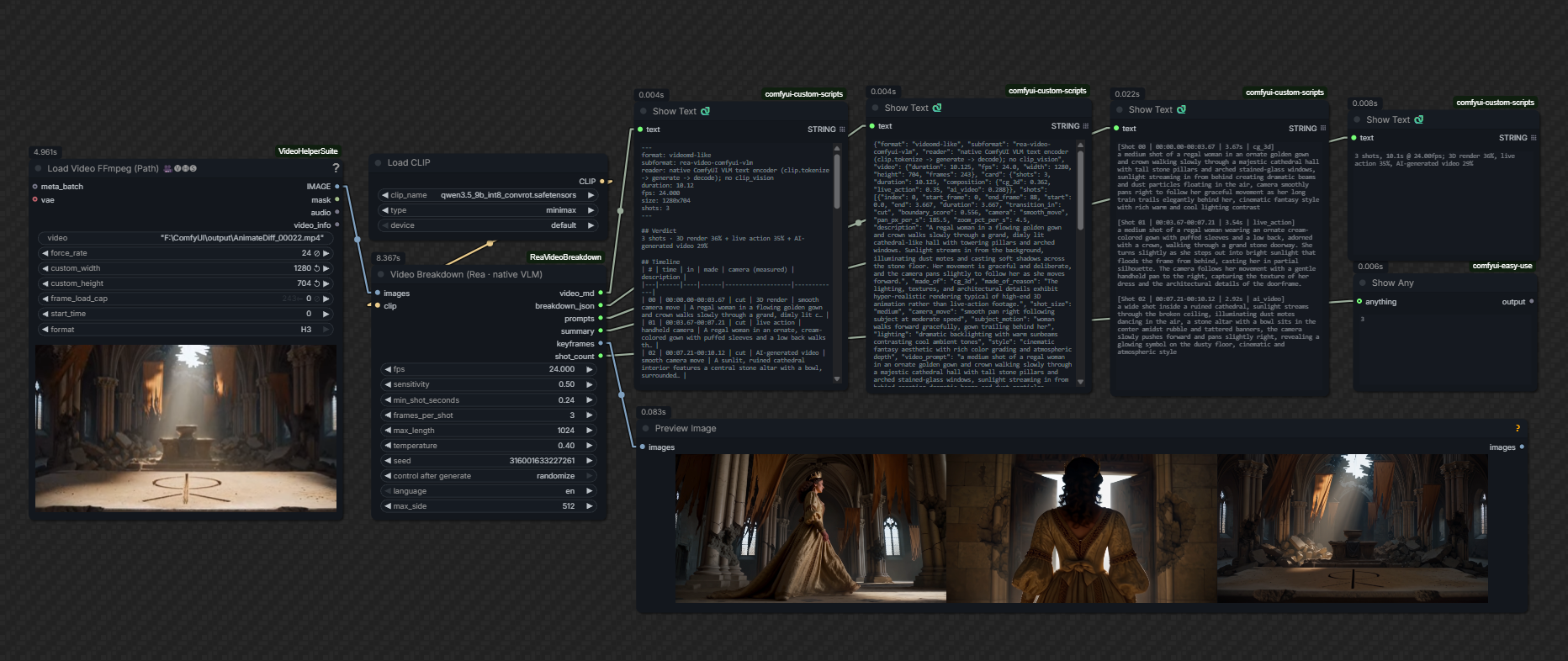
A three-shot clip broken down as 36% 3D render, 26% live action and 38% AI. Each panel shows the graph, the VIDEO.md report, the JSON record and the prompts. Source: benjiyaya/ComfyUI-ReaVideoBreakdown
What it does
The node is a port of the rea-video idea (★12.6k) into a single ComfyUI node. Shot boundaries come from OpenCV histogram distance plus pixel diff, so cuts, fades and dissolves are detected on CPU before anything touches the GPU.
For every shot it answers three things:
- How it was made: live action, AI video, 3D render, code motion graphics, screen capture, still pan or 2D animation, with a subject, lighting and style description.
- How the camera moved: pan pixels per second and zoom percent per second, measured with Lucas-Kanade optical flow and a RANSAC similarity fit, then labelled static, smooth or handheld.
- What to type next: one delimited prompt per shot, with its timecode, ready for Wan, MiniMax H3 or LTX.
Six outputs cover the whole chain: video_md (a VIDEO.md format report), breakdown_json, prompts, summary, keyframes and shot_count.
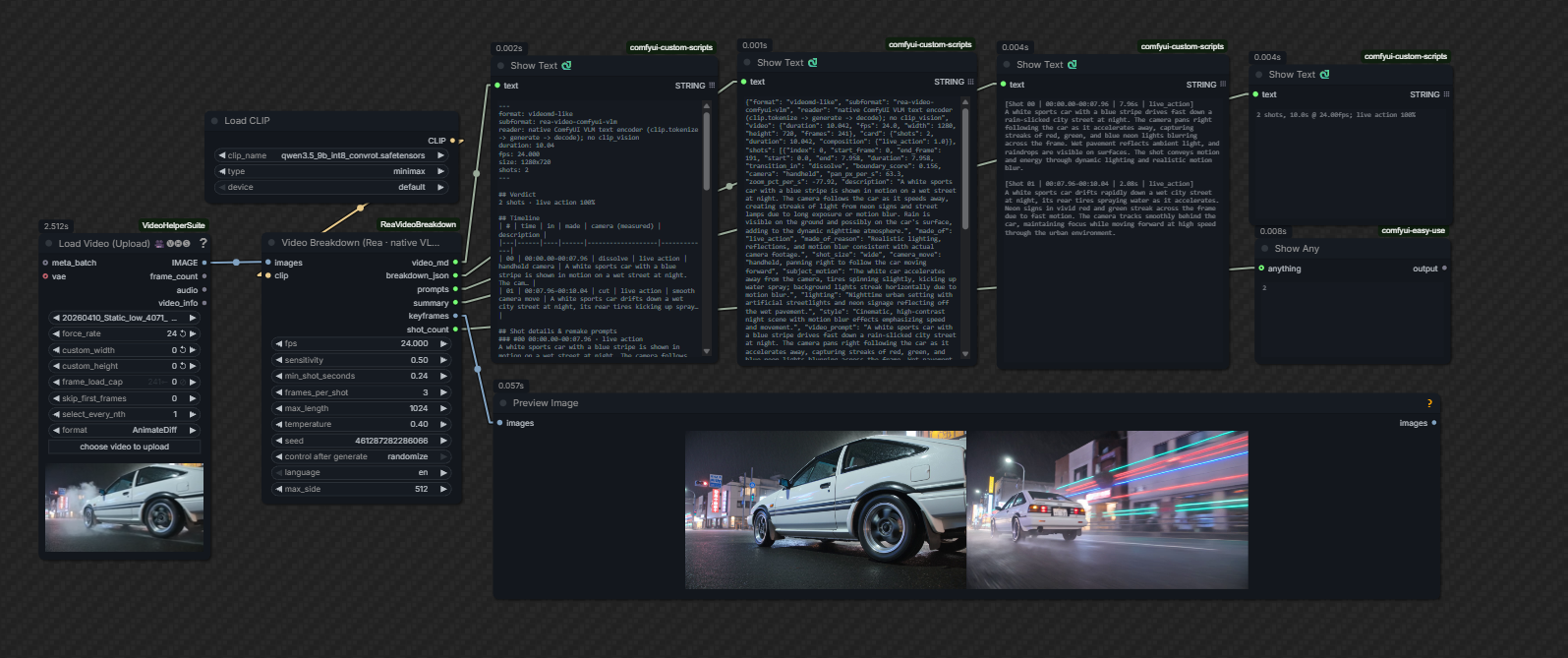
A two-shot night drift clip, both shots live action, with measured pan speed per shot.
Run it
cd ComfyUI/custom_nodes
git clone https://github.com/benjiyaya/ComfyUI-ReaVideoBreakdown.git
cd ComfyUI-ReaVideoBreakdown && pip install -r requirements.txt
The only dependencies are numpy and opencv-python-headless. In the graph:
- LoadVideo and GetVideoComponents for the
imagesbatch andfps. - CLIPLoader with any VLM text encoder (
qwen_image,joyimage,gemma,qwen3vl,minimax). This CLIP is the vision model; a plain SD1.5 or SDXL CLIP cannot see frames, and the node reports that instead of crashing. - Video Breakdown (Rea) in the
RE-VIDEO/breakdowncategory, then sendpromptsto your video model.
| Input | Default | Note |
|---|---|---|
frames_per_shot | 8 | frames per shot, passed to the VLM as a video batch |
max_side | 512 | downscale before the VLM to bound VRAM; 768 to 1024 for detail-heavy shots |
temperature | 0.4 | keep at or below 0.5 for stable JSON |
sensitivity | 0.5 | raise for fast cutting, lower for single takes |
language | en | zh also switches the report and prompts |
The example workflow also loads two optional display packs, Show Text from pysssss Custom-Scripts and Show Any from ComfyUI-Easy-Use, only to print the text outputs prettily.
Limits
- Description and prompt quality follow the VLM you load. The node reports what it sees, nothing more.
- It is visual only: no audio or BPM analysis, no OCR, no subtitle export.
- It is not on the Comfy Registry yet, so install from git rather than through ComfyUI Manager.
Get it
- Node: benjiyaya/ComfyUI-ReaVideoBreakdown (MIT, ★103 after its first day)
- Original CLI project and VIDEO.md format: JuneYaooo/rea-video and videomd.github.io
- Author demo with MiniMax H3: YouTube
Comments
Sign in with GitHub to join the discussion.