MOSS-Image AnyPaint: Mask Inpainting and Outpainting in ComfyUI
A rank-32 adapter gives MOSS-Image-Base arbitrary-mask inpainting, one-pass outpainting and mixed edits, with ComfyUI nodes, a ready workflow and 12 source/mask/result cases.
On 13 November, yijunwang2 published MOSS AnyPaint, a rank-32 adapter for MOSS-Image-Base that turns the base model into a general mask editor: same-canvas inpainting, one-pass outpainting, several disconnected edit regions, narrow structures, and masks that cross the edge of the source. It is one weight file plus a small runtime, and a separate set of ComfyUI nodes, alexw5702-afk/moss-anypaint, shipped the same day with a workflow to match. The adapter is an unofficial community release and is not endorsed by OpenMOSS.
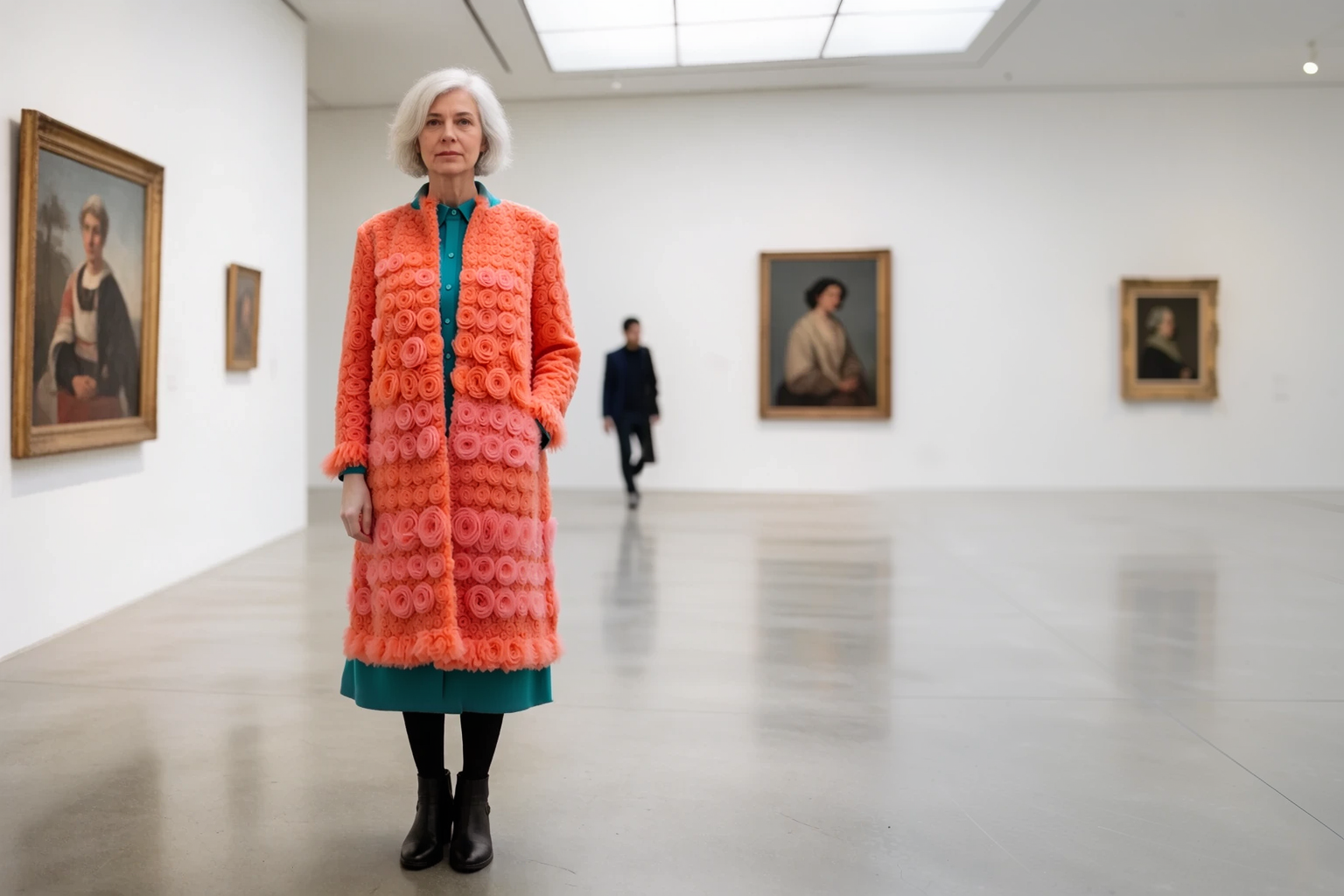
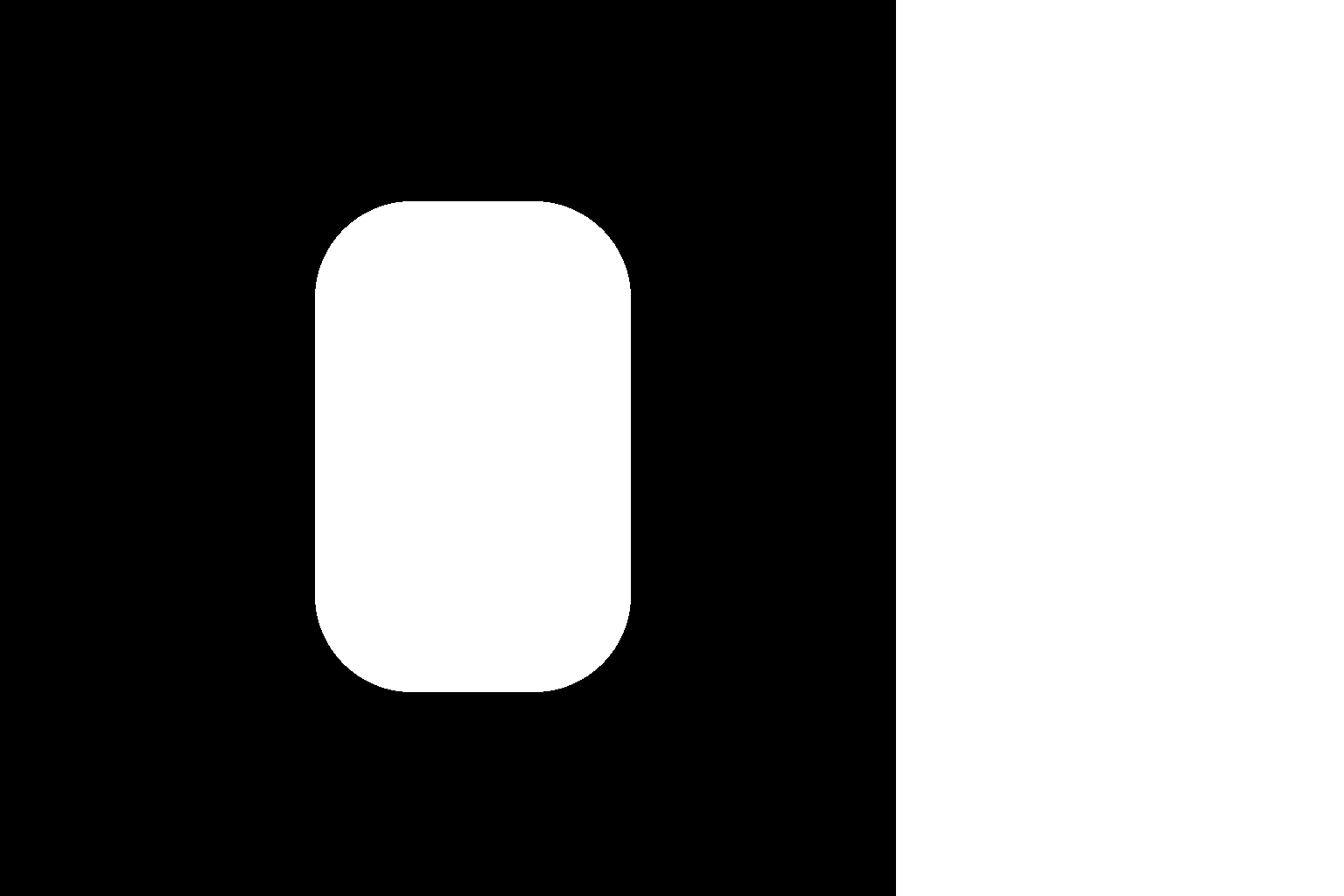
One request: the coat is regenerated inside the source and the canvas is widened at the same time, so the gallery wall and floor around her are generated too. Every example in this article starts from a synthetic source rendered with the Krea 2 base model, not from a photograph. Source: yijunwang2/moss-anypaint
Why a mask, when MOSS-Image already edits
MOSS-Image's own edit path is instruction-driven: you hand it a reference image and a sentence. The edit LoRAs already covered here follow the same shape, from the rank-64 edit LoRA to Edit HQ v5 and the seven control LoRAs. All of them regenerate the whole frame and let the prompt decide what changes.
AnyPaint goes the other way. You say exactly which pixels may change, with a binary mask, and the runtime keeps everything else at the noise level the sampling step expects. Object removal, clothing swaps, cable recolouring and canvas extension stop being prompt-shaping problems and become mask problems, which is what existing inpainting and outpainting workflows in ComfyUI already produce.
The input contract
The runtime takes one RGB source, one binary mask, an output canvas whose sides are multiples of 16, an optional source bounding box (x0, y0, x1, y1) in output pixels, and a prompt:
- White generates, black preserves. Values above 0.5 count as generate, everything else as preserve; grey or half-transparent masks do not act as a partial strength.
- A source-sized mask follows the source. A canvas-sized mask is used as-is, and when both sizes match, canvas coordinates win. Any other mask size is rejected.
- Outside the source box is always generated. Padding the canvas is enough for outpainting, no hand-drawn mask needed, and an internal mask can be combined with it in the same request.
- The prompt describes the finished image, not the operation. To remove a mug you describe the table and the background you want to keep.
The masked canvas is encoded as a single reference capped at a 384-pixel maximum edge, and its rotary coordinates span the full target canvas, so the model sees one coherent picture rather than a pasted patch. Known pixels are also kept at full resolution in a separate copy and restored after every flow step, with the mask boundary left free to blend. Exterior seams get a 32-pixel inward redraw band; internal masks are applied exactly. The returned image is raw model output: there is no hidden composite of the source on top.
One detail matters for anyone used to MOSS-Image references: the text encoder sees only your prompt. The image side is handled entirely by the reference path, with VLM encoding of the reference switched off.
What the cases look like
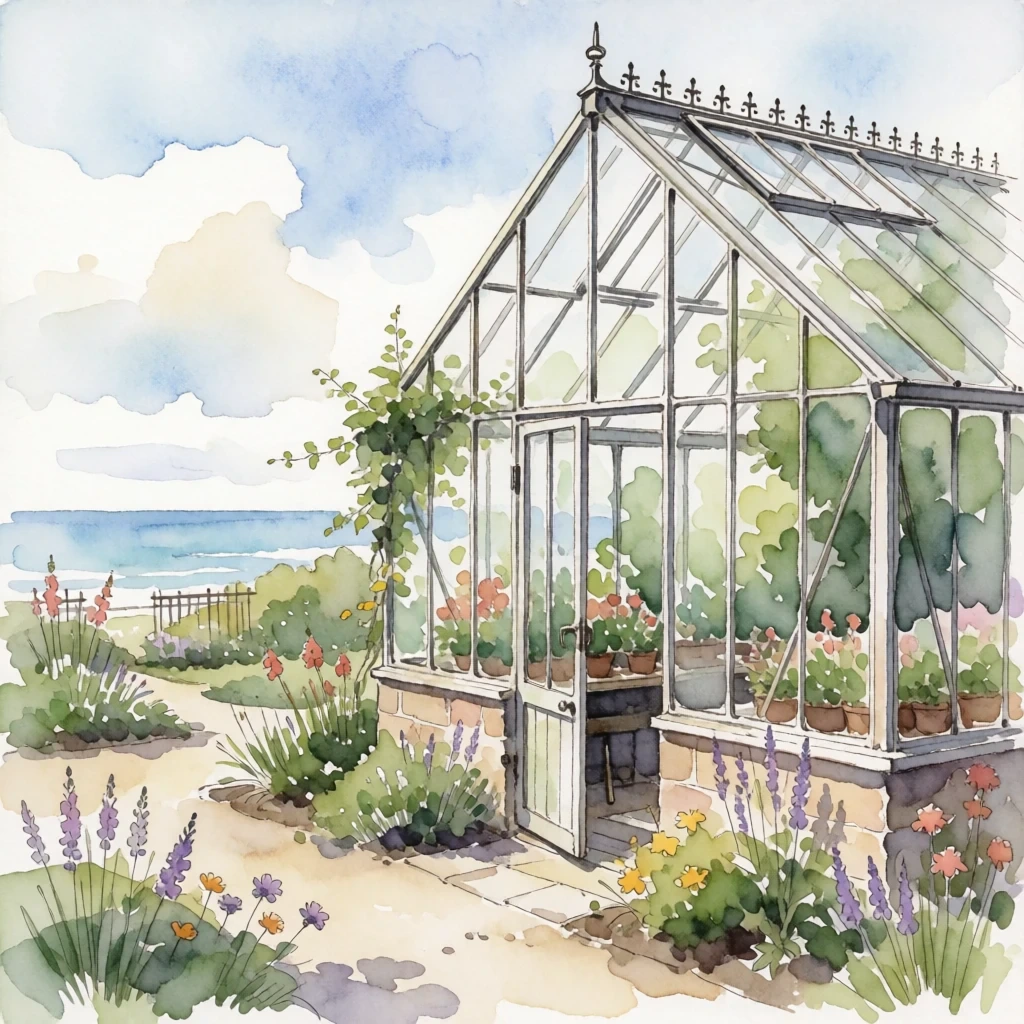
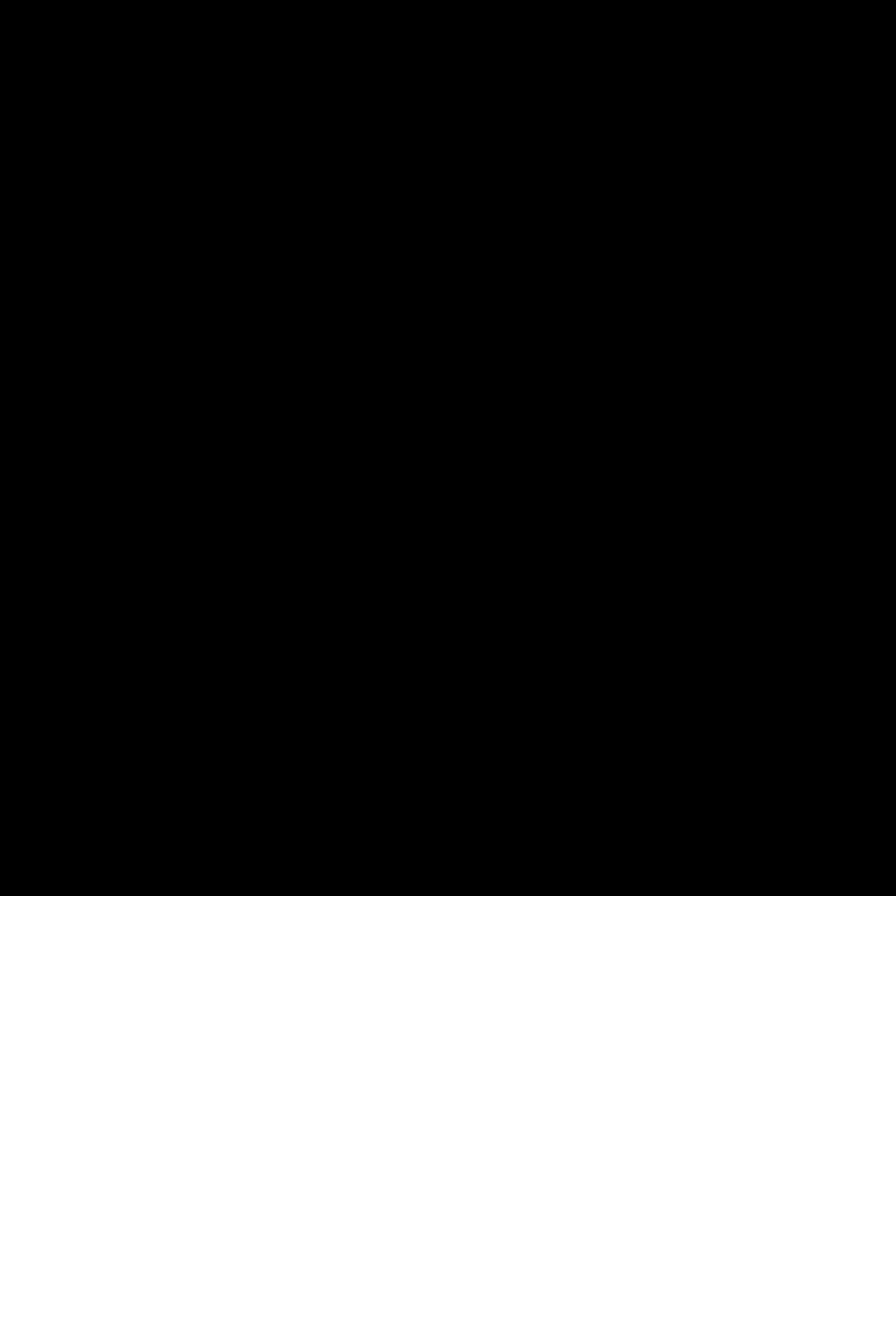
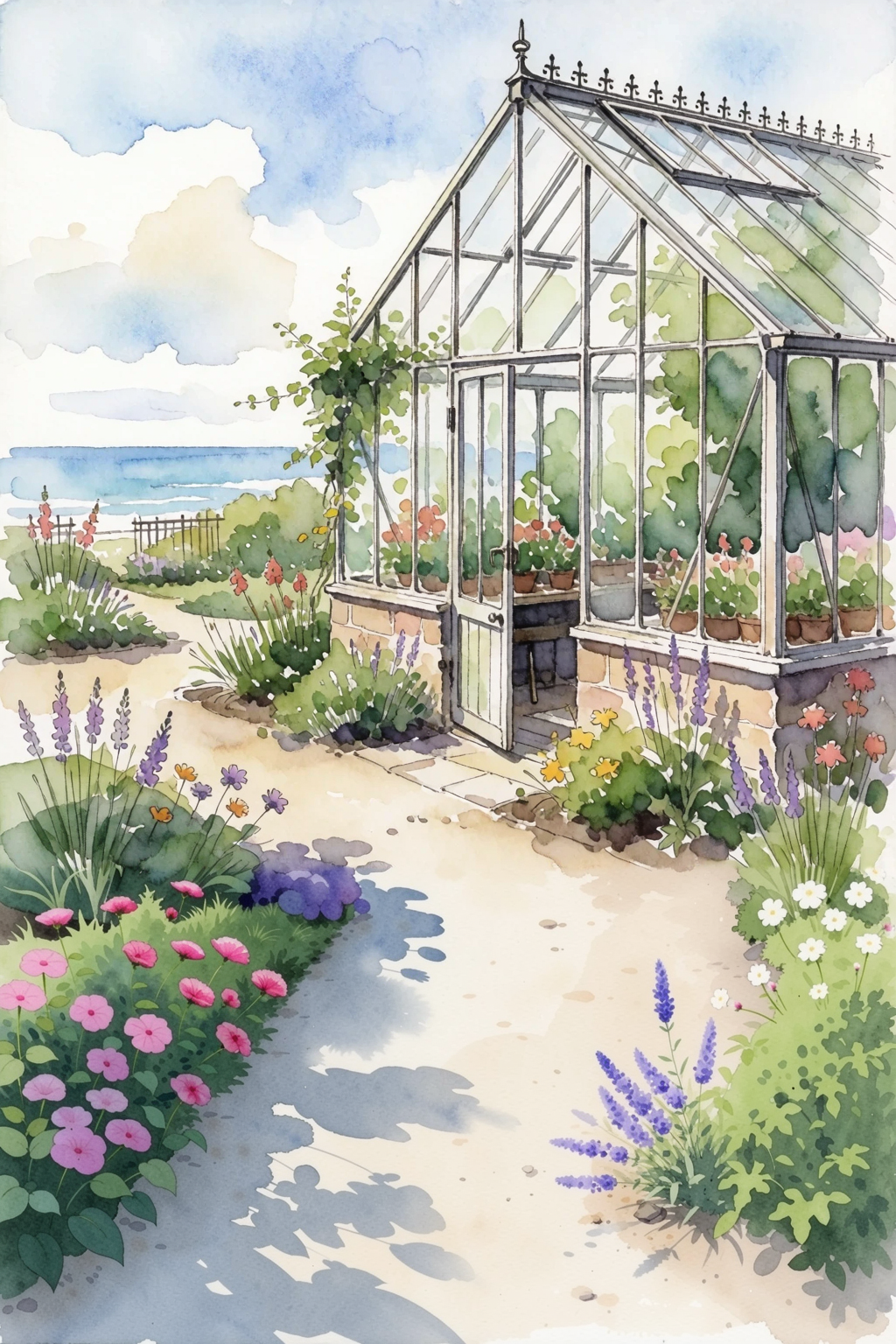
Three examples from the release, each shown as source, exact mask and result:
 |  |  |
|---|---|---|
| Source | Mask | Outpainted downward, one pass |
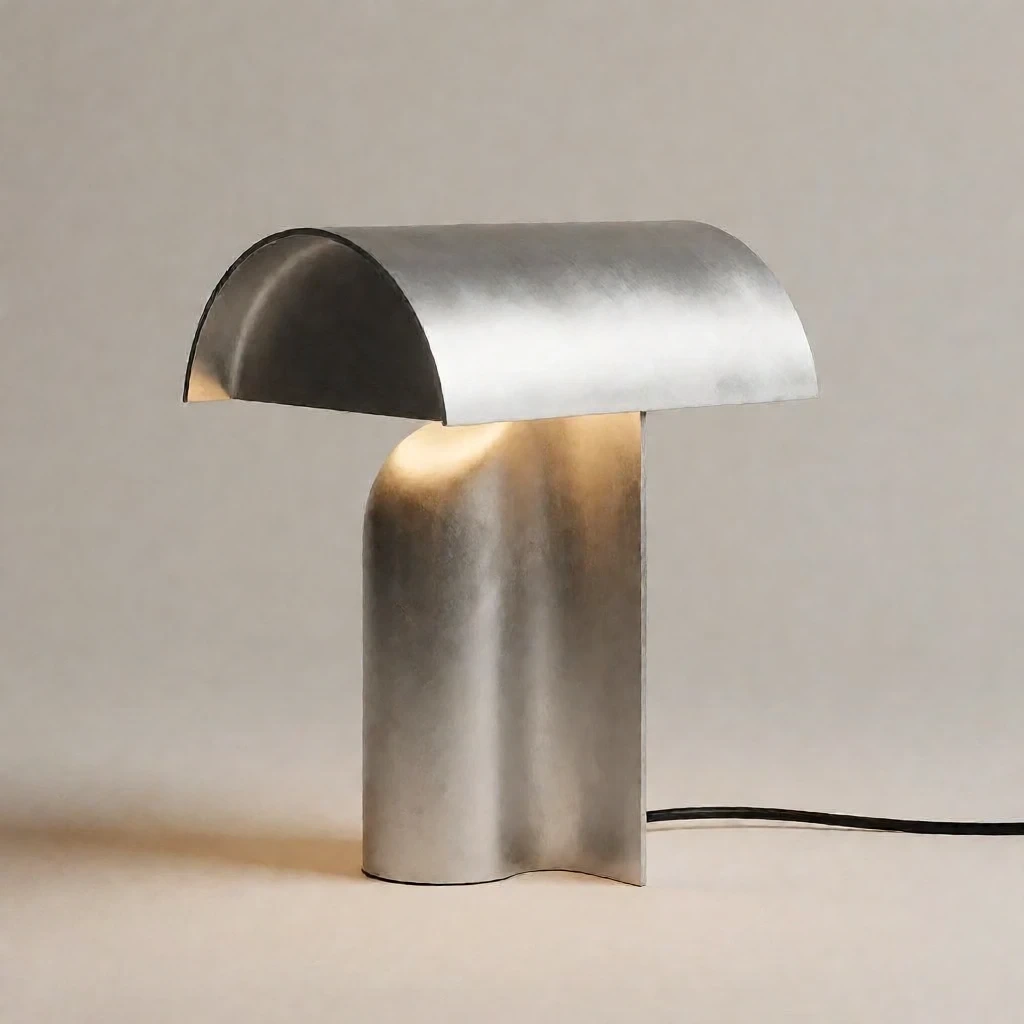 | 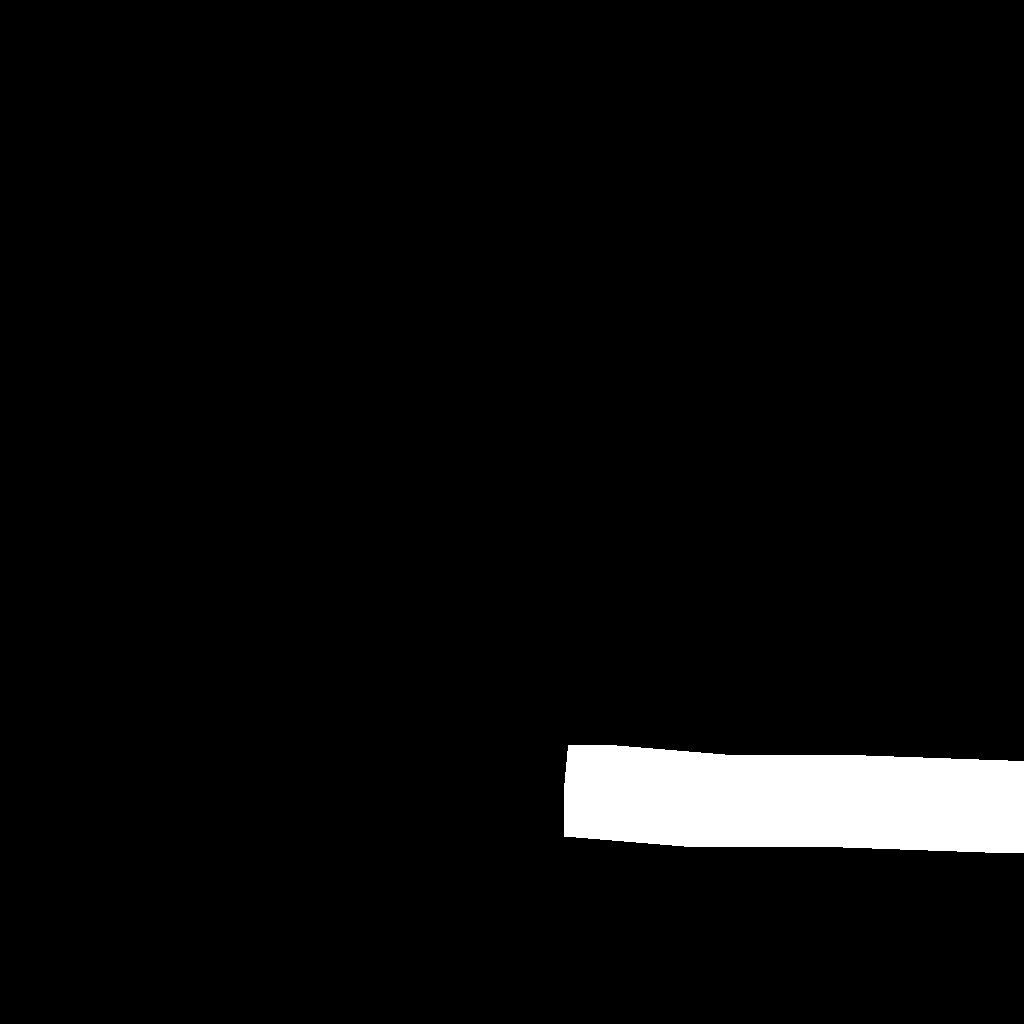 | 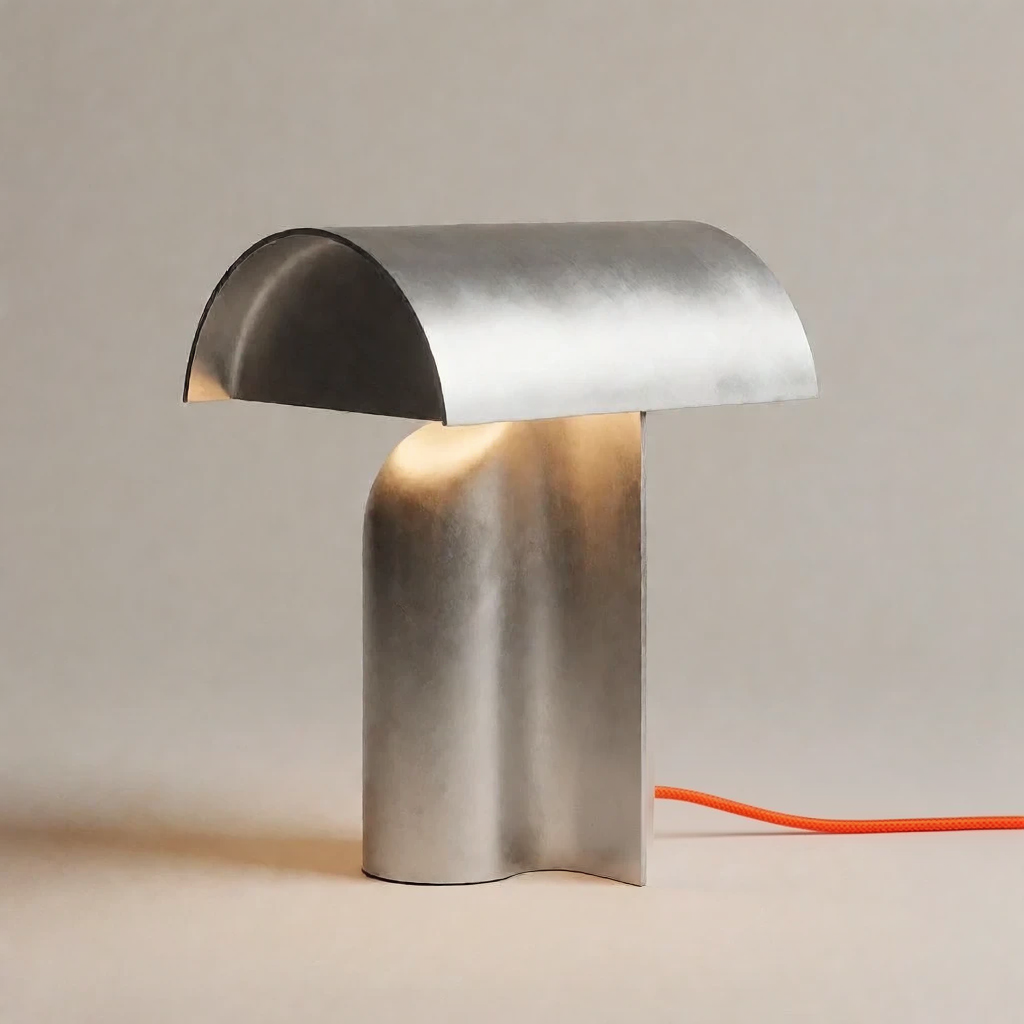 |
|---|---|---|
| Source | A narrow band along the cable | Cable redrawn in orange |
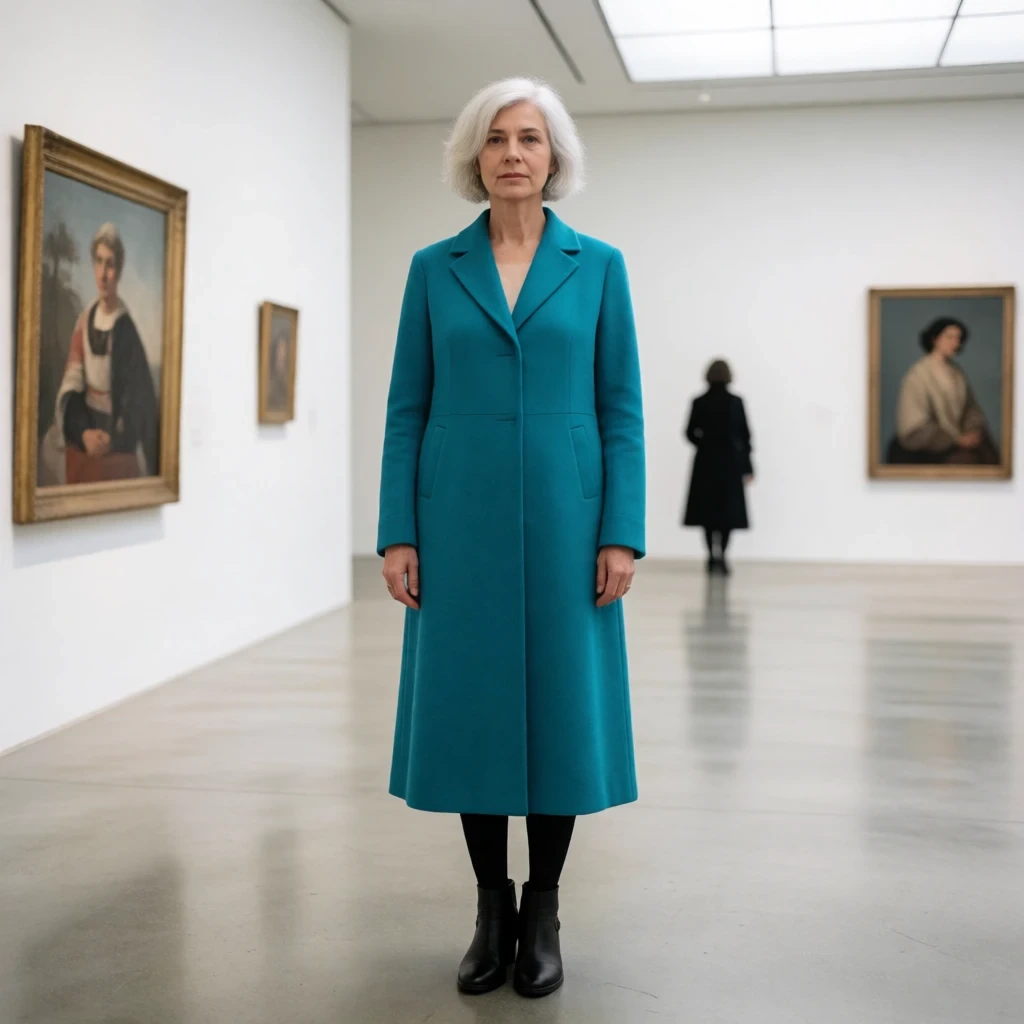 |  | |
|---|---|---|
| Source | Internal mask plus a band outside the edge | Garment and canvas changed together |
The narrow-cable case is the interesting one: the mask is a few pixels wide, and thin features are exactly where mask-based methods usually break, because the VAE and the patch tokenizer blunt them. The watercolor case runs the other direction, extending a 1:1-ish painting into a vertical composition in a single step.
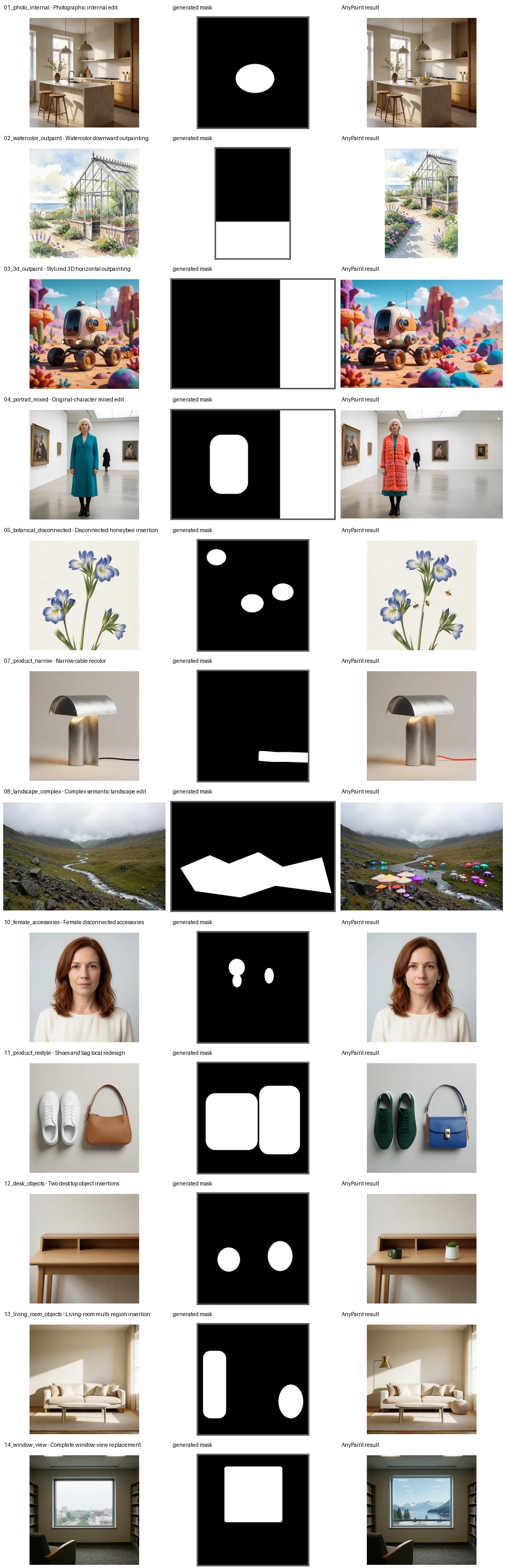
All twelve cases, each row a source, its exact binary mask and the result. Indoor and outdoor scenes, objects, illustration, 3D, and human subjects. Sources: yijunwang2/moss-anypaint
Running it in ComfyUI
The node package reuses the interface from the author's earlier Krea 2 AnyPaint nodes, so anyone who has run that workflow will recognise the layout: AnyPaint Prepare takes the source image, a MASK and per-side padding, MOSS AnyPaint Encode takes the prompt, and MOSS AnyPaint Model Patch sits between the loaders and KSampler.
The shipped workflow is wired like this:
| Node | Value |
|---|---|
| Load Diffusion Model | moss_image_base_int8_convrot.safetensors |
| Load CLIP | qwen3.5_9b_int8_convrot.safetensors, type moss_image |
| Load VAE | flux2-vae_small.safetensors |
| LoraLoaderModelOnly | moss_anypaint_rank32.safetensors at 1.0 |
| LoraLoaderModelOnly | lora_dmd2.safetensors at 1.0 |
| AnyPaint Prepare | padding 0/0/0/0, reference edge 384, redraw band 32 |
| KSampler | 8 steps, CFG 1, euler, simple |
The base checkpoint, text encoder and VAE come from the Comfy-Org MOSS-Image repack; the DMD2 adapter is lora_dmd2.safetensors from the Base 8-step DMD2 repository, not the older lora.safetensors in the same repo. The AnyPaint adapter is a single 142 MiB file.
For inpainting, keep the four padding values at 0 and feed the mask from whatever you already use: SAM or another segmentation node, a Mask Editor edit on the source, or an ImageToMask on a black-and-white image. Swap the connection if a sampler node returns an inverted mask, since the contract is strictly white-in. For outpainting, set the side you want to extend in pixels and leave the rest at 0; the canvas snaps up to multiples of 16, so an unaligned source can gain a few extra pixels on the right and bottom.
Limits
- Large generated fractions can pull in unrelated subjects or structures.
- Very thin mask features are coarsened by the VAE and the patch tokenizer, so hair, wires and outlines are the hard cases.
- Ambiguous prompts change more context near the exterior redraw band than inside the mask.
- Masks have to cover the whole object or edge you want replaced; a missed outline leaves a fringe.
- Small-object counts, exact positions and geometry can shift with the seed.
- Unmasked pixels can still differ slightly, because the whole frame goes through VAE decoding.
- The measurements the author publishes cover the shipped configuration only: Base with the 8-step DMD2 adapter, 8 steps, CFG 1, shift 5. Other samplers, step counts and precisions are untested.
Availability
The adapter and its Python runtime are on Hugging Face, including example.py, the pipeline code and SHA256 sums. The ComfyUI nodes are at alexw5702-afk/moss-anypaint with releases up to v0.2.0 on 14 November. Existing saved workflows keep their own padding values, so an older setup does not pick up the new defaults.
The base model page for MOSS-Image is here, and the mask-based approach is complementary to the instruction-based edit LoRAs: the instruction path is easier to write, the mask path is easier to control.
Comments
Sign in with GitHub to join the discussion.