Geiru Context Suite Keeps Long MiniMax H3 Chains Sharp
Geiru Context Suite adds ComfyUI nodes that pin every MiniMax H3 shot back to clip 1, and render two minutes in one pass through hybrid windows.
geiru-context-suite (v1.0.0, published 2026-11-12).
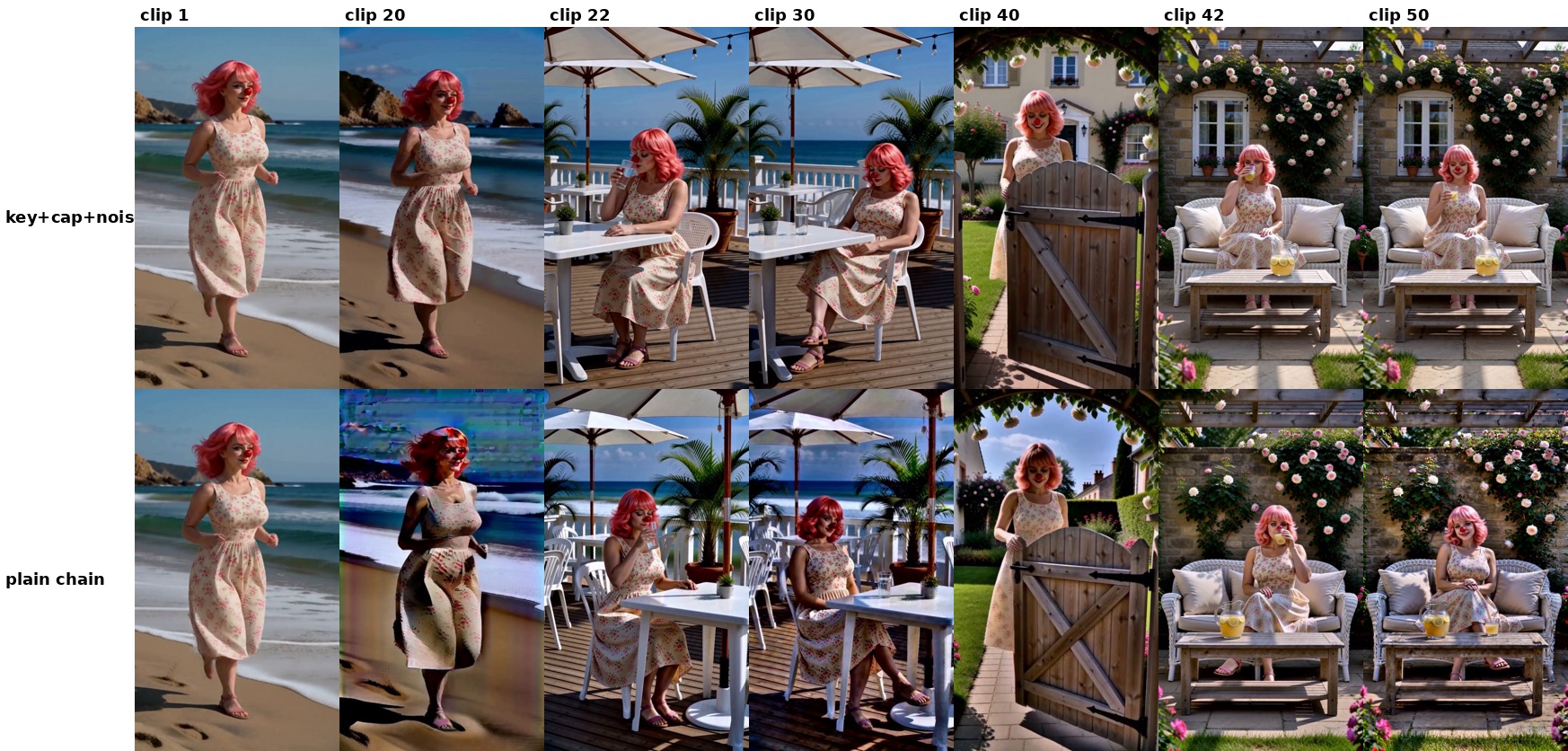
End of each section in the author's 50-clip test: Geiru protection on top, the same chain without it below.
H3 renders about five seconds per pass, so anything longer is a chain of clips. Each new clip starts from the tail of the one before it, and detail lost in that copy is copied forward again, so colour and texture fade as the chain grows.
Geiru moves that recovery work into the sampling. Every shot is pulled back towards the one frame no drift has touched yet.
Pinning every shot to clip 1
Geiru Keystone writes clip 1's frame 0 into the start of every shot and can tack a capstone from the end of clip 1 onto its back. Frame 0 of clip 1 is the only frame made before any drift, and it is the frame H3 follows most closely.
Geiru Late Lock decides which step those latents enter at, so a shot settles on its own pose first and the capstone only pulls it back afterwards. Geiru Context Noise adds sampler noise to the held frames, so H3 does not copy them exactly at the join.
The author measured a 10-clip chain about 20 frames before the end of clip 10: colour drift from clip 1 fell from 6.4 with no protection to 3.9 with the keystone, and 2.9 with the keystone plus Late Lock, with less over-sharpening as well.
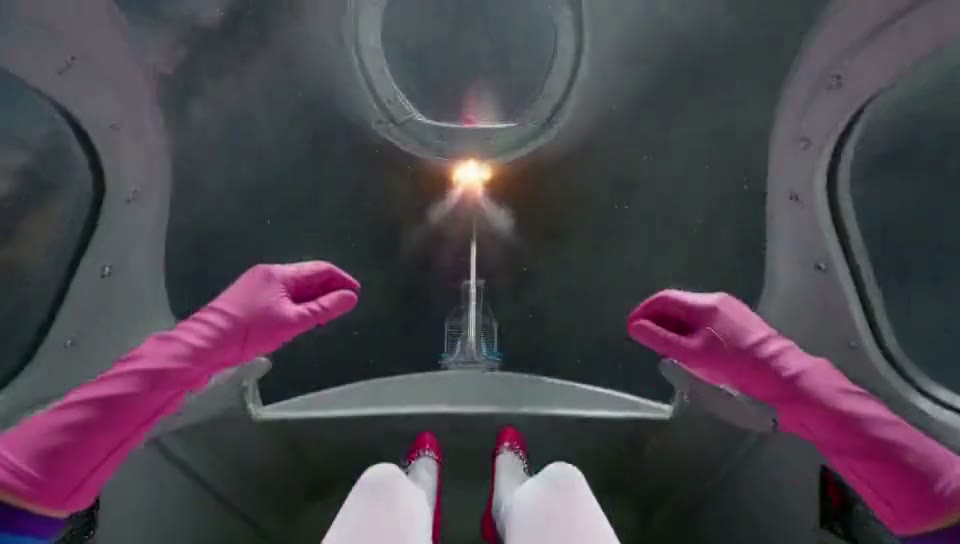 |  |
|---|---|
| 0:05 into the render | 2:00 into the same render |
Two frames from the two-minute render below. One run, no cuts, no stitching.
On a 50-clip chain of 5 minutes 20 seconds across four scenes, the unprotected chain had fallen apart by clip 20 while the protected one stayed clean, if slightly darker. Cuts and new scenes reset drift by themselves, which is why protection is a single switch: on inside one continuous scene, off around cuts.
Two minutes in one render
Geiru Hybrid Windows stops chaining clips altogether. It renders the whole video in overlapping windows, so memory stays at the size of one window, with the keystone and capstone repeated in each. The approach comes from kijai's merged H3 context windows (ComfyUI PR #17425) and JalenBrunson's HybridWindows pack, which both follow the rolling-diffusion method.
The demo is a 2 minute 6 second first-person roller coaster in one render: 3031 frames at 960x544, 16 windows of 226 frames with a 39-frame overlap, one prompt per window, 8 steps per window, capstone from step 6, context noise on, and crash protection that saves after every window.
The full two-minute render, straight out of one run: no cuts, no stitching.
A second demo does the same length as a talking portrait at 544x960. Geiru Window Director, an optional node after Hybrid Windows, builds those renders one window at a time with approve, re-roll, rewind and blend.
Install and settings
Search geiru-context-suite in ComfyUI Manager, or clone the repo. It is GPL-3.0 and needs no extra model files: Keystone's latent_folder mode wants NikoDemon80's ComfyUI-H3-Motion-Context or seitanism's MultiRef installed, and Hybrid Windows needs a ComfyUI build that already has the H3 context windows nodes.
Two settings matter more than the rest. Clip lengths should be multiples of 3: 141, 192, 243, 294 or 345 frames. H3's audio runs 40 steps per second against 24 video frames, so other lengths cut the held audio a third of a step off and sound builds up down the chain.
The author's recommended values are head_frames 39 with drop_last 17 on Geiru Context, tail_frames 56 with drop_first 17 on Geiru Anchoring, and swap_step 4 on Late Lock, or the last quarter of your step count. Example chains are in the repo's example_workflows/: everyone_wants_a_piece_of_the_clown.json for a straight Motion Context chain, and sane_clown_combiner.json for joining ten clips with the seams cut.
Comments
Sign in with GitHub to join the discussion.