PixlStash 2.0 Trains LoRAs From Your Own Image Library
PixlStash 2.0 adds LoRA training through AI-toolkit, face likeness clusters and character sheets to its ComfyUI-linked image library.
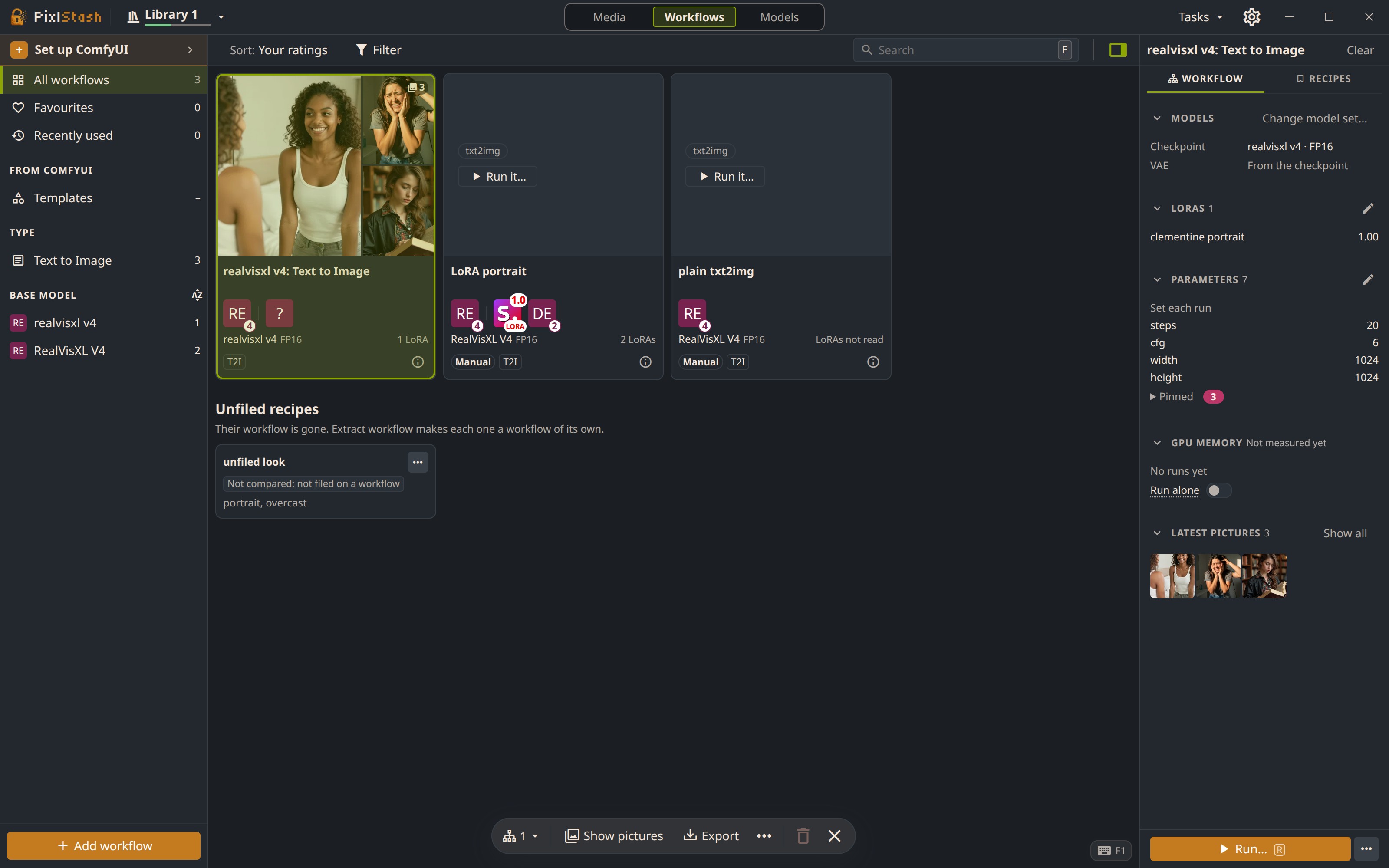
Workflows are cards covered with the pictures they made. The inspector lists each workflow's models, LoRAs, parameters and earlier versions.
Train a LoRA without leaving the library
The headline addition is Train LoRA. Right-click a person or a set, pick the pictures' subject and how hard to train, and the app runs AI-toolkit on your GPU. The finished LoRA lands on the model shelf and is attached to that person, so the next generation can call it without copying files into ComfyUI or reloading the model.
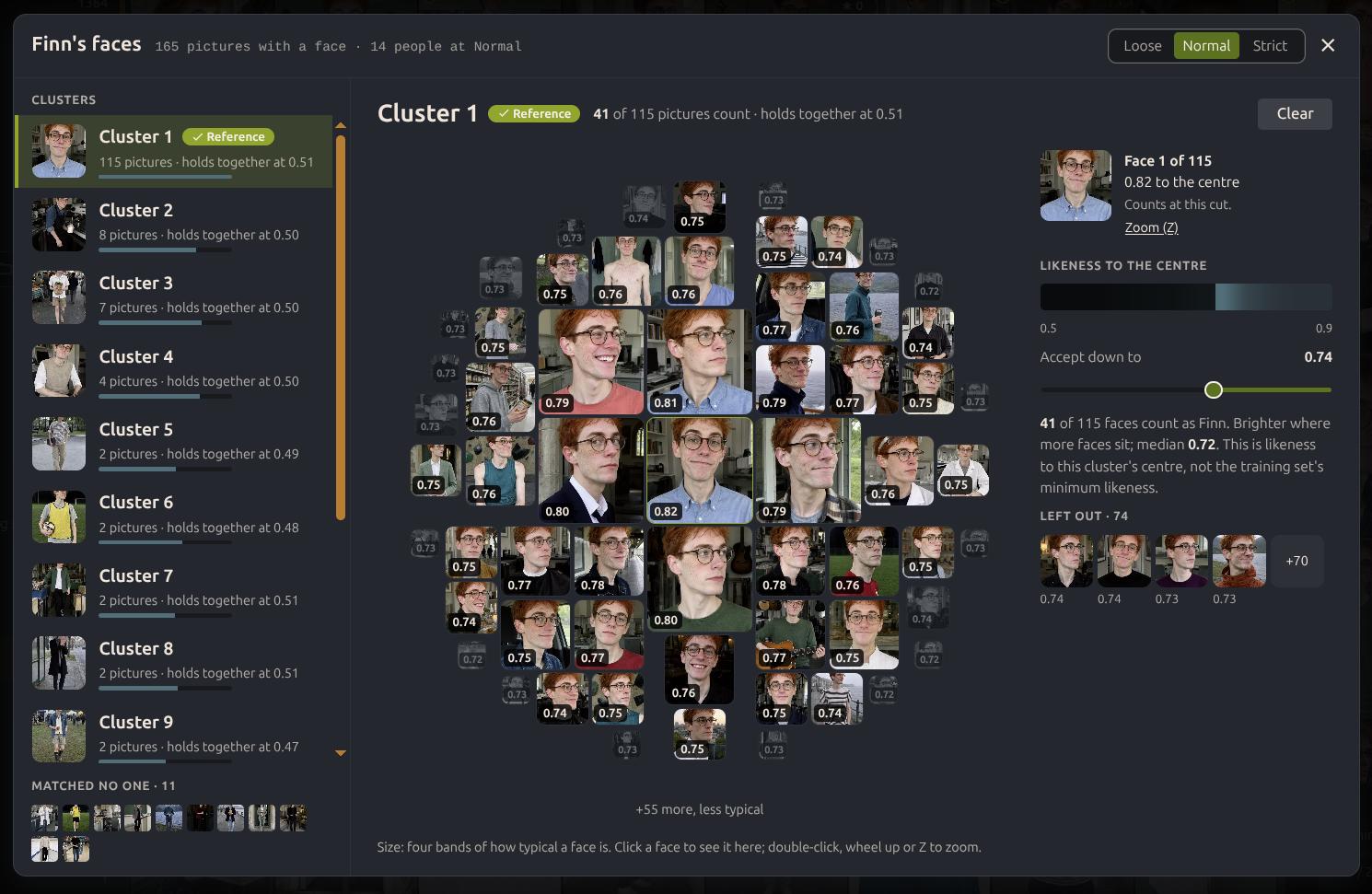
Faces are grouped by likeness. Keeping the group that is actually the person trims the near-misses out of the training set.
Two helpers feed that training set:
- Face likeness clusters sort one person's faces into groups by who they look like, so generated misfires drop out before training.
- Create a training set picks the best likeness and image quality across close-ups, full-body shots and expressions, skipping near-duplicates and other people.
Character sheets for characters with no pictures
For a person with too few references, Generate character sheets draws them instead: four passport-style shots from the front, three-quarter and profile, plus two body shots. Each sheet reports how closely it matches the reference it came from, and each photo on it does the same. Sheets you keep become that character's pictures; the rest go to a scrapheap.
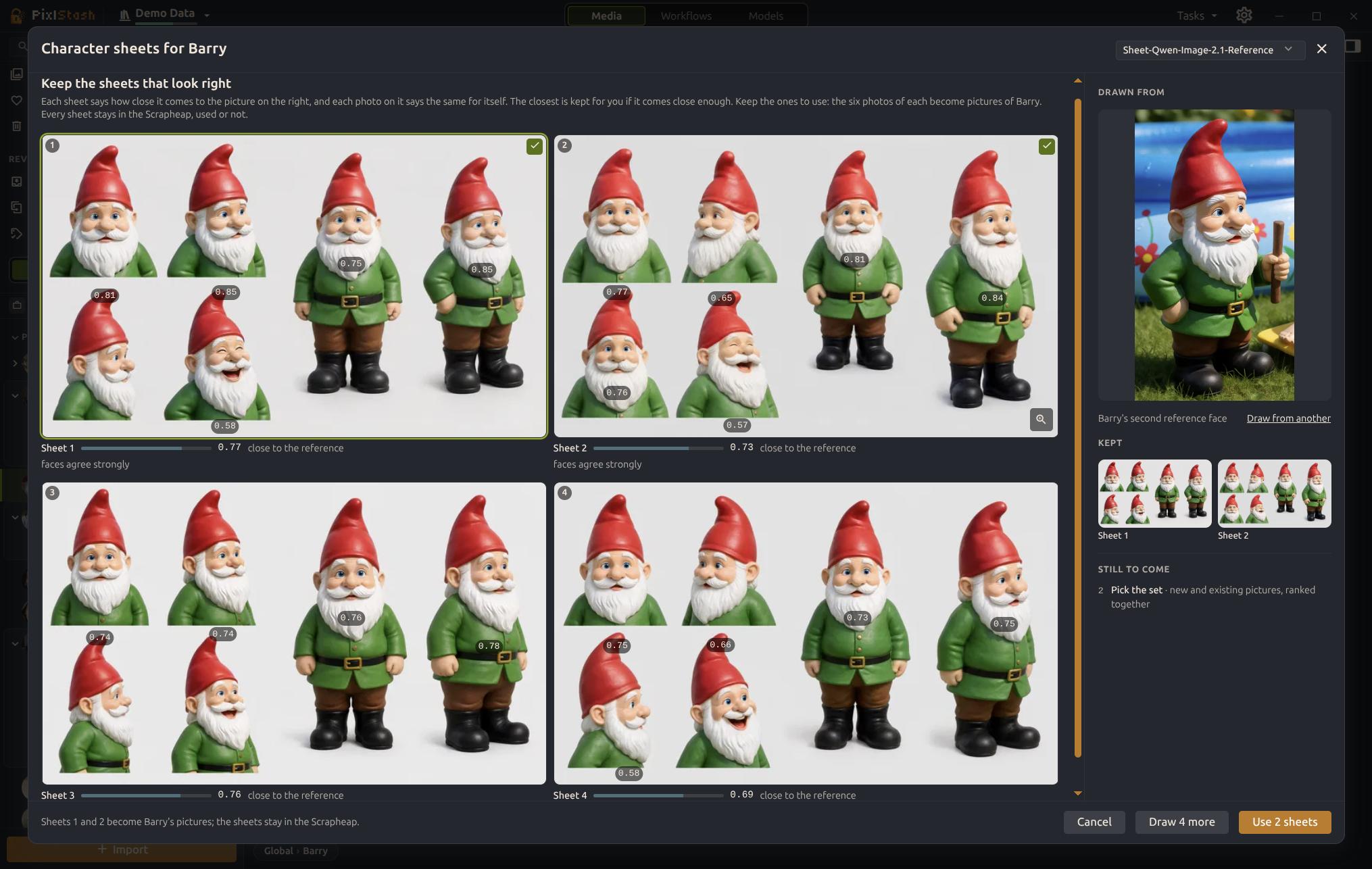
A generated sheet for a character built from a single picture. The workflow is selectable, including FLUX.2 Klein 9B and Qwen Image Edit 2.1.
The character-sheet workflows ship tuned for Krea 2, MOSS-Image, FLUX.2 Klein 9B and Qwen Image Edit 2.1, and video workflows run through the same path.
Two-way ComfyUI link
The PixlStash node pack works in both directions: run workflows from PixlStash, or drop PixlStash loader and saver nodes into your own graph so results come back tagged with their people, sets and projects.
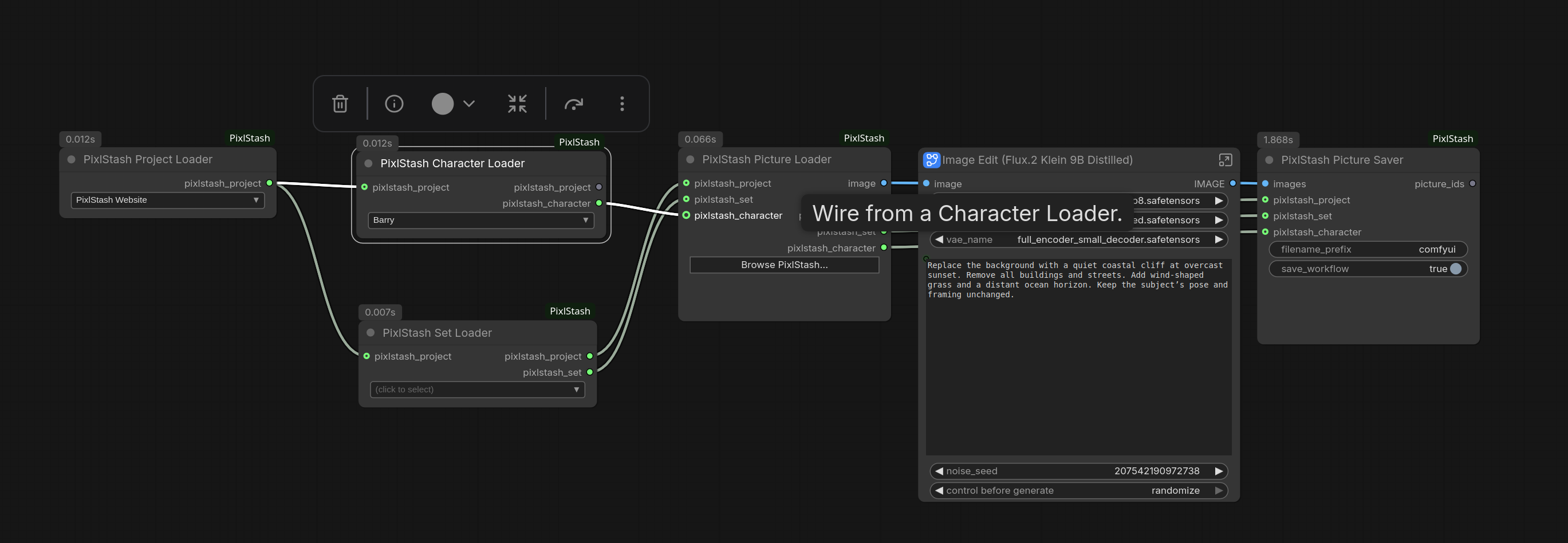
The saver node writes generations back into the library with prompt, models, LoRA strengths and seed attached.
Also in this release:
- Three workspaces split the app into Media, Workflows and Models, each with its own sidebar.
- Models as a shelf across every drive, with folder moves that keep the index intact.
- Several ComfyUI connections, so a laptop can queue work on a render box, and runs that do not fit in free VRAM wait instead of failing.
Getting started
Install the desktop build for Windows, Linux or macOS from the releases page, or run it headless with the Docker image ghcr.io/pikselkroken/pixlstash. A demo of the server UI is at demo.pixlstash.dev.
Then open Settings › ComfyUI: the app finds a local ComfyUI, installs its nodes there and links the two. The nodes are also on the ComfyUI Registry under pixlstash, with about 4,500 downloads. Everything runs locally on CUDA, Apple Silicon or ROCm; AI-toolkit is needed for the training half.
Comments
Sign in with GitHub to join the discussion.