ZenTrainer Trains LoRAs Inside ComfyUI, With Live Samples
ZenTrainer adds LoRA training to ComfyUI for MOSS Image, Krea 2, FLUX 3, Qwen-Image 2.1, Z-Image, Anima, Fibo 2.0, SDXL and MiniMax H3, with live previews and AMD support.
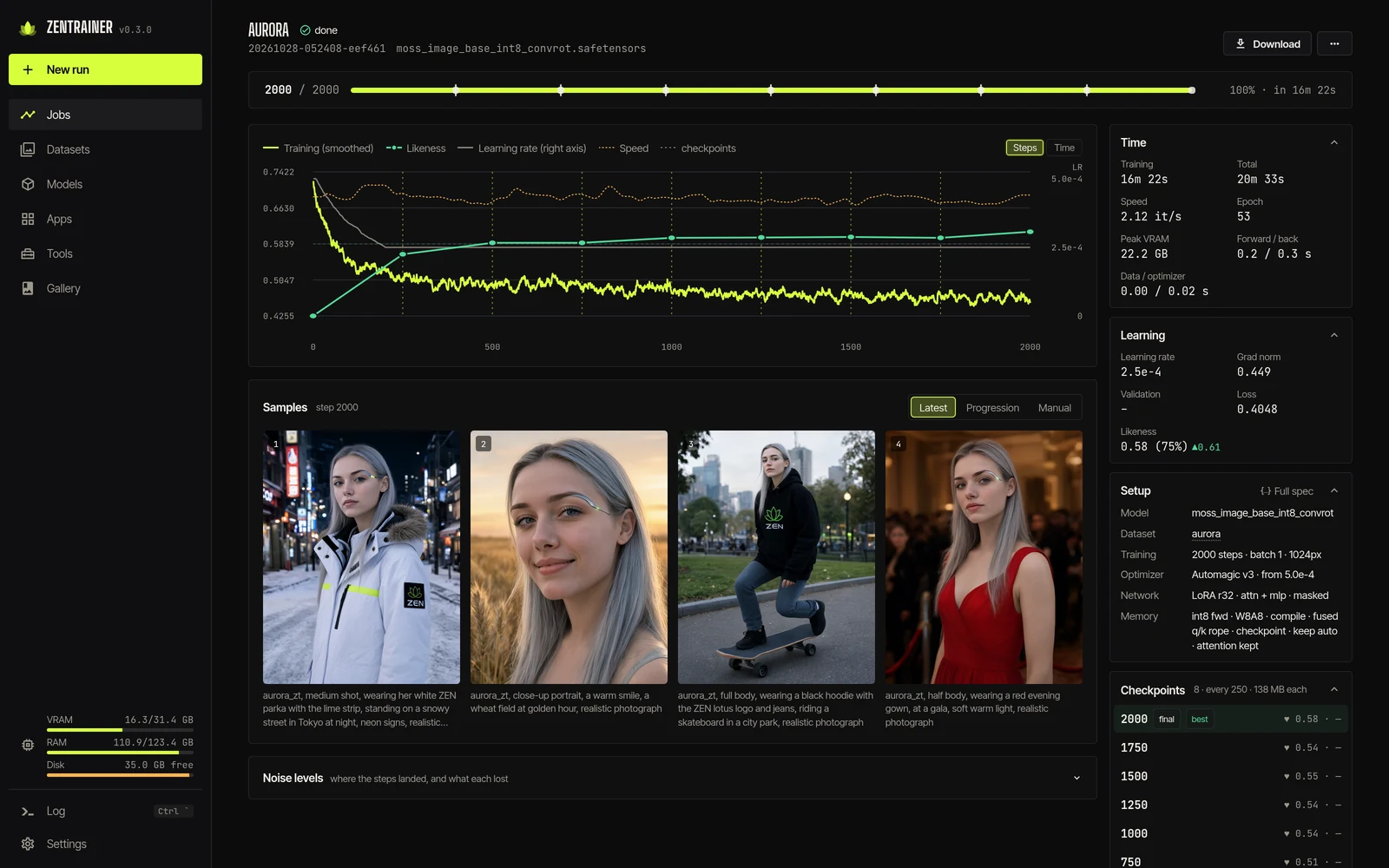
A run page: the newest sample, the loss, and the numbers in a rail on the right.
What it trains
MOSS Image, Krea 2, FLUX 3, FLUX.2 Klein, Qwen-Image 2.1, Z-Image, Anima, Fibo 2.0, SDXL and its finetunes, plus MiniMax H3 video. More models are listed as untested. Training runs on NVIDIA (CUDA) or AMD (ROCm) on Linux and Windows.
Simple or Advanced
Simple mode is a recipe, 15 to 40 photos and a name: missing models download themselves and the photos get captioned. Advanced mode exposes every option: LoRA or LoKr, masked training, caption dropout, class preservation, and AdamW, Prodigy, Lion, CAME, schedule-free or 8-bit optimizers.
While a run goes you can pause it, pull a sample, save, change the learning rate, and try your own prompt on any checkpoint. Validation loss is measured on a fixed set, character LoRAs get a likeness score, and runs queue up one after another.
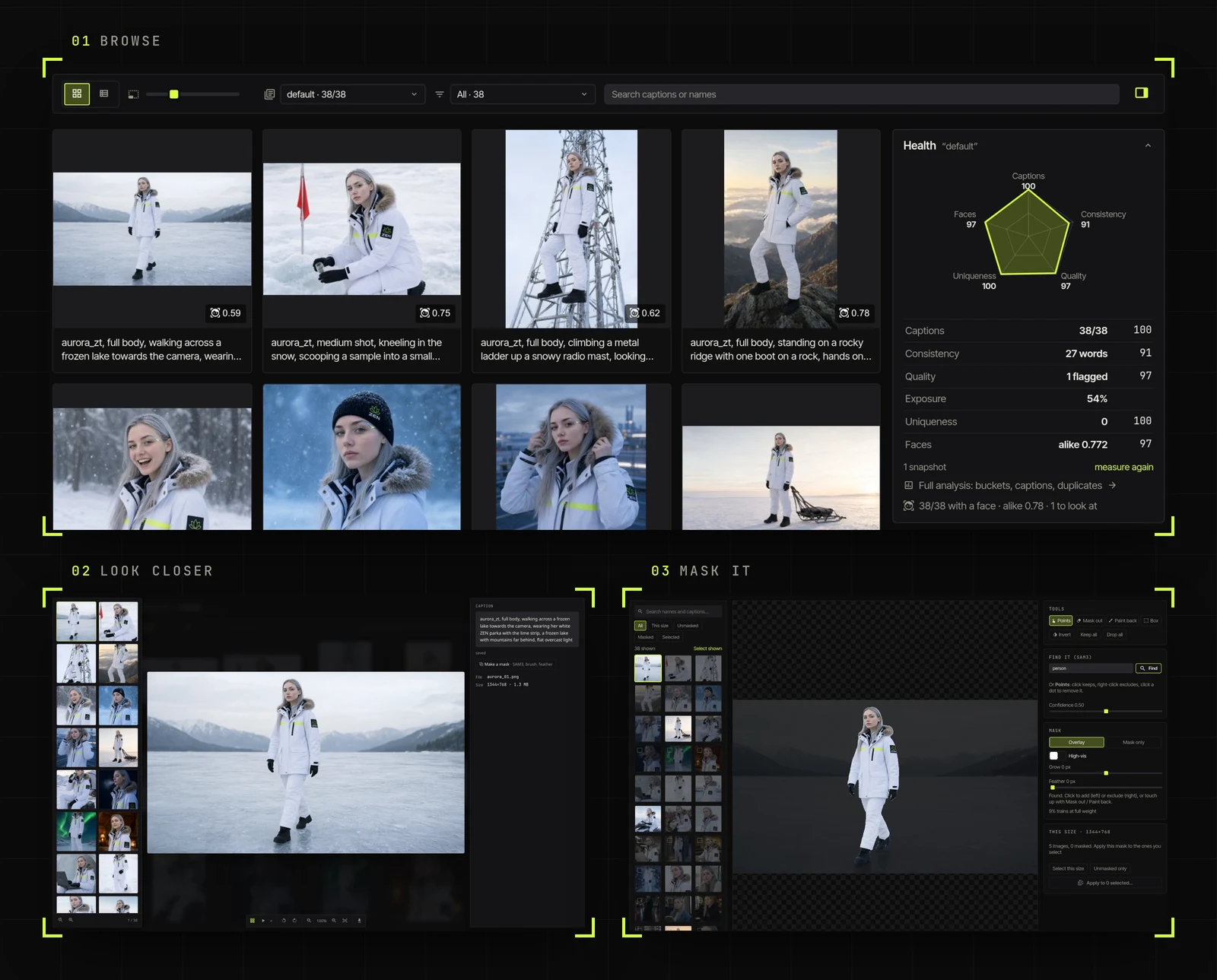
Any folder in ComfyUI's input/ is a dataset: grid or table, captions editable in place.
Datasets
Point it at any folder in ComfyUI's input/. Captions can be written by Qwen-VL or Gemma through ComfyUI, kept in long and short sets, and edited in bulk with prefix, suffix or find and replace. SAM3 can find the subject and mask training to it, or you paint the mask yourself.
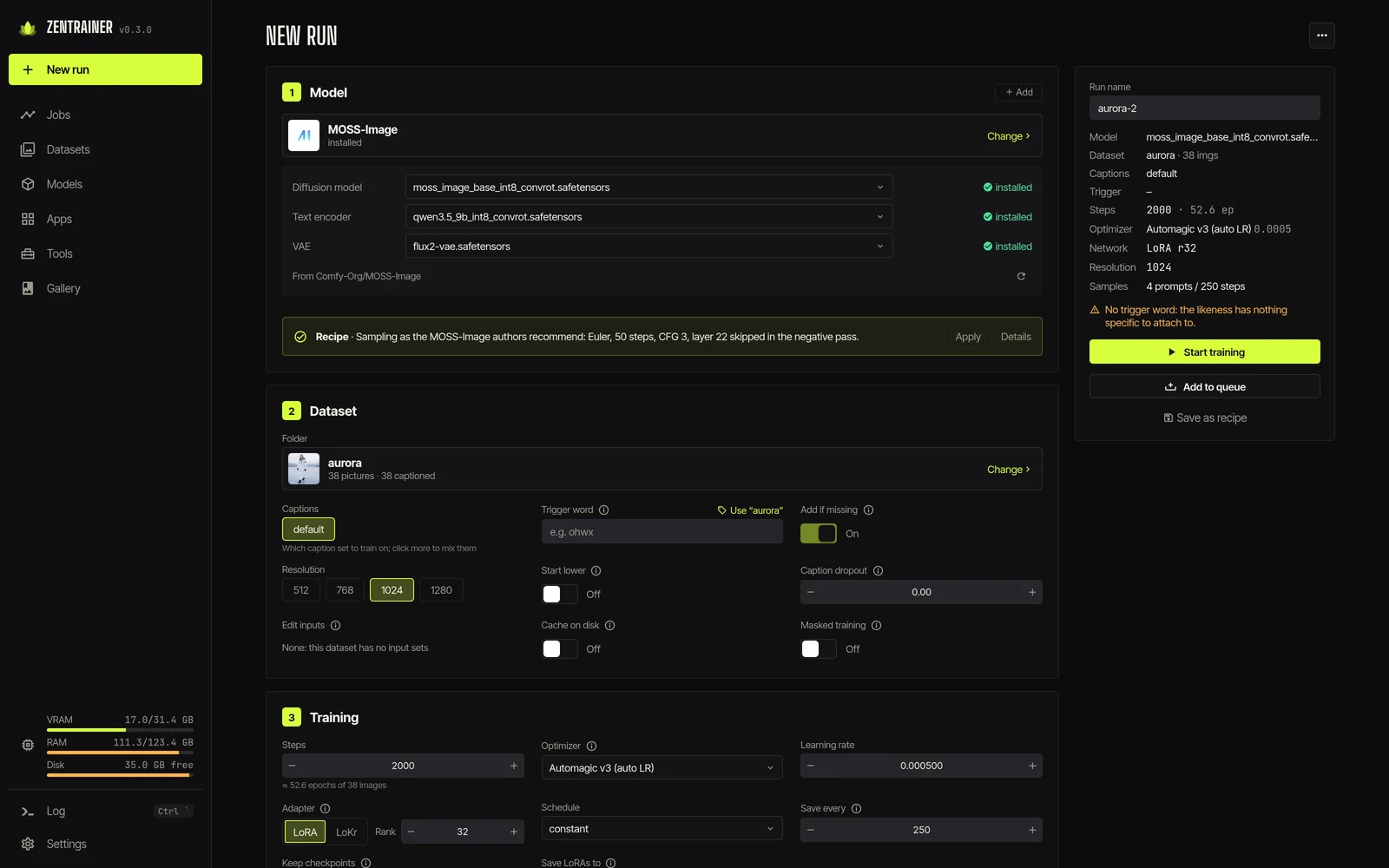
New run: pick the model and its files fill in, with warnings for the usual mistakes.
Install
Install from ComfyUI Manager, restart, and click the lotus in the top bar, or open /zentrainer/. It needs ComfyUI 0.41 or newer, and the LoRA lands in output/zentrainer/loras/.
The repo also ships start scripts that install a pinned ComfyUI next to it, so updates to your main install cannot break a run, and it still reads your models where they are. A Docker image covers rented GPUs, with a one-click Runpod template. macOS is not supported yet.
Availability
ZenTrainer is at github.com/Nynxz/ZenTrainer (MIT, v0.4.1). Datasets, runs and exported LoRAs stay inside your ComfyUI folders.
Comments
Sign in with GitHub to join the discussion.