H3 Ripple Carries a Frame Edit Through a Whole H3 Shot
H3 Ripple is a MiniMax H3 LoRA that takes one or two frames you edited by hand and propagates the change across the shot, with ComfyUI workflows for external or local Qwen edits.
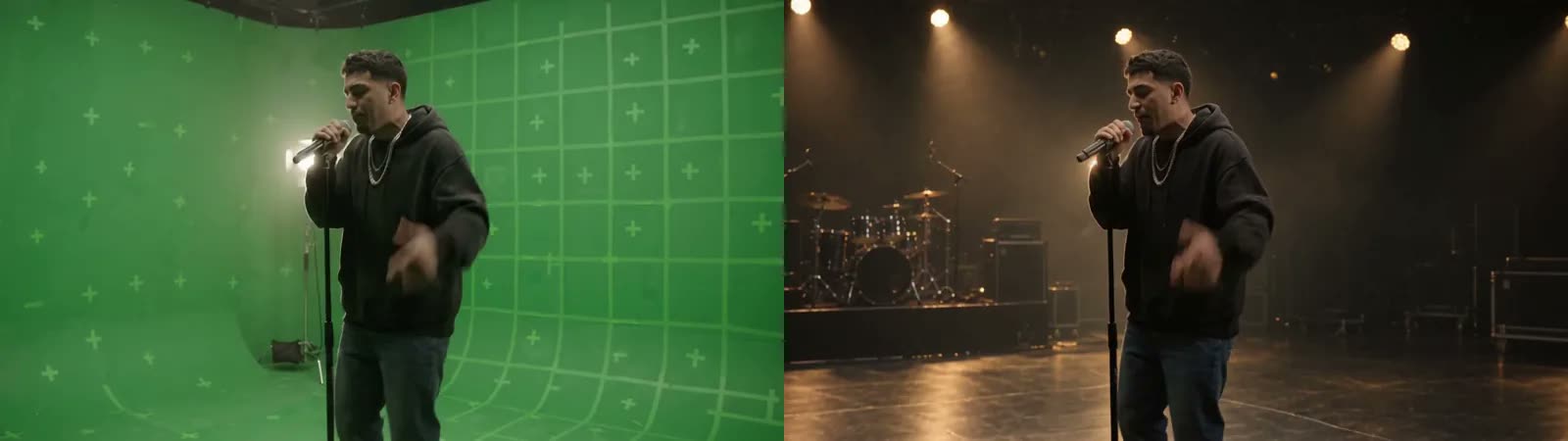
Anchors are placed on the frames you want to change; H3 Ripple applies the same edit to the frames around them.
Most H3 editing routes ask for a written prompt and describe the change in words. Ripple inverts that: the description lives in the picture. You load the clip, mark the frames you care about, export them, edit them like any still, upload the results back to their markers, and the node carries the edit through the shot. The propagation prompt stays at its default; what changed is shown to the model as an image rather than explained.
Two workflows
The accompanying ComfyUI-WepeNerd node pack ships two graphs:
| Workflow | Editing method | Default |
|---|---|---|
| Ripple Simple | Download anchor frames, edit them in any editor, upload the results | 90 frames / 3.75 s, one anchor |
| Ripple Local Editor | Two Qwen Image 2.1 branches edit the anchors inside the graph | 124 frames / 5.17 s, two anchors |
The local-editor path needs Qwen Image 2.1 with its text encoder and VAE, and runs those edits at 25 steps, euler, simple, CFG 1 before the video render. Both downloads include a models-and-setup card pointing at every file and destination folder. Weights go to ComfyUI/models/loras/H3/, and both workflows expect the H3 Turbo 4-step LoRA alongside Ripple.
Settings
Both graphs run Ripple and Turbo at strength 1.0 each, with H3 sampling at 4 steps, euler, simple, CFG 1, output at 1 MP and 24 fps. Ripple Clip handles the video, the time window, size and crop, and the anchor placement; Ripple Apply does the propagation, and Ripple Output saves the result next to a source-versus-result comparison.
Anchors can be placed anywhere in the window, which is what makes the tool useful for edits that only make sense at a particular moment. The trade-off is that the anchors have to be consistent with each other: the model card asks that framing and composition stay consistent between the frames you edit, because Ripple is reading them as views of the same subject.
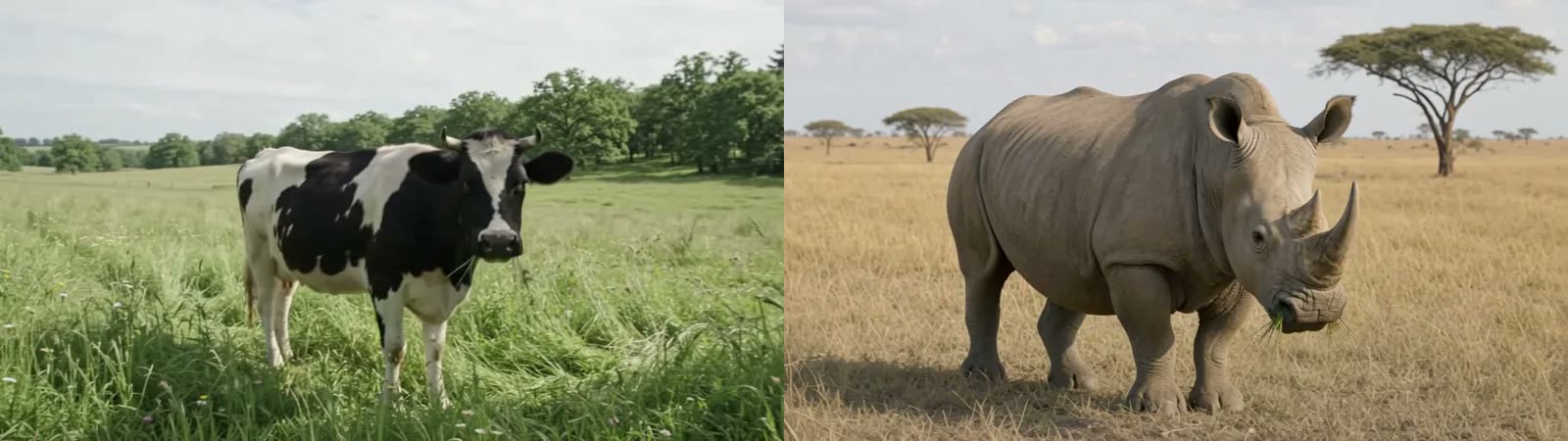
A scene-and-subject edit: the environment and the animal are both replaced from the anchor frames.
A section of the project's demo reel, which also covers product replacement and character recast examples.
Limits
The author is direct about failure modes: fast motion, occlusion and large viewpoint changes make an edit harder to carry through the shot, and generated frames can change details outside the intended edit. That is the honest shape of the method. Nothing constrains the model to leave untouched regions alone; it reproduces the edit where the anchors put it and regenerates the rest.
Availability
The LoRA is on Hugging Face, published October 30, 2026, with the workflows and setup guide on the project page. It needs a full H3 FL2VA setup: diffusion model, text encoder and video VAE, plus the H3 Turbo LoRA the workflows assume. The node pack is the author's own ComfyUI-WepeNerd, so the whole setup is one custom node install plus the H3 weights.
Comments
Sign in with GitHub to join the discussion.