Anima RGBA Gives Anima a Real Alpha Channel in ComfyUI
Anima RGBA pairs a 4-channel Qwen-Image VAE with an Anima LoRA so the model renders transparent PNGs with no custom nodes, at alpha MAE 0.0027 on a held-out set.
transparent background in the prompt, and VAE Decode hands back straight RGB plus alpha that Save Image writes as an RGBA PNG. No custom nodes.

Generated with the RGBA VAE and LoRA, displayed over a checkerboard.
Anima uses the Qwen-Image VAE, which decodes to three channels. Asking the model for a transparent background therefore produces a subject drawn on a background the model has been told to imagine as empty, and the cut-out is done afterwards with a matting pass. An RGBA VAE moves that into the decoder: the last layer simply has four channels instead of three.
Turning a 3-channel VAE into a 4-channel one
The trick is smaller than it sounds. The VAE keeps its 16-channel latent at 1/8 resolution, so nothing about Anima's latent space changes. The encoder takes RGB composited over white plus an alpha channel; the decoder outputs straight, un-premultiplied RGB plus alpha.
Initialisation does the rest: the 3-channel weights are copied, the new alpha input column starts at zero, and the new alpha output row starts at zero with bias +1, so before any training the model reproduces the original VAE and decodes everything as opaque. Training then pulls the new encoder towards the frozen original's latents for the same white composite, which keeps the latent space where Anima already works and leaves the LoRA with only a small alpha residual to learn.
Compositing over white is the deliberate choice: RGB is undefined where alpha is zero, and a white composite is what Anima already draws for transparent-background prompts, so the RGBA latents stay close to ones the base model produces. The measured drift is an RMS distance of 0.058 in units of the latent standard deviation, about 6% of one sigma, and that is the gap the LoRA bridges.
What the numbers look like
The VAE was trained for 12,000 steps at batch 4 on 512 px crops, with L1 composite loss over random solid backgrounds, LPIPS at 0.2, alpha L1, an alpha Sobel-gradient term, and reference latent MSE against the original encoder; 15% of each batch was opaque images used as regularisation. On a holdout set of 200 transparent and 50 opaque images at 512 px, none of which were trained on:
| Metric | Value |
|---|---|
| Alpha MAE | 0.0027 (about 0.7 / 255) |
| Alpha RMSE | 0.0157 (about 4 / 255, concentrated on edges) |
| PSNR composited over white | 34.94 dB |
| PSNR composited over black | 33.17 dB |
| Opaque PSNR, original Qwen-Image VAE | 34.26 dB |
| Opaque PSNR, Anima RGBA VAE | 34.74 dB |
Opaque reconstruction is slightly better than the original rather than slightly worse, which is the useful result: swapping the VAE does not cost anything on ordinary images.
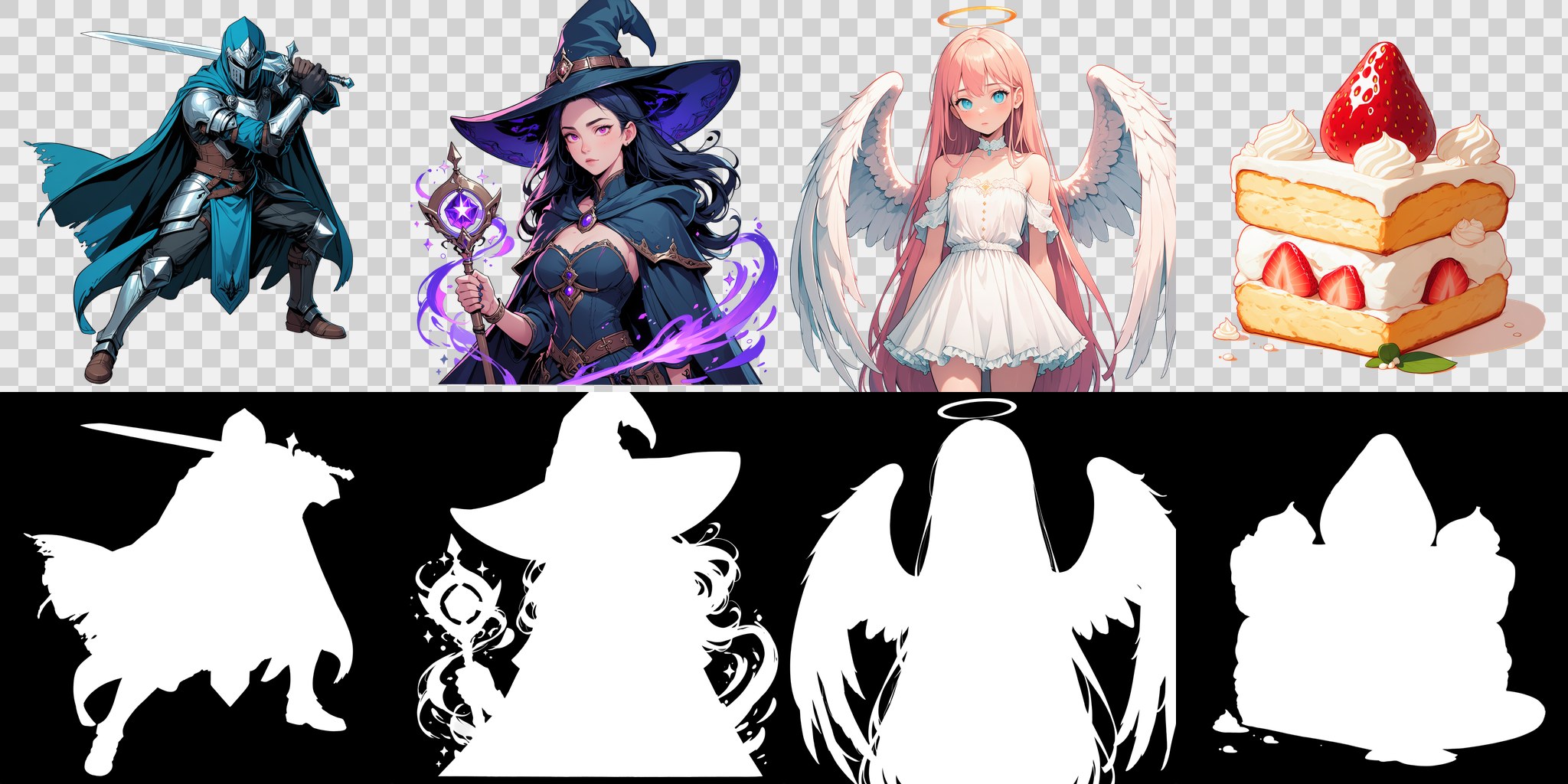
Top row: RGBA output over a checkerboard. Bottom row: the alpha channel on its own.
Why the LoRA is still needed
Without it the VAE still produces an alpha channel, but a hazy one: characters and white clothing come out partly transparent, because the base model's latents only roughly match what the new decoder expects. The LoRA is trained on latents from this VAE at rank 32, step 25,000, on 18,426 images with the Qwen3 text encoder and LLM adapter frozen. Transparent images are captioned with two alternating trigger lines, transparent background and isolated on a transparent background, while the opaque regularisation images carry no trigger.
The model card's test table, 8 prompts by 2 seeds at 1024 x 1024, shows what happens when you turn the knobs:
| LoRA strength | Trigger weight | Transparent | Semi-transparent pixels |
|---|---|---|---|
| none | 1.0 | 16 / 16 | 12.8% |
| 1.0 | 1.0 | 16 / 16 | 0.9% |
| 1.2 | 1.0 | 16 / 16 | 1.0% |
| 1.5 | 1.0 | 16 / 16 | 1.4% |
| 1.0 | 1.2 | 16 / 16 | 0.9% |
| 1.0 | 1.5 | 16 / 16 | 0.9% |
Every setting produces a transparent result, so the number that matters is the share of stray semi-transparent pixels: 12.8% with no LoRA against 0.9% at the defaults. Pushing the LoRA to 1.5 does not help and adds semi-transparent debris and smoke around the subject; pushing the trigger weight instead leaves the image and alpha almost unchanged. That is the opposite of the usual instinct, and the card says so directly: raise the trigger weight, not the LoRA strength.
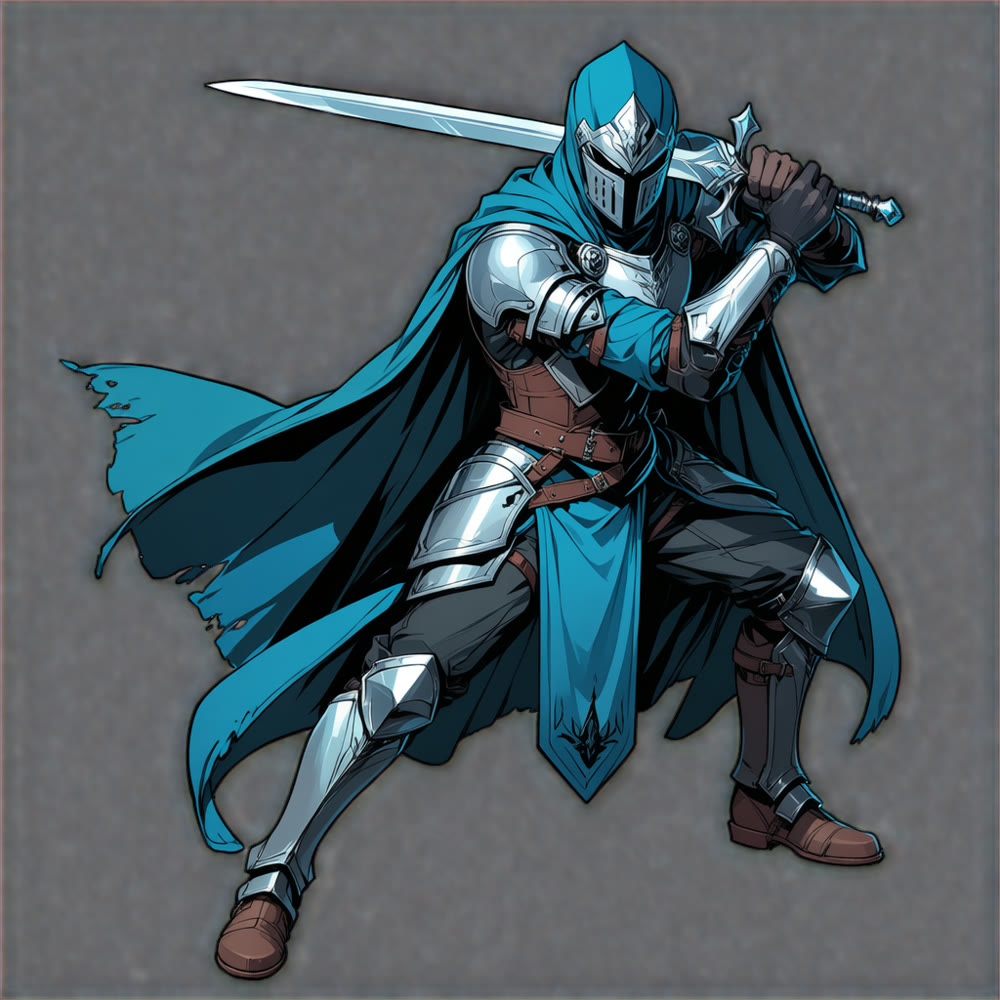
A full-body character at LoRA 1.0, 30 steps, CFG 4.5, er_sde with simple.
Where it falls short
The VAE was trained on 512 px crops and decodes at higher resolutions, but fine semi-transparent detail such as hair strands, glass and smoke is the weakest area. Generated alpha is mostly binary, so see-through clothing usually comes out opaque. Close-ups that fill the frame sometimes keep an opaque white background, more often when other LoRAs are stacked. It is built for anime and illustration content, which is what Anima draws.
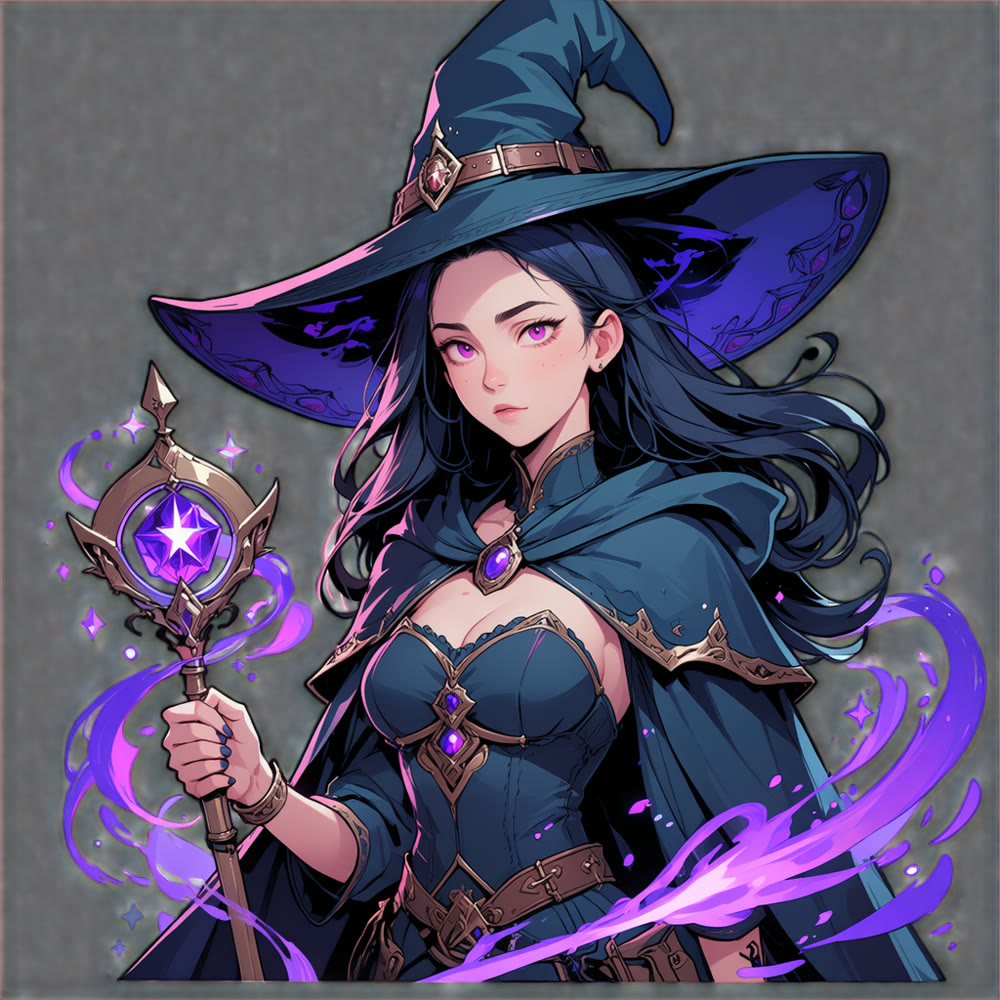
The same recipe on a different subject, alpha preserved through the hat and staff.
Comments
Sign in with GitHub to join the discussion.