OpenFill Brings ComfyUI Generative Fill to PhotoCraft and GIMP
OpenFill 0.2.4 adds a PhotoCraft panel next to the GIMP 3 plug-in: fill, remove, expand and text to image, rendered by a hidden local ComfyUI backend.
Photoshop's generative fill is the one part of the subscription that people miss after they leave. OpenFill rebuilds it as two plug-ins: the GIMP 3.2 plug-in came first, earlier this month, and now there is a panel for PhotoCraft, the open-source Rust image editor that reads and writes layered PSD files.
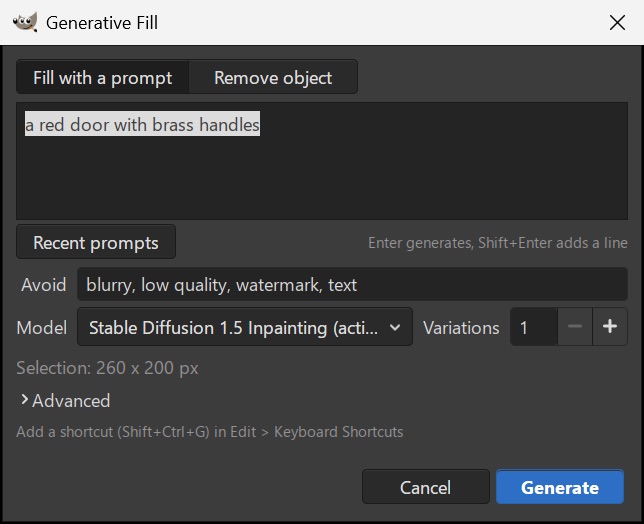
In both editors the interaction is the same. You make a selection, the selection becomes the mask, and the result arrives on a new layer in a single history step, so nothing underneath gets painted over. There is no node graph to wire and no browser tab to babysit. In GIMP the tools sit under Filters > OpenFill; in PhotoCraft they are a panel beside the canvas plus Filter > Plug-ins > OpenFill.
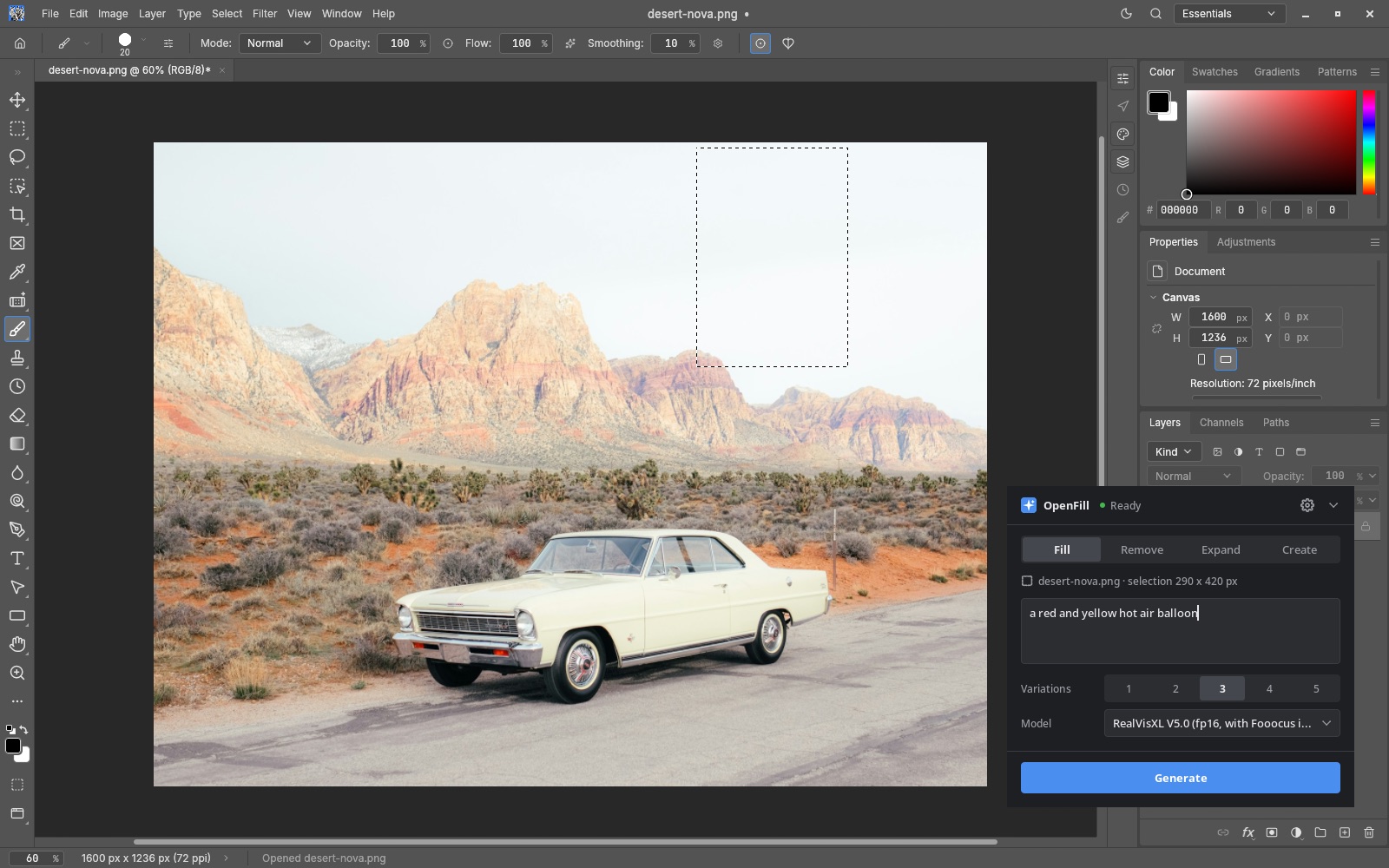
Four operations
- Fill with a prompt. Select a region, type something like "a red door with brass handles", press Enter. Up to five variations can be kept or discarded.
- Remove object. No prompt at all: the selection is erased and the background is continued at the image's own resolution.
- Generative Expand. Drag the canvas edges outward or pick a ratio, and the new border is painted in. The prompt is optional.
- Create. A new image or a new layer from a prompt, sized to the selection when there is one.
The backend is ComfyUI, kept out of sight
ComfyUI starts with the editor, stays warm while you work, and shuts down when the editor closes. It listens on 127.0.0.1 only, and the only network traffic is model search and explicit downloads, which are checked against their size and SHA-256. On Windows the installer can fetch ComfyUI itself, including the AMD build; elsewhere you point it at an existing install.
The model manager does not ship a model. It recommends weights that fit the card and the disk, and it also finds your own SD 1.5 inpainting, SDXL and FLUX.1 Fill files (.safetensors and .gguf) inside ComfyUI's folders.
| Job | Default model | Memory | Time on an RTX 4070 Laptop |
|---|---|---|---|
| Remove object | LaMa (RORem and a FLUX eraser to compare) | 2 GB | about 5 s |
| Fast fill | DreamShaper 8 Inpainting | 4 GB | about 9 s |
| Quality fill | RealVisXL V5 with the Fooocus inpaint patch | 8 GB | 20 to 45 s |
Where it still falls short
The project's own status list is blunt about the rough edges, and they are mostly in what the models draw rather than in the plug-in:
- FLUX and Qwen fills, Expand and Create work at about 1024 px and are scaled up afterwards, so on large images they come back softer. Remove is not affected.
- SD 1.5 often ignores the prompt on flat areas and small selections.
- FLUX on 8 GB is slow.
The first replies on the r/comfyui thread flagged the same softness: a blurred patch left where a car had been removed. The author traced it to the demo running RealVisXL, which only works at about 1024 px, so a large photo gets its patch shrunk and scaled back up, and said keeping more of the original resolution is in progress.

Availability
OpenFill requires an NVIDIA card or a Radeon RX 7000 or newer, with 8 GB for the quality models, and runs on Windows 10/11 and Linux. The GIMP plug-in also runs on macOS. PhotoCraft supports Apple Silicon: in the project's own test on an M3 MacBook Air with 16 GB, all four operations completed, with Remove taking 4.0 s and Expand turning a 512 x 384 image into 576 x 448 in 14.1 s. Those numbers are functional checks, not speed benchmarks. AMD support is new, with one RX 7800 XT user report so far.
Both builds are beta. Downloads and changelogs are on the releases page; the project states it is not affiliated with PhotoCraft, and that it began as a GIMP 3 port of Torben Giesselmann's gimp-stable-boy, with the inpainting graphs built on Acly's comfyui-inpaint-nodes.
Comments
Sign in with GitHub to join the discussion.