Freefield Runs 120 Higgsfield-Style Apps as ComfyUI Workflows
Freefield rebuilds Higgsfield's creative apps as ComfyUI workflows on open weights. Each app is one folder with an app.json and a validated API workflow.
Most AI video and photo sites sell the same thing under different names: a fixed pipeline with a form on top. Freefield's author took that catalog apart and rebuilt each entry as a ComfyUI workflow in API format, then generated the whole web UI from the workflow manifests instead of writing per-app code.
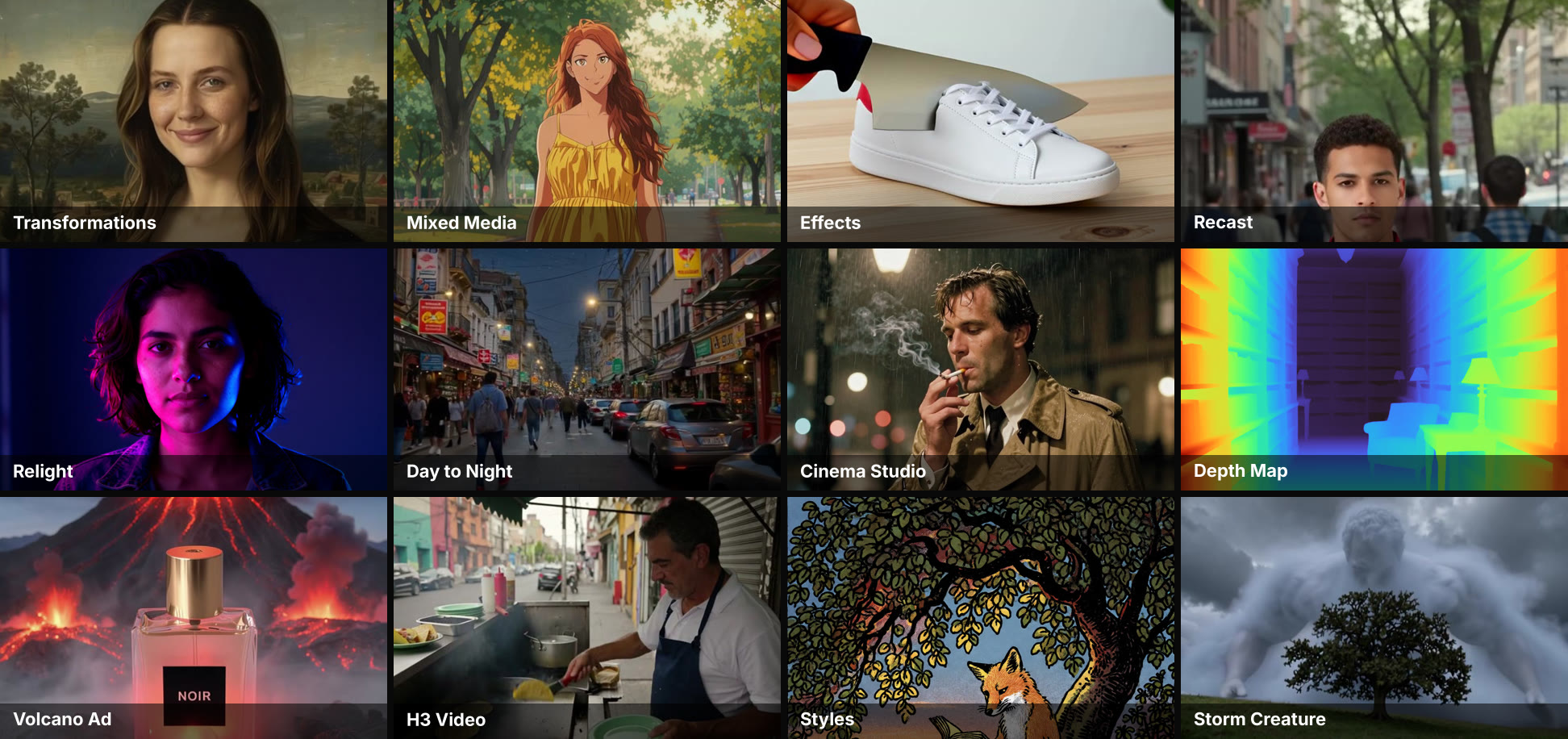
Twelve of the app examples. Each one comes from a run with a fixed seed, and the app shows its wall time and peak VRAM next to the result.
Every app is a folder
An app in Freefield is a directory under apps/ holding an app.json manifest and a ComfyUI workflow in API format. The menu, the forms, the model downloads, the VRAM map and the tests are all derived from those manifests, so adding an app means adding a folder plus a workflow. The repository currently holds 120 app folders, 119 of them marked ready; the author's launch post puts the coverage at 95 of the 129 tools and apps Higgsfield lists.
The request path is short and stays inside the ComfyUI API:
browser ──▶ web/ + server/ (Node, Comfy SDK) ──▶ gateway :8000 ──▶ comfy-api-proxy :8189 ──▶ ComfyUI :8188
             forms drawn from apps/*/app.json      unloads the GPU   Comfy API v2        your GPU
                                                   when the app changes
When two apps use different base models, the gateway calls ComfyUI's POST /free, so nothing from the previous app stays resident in VRAM.
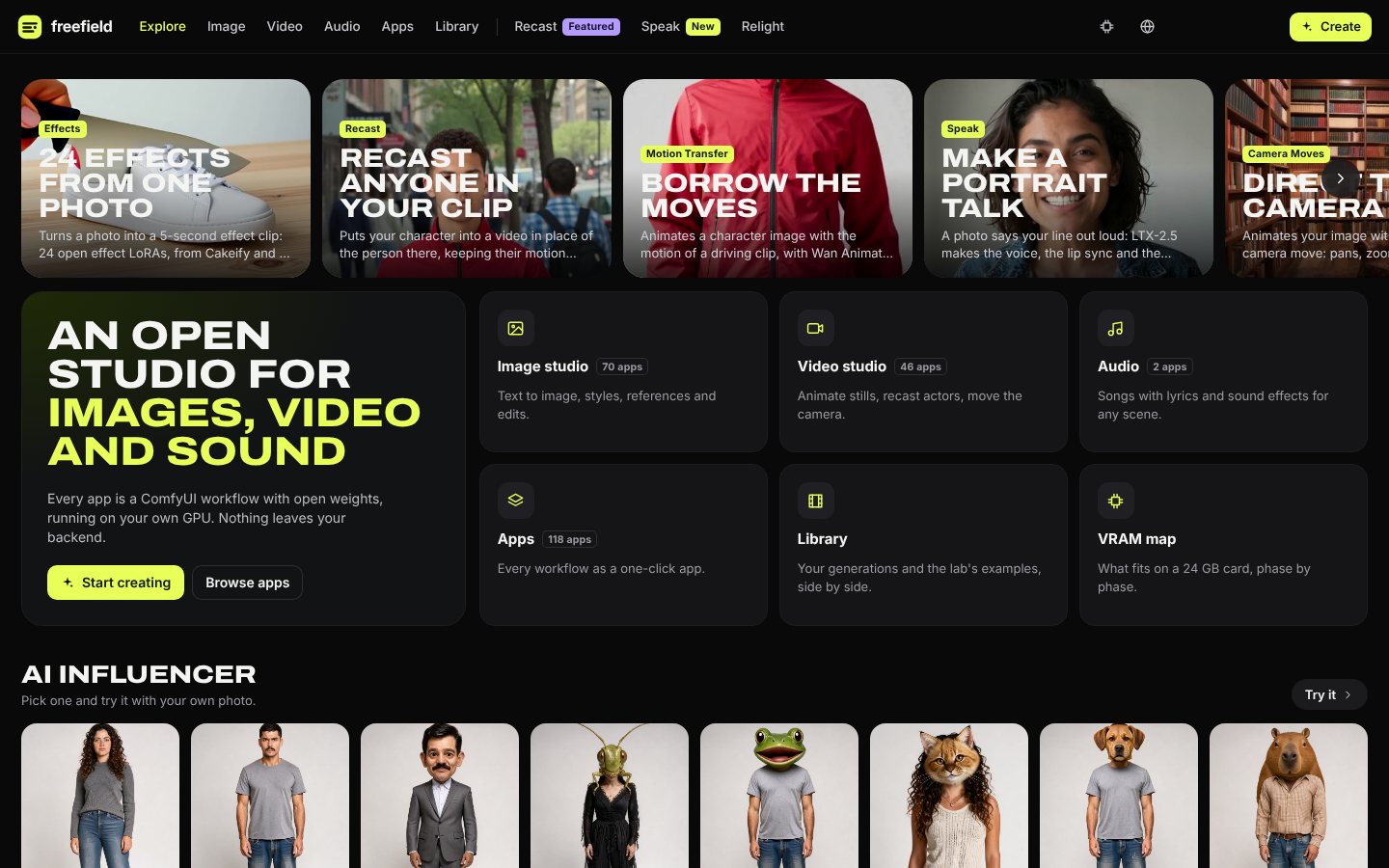
The Explore tab. Featured apps render as video cards, and the studios split the catalog by medium.
The open weights behind each app
Freefield keeps a deliberately narrow rule: every model is a file you download, listed in the app manifest with its Hugging Face repository, size and license. The cloud text-encoder branch of Lightricks' LTX examples is removed for that reason. The base set:
- FLUX 3 Image Klein (int8) for Create Image and the editing pipelines, with Black Forest Labs' 9B prompt upsampler as a toggle
- Z-Image Turbo (int8) for fast drafts and the lab's reference photos
- MOSS-Image SFT (int8) as a draft for layout prompts
- LTX-2.5 for image to video with its own audio, plus five IC-LoRA apps (
genjutsu,reframe,sdr-hdr,mixed-media,dub) - MiniMax H3 (int8) for text or photo to clip with speech and sound, and for re-shooting a clip from a new angle
- Qwen-Image-Edit-2509 with the Multiple Angles and next-scene LoRAs, and Wan 2.1 / 2.2 with effects LoRAs
- SeedVR2, Stable Audio 3 and MiniMax Music 3 for upscaling and audio
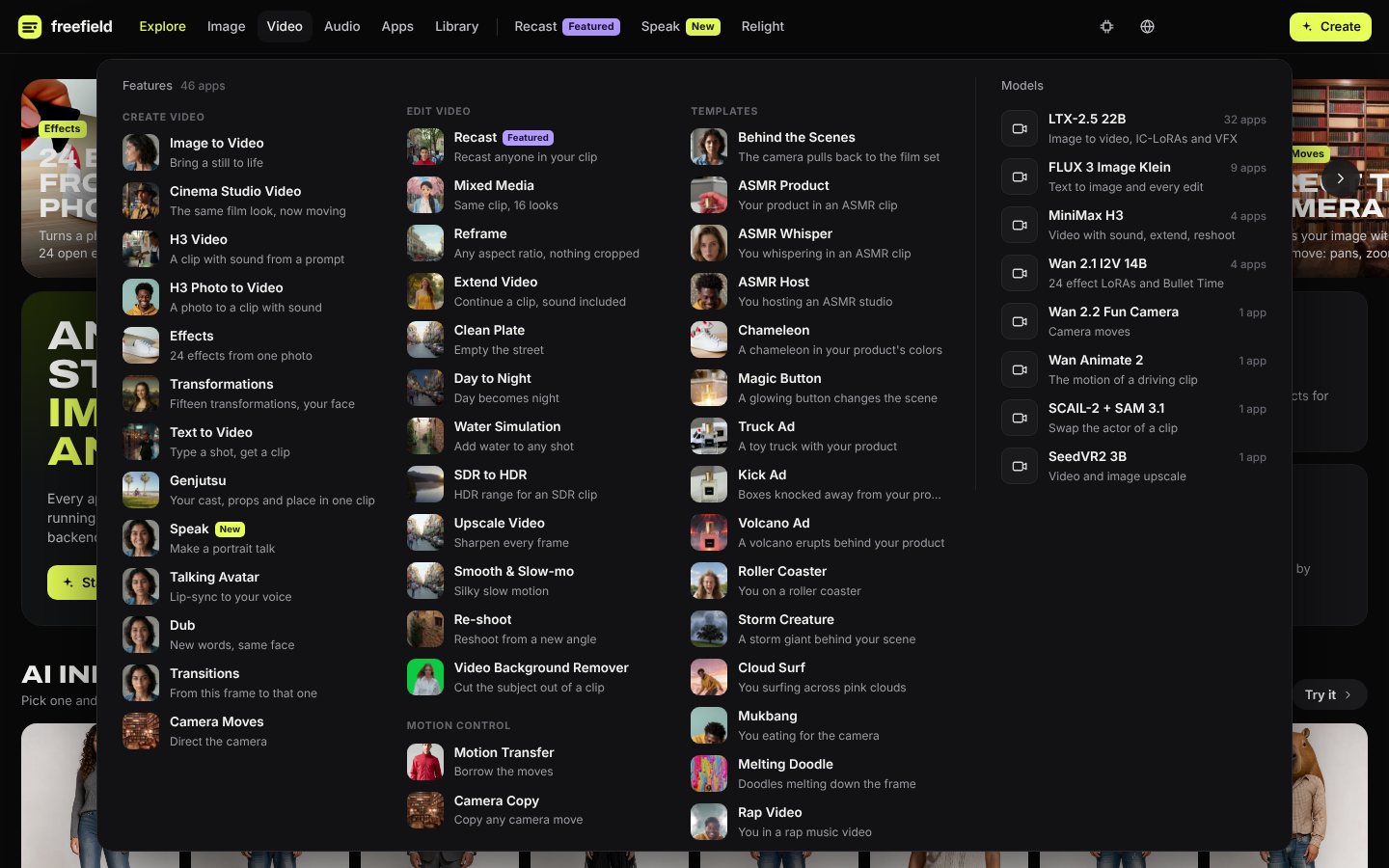
The Video menu lists 46 apps and, next to them, the open models each one runs on.
Workflows were assembled from first-party sources: ComfyUI's own templates, Lightricks' ComfyUI-LTXVideo examples and Comfy-Org's comfy-reshoot, and the repository pins the versions it validated against (ComfyUI e3bee7f, the 0.42.0 build, plus ComfyUI-LTXVideo 44c8a36 and ComfyUI-CrossViewWarp fbb1e93). Higgsfield's Soul ID trains a model of a person from their photos; Freefield does not train at all. Its character apps copy the person from one or three reference images on every run, 13.0 seconds of L40S time in the lab, and a TrainLoraNode path for a real character LoRA is left as future work.
What the lab runs measured
The repository ships its own measurement harness. 48 runs went to Modal between October 20 and 26 on L40S and H100 cards, and 710 of 733 cases came back ok. Every example shown in the web app is one of those runs, with its wall time and peak VRAM attached, and the per-run log lives in docs/lab-runs.md.
The end-to-end numbers the project publishes are three browser runs: morph at 160.8 seconds from button to video (128.7 of them on the GPU), mixed-media at 149 seconds and dub at 72 seconds on an H100, with face-swap measured at 25.2 seconds of GPU time through the hosted demo. The project also keeps a VRAM map: create-image fits whole on a 24 GB card at 17.8 GB, z-image at 12.2 GB, while cinema-video needs a Modal run at a 44.3 GB peak and the H3 apps need 27.1 GB just for the text encoder.
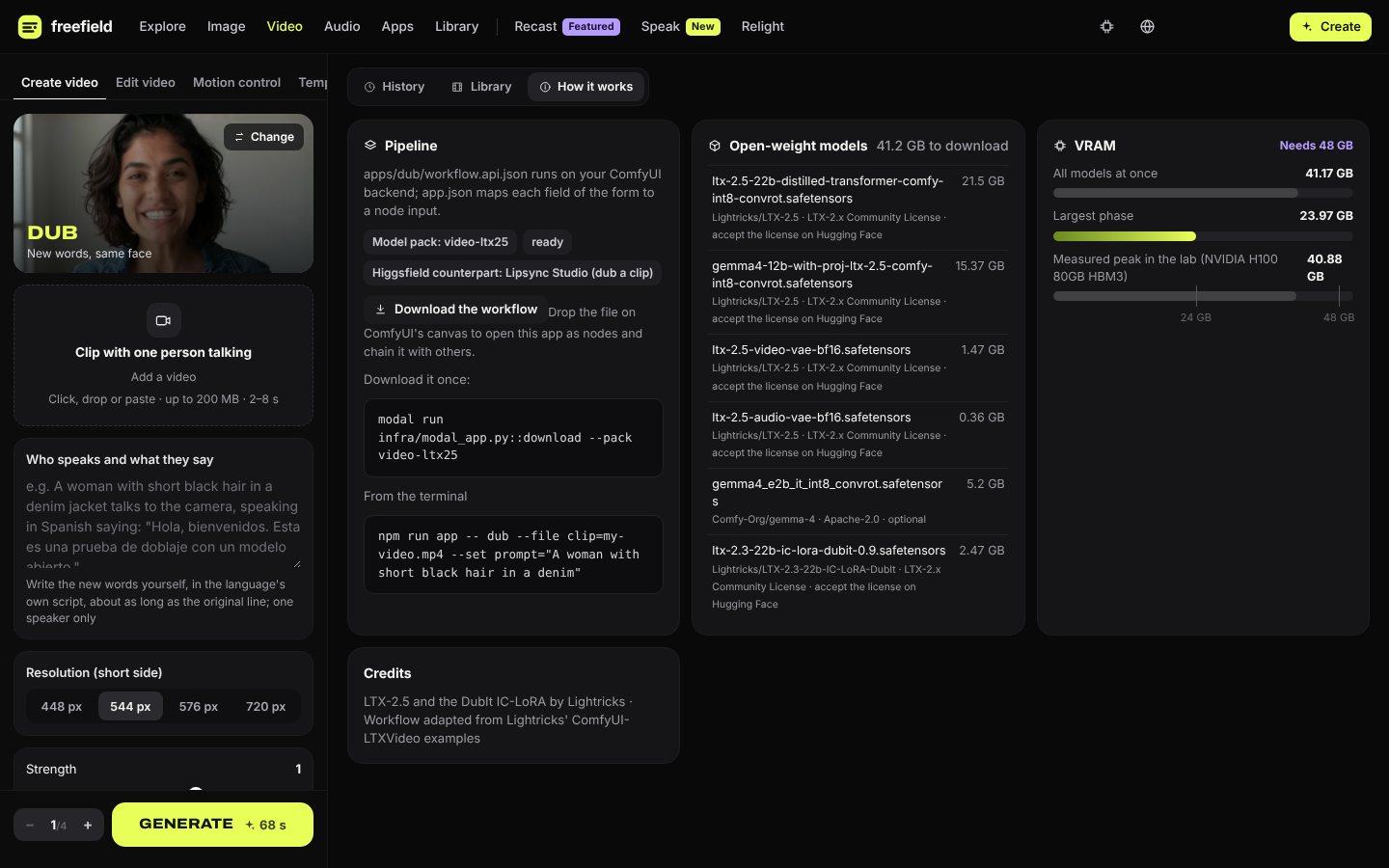
Every app carries a How it works tab that names the models, their licenses and the VRAM each phase needs.
Picking the image model
Create Image ran on Z-Image Turbo until October 24. The switch to FLUX 3 Image Klein came out of two inputs: Artificial Analysis' text-to-image arena for October 2026, where Klein leads open-weights models at 1043 Elo (Qwen-Image-2.1 1042, Fibo 2.0 1039, Z-Image Turbo 936), and a six-prompt comparison the lab ran on five models with a shared seed. In that test Klein kept the element counts (three apples, five lemons), filled in a label Krea 2 left blank, held the top-down view Krea missed, and read a JSON prompt as a scene where Z-Image printed the keys on the sign.
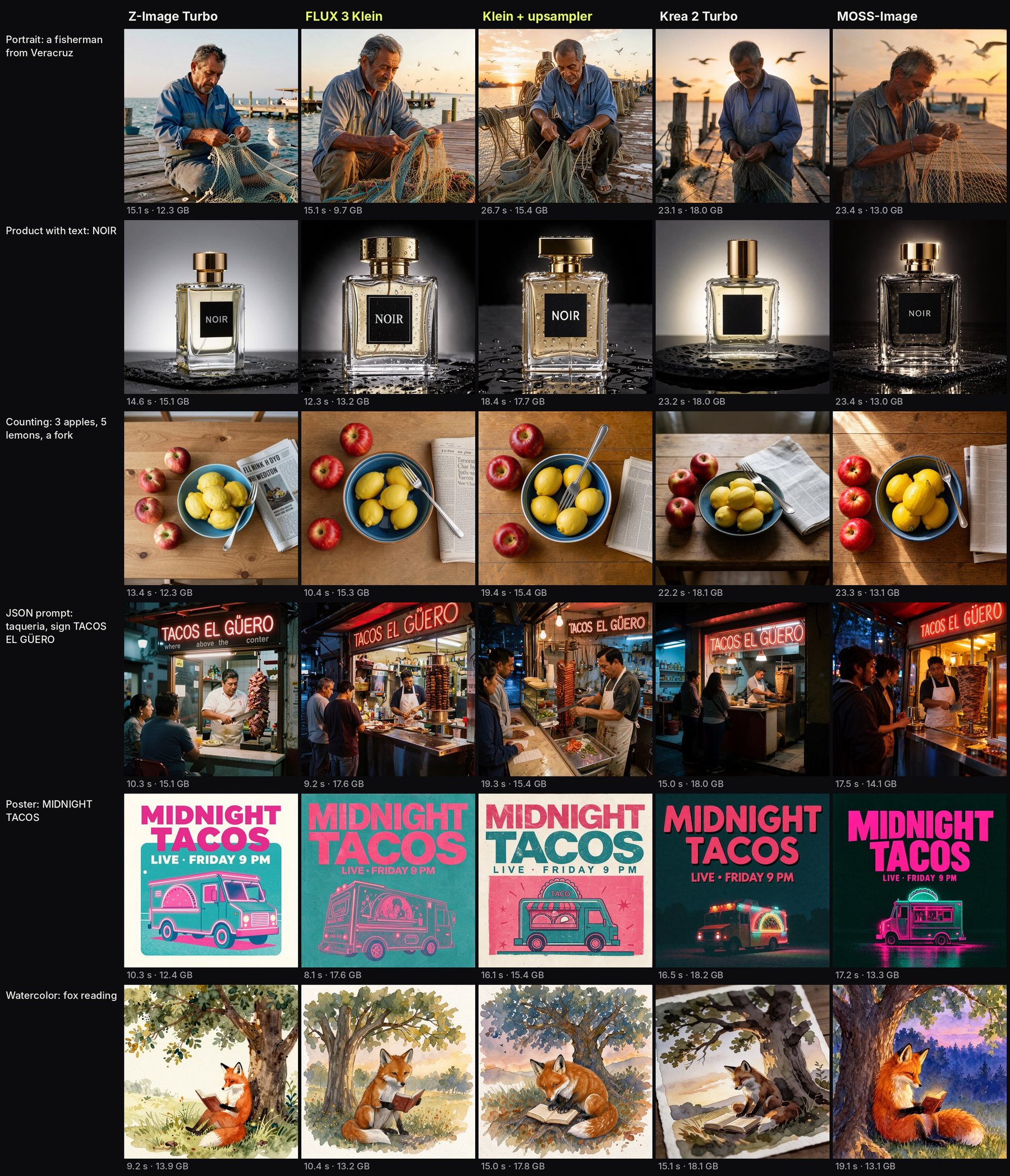
The six-prompt comparison, with GPU seconds and peak VRAM under each result.
Bring your own workflow
tools/import_workflow.py drafts a new app from any ComfyUI workflow you already have: it writes the manifest and drops the workflow into the folder, and the app then inherits the same runner, model download and VRAM accounting as the built-in ones. Template apps work the other way around: 72 of them are fixed prompts over the existing pipelines, generated by tools/template_apps.py from a table rather than written by hand.
Running it
Freefield needs Node 22.6+ and Python 3.10+, and it runs either on Modal or on a GPU you own. The local path is tools/local_backend.py setup, which installs ComfyUI at the pinned commit with the pinned custom nodes, comfy-api-proxy and a token gateway in front; tools/local_backend.py download then pulls the model packs an app needs, and reports what is missing and how large it is before downloading. Some models are gated on Hugging Face, so an HF token and accepted licenses are required, and tools/doctor.py checks both before anything starts.
The repository has no tagged release yet: it was created on October 20, 2026, counts 112 stars and 26 forks, and its last push was on October 27.
Comments
Sign in with GitHub to join the discussion.