H3 Motion Keyframes a Subject and Lets MiniMax H3 Animate It
H3 Motion is a local app that drives ComfyUI: click a subject out of a photo with SAM 3.1, drag it along a keyframed path, and MiniMax H3 renders the shot with sound.
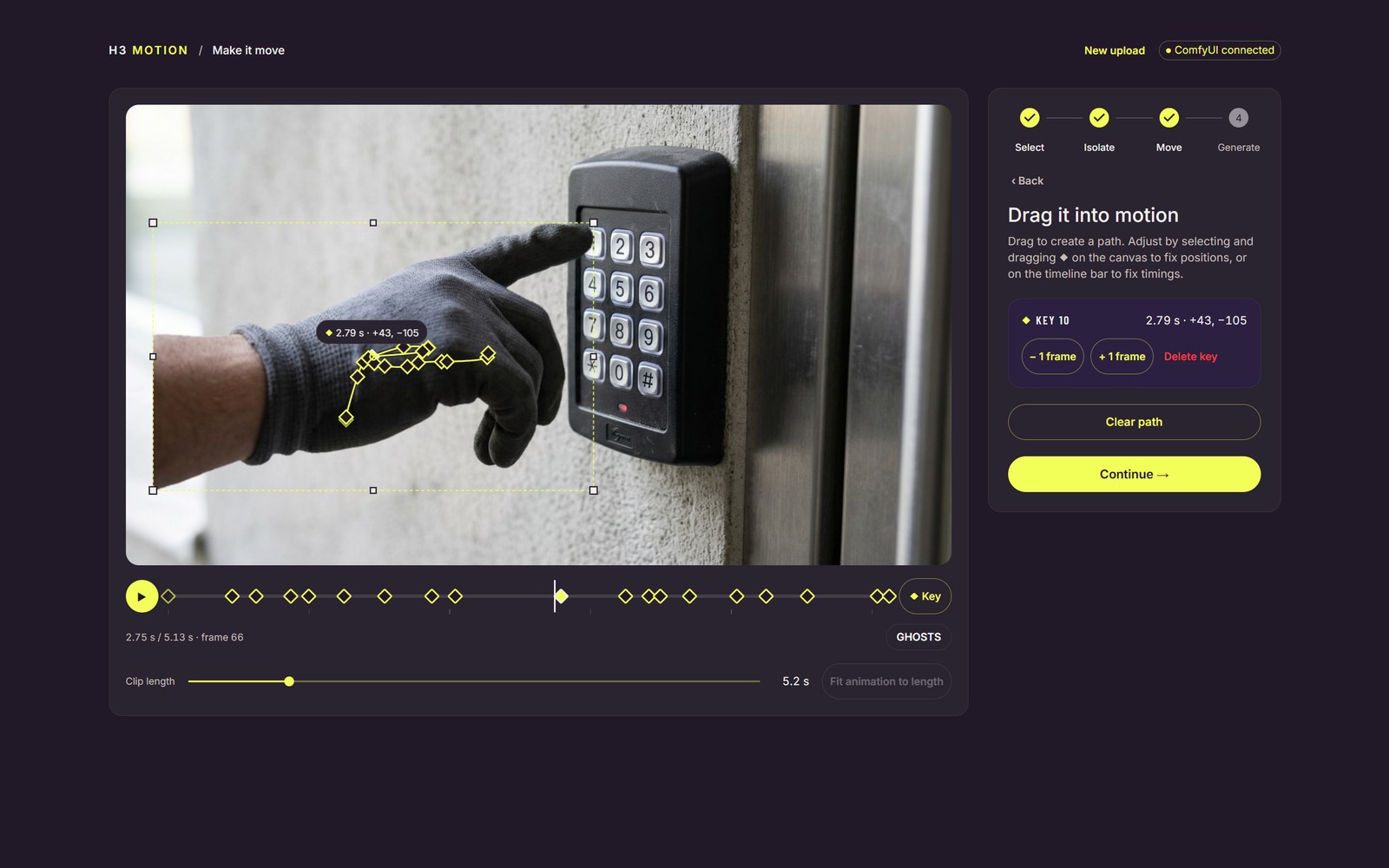
Move phase. Every selected subject gets its own coloured path and keys, and the clip length snaps to H3's frame grid.
This is not another H3 Motion Context. That node pack chains finished clips so motion continues across a cut; H3 Motion works on one clip and moves a subject inside it.
Photo: select, cut out, drag a path
Clip length runs from 3.0 to 15.1 seconds in 17-frame steps, the grid H3 samples on, and the first frame is always your original photo. Paths survive a background retry, so a subject does not have to be redrawn after a failed isolation.
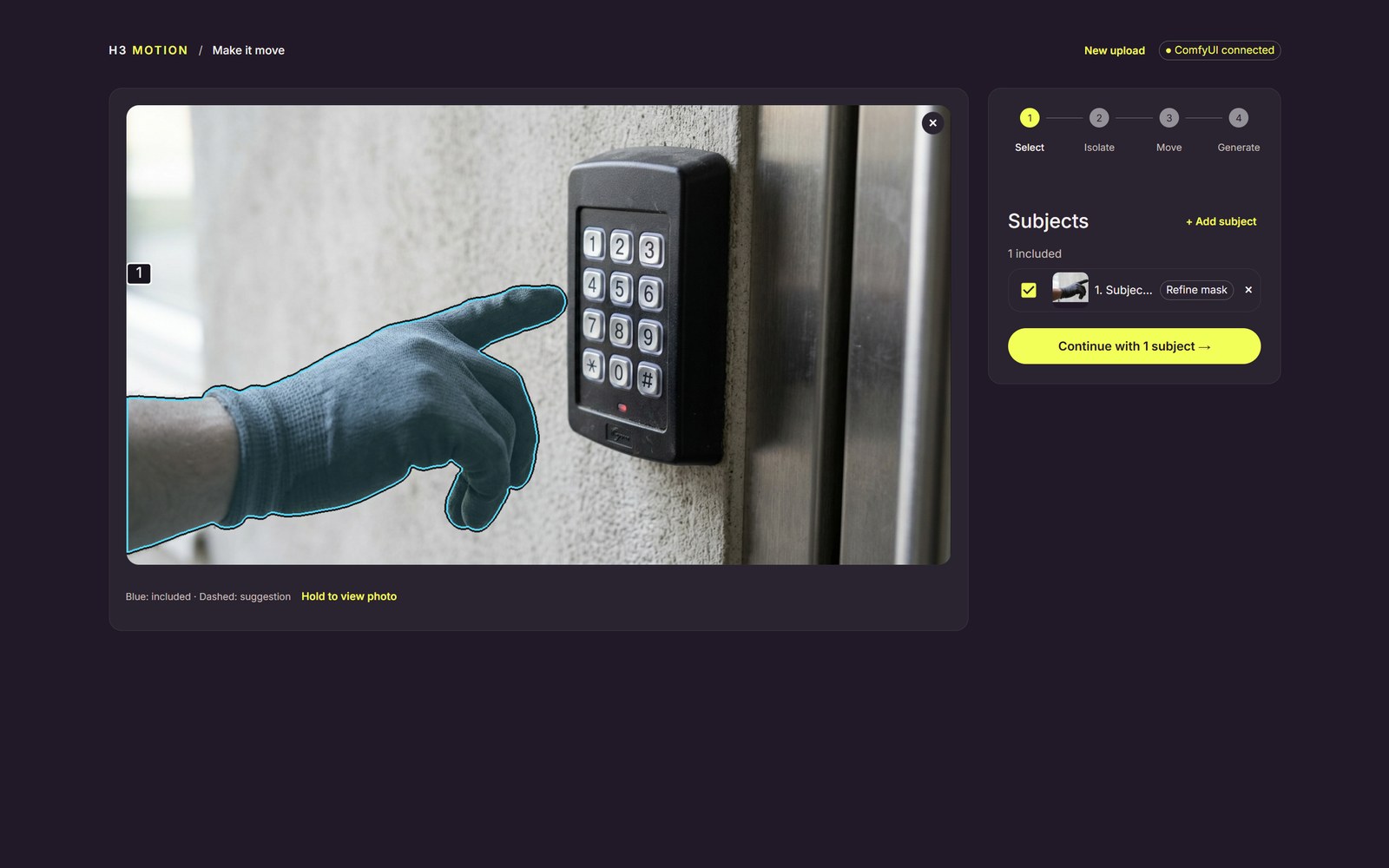
Select phase. The prompt finds a candidate; points decide the final mask.
Video: animate the mask, not the frame
Draw a rectangle or ellipse over part of a clip. The mask can be animated by hand with the same path tools, or told to follow an object: SAM 3.1 segments it on the first frame and the core SAM3_VideoTrack node propagates it, with the app rejecting frames whose area or position jumps. Describe what should appear, and optionally supply a reference image, generated from a description or made by editing the current frame inside the mask. H3's ref2va model regenerates the masked region in one sampling pass and the app composites the result back with a feathered edge, keeping, referencing, or replacing the original audio.
The demo clip shipped in the repo's web assets (1280×720, 4 seconds).
Running it
The app is source only: clone it, npm install, npm run dev, open http://127.0.0.1:5180. It connects to a ComfyUI you already run on port 8188 and starts the API proxy itself; it never launches ComfyUI or downloads models. A second terminal runs npm run check-env to confirm every node and model file is present.
You need ComfyUI (the README was tested at v0.41.0-18), ComfyUI-vlo 0.3.0 or later for the vloTimeToMove, vloSAM3RefineMask and vloMaskToLatentMask nodes, Node 22.12 or newer, and uv. Both H3 workflows use Comfy Kitchen INT8 attention, so an NVIDIA or AMD GPU is required. The README lists exact hf download lines for the eleven files: SAM 3.1, Qwen Image 2.1 and its Qwen3-VL encoder and VAE, the H3 fl2va and ref2va diffusion models, the H3 text encoder and both VAEs, plus the Pika Flex LoRAs.
Limits
- Native Windows is untested; WSL is the tested path. A hosted Comfy API deployment is described but also untested.
- Photos and videos must sit between 1:4 and 4:1, since anything wider than 4:1 cannot be delivered at 768p.
- No tagged release yet, and the last commit was on November 3.
Availability
- Project: github.com/PxTicks/h3-motion
- Usage walkthrough:
docs/usage.md - Pipeline notes:
docs/how-it-works.md - Required node pack: ComfyUI-vlo
Comments
Sign in with GitHub to join the discussion.