Plenio 1.0: A Free Local Song Studio in ComfyUI, Now With a Player
Plenio 1.0 turns ComfyUI into a free local song studio: a language model writes the lyrics, YuE2 or MiniMax Music 3 performs them, and a new browser player plays and shares them.
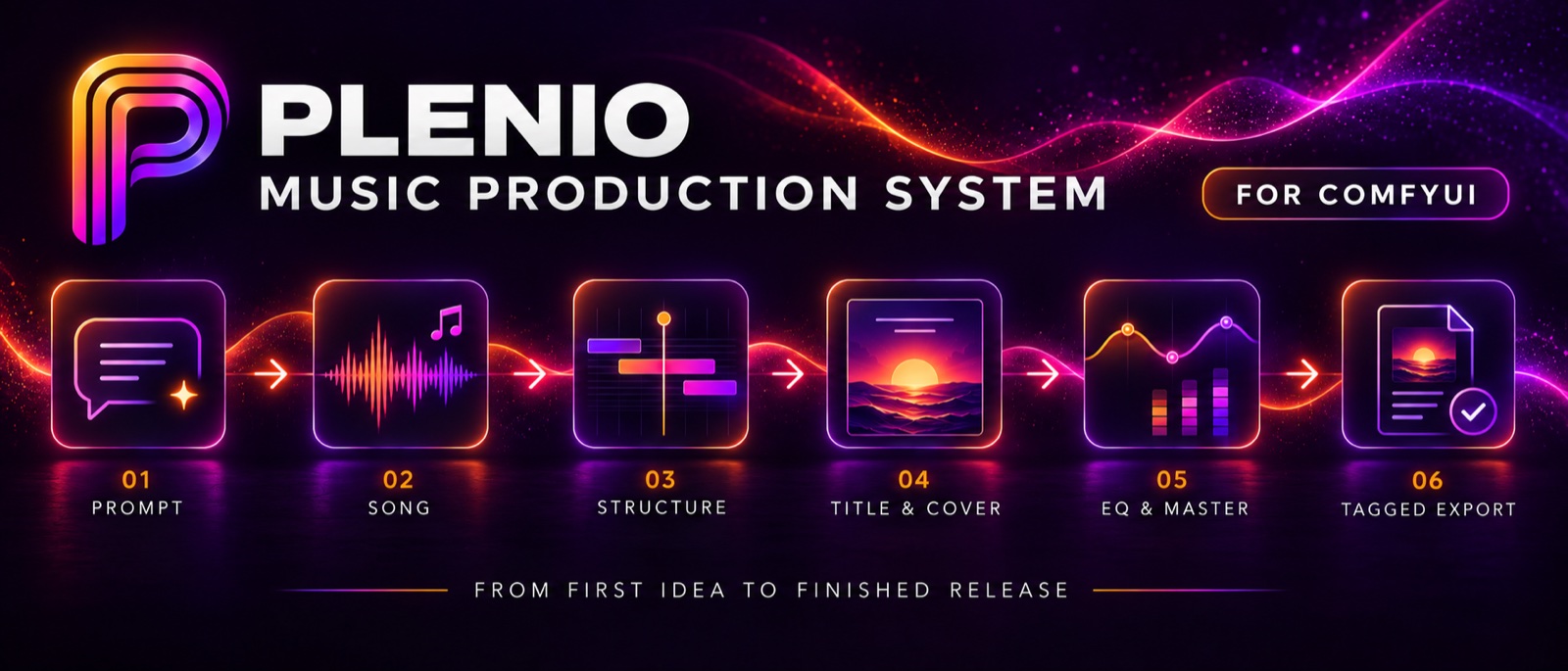
The 54 second Plenio spot, recorded in ComfyUI with the real models.
Everything runs inside ComfyUI's own nodes: no cloud service, no API key, no extra Python packages. The one optional piece is faster-whisper, which the pack offers to install the first time a feature needs it. Plenio is the successor to the MiniMax Music Production Toolkit by the same author, and it is a new package with new node IDs rather than a rename: both can be installed side by side, and saved workflows keep working with the old toolkit.
What the pack does
Plenio is built around one path per music model, with the documents that condition the render kept visible and editable:
| Stage | What it gives you |
|---|---|
| Brief | Song Brief and Cover Brief with templates for every genre: tempo, length, vocals, language, key, meter, arrangement, genre closeness |
| Write | A local language model writes the title, style and lyrics. Gemma 4 runs natively, or the Local LLM node drives any GGUF from models/LLM, LM Studio, Ollama, llama.cpp, vLLM or Jan |
| Check | The Song Sheet shows exactly what the music model will receive. Each document is automatic, edited or manual, and manual text is never replaced |
| Perform | YuE2-3B sings the score, or MiniMax Music 3 renders from the caption and lyrics |
| Polish | Stems with a mixer, refine to 48 kHz, an EQ on the curve, loudness to -14 LUFS / -1 dBTP with a true-peak limiter |
| Export | FLAC 24-bit, MP3 V0 or WAV 32-bit float with tags and embedded cover art, plus the unmastered take, a release record of documents, seeds, settings and loudness, and for YuE2 the sheet music as a PDF |
Three templates cover the main routes: YuE2 · Song, YuE2 · Cover (a recording becomes a new version) and MiniMax · Song. A fourth, YuE2 · DAW, is for composing the melody and chords yourself, either drawn in the score editor, played in from a MIDI keyboard or imported from a DAW. Enhance & Master finishes and masters a file you already have, on CPU. Plenio adds 26 small nodes where ComfyUI has nothing equivalent, down from 55 in the predecessor, and generation, loaders, samplers and downloads are ComfyUI's own nodes throughout.
New in 1.0: the Plenio Player
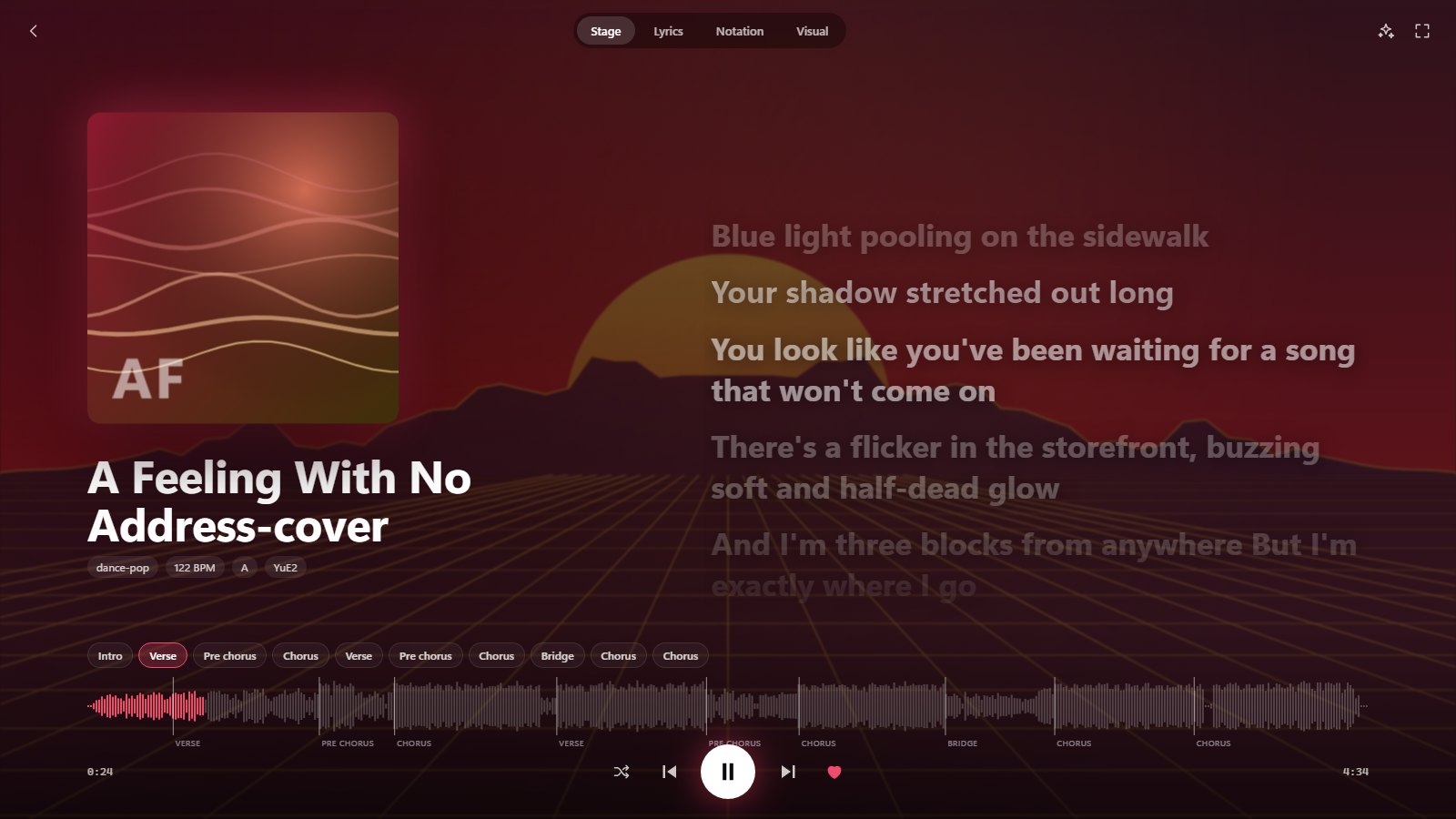
Now playing: the stage, the lyrics syllable by syllable and the notation following the music.
The player opens from ComfyUI's action bar, a Plenio menu entry or the command palette, or on its own with python plenio_player.py at http://127.0.0.1:8765/. ComfyUI does not have to be running: the player reads the release records under ComfyUI's output folder.
- Library: search over titles, lyrics, genres, moods and briefs with field filters such as
genre:jazz,bpm:>110,key:Am,model:yue2oris:fav, filter chips, eight sorts, grid or list. - A song's page: the lyrics (click a line to hear it), the notation following the music with the cursor at the notes sounding, the sheet music PDF, the brief, seeds and tags, every file to download, the song's other takes.
- Now playing: Stage, Lyrics in karaoke mode, Notation and Visual full screen, with crossfades, an A/B switch against the unmastered take in step, and playback at 0.75 to 1.25 times keeping the pitch.
- Visuals: 13 of them (oscilloscope, vectorscope, hyperspace, kaleidoscope and more), drawn from the spectrum, the waveform, the stereo image and the beats, chosen per song, per playlist, or cycled on a timer.
- Plenio Drop: a MilkDrop-style renderer on the graphics card with 16 presets and one made up fresh each time. Presets of your own are short JSON files of numbers and small formulas, read by the player's own calculator rather than executed as script, and a saved file changes on screen within three seconds.

Plenio Drop in the player, with the lyrics over the visual.
- Live Play: a playlist for a party that you rearrange while it plays, and the songs you make in ComfyUI join it the moment Export Release writes them.
- A song as a video: an MP4 with the visual, the lyrics as subtitles or karaoke, the notation following the music and a title card, in Full HD, 4K, square or upright for shorts, at 30 or 60 frames a second, encoded by the browser on the graphics card.
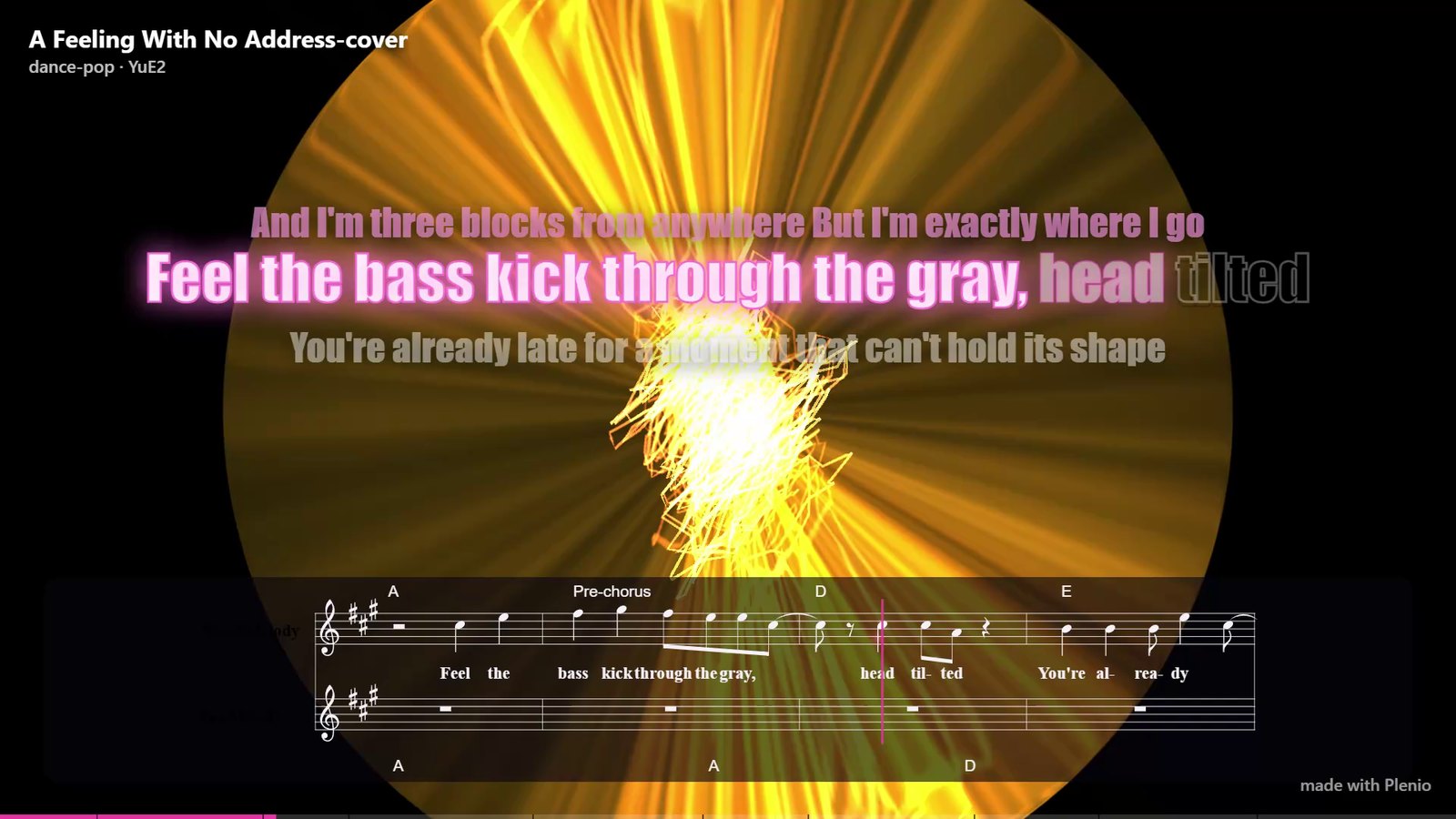
A frame of a song's video: the lyrics as karaoke, the notation with its cursor and the title in the corner.
- Share your songs as a player: one HTML file holding the player and the songs you pick as MP3, at 128, 160 or 192 kbit/s. Anyone double-clicks it and listens, with lyrics, notation and visuals, and no install, server or account.
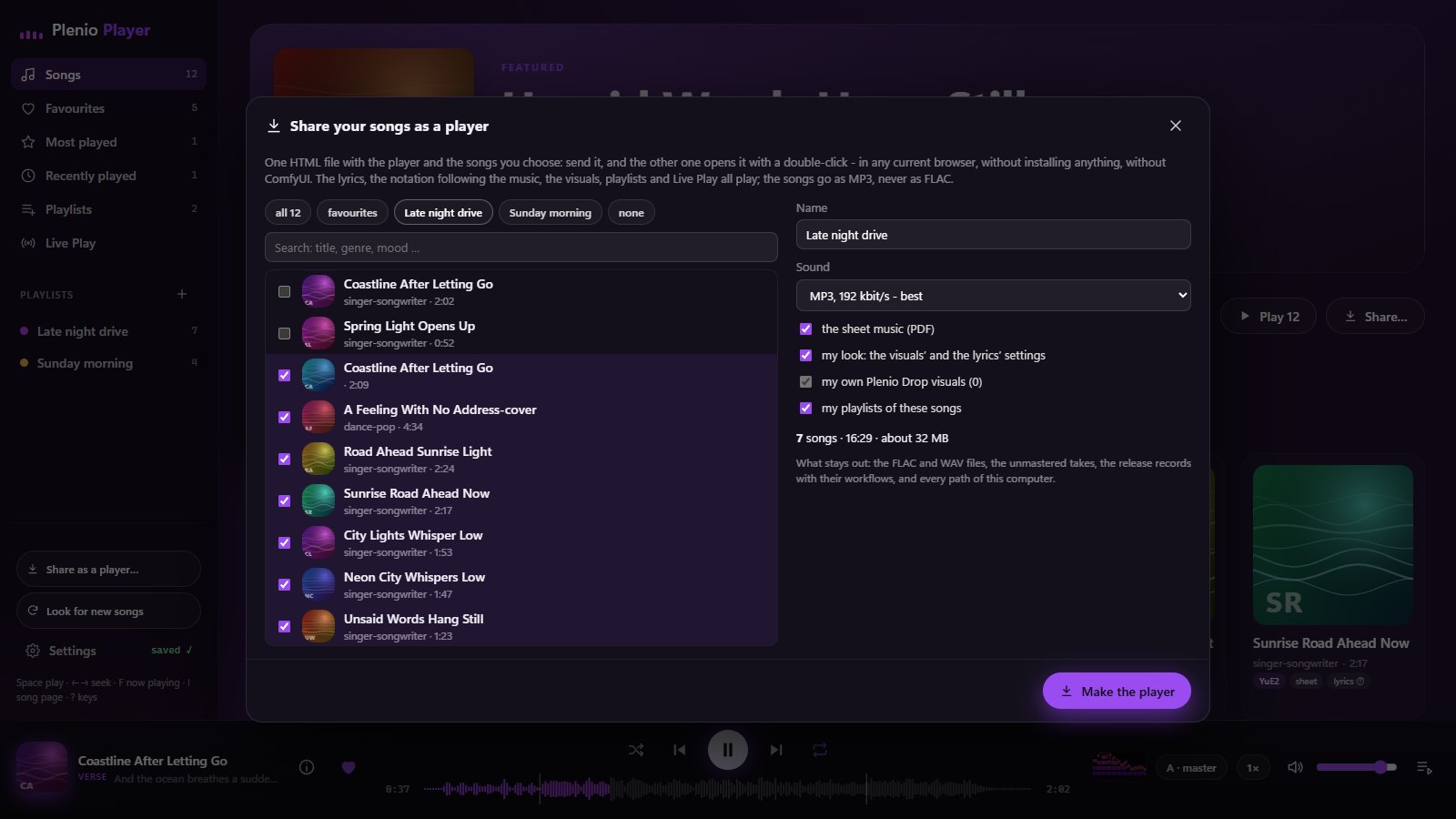
Packing songs, sheet music and playlists into one HTML file to send.
Lyrics subtitles timed by listening
Export Release also writes the lyrics beside the song as <name> (lines).srt, one subtitle per line, and <name> (notes).srt, a new subtitle at every syllable or word. The times are measured rather than derived from the score: the lyrics ASR listens to the exported song, its words are matched to the final lyrics, and for YuE2 the score is fitted to them, with the ear winning where score and ear disagree. Measured against a forced aligner on 48 YuE2 songs, half the words land within 0.16 seconds and 82 percent within half a second, against 66 percent for Whisper's own times. Instrumentals get no subtitles, and an offline machine still exports, with a note saying why the timing is missing.
Getting started
comfyui-plenio-music from the command line. Plenio installs no Python packages.
Check the machine
Open 0 · System Check from the template browser and run it: it reports the ComfyUI version, the GPU, and which model files each template still needs.
Download the models
Open one of the song templates and let ComfyUI's missing-model dialog fetch the files: YuE2-3B or MiniMax Music 3 for the music, plus a local LLM for the lyrics. Model lists are in the user guide.
Write a song
Fill in the brief, run the writer stage, check the Song Sheet, then render. Every song template ends in Plenio · Master and writes the release record that the Plenio Player reads.
Availability
Nodes: jplenio/Plenio-Music-Production-System · ComfyUI Registry comfyui-plenio-music
Release: v1.0.0
Demo gallery: jplenio.github.io/Plenio-Music-Production-System
Docs: user guide
Music models: YuE2-3B · MiniMax Music 3
Comments
Sign in with GitHub to join the discussion.