Krea 2 Edit V2: Two LoRAs and Reference Placement in ComfyUI
Krea 2 Identity Edit V2 and General Edit V2 ship as separate LoRAs, adding reference placement to the ComfyUI-Krea2Edit node pack for ComfyUI.
Conradlocke published the second generation of the Krea 2 editing LoRAs on October 16, and the biggest change is structural: what used to be one LoRA is now two separate weights with different jobs. Krea 2 Identity Edit V2 moves a person from a single photo into a new scene, pose, outfit or lighting, and Krea 2 General Edit V2 handles plain instruction edits such as removing objects, recoloring, relighting, swapping backgrounds, adding objects, rewriting sign text and restyling.
The companion node pack, ComfyUI-Krea2Edit, moved to v2.0.0 at the same time. Both LoRAs are on Hugging Face, alongside the earlier v1, v1.1 and v1.2 weights, which keep working with the new nodes. The v1 release was covered in the original Krea 2 Identity Edit article.
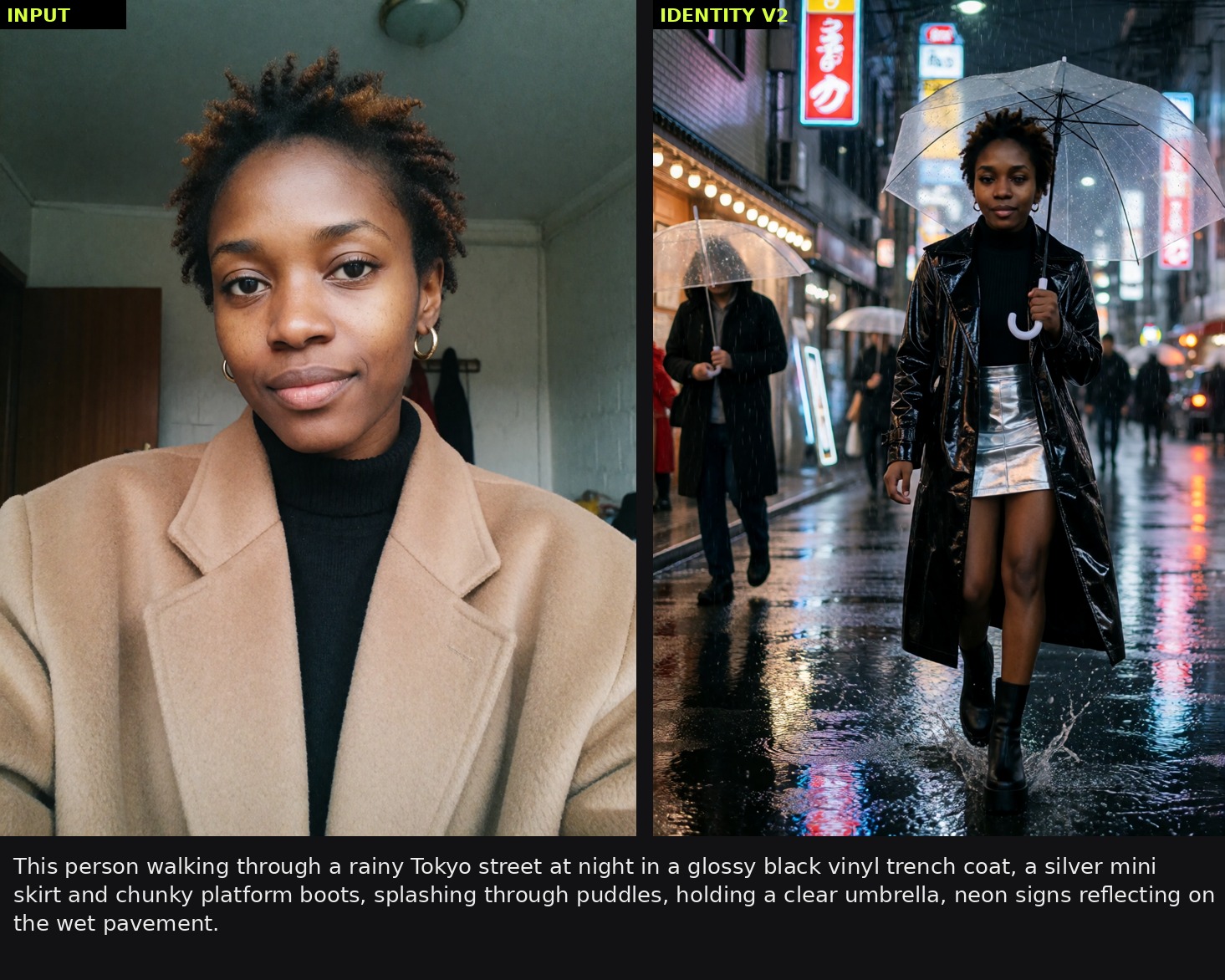
A single-photo restage with a new outfit and neon lighting. Source: conradlocke
Both LoRAs are trained on Krea 2 Raw, a 12.9B single-stream MMDiT, and run on either Raw or Turbo. They still need the custom node pack, because they were trained with dual conditioning that stock nodes do not provide: the source image enters as in-context VAE tokens and also into the Qwen3-VL text encoder that Krea 2 uses.
Two LoRAs instead of one
| LoRA | File | What it is for |
|---|---|---|
| Krea 2 Identity Edit V2 | krea2_identity_edit_v2.safetensors | Keeping a person's likeness while changing pose, camera, scene, outfit and light |
| Krea 2 General Edit V2 | krea2_general_edit_v2.safetensors | Instruction editing: remove, recolor, relight, swap backgrounds, add objects, change text, restyle |
Both ship in the full file, plus rank-reduced ..._v2_r128 (0.91 GB) and ..._v2_r64 (0.46 GB) versions for low-VRAM cards. The author describes the reduced ranks as near-identical in quality.
Identity Edit V2
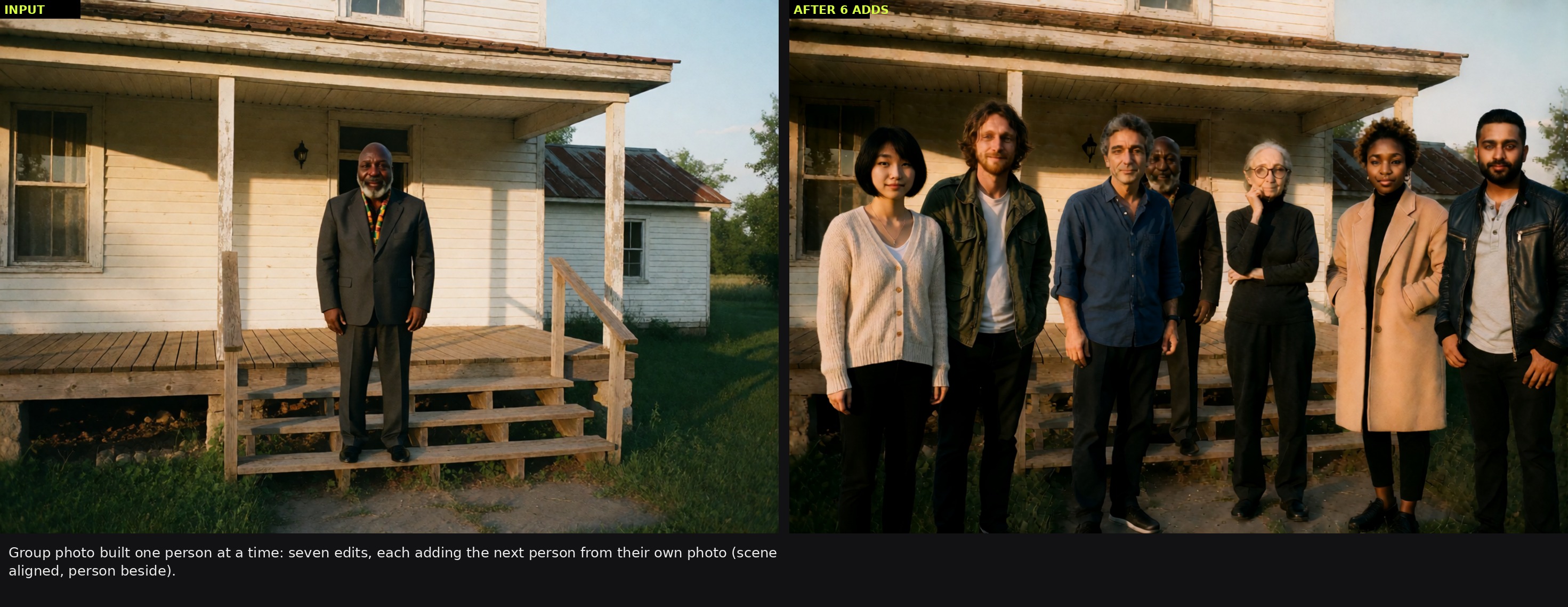
The identity model is the successor to the v1.x line: one photo of a person in, that person anywhere out. The author lists restaging into new scenes, poses and camera angles, wardrobe changes described in plain language, relighting where the light actually falls on the face, compositing a person into an existing scene, building group photos one person at a time, and making a character turnaround sheet from a photo or a photo from a sheet.
Identity Edit V2 restaging and relighting. Source: conradlocke
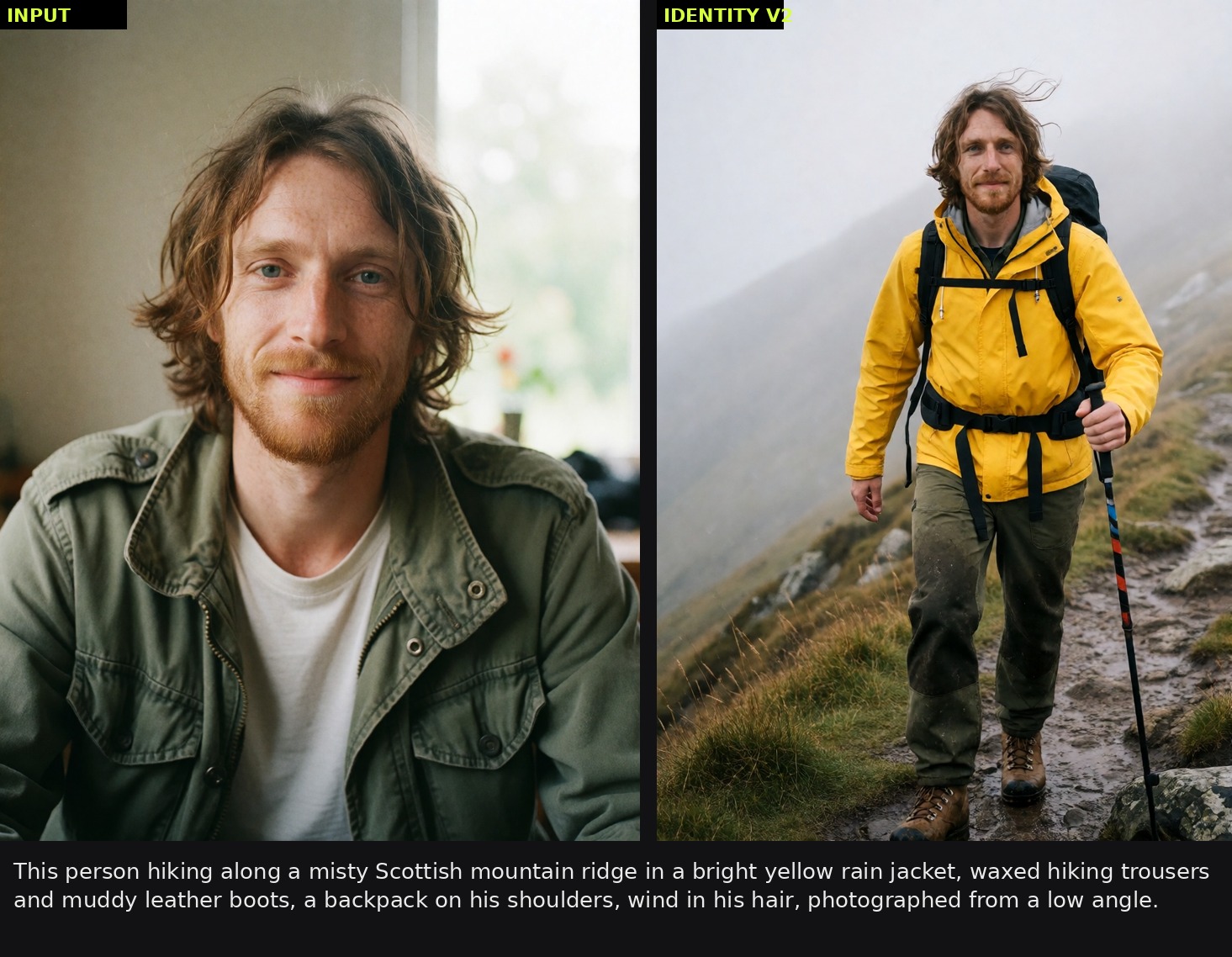 | 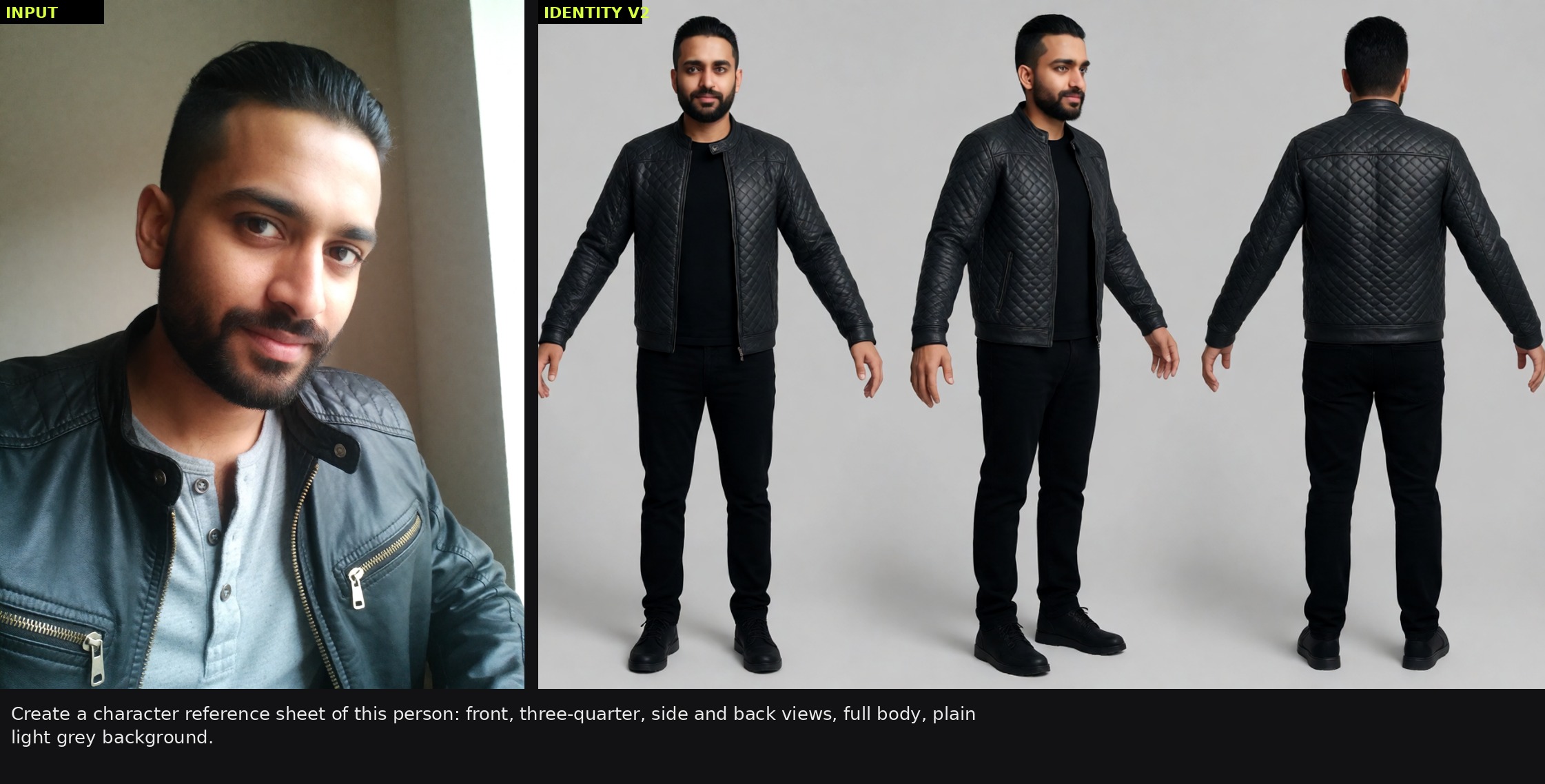 | 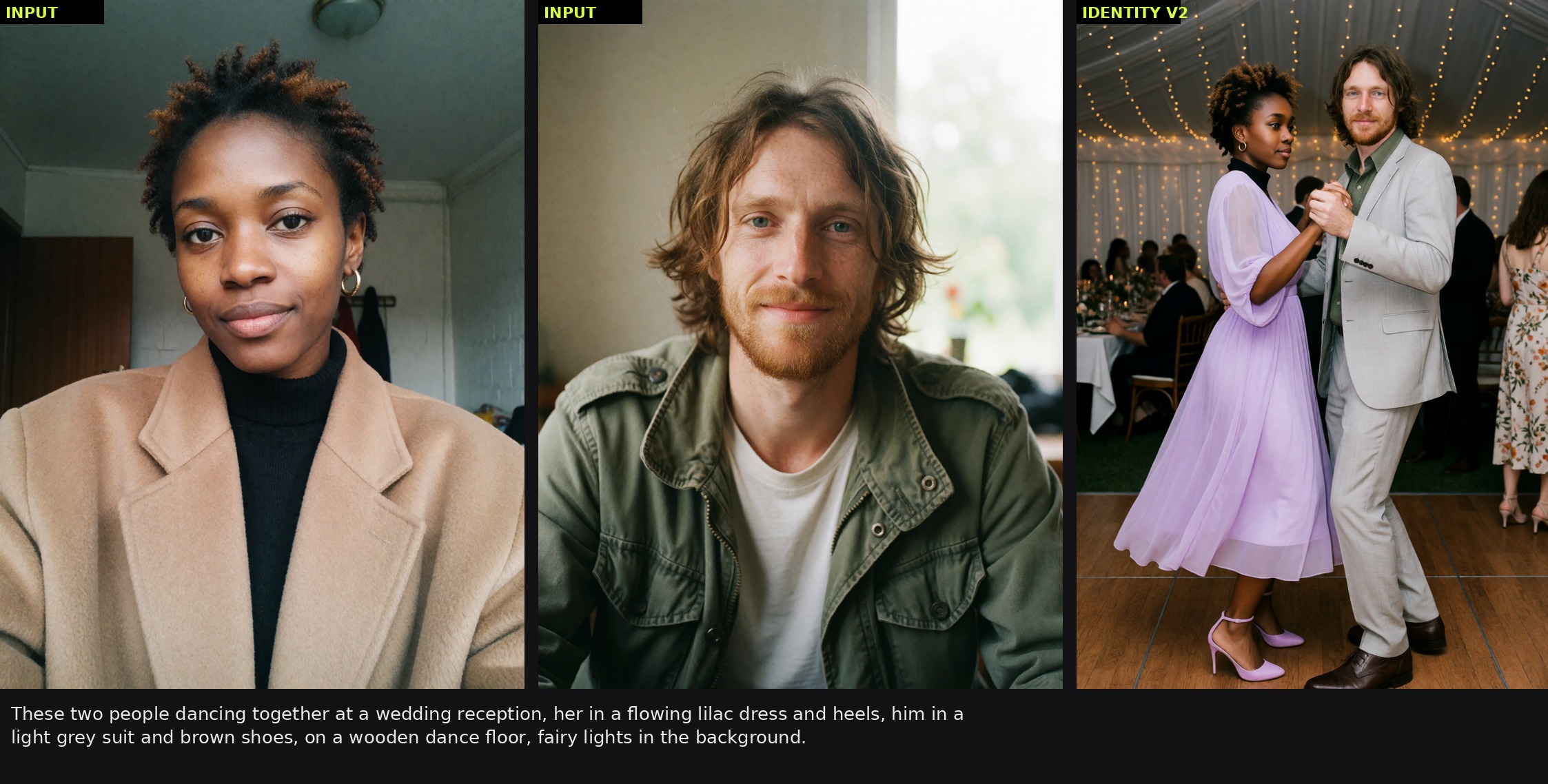 |
|---|---|---|
| Full-body restage | Turnaround sheet from one photo | Two references, one scene |
Recommended settings for Identity Edit V2:
| Use | Model | Steps | CFG | ref_boost | grounding_px | Placement |
|---|---|---|---|---|---|---|
| Restage one person, single reference | Turbo | 8 | 1.0 | 2 | 768 | beside or aligned |
| Add a person to a scene (scene = image 1, person = image 2) | Turbo | 8 | 1.0 | person 2-3, scene 1 | 768 | scene aligned, person beside |
| Face-locked portraits, keep the photo's framing | Turbo | 8 | 1.0 | 1-2 | 768 | aligned |
The author argues that prompting matters more than the dials here. Three rules from the model card: say how much of the person is visible, because "standing on a ridge" tends to copy the head-and-shoulders crop of the reference and "in muddy leather boots on a ridge" gets the whole body; describe the new outfit concretely and say what should be gone, since the model leans on the clothing in the photo; and describe light by where it lands rather than by naming a look, for example "a magenta sign paints the left half of her face pink" instead of "neon lighting".
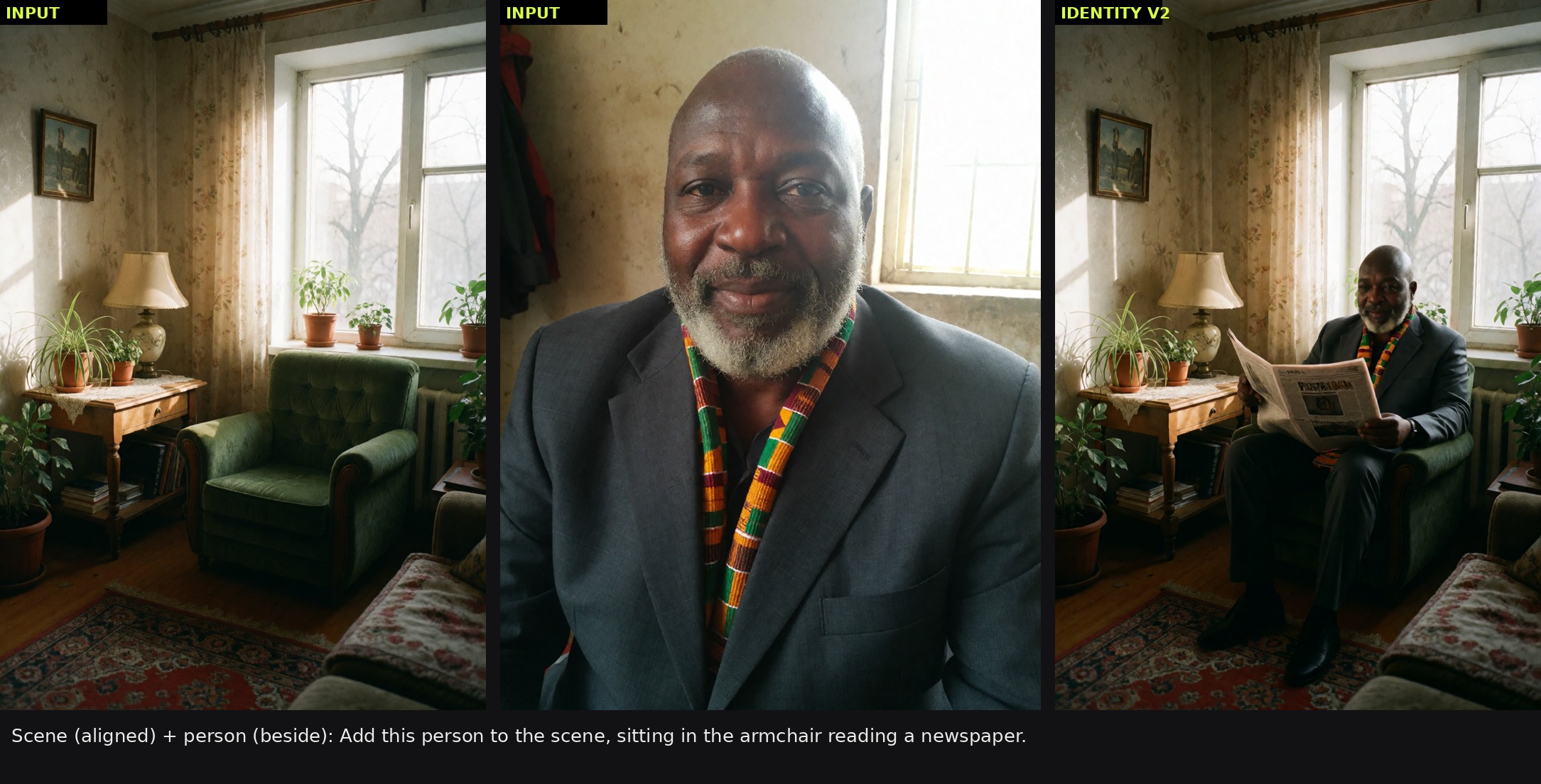
A person composited into an existing room: the scene reference stays aligned, the person reference goes beside. Source: conradlocke
General Edit V2
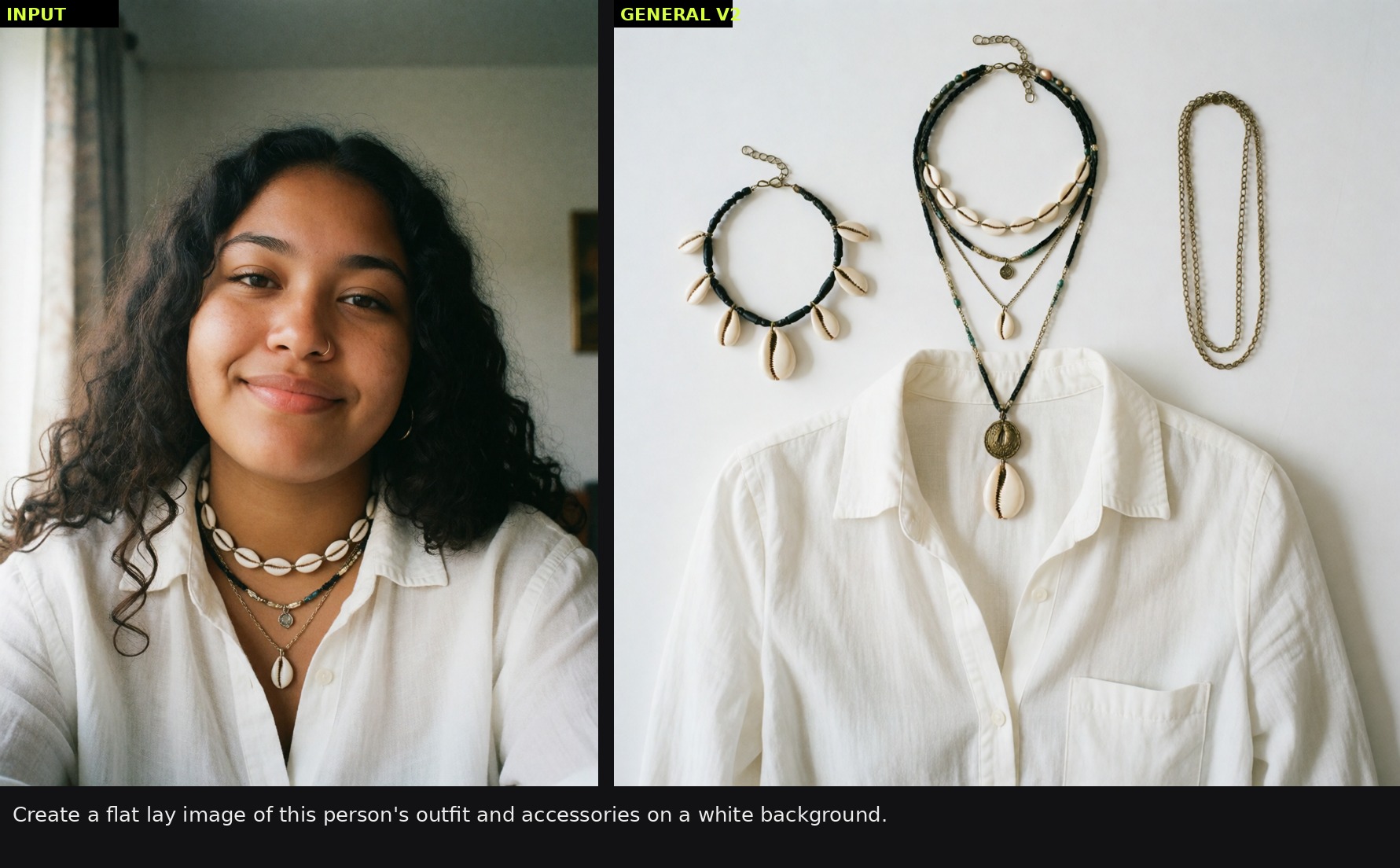
The second LoRA covers the editing tasks that the identity model was never good at. It takes an image and a plain instruction and keeps everything that was not asked to change: removing an object or a person, recoloring, relighting, changing the season, swapping the background, adding an object, rewriting text on a sign, changing outfits, restyling an image as anime, or turning an outfit photo into a product flat lay.
General Edit V2 instruction edits. Source: conradlocke
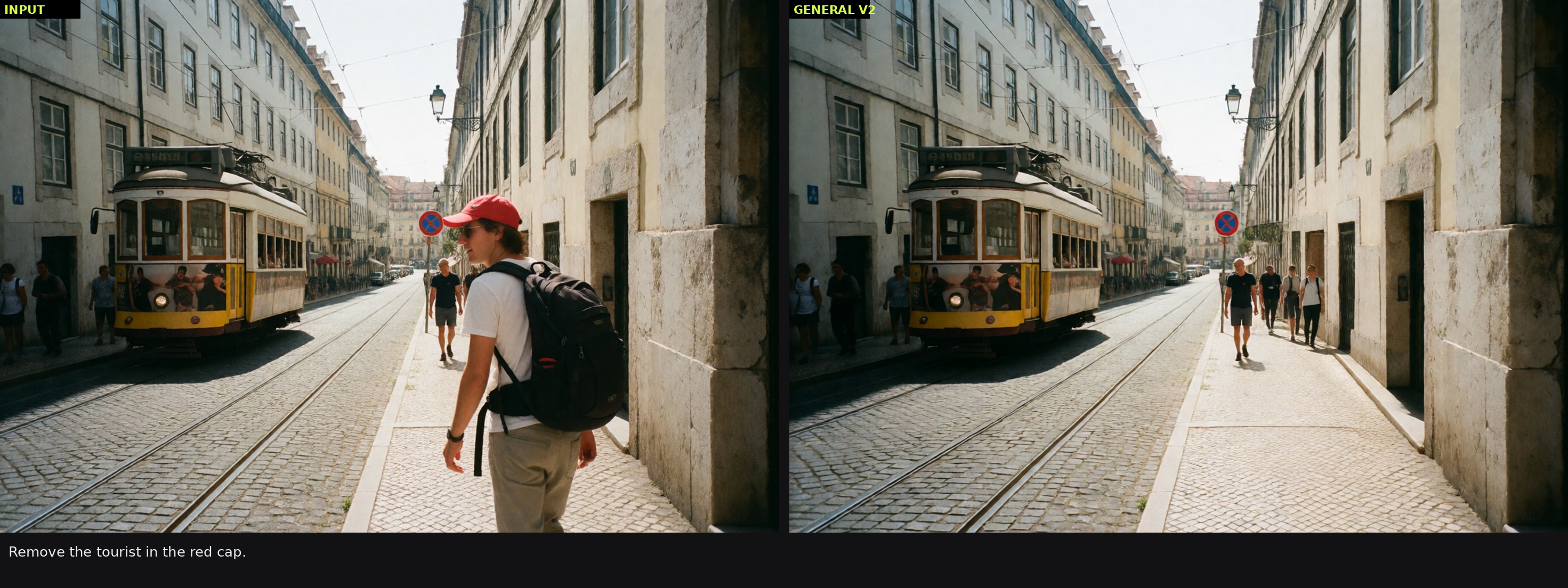 | 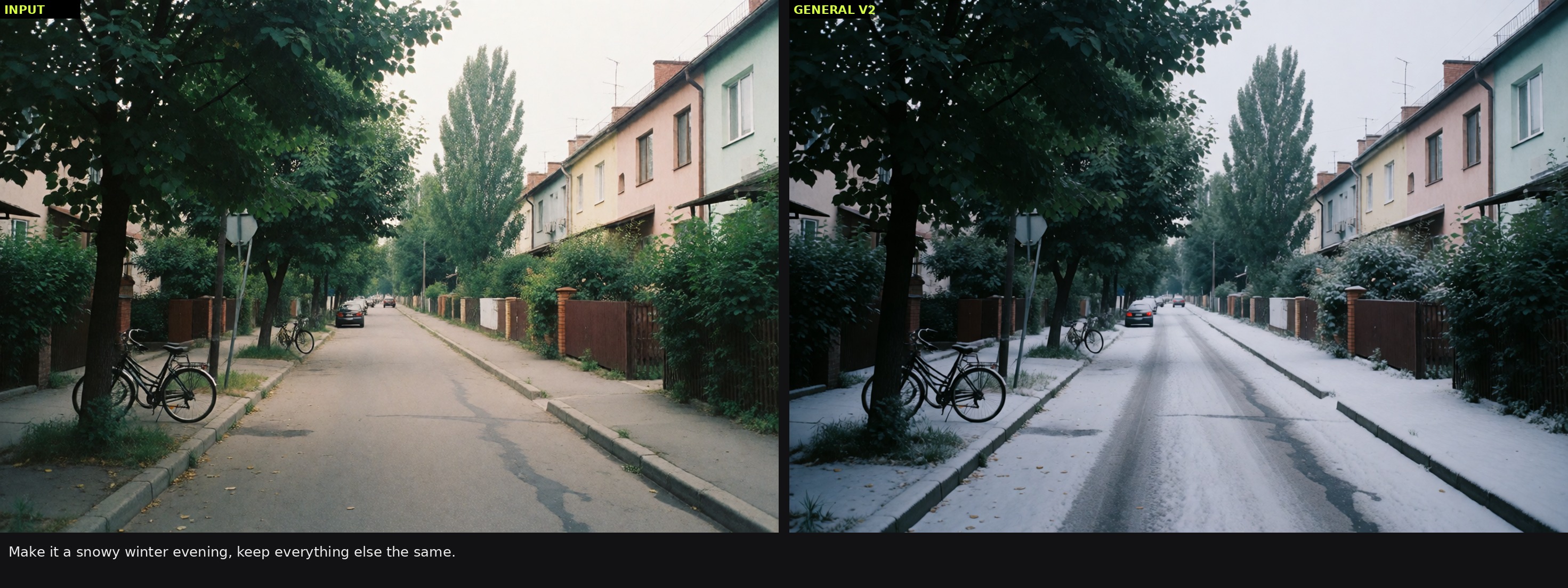 | 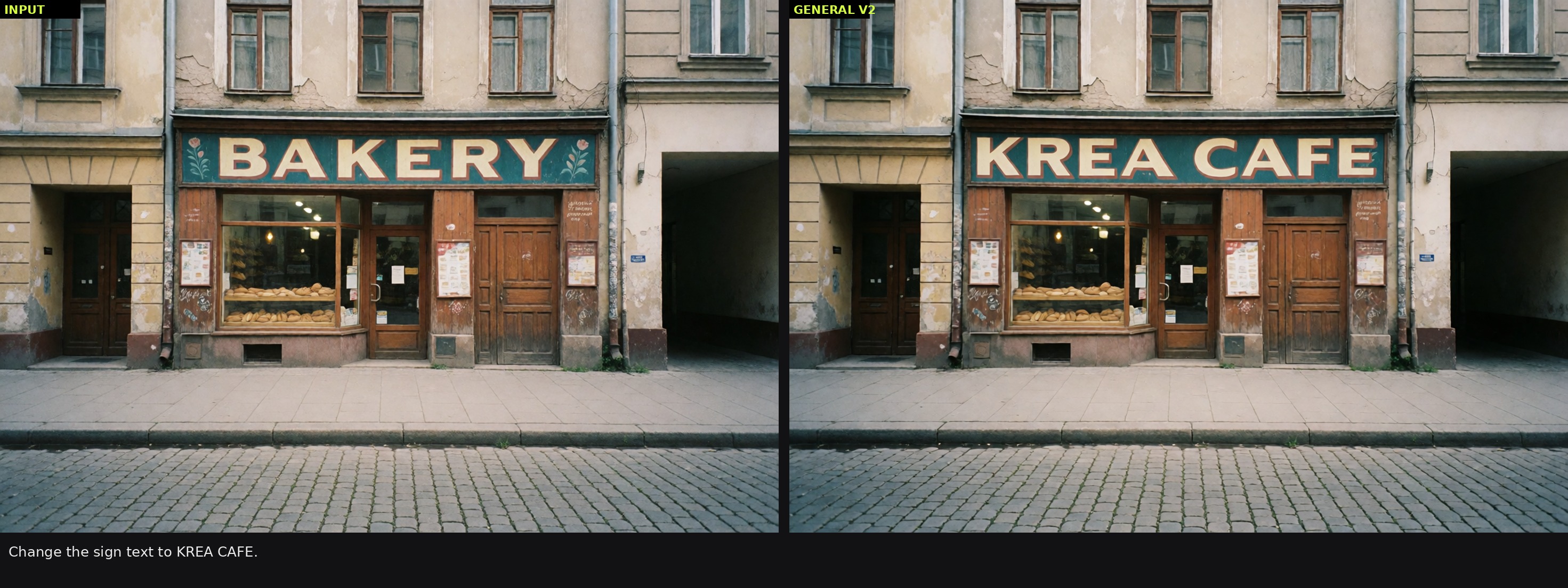 |
|---|---|---|
| Object removal | Season change | Sign text rewrite |
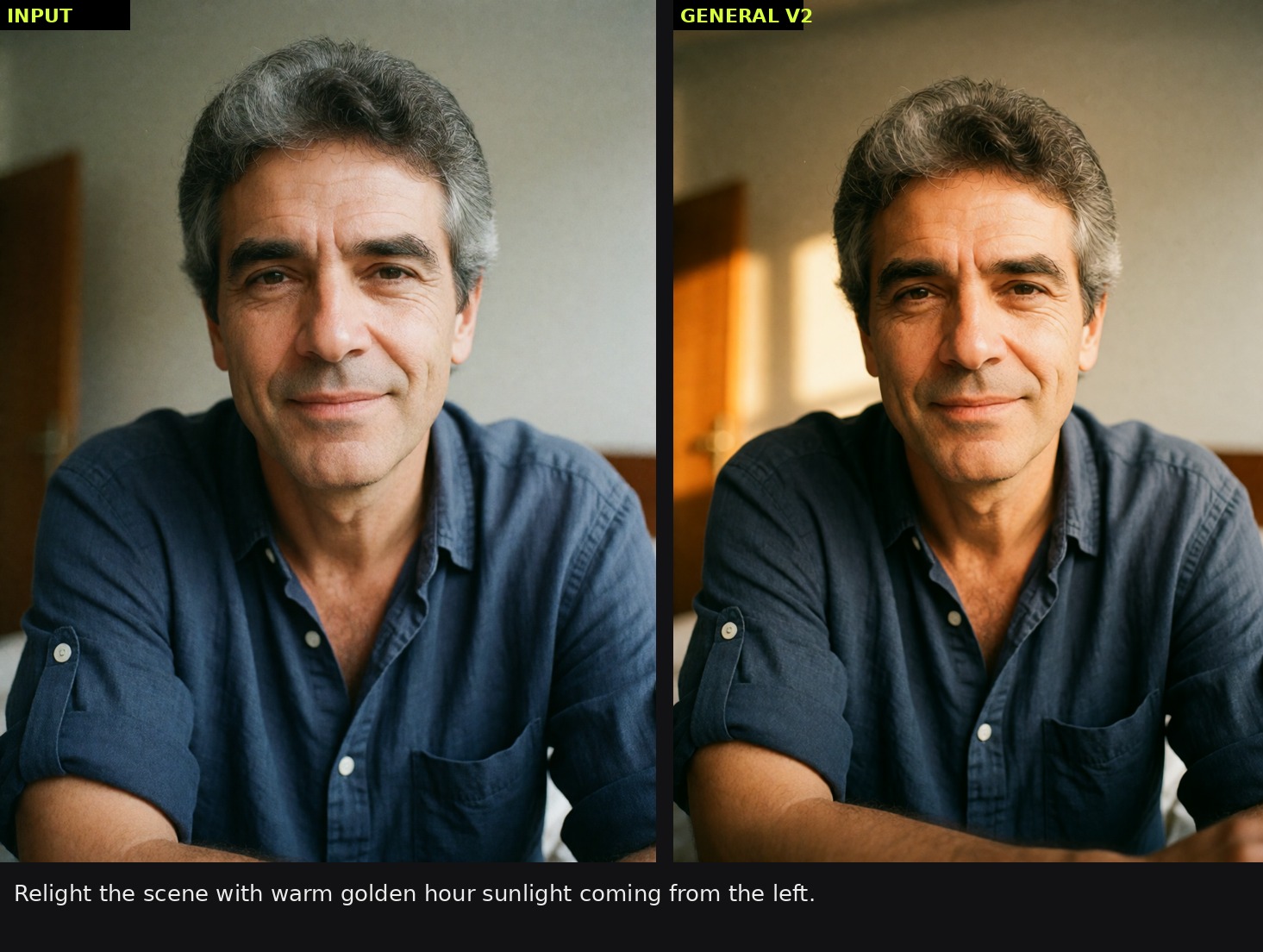 |  |  |
|---|---|---|
| Relight | Outfit to product flat lay | Group photo, added one person at a time |
| Task | Model | Steps | CFG | ref_boost | grounding_px |
|---|---|---|---|---|---|
| Most edits | Turbo | 8 | 1.0 | 4 | 768 |
| Removals and large deletions | Raw | 20 | 3.0 | 4 | 768 |
At CFG above 1 the negative side has to be grounded too, with an empty prompt on the same image. The author also notes that the identity model is not a general editor: it tends to ignore removals, recolors and camera changes, so those belong to General Edit V2.
Reference placement
v2.0.0 adds two inputs to Krea2EditModelPatch. They are appended last, so saved workflows keep their links, and the defaults reproduce the previous behavior exactly.
ref_positionplaces the last reference: the person in a two-image workflow, or the only image.ref_position_aplaces the first reference: the scene in a composite.
There are three modes. aligned (trained) pins the reference onto the output layout, which is how both models were trained and is the default. beside (right of target) puts the reference next to the canvas: identity still flows but the layout pin is gone, so the person can be restaged more freely. bag of features is experimental, giving all tokens of a reference one position, and has no recommended use yet. The author's tested combination for composites is scene aligned plus person beside, and states that beside works well in testing but is new, since the models were only trained with aligned.
Reference placement changes how tightly the output layout follows the reference. Source: conradlocke
Running both LoRAs
The two LoRAs share a lineage, so loading both at strength 1.0 produces pure noise. If a workflow needs both behaviours, the author recommends about 0.6 each, which in testing keeps the identity model's likeness together with the general model's removals and recolors. Otherwise the rule is one LoRA per task, and only one of the two needs to be loaded at a time.
Limitations
The model card states its limits plainly. Identity Edit V2 ignores removals, recolors and camera changes; clothing from the reference photo carries over, so coats and turtlenecks need to be named as gone; objects from the reference sometimes leak into a restaged scene, such as a candle from the source table; head swaps tend to become whole-person swaps, with the swapped person's clothes included; low-resolution face restoration and outpainting are unreliable; and groups work by adding people one at a time up to about seven, after which the frame fills and people start to replace each other. The author recommends generating at or below 2MP.
Availability
Install the node pack from custom_nodes and restart ComfyUI:
cd ComfyUI/custom_nodes
git clone https://github.com/lbouaraba/comfyui-krea2edit
It needs a ComfyUI version with native Krea 2 support, Krea 2 Raw or Turbo, the Qwen3-VL 4B text encoder used by Krea 2, and one or both V2 LoRA files. No extra Python dependencies are required. The nodes are also on the ComfyUI Registry as comfyui-krea2edit.
Krea2EditModelPatch handles the conditioning, with source_latent for the image being edited and optional source_latent_b for the second reference, plus the fit_mode, ref_boost and placement controls. Krea2EditGroundedEncode does the image-grounded instruction encoding and takes the same image through the Krea 2 CLIP loaded as type krea2, with grounding_px as the quality dial where lower values follow the instruction harder and higher values hold likeness more strongly.
The author also published the training code as krea2edit-trainer, an ai-toolkit extension matched to the node geometry, with measured consumer-GPU VRAM requirements.
Comments
Sign in with GitHub to join the discussion.