Kokon: A No-Setup Qwen-Image 2.1 Photo Editor for Windows and Mac
Kokon is an open source desktop editor that runs Qwen-Image 2.1 Turbo locally through stable-diffusion.cpp: one installer, painted edits, AI upscaling and a built-in MCP server.
Kokon is a desktop photo editor that runs Qwen-Image 2.1 on your own machine and asks for nothing but a sentence (GitHub | website | release notes). Version 0.9.2 on October 14 drew 2K edits at full size instead of enlarging them afterwards, roughly a third faster, and moved the app onto the official stable-diffusion.cpp release after a MoSR upscaler contribution was merged upstream.
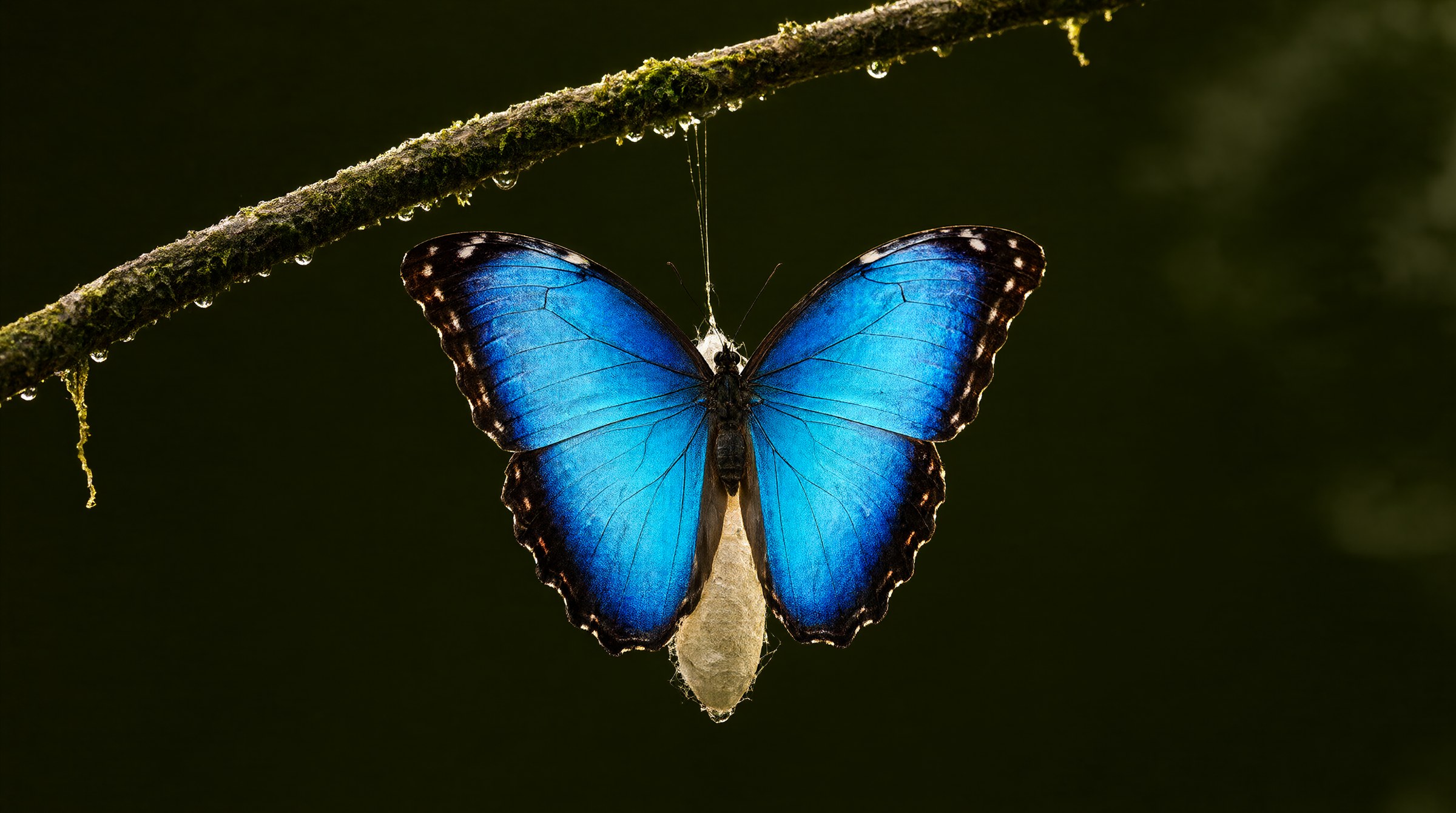
Kokon: describe the change, get the edit. Images in this article were made by Kokon itself. Source: GabrieleLozupone/kokon
The pitch is that there is nothing to configure. Drop or paste a photo, describe what you want, press Enter. A planner picks the mode, the working resolution and the memory settings for your card, and every quality preset runs Qwen's official 8-step Turbo model on its own schedule, so there are no steps or guidance values to tune.
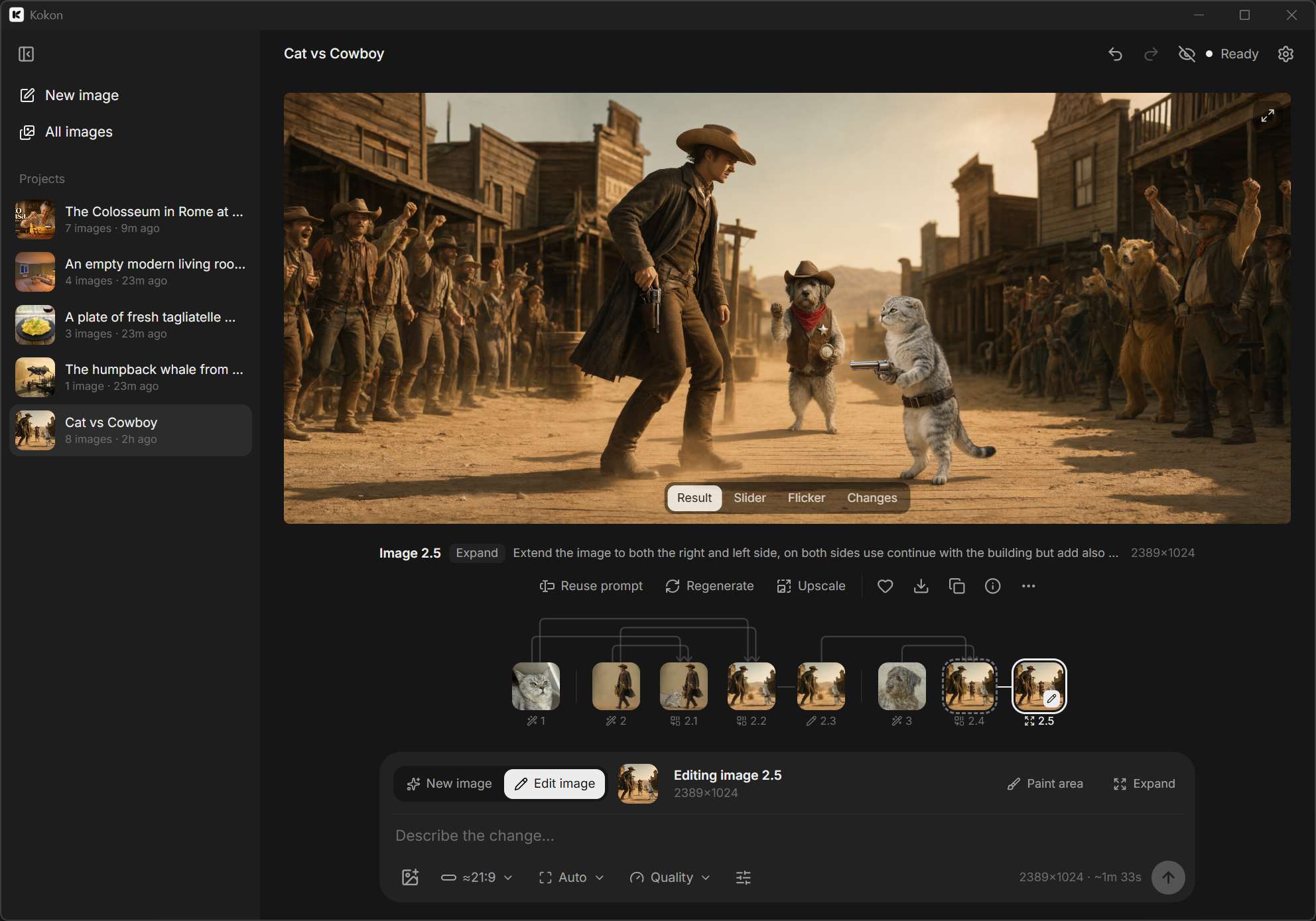
The Kokon window: a version tree, compare views and the prompt box. Source: GabrieleLozupone/kokon
What it does
| You give it | It does |
|---|---|
| A sentence | Creates a new image, with an aspect ratio from the prompt or the aspect menu |
| A photo and a sentence | Edits it, keeping the original size and aspect ratio |
| Several photos and a sentence | Combines them, referring to each as "image 1", "image 2" |
| A brushed area and an action | Inpaints: Change, Remove, Replace or Add |
| Dragged edges | Expands the photo, or takes pixel and percent values |
| Any result | Upscales to 2x, 4K, the source size or a custom width |
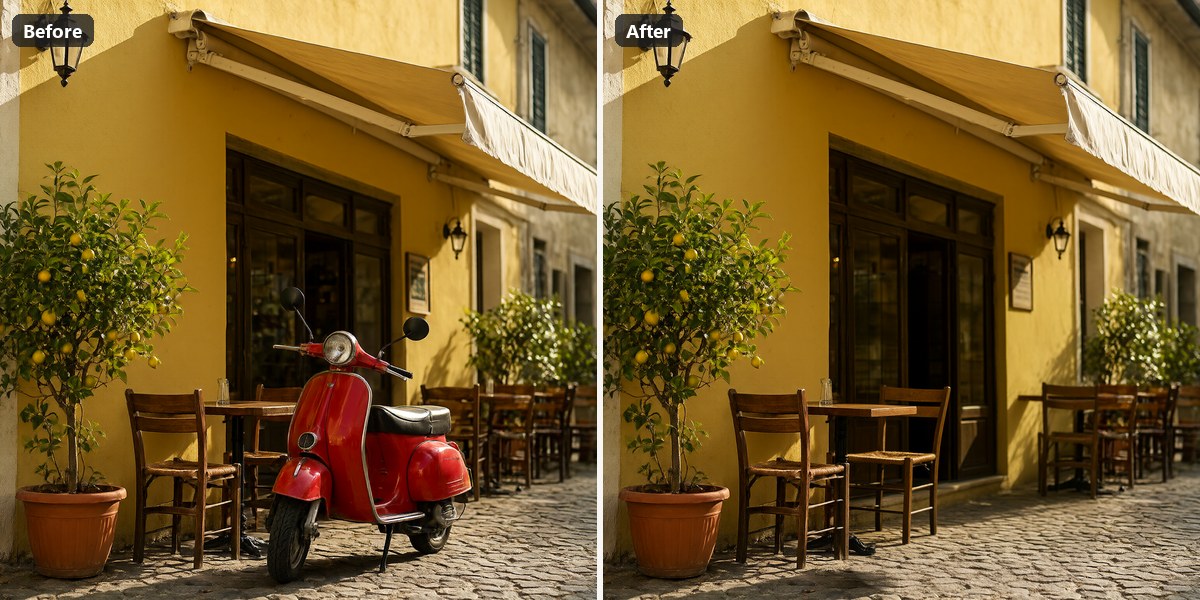
Remove: paint over the scooter and type "the red scooter". No prompt needed for a straight removal.
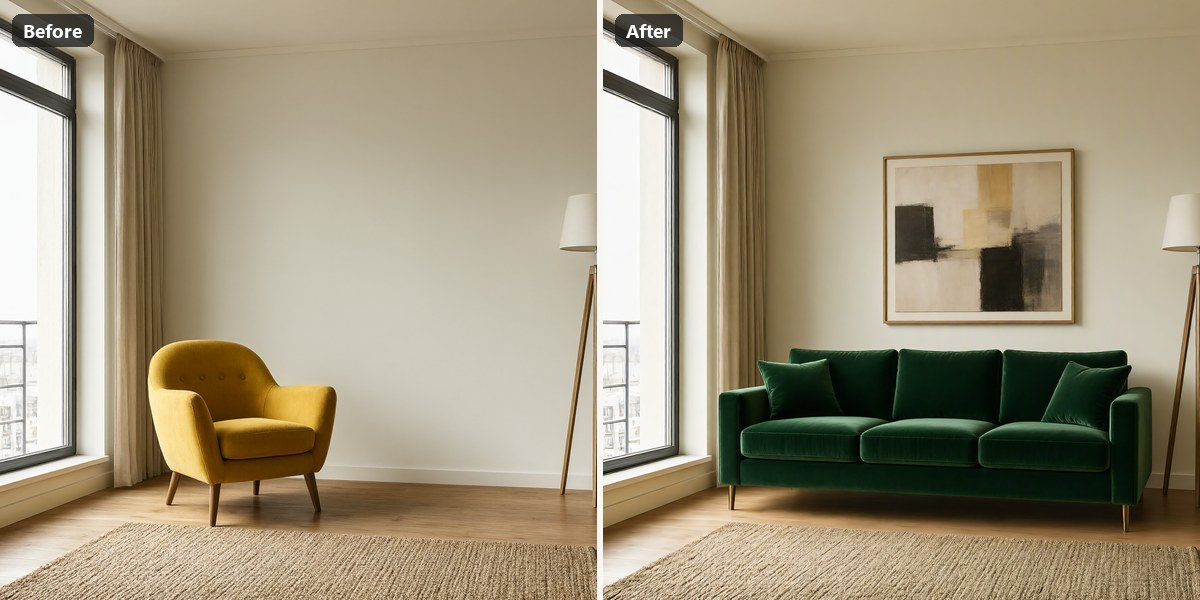
Replace: "Replace the yellow armchair with a deep green velvet sofa and hang an abstract painting above it".
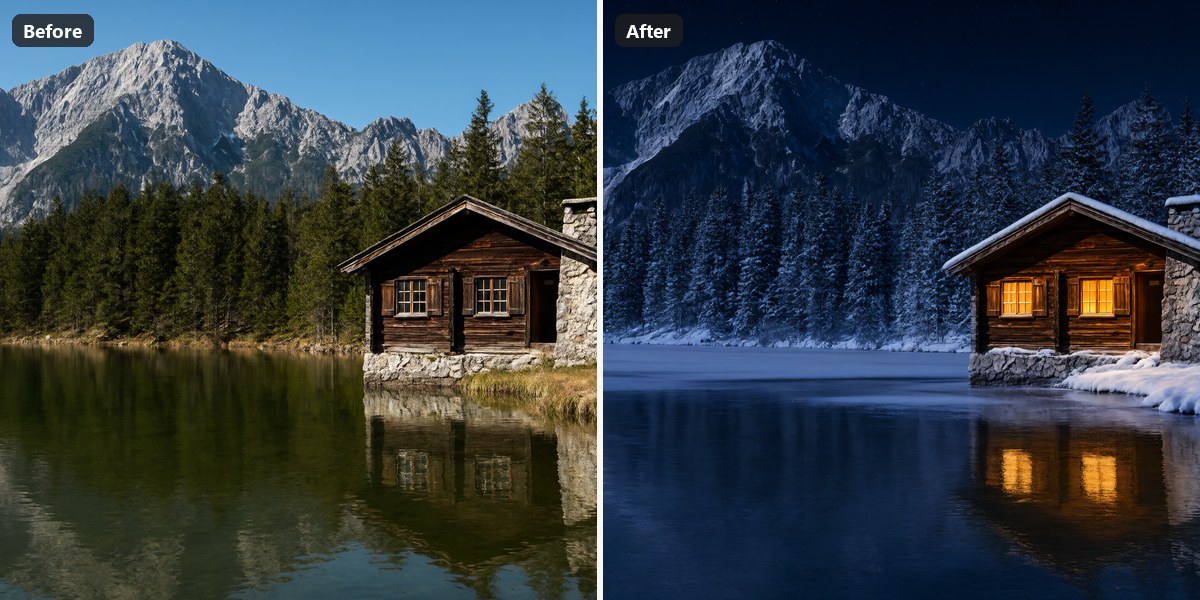
Relight: "Make it a snowy winter night, warm light glowing from the cabin windows".
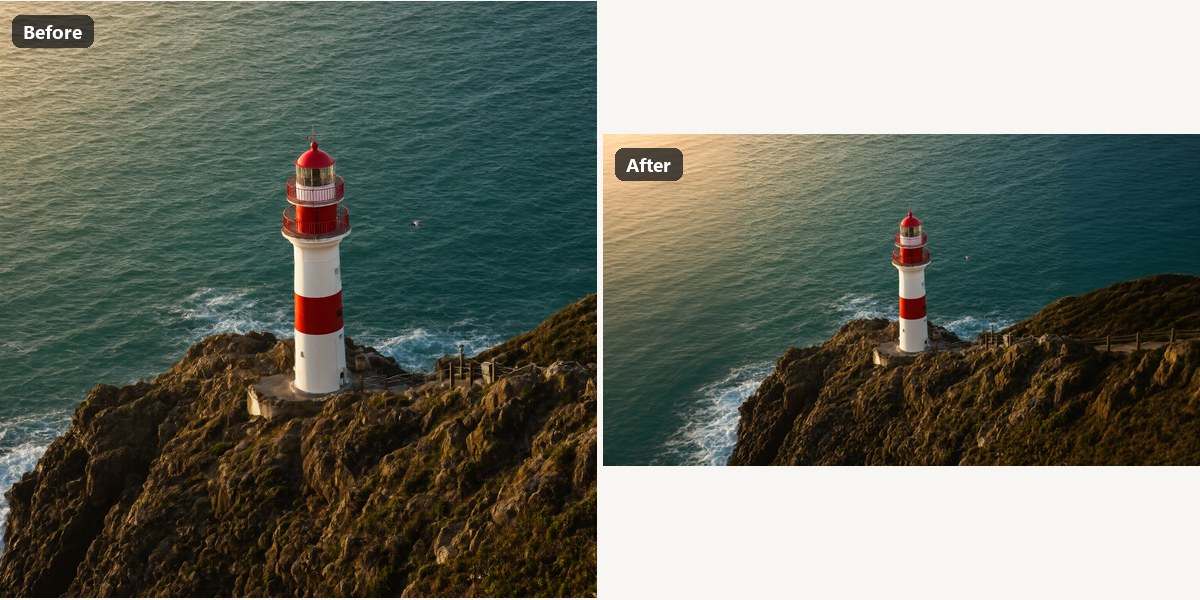
Expand: 40% on each side, "continue the rocky coastline and the turquoise sea".
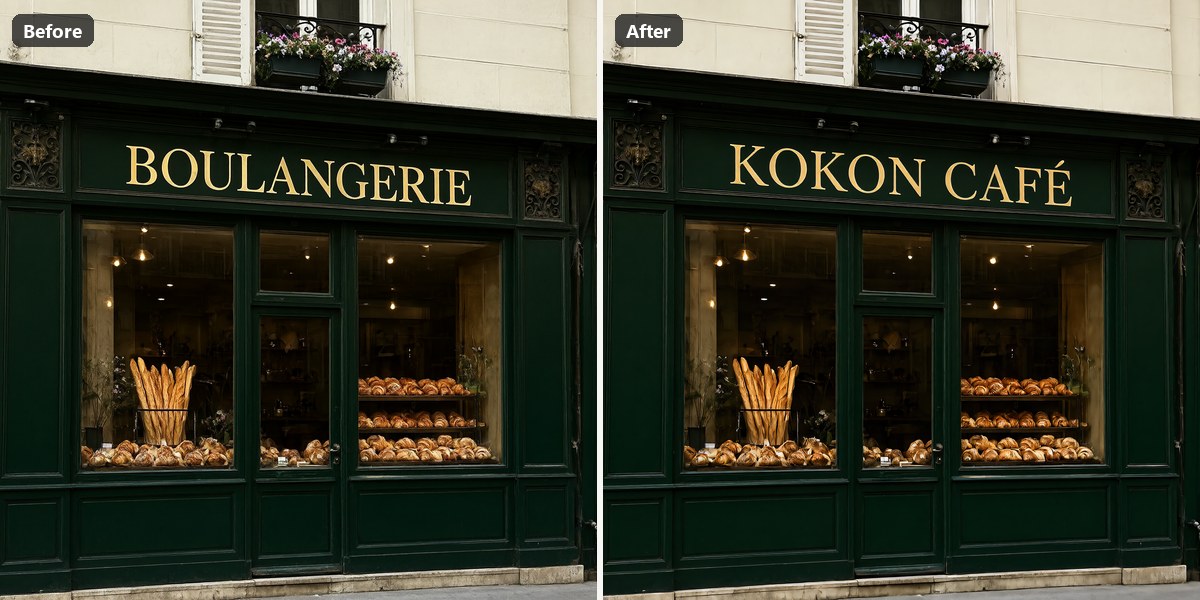
Text: "Change the gold sign text to 'KOKON CAFE'".
How the painted edits work
Qwen-Image 2.1 has no mask input, which is the usual reason a local editor cannot confine an edit to the area you painted. Kokon works around it by drawing the brushed region on a second reference image, so the model is told where to work instead of re-rendering the whole frame. The planner then crops back to the original geometry, and anything that has to be larger than what the model rendered is enlarged with an AI upscaler rather than a plain resize.
The interface keeps the loop short: before/after with a slider, flicker or difference view, undo and redo across versions, and a gallery where every image keeps its full recipe (prompt, seed, settings, pipeline), which is also written into the PNG. Kokon opens iPhone HEIC files including HDR, and the app ships as a native install with no Python, no ComfyUI and no node graphs: models download on first run, around 12 GB, resume if interrupted and are verified by SHA-256.
Requirements
| Windows | Mac (beta) | |
|---|---|---|
| OS | Windows 10 64-bit | macOS 26 or newer, Apple Silicon only |
| GPU | NVIDIA 12 GB VRAM (RTX 3060 12 GB, 4070); AMD and Intel 12 GB+ through Vulkan, beta | M1 or newer; 32 GB unified memory recommended |
| RAM | 16 GB minimum, 32 GB recommended | 16 GB works, slowly (about 1 MP) |
| Disk | 15 GB free, 25 GB on an SSD recommended | same |
The presets download Qwen-Image 2.1 Turbo at Q4_K (4.1 GB) with a Qwen3-VL 8B text encoder, the VAE and the Superscale-SP upscaler, through stable-diffusion.cpp. On the developer's RTX 5070 Ti, a 2K edit at Balanced speed takes about 24 seconds and a new 2K image about 36 seconds; on a 16 GB M2 Pro a 1 MP image takes about 4 minutes.
Work with it from an AI agent
Kokon ships kokon-mcp, an MCP server that Claude Code, Cursor or any other host can drive while the app itself stays closed, because the server starts the engine on demand. The tools cover image generation, editing, multi-image edits, inpainting, outpainting, upscaling and status checks, and each result returns the saved file path, size, seed and metadata. Writes are limited to the project folder, Kokon's output folder and any directory listed in QLS_MCP_ALLOWED_DIRS, and existing files are never overwritten.
stable-diffusion.cpp, so it does not read ComfyUI workflows or custom nodes. The two can share a GPU, just not a session.
Comments
Sign in with GitHub to join the discussion.