ComfyUI Nvidia VFX Nodes 0.2.1: RTX Upscaling, HDR, Frame Gen
Comfy-Org's Nvidia VFX Nodes reach 0.2.1 with RTX Video Super Resolution, RTX Video HDR and RTX Video Frame Generation, an official template and Manager install.
nvidia-vfx bindings. Version 0.2.1 reached the Comfy Registry on October 13, the same day an official RTX Video Enhance template landed in ComfyUI's workflow templates, and the pack now installs from ComfyUI Manager like any other extension. The three nodes handle AI video super resolution, SDR to HDR conversion, and frame interpolation inside an ordinary ComfyUI graph.

The full RTX chain: super resolution, then HDR, then frame generation. Source: ComfyUI Nvidia VFX Nodes.
What the pack adds
The extension previously ran under the name Nvidia RTX Nodes, and the rename is the main change in 0.2.x. The TrueHDR node is now called RTX Video HDR, and the pack is published as comfyui_nvidia_rtx_nodes under the comfyui publisher on the registry.
| Node | Category | Input | Output |
|---|---|---|---|
| RTX Video Super Resolution | image/upscaling | IMAGE batch | upscaled_images, same frame count |
| RTX Video HDR | image/enhancement | IMAGE batch | hdr_images, same dimensions |
| RTX Video Frame Generation | video | IMAGE batch | interpolated_images with new frames between the originals |
All three work on ComfyUI IMAGE batches, so they slot in between a Load Video node and a Create Video node without any model download and without touching the sampling graph.
RTX Video Super Resolution
The node takes an image or decoded video frame batch and returns it upscaled, denoised or sharpened, with the operation picked from a long list of quality modes.
| Modes | Operation |
|---|---|
BICUBIC | Non-AI bicubic interpolation |
LOW / MEDIUM / HIGH / ULTRA | Standard AI upscaling for compressed sources, fastest to most detail |
DENOISE_LOW to DENOISE_ULTRA | Same-resolution noise and compression-artifact removal |
DEBLUR_LOW to DEBLUR_ULTRA | Same-resolution sharpening for soft sources |
HIGHBITRATE_LOW to HIGHBITRATE_ULTRA | Upscaling for clean or lossless sources, with less artifact suppression |
STREAMING_MEDIUM / STREAMING_ULTRA | Upscaling tuned for broadcast and webcam streams |
Output size can be set as a scale between 1x and 4x or as explicit target dimensions, and is rounded to the nearest multiple of 8. DENOISE_* and DEBLUR_* always keep the input dimensions whatever the resize setting says. Frame count and frame rate are never changed, so a video stays the same length.
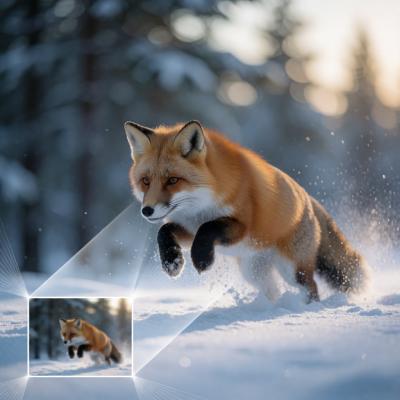
A video upscaling pass with RTX Video Super Resolution. Source: ComfyUI Nvidia VFX Nodes.
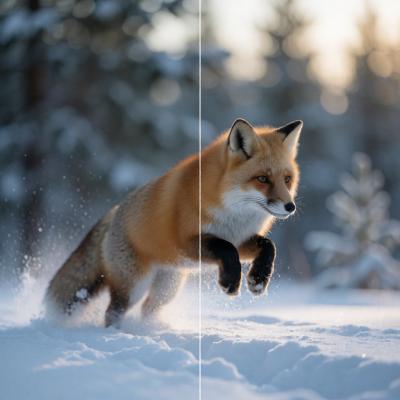
The same node on a still image batch. Source: ComfyUI Nvidia VFX Nodes.
To keep memory in check the node splits the batch into chunks of at most 16 megapixels of output, with at least one frame per chunk.
RTX Video HDR
This node converts SDR images to HDR data. It exposes contrast, saturation, middle grey and a target peak luminance between 400 and 2000 nits, plus a debanding pass and a choice between BT.2020/HLG (HDR) and BT.2020/PQ (HDR PQ) output.
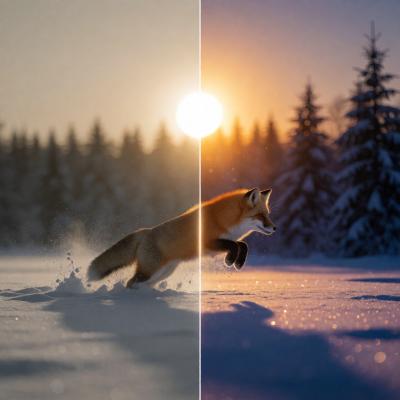
A video going through RTX Video HDR. Source: ComfyUI Nvidia VFX Nodes.
A ComfyUI IMAGE carries no colour-space metadata, so the values the node returns are HDR signals only in intent. Whatever saves or encodes them downstream has to be told to treat them as BT.2020/HLG or BT.2020/PQ, otherwise the result will look wrong as ordinary SDR data. For long clips the repository ships a chunked example that cuts the video into blocks, converts each block and concatenates the results again.
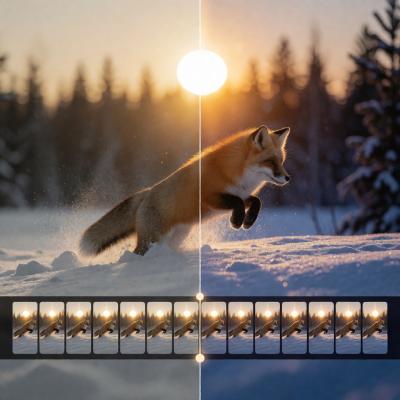
The long-video HDR recipe, processing frames in chunks. Source: ComfyUI Nvidia VFX Nodes.
RTX Video Frame Generation
The third node interpolates between adjacent frames, either as a frame-rate multiplier between 2x and 16x or at one explicit timestep between 0.01 and 0.99, so it covers both slow motion and frame-rate conversion. It detects shot changes automatically, and a shot_change option marks a submitted pair as a cut when you know where the cut is.
For N input frames and a multiplier M, the node returns (N - 1) M + 1 frames. Encoding the output at the original frame rate multiplied by M preserves the clip's duration. In timestep mode it inserts exactly one frame per pair, giving 2N - 1 frames.

Frame interpolation between adjacent frames. Source: ComfyUI Nvidia VFX Nodes.
Installing and running it
The easiest path is ComfyUI Manager: search for ComfyUI Nvidia VFX Nodes and install. Manual installation clones the repository into custom_nodes, installs requirements.txt with the same Python interpreter that launches ComfyUI, and restarts.
- An NVIDIA RTX GPU is required, with CUDA-enabled PyTorch at cu130 or newer. The nodes use whichever CUDA device ComfyUI has selected, and CPU or non-NVIDIA execution is not supported.
- RTX Video Frame Generation only runs on RTX 40 series and later.
- The pack depends on the
nvidia-vfxbindings, which are installed byrequirements.txt. SDK failures surface asnvvfx.NvVFXError. - A single GPU pass is used per node, so a batch that runs out of memory is best fixed by lowering resolution, scale, quality mode or the number of frames in the batch.
Workflows
The official template shipped with ComfyUI on October 13 chains all three nodes into one RTX Video Enhance graph, and the repository keeps importable examples for each node on its own.
Comments
Sign in with GitHub to join the discussion.