MiniMax H3 Character Swap and Live Wallpaper LoRAs
Alissonerdx's MiniMax H3 LoRA pack adds a v1.0 character swap that recasts a guide clip's subject plus live wallpaper adapters, with ComfyUI workflows and examples.
The repository is the same one behind the H3 sharpness LoRA and the VFX Edit, Style Transfer and Head Swap adapters covered in September, and it stays one of the more widely downloaded H3 LoRA packs at roughly 396 likes and 116,900 downloads at the time of writing. Everything in it is trained against H3's ref2va weights and shares the same conditioning idea: the source clip is injected as an aligned guide rather than as a loose video reference.
What is new
| Model | What it does | Trigger | Workflow |
|---|---|---|---|
minimax_h3_character_swap_v1.0_ref2va_r64_gl | Replaces the main subject of a guide clip with the character in a reference image | body_swap: | minimax_h3_character_swap_workflow.json |
minimax_h3_live_wallpaper_v1.0_ref2va_r32 | Animates one to three reference images with less predictable camera behavior | live_wallpaper: | minimax_h3_live_wallpaper_workflow.json |
minimax_h3_live_wallpaper_v1.0_ref2va_r64 | Camera-aware continuation of the r32 checkpoint | live_wallpaper: | same workflow |
The character swap weights were uploaded on October 13, 2026. The repository also carries 19 character-swap preview clips, twelve live wallpaper clips and a set of side-by-side comparisons in its examples/ folder.
Character Swap
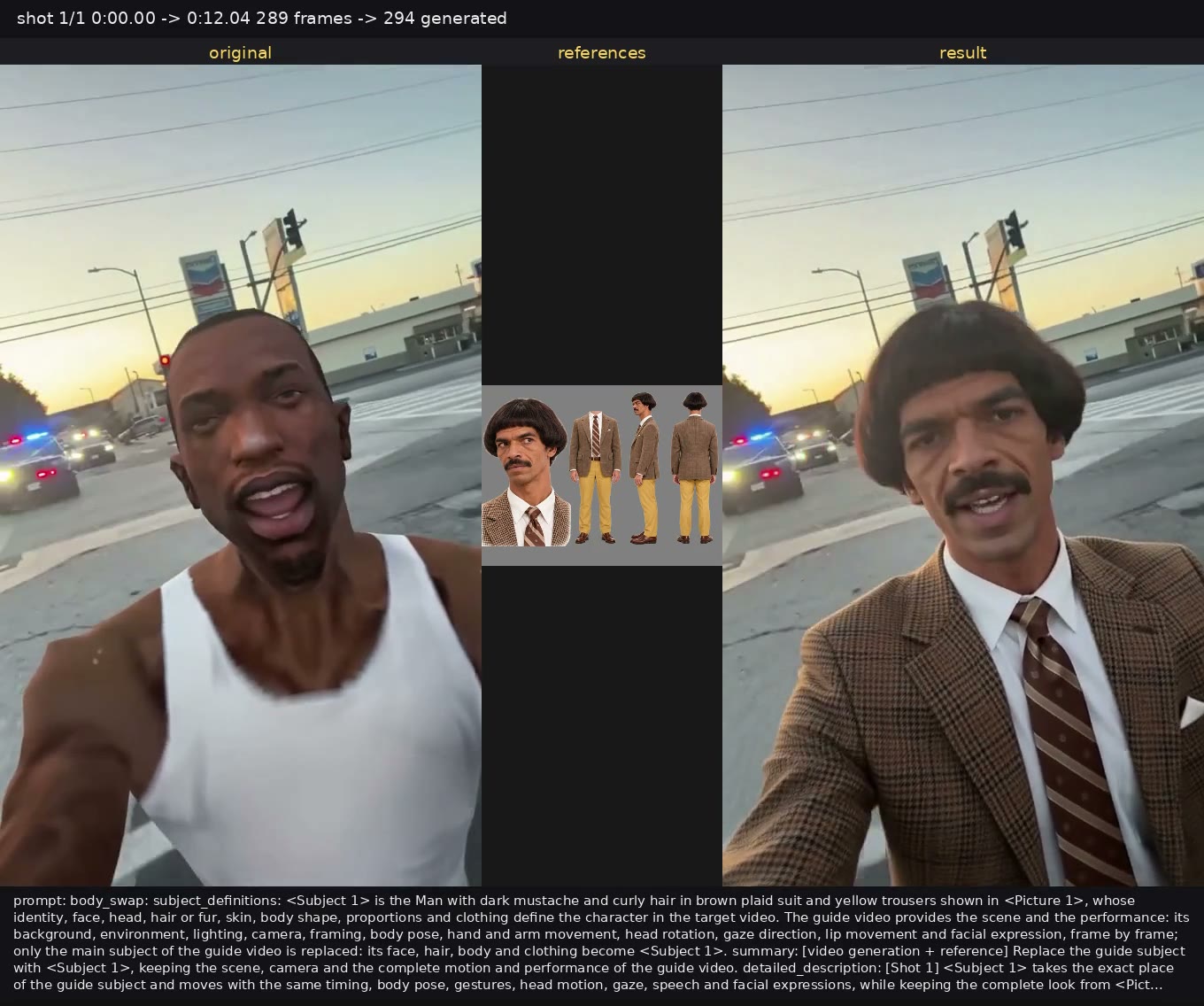
Character Swap replaces the main subject in a guide video with the character shown in a reference image while carrying over the guide's scene, framing, motion, pose and performance. The published setup is deliberately narrow:
- Put the LoRA in
ComfyUI/models/loras/and load the bundled character swap workflow. - Send the original clip to
MiniMaxH3AddGuideatframe_idx = 0. The LoRA was trained for guide-latent conditioning, so this is the recommended video input, not a video-reference slot. - Send the character image through H3's native image-reference path as
<Picture 1>. - Start the prompt with
body_swap:and describe the reference character. When several people appear, name the guide subject to replace, otherwise the most visually prominent one may be selected. - Keep the output aspect ratio and frame count aligned with the guide, and test on a short range before running a longer clip.
body_swap: Replace the man in the guide video with the character in <Picture 1> while preserving his pose, motion, clothing layout, camera and background.The bundled workflow includes a Planner node for splitting longer source clips, and it is optional: ComfyUI's own video loader can feed Add Guide directly. Audio conditioning needs with_audio = true on the BFS Shot H3 Conditioning nodes when the source soundtrack should be carried through. The author also documents combining Character Swap with the earlier Head Swap LoRA, since both were trained with guide latents, and notes that it may help lip sync in some cases but is still untested at scale.
The limitations are stated plainly. This is an experimental LoRA and not a guaranteed identity-transfer system: identity can drift with small faces, occlusion, fast motion, difficult angles, lighting changes and long clips, the model is aimed at people and human-like characters, and it may invent details that are not visible in a partial reference. The character swap workflow expects an H3 ref2va checkpoint plus the author's own BFS Shot nodes (BFSShotPlanner, BFSShotH3ConditioningSimple, BFSShotUnpack / Join / Repack) and other community packs such as BiRefNetRMBG and VideoHelperSuite on top of the core H3 nodes.
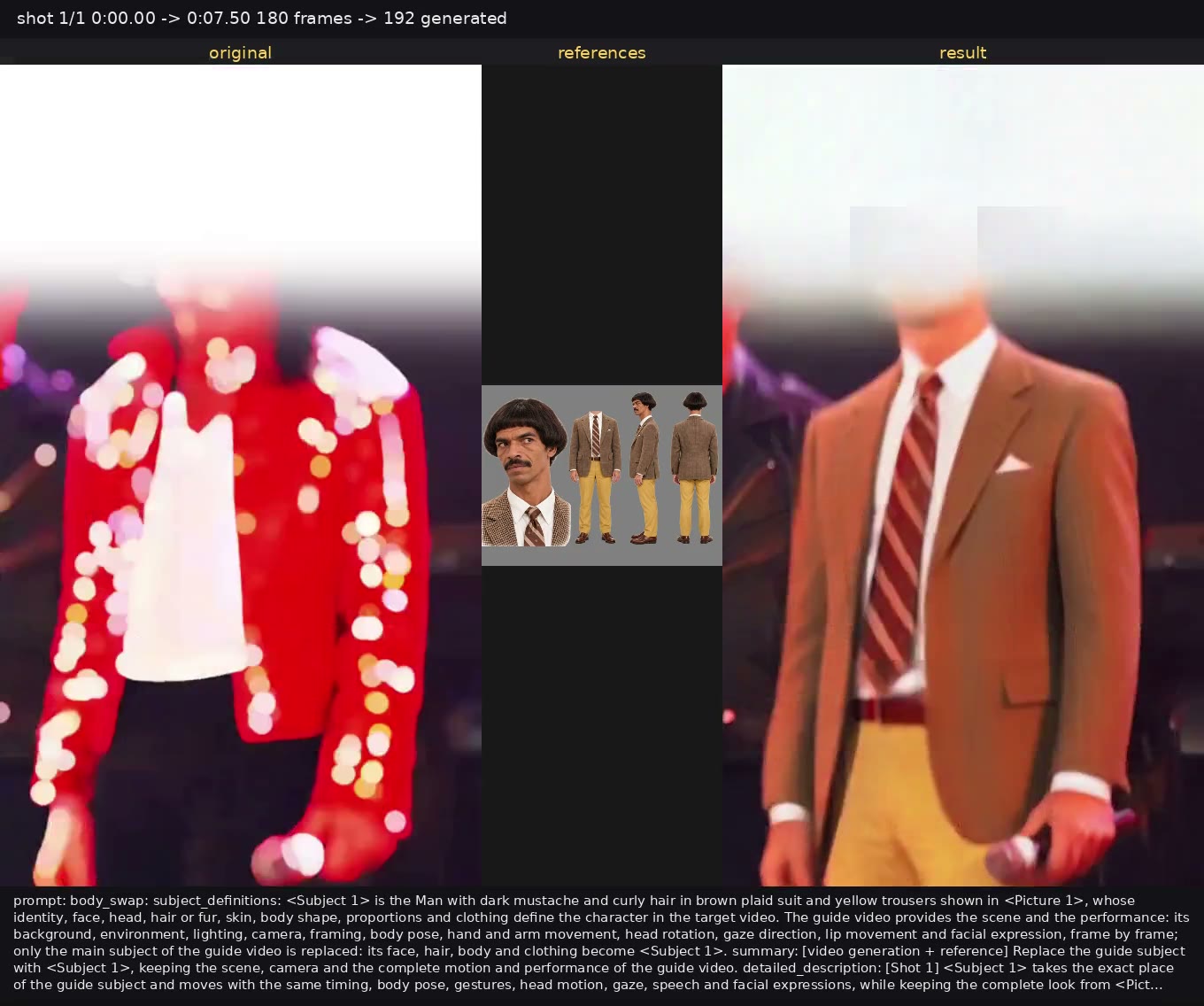
A character swap example from the repository.
 |  |
|---|---|
| Another example clip | A third example clip |
Live Wallpaper
Live Wallpaper animates an existing image and tries to preserve its subject and composition. Two ranks are published and the guide explains when to reach for which: r32 was trained to step 1,500 on captions that describe subject motion, environment motion and effects but carry no camera labels, and it can hold facial features more faithfully in some cases; r64 continues from that step-1,500 checkpoint to step 2,500 with camera-aware captions and is the recommended version when the camera has to follow the prompt.
The input scheme uses H3's native reference-to-video path: <Picture 1> is required and defines the subject and framing, <Picture 2> acts as an optional midpoint and <Picture 3> as an optional ending frame. Extra references must be connected to the MiniMax H3 Reference to Video node in both the first and second pass, in the same order, and the prompt should describe all of them as one continuous animation instead of separate scenes.
Every prompt starts with live_wallpaper:, stays to one concise sentence and ends with an explicit statement that the subject and composition are preserved. The guide asks for a camera instruction every time, and recommends a locked-off camera rather than leaving camera behavior unspecified:
live_wallpaper: Animate <Picture 1> with a locked-off camera with no zoom, pan, tilt, tracking, or reframing, plus gentle hair movement and existing lights softly pulsing, while preserving the original subject and composition.live_wallpaper: Animate <Picture 1>, using <Picture 2> as the midpoint and <Picture 3> as the ending frame, with the camera gradually pulling back as the visible energy expands, swirls, and softly fades, while preserving the original subject and composition.The repository publishes the caption distribution behind the r64 continuation. Of 295 camera-aware records, 156 (52.9%) describe a locked-off camera, 44 (14.9%) a subtle drift, 20 (6.8%) a slow zoom-in, and the rest cover tilts, pans and combined moves. The most frequent motion words are swirling (104), floating (103) and pulsing (88), and the most frequent effect categories are light, glow or shimmer (170), energy or aura (65) and petals, leaves or foliage (56). The guide notes these counts describe the training data rather than guaranteed generation rates.
A Live Wallpaper example from the repository.
An r64 example clip, the camera-aware rank.
Availability
Download the LoRAs from the repository and place them in ComfyUI/models/loras/, then load the matching workflow from the workflows/ folder: each workflow lists the models and node packs it needs, and the repository keeps a per-model guide under docs/. The LoRA conditioning itself runs on core MiniMax H3 nodes, including MiniMaxH3AddGuide and MiniMax H3 Reference to Video, while the bundled example workflows also load video, resize frames, mask with BiRefNet and add labels through community node packs, so install whatever each workflow reports as missing.
Comments
Sign in with GitHub to join the discussion.