Qwen-Image 2.1 Multiple-Angles LoRA: Reshoot Objects From Any View
Akhaliq's Multiple-Angles LoRA gives Qwen-Image 2.1 camera control: feed a photo, pick one of 72 azimuth and elevation framings, and reshoot the subject in ComfyUI.
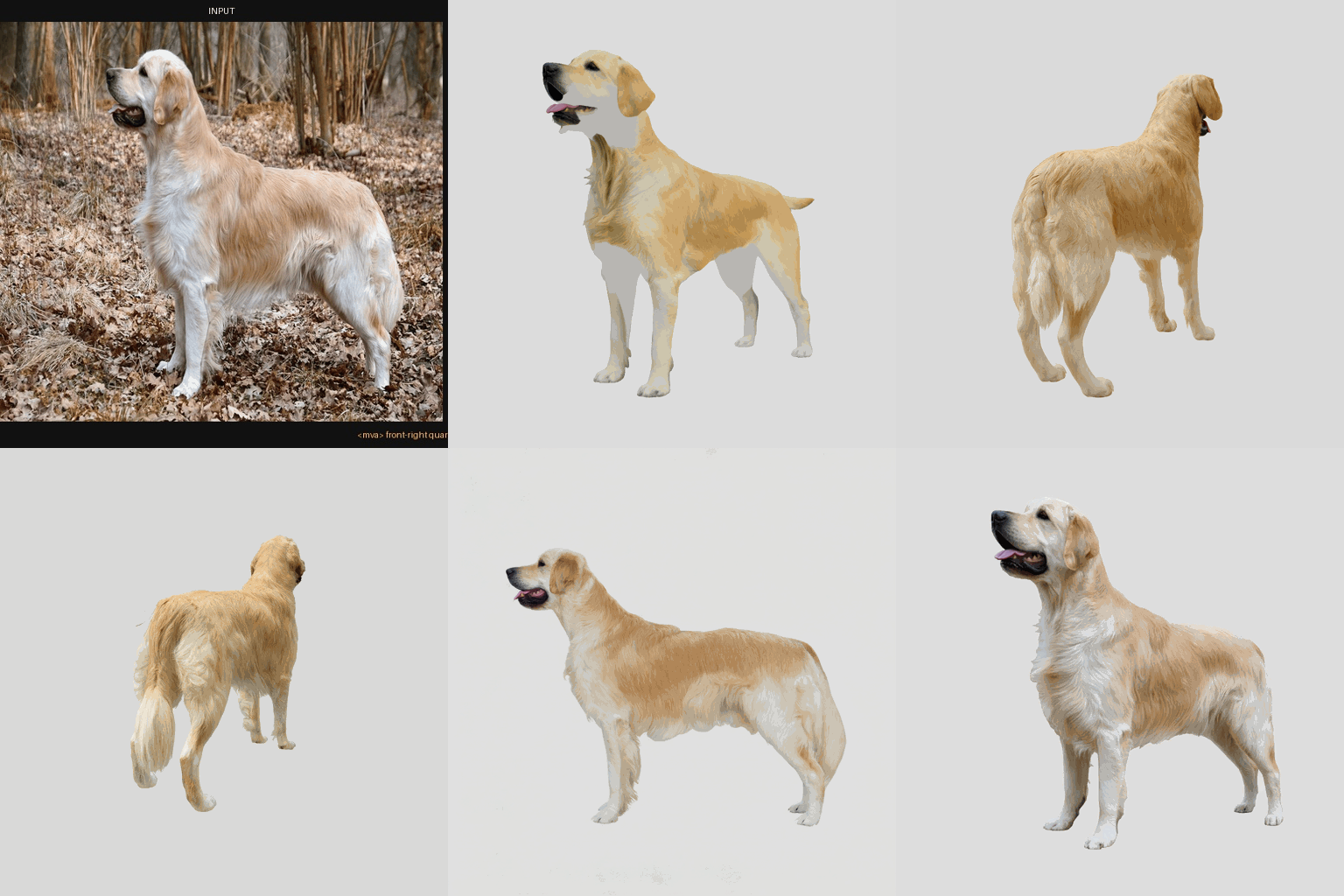
An orbit of a golden retriever at eye level, all 12 azimuth steps, produced with the v2 checkpoint at step 1,500.
What the adapter adds
Qwen-Image 2.1 handles generate and edit in one model but has no notion of where the camera stands. Prompting it to "show the back" usually leaves the subject roughly where it was. This LoRA teaches the pose dictionary instead: every prompt starts with the trigger <mva> followed by a named azimuth and elevation, and the model moves the camera rather than the scene.

The same orbit as a labeled strip, one frame per azimuth.
The grammar is short:
<mva> {azimuth}, {elevation}[ close-up]- 12 azimuths at 30 degree steps, from front view through both sides to back view.
- 4 elevations: eye-level, elevated (30 degrees), high-angle (60 degrees), and top-down (90 degrees).
- A
close-upvariant of every combination, for 72 addressable framings in total. - Recommended LoRA strength between
0.8and1.0in ComfyUI or diffusers.
Working on real photos
The training set is rendered objects, but the model card documents a held-out test on ordinary photos it never saw: a golden retriever, a cat and an apple from Wikimedia Commons. At strength around 1.0 the subject rotates to the requested view and the scene mostly survives, though fine detail such as fur softens on subjects far from the training distribution.
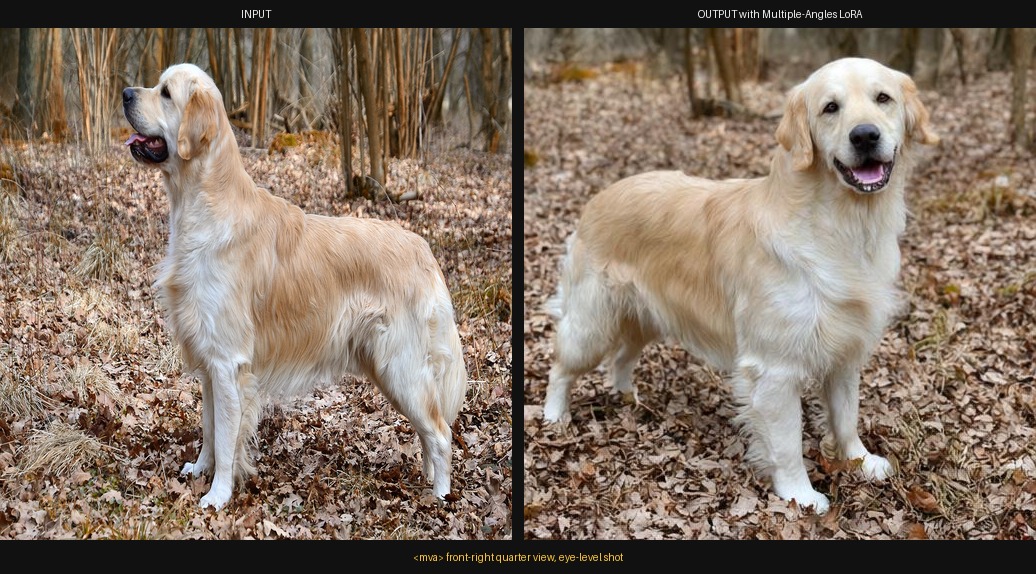 | 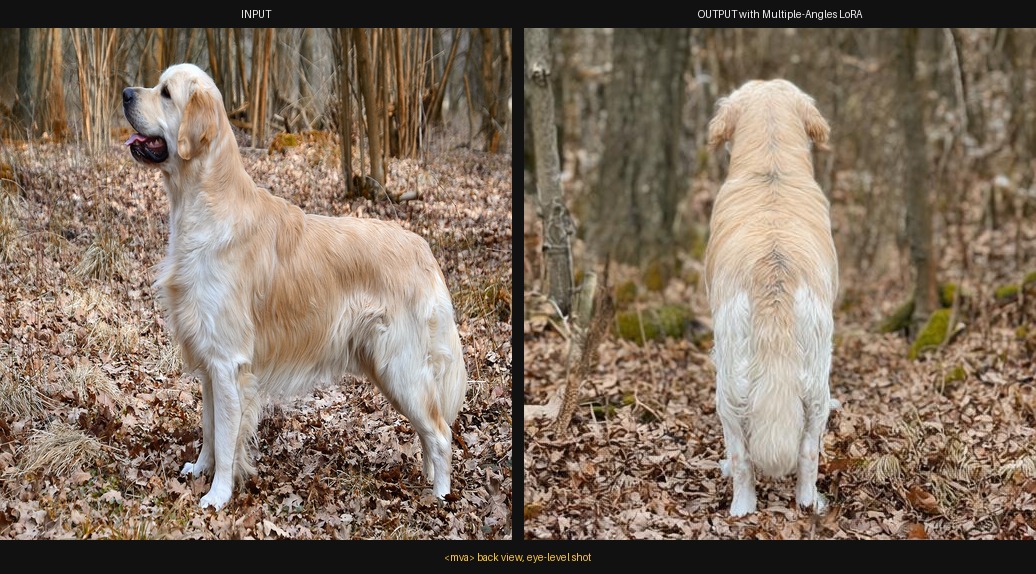 |
|---|---|
| Front-right quarter view, eye level | Back view, eye level |
The card's rule of thumb: start at strength 1.0; if the reshoot drifts toward copying the reference photo instead of moving the camera, lower the strength toward 0.8 rather than switching checkpoints.
What v2 changes
The second revision is the recommended download. It raises the training pairs from 5,028 to 13,328 (a character-prioritised Dome-Objaverse set plus license-filtered rigged characters), moves rank from 32 to 64, and switches the base precision from convrot int8 to bf16 with weighted timestep sampling.

Character-pose sheet comparing v1 at step 1,000 with v2 at step 1,500.
The <mva> grammar and the pose dictionary are unchanged between versions, so a workflow built for v1 keeps working after swapping the file. The card recommends step 1,500 of the v2 run (rank 64, full precision, about 319 MB in checkpoints_v2/); v1 files remain in checkpoints/, where step 1,000 is the pick.
Running it in ComfyUI
The adapter is a plain LoRA, so no custom node pack is needed: place the .safetensors in ComfyUI/models/loras/ and load it with the standard LoRA loader alongside the Qwen-Image 2.1 diffusion model, its text encoder and matching VAE. The card recommends strength 0.8 to 1.0; there is no adapter-specific sampler or CFG value, so the base model's own settings apply.
Benchmark, stated plainly
The card publishes a 144-case held-out benchmark (24 unseen objects, six poses each) scored against ground-truth dome renders with CLIP image-image cosine, and reports it honestly: the un-adapted base actually scores slightly higher on average (0.857 vs 0.832), because that metric mostly measures global image similarity rather than whether the camera moved. The authors note the correct protocol is pose-retrieval accuracy, which still needs another render pass, and point readers to the matched-prompt A/B images as the primary evidence for the capability itself.
Availability
Weights: akhaliq/Qwen-Image-2.1-Multiple-Angles-LoRA
Base model: Qwen/Qwen-Image-2.1
Training data (v2): akhaliq/qwen21-multiple-angles-train-v2
Base family page: Qwen-Image 2.1
Comments
Sign in with GitHub to join the discussion.