Zen Image Edit: Qwen-Image 2.1 on a 0.8B Encoder in ComfyUI
Zen Image Edit runs Qwen-Image 2.1 on a Qwen3.5-0.8B text encoder plus a 158M fusion adapter, cutting the encoder from 17.5 GB to 1.7 GB, with two ComfyUI routes.

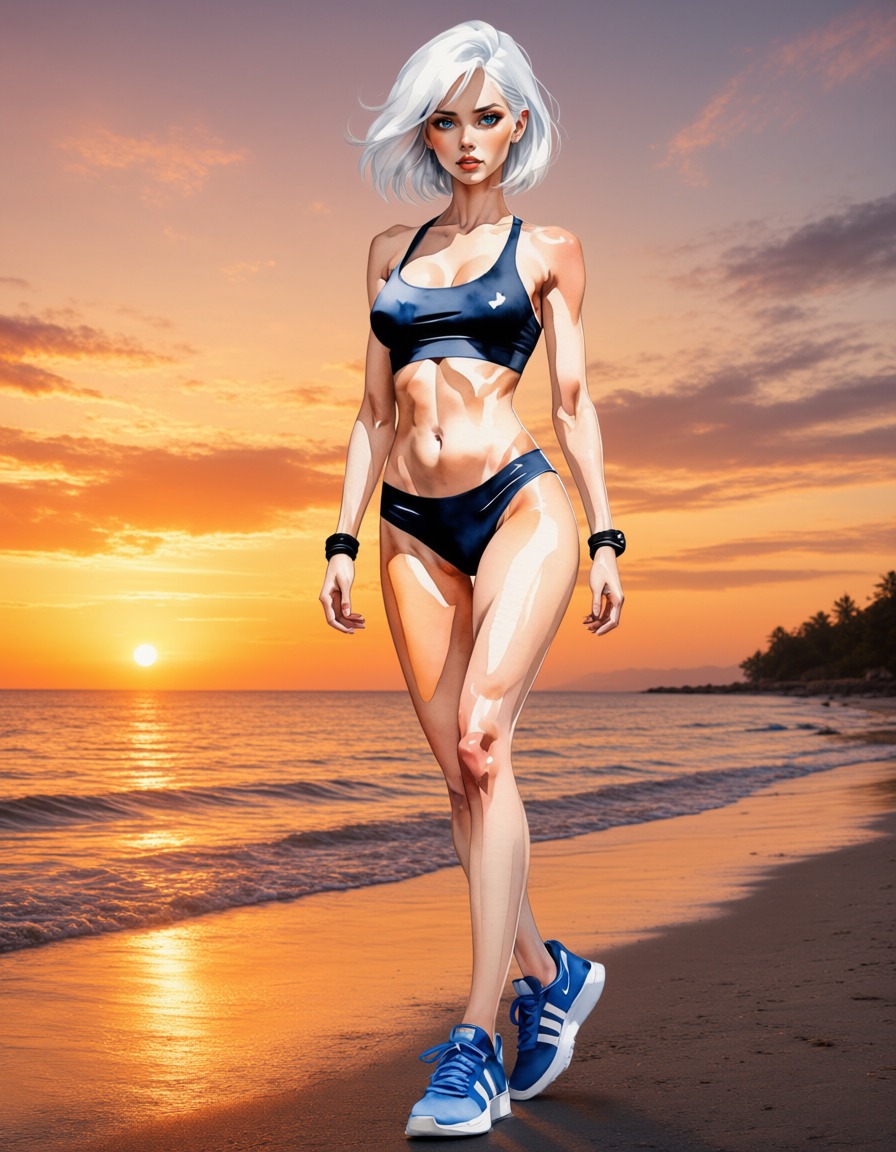
Text-to-image at 1024 px, 30 steps, generated by the pipeline. Source: AiArtLab/zen-image-edit.
What Zen Image Edit changes
Qwen-Image 2.1's conditioning stack is what makes it expensive to hold in memory: the base model's text encoder is Qwen3-VL-8B at roughly 17.5 GB in fp16, and it has to sit next to a 14.5 GB DiT. Zen Image Edit replaces it with a small multimodal encoder and an adapter that imitates what the large one produced, both from plain text and from text read together with reference images.
| Component | Zen Image Edit |
|---|---|
| Transformer | Qwen-Image 2.1 DiT, 32 layers, 14.5 GB fp16, with the 158M text-fusion adapter merged in |
| Text encoder | Qwen3.5-0.8B, 1.7 GB fp16, tokenizer and processor unchanged |
| Conditioning fidelity | cosine 0.95 on text, 0.97 on the vision positions of edit prompts, against the native Qwen3-VL-8B encoder |
| VAE | finetuned Qwen-Image 2.1 decoder, 16x spatial, fp32 |
| Scheduler | FlowMatchEulerDiscreteScheduler, plain static shift 5.0 |
| Peak VRAM | about 17.5 GB resident, less with enable_model_cpu_offload() |
The adapter lives inside the DiT as its text-fusion block, so the whole model is one self-contained Diffusers folder and no separate 17.5 GB encoder is needed anywhere. The sampler runs a plain static shift of 5.0 instead of the base model's dynamic shifting.
The bundled adapter is revision v12. Its attention-branch position table covers 2,304 slots and it was finetuned at the real 1024 px edit geometry, so long reference sequences keep their positions instead of falling into a zero-padded tail. That moved the vision cosine against the native encoder from 0.93 to 0.97, while text stayed at 0.95.
A finetuned VAE
The bundled decoder is not the stock Qwen-Image 2.1 one. It is a decoder-only finetune built on madebyollin/texture-fix-vae-for-qwen-image-2.1, trained to remove the 2 px lattice that nearest-exact upsampling locks into the output stride. Only the decoder was trained, over 5,300 steps, with one extra loss term: the peak-to-peak difference between the reconstruction's and the target's 2x2 sublattice means. Faithfully reproduced content contributes zero to that term, so only the added lattice is penalised. The encoder is bit-identical to the original, which leaves the latent space unchanged.
| Decoder | PSNR | LPIPS | Lattice (/255) |
|---|---|---|---|
| original Qwen-Image 2.1 | 33.073 | 0.05316 | 2.631 |
| texture-fix | 32.840 | 0.05388 | 0.125 |
| this VAE | 33.397 | 0.05291 | 0.000 |
Reconstruction on 32 held-out images at 512 px. The model card notes the lattice is not visible at 100% zoom, which is why it is measured rather than judged by eye.
Examples
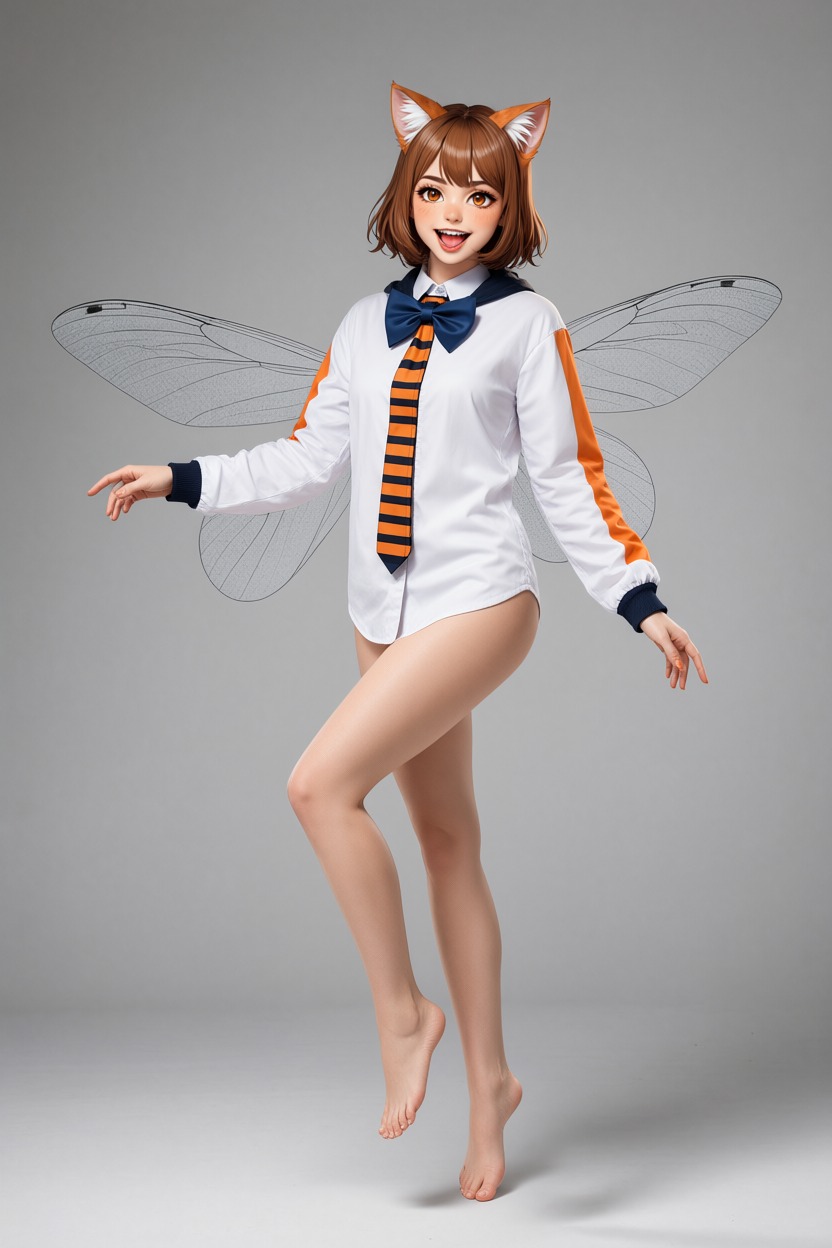
Editing with one condition image: the background changes, the subject is kept.
 |  |
|---|---|
Two condition images: <image1> keeps its pose, clothing and scene | The identity is copied from <image2> |
Editing follows the base model's convention: the first image is the one being edited (<image1>) and everything after it is a reference. The model card points out that feeding the reference first is the usual reason a swap "does not happen", because the model then edits the reference instead.

Three condition images: target and composition from <image1>, the person from <image2>, colour and lighting from <image3>.

Transparent (RGBA) generation runs through the same pipeline.
Running it in ComfyUI
There are two independent ComfyUI routes, and neither one needs the 17.5 GB encoder.
Node pack: recoilme/zen-image-edit-comfyui. The DiT, VAE, sampler and prefix KV cache stay stock ComfyUI (a build with Qwen-Image 2.1 support is required), and the node only supplies the small encoder and the adapter:
- Download
adapter_v12.safetensors(0.64 GB) intoComfyUI/models/. - Put
qwen_image_2.1_bf16.safetensorsinmodels/diffusion_models/andqwen_image_2.1_vae_bf16.safetensorsinmodels/vae/, both from Comfy-Org/Qwen-Image-2.1. - Fetch the text encoder:
hf download Qwen/Qwen3.5-0.8B --local-dir ComfyUI/models/text_encoders/qwen3.5_0.8b. - Restart ComfyUI. It needs
transformers >= 5.17.
The author reports cosine 1.0000 against the Diffusers build of the same folder, and both example graphs are verified end to end.
Single-file checkpoint: T8mars/comfyui-Zen-Image-Edit-T8. Installable from ComfyUI Manager, this route packs the DiT, the VAE, the Zen encoder, the fusion adapter and the tokenizer assets into one zen_image_edit_qwen21_single.safetensors checkpoint, published as t8star/Zen-Image-Edit-Comfy. Its loader returns MODEL, CLIP and VAE, so no separate downloads are needed, and a CLIP-only loader works with the native diffusion and VAE loaders. The conversion was validated on ComfyUI 0.37.0 with an RTX 5090 Laptop at 24 GB, on both the text-to-image and the image-edit graphs. The same repository also republishes the Viggle turbo adapters as LoRAs that load in ComfyUI's built-in nodes, with workflows.
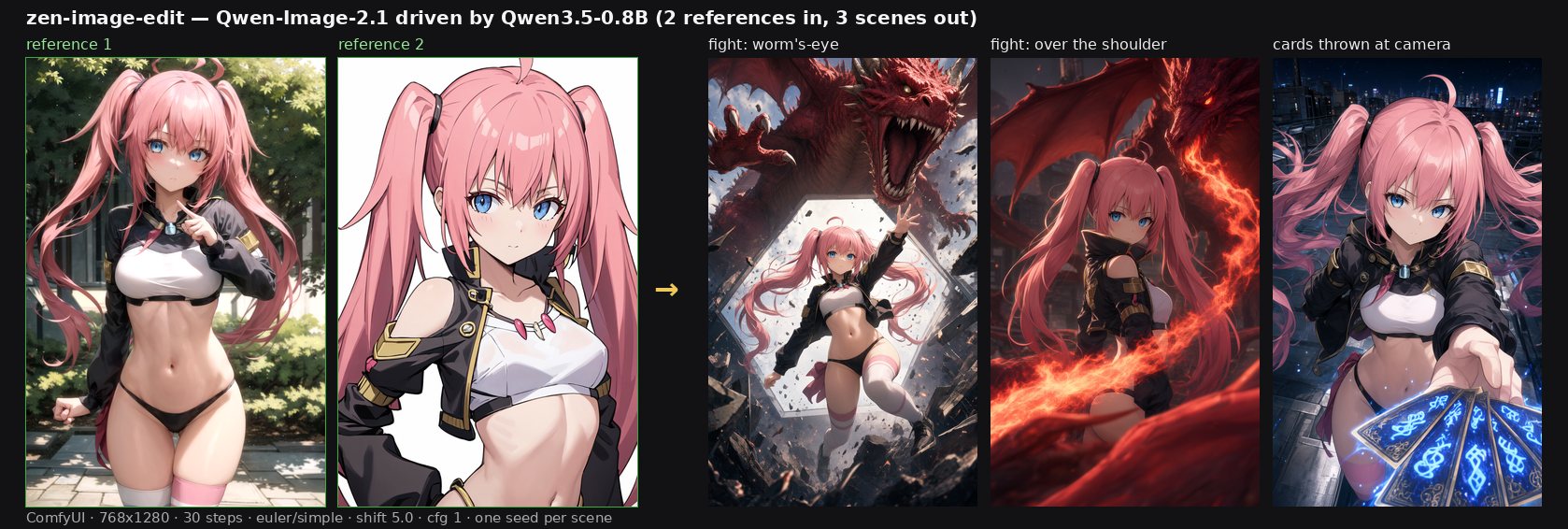
Two character references in, three scenes out, through the ComfyUI node at 768x1280. Source: recoilme/zen-image-edit-comfyui.
Documented limitations
The model card lists the gaps rather than leaving them to be found:
- English only. That is all the adapter was trained and tested on, and other languages drift.
- Numerals on signage. "OPEN 24 HOURS" renders as "OPEN 26 HOURS" on every seed tried. Words are fine.
- Non-photographic references transfer less faithfully than photographic ones, since the adapter imitates the native encoder and inherits its ceiling.
- Batch size above 1 at 1024 px peaks near 28 GB, so one prompt per call is the safe mode.
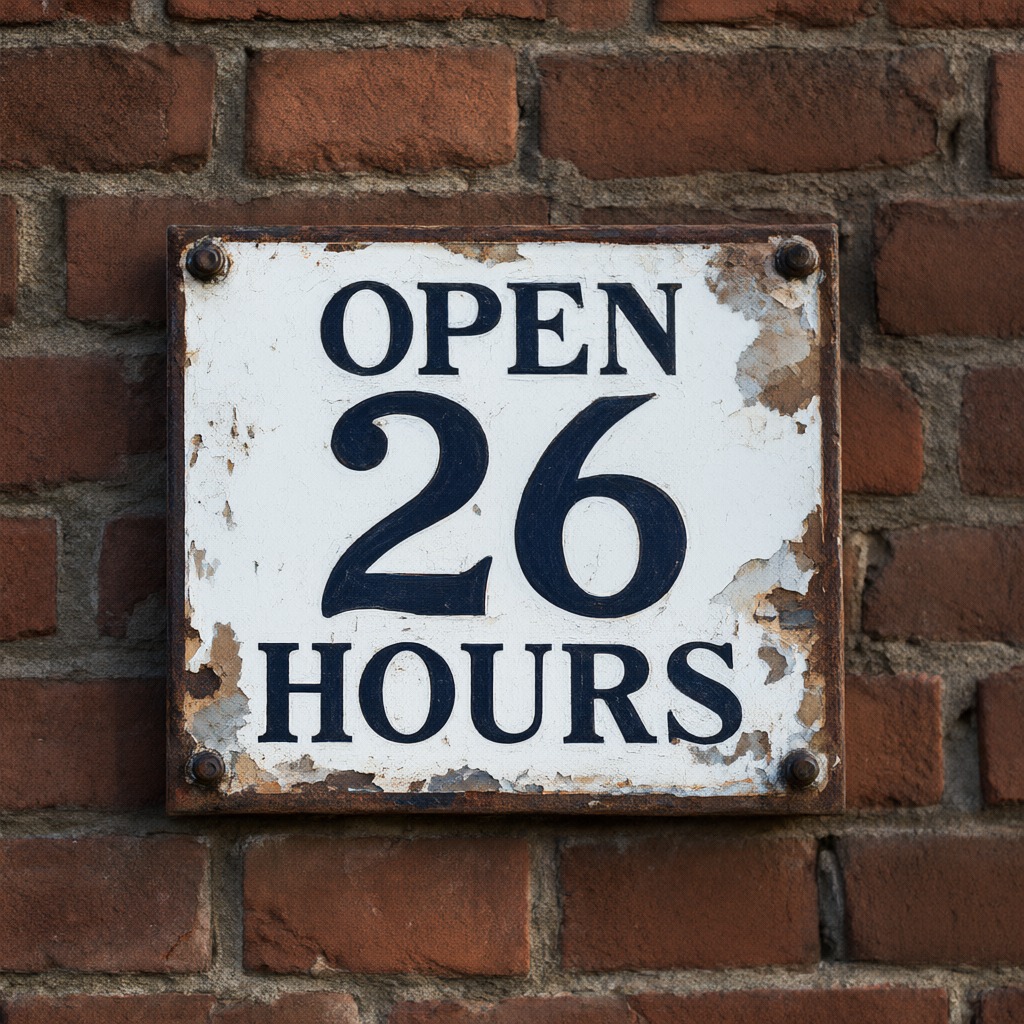
Words render correctly, numerals on signage do not. Source: AiArtLab/zen-image-edit.
Availability
The weights are published as AiArtLab/zen-image-edit. For 16 GB cards there is a GGUF Q5_K build at recoilme/zen-image-edit-gguf that takes the transformer from 13.55 GiB to 4.52 GiB during a run. Running the Diffusers pipeline needs a diffusers built with Qwen-Image-2.1 support and trust_remote_code=True.
Comments
Sign in with GitHub to join the discussion.