AnyAngle Studio: A 3D Camera Workbench for Qwen-Image 2.1
AnyAngle Studio is a ComfyUI node that turns a photo, a GLB or a bundled mannequin into a 3D camera workbench and exports pose, depth and Canny guides for Qwen-Image 2.1.
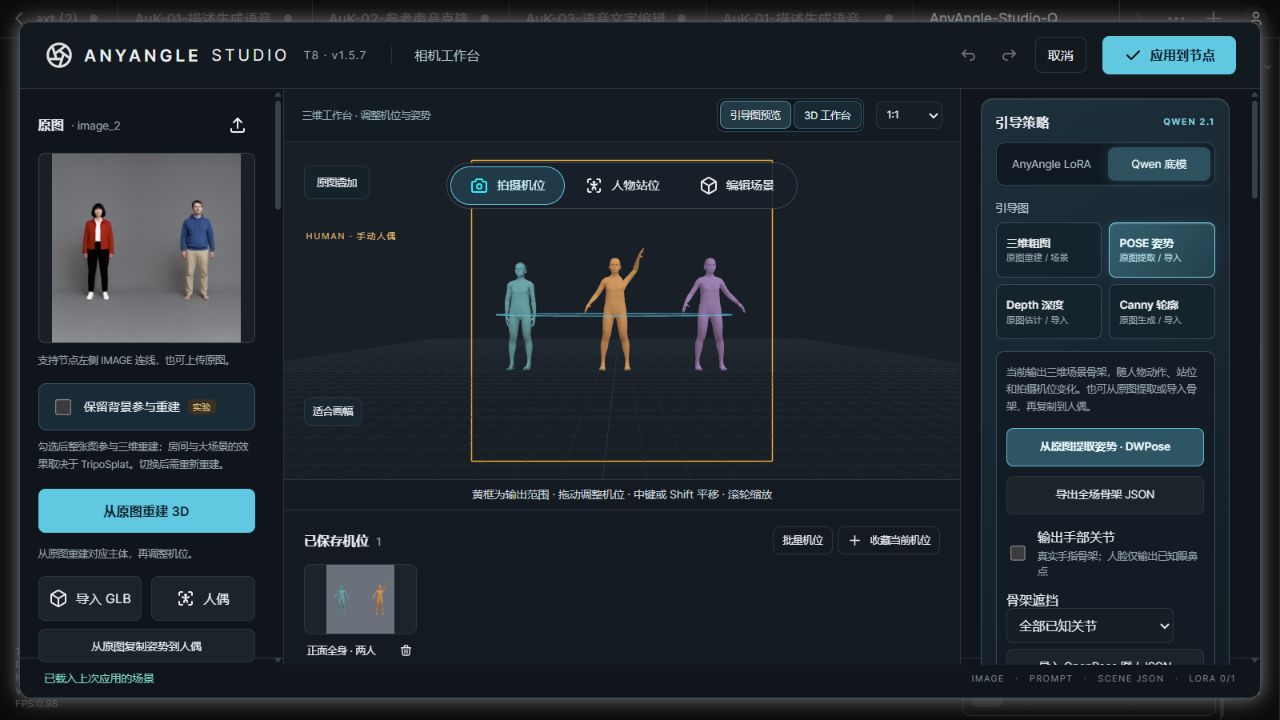
The three-person workbench at v1.5.7. The bundled mannequin is used here, so the AnyAngle LoRA is not required.
Three ways to get a scene
The node is registered as qwen-image-21-multiangle-t8 and tested with ComfyUI 0.36.0. A scene can come from any of three sources:
- Photo reconstruction. The bundled TripoSplat integration rebuilds the subject from a single reference image, and the camera then moves around that reconstruction while the subject stays in place. An experimental option keeps the photo background in the reconstruction instead of segmenting the subject out first.
- Textured GLB. An existing 3D asset is loaded as-is, sharing the mannequin scene when a prop needs one.
- Bundled mannequin. A MakeHuman mannequin ships with the repository, so manual posing works without installing another node pack.
In photo mode the reference goes to reference_image and encoder image_1, while the exported view goes to guide_image_2 and encoder image_2. The node also outputs prompt, scene_json and anyangle_lora_strength, so a saved scene re-runs without reopening the editor.
Guides instead of prompts
Instead of asking the model for an angle in text, the studio renders the scene from the new camera and hands that render to Qwen-Image 2.1 as a condition:
| Guide | Source |
|---|---|
| Coarse 3D render | TripoSplat reconstruction, a GLB or the mannequin, rendered from the current camera |
| POSE | DWPose keypoints from the photo, a Fisher-compatible skeleton, or the posed mannequin |
| Depth | The bundled Depth Anything 3 Small integration, or any connected depth node |
| Canny | Photo edges, or edges extracted from the 3D camera with a high-contrast clay pass |
Switching Guide Strategy to Qwen base writes anyangle_lora_strength = 0, which passes the base model through without loading the AnyAngle LoRA, while the AnyAngle LoRA option writes 1.
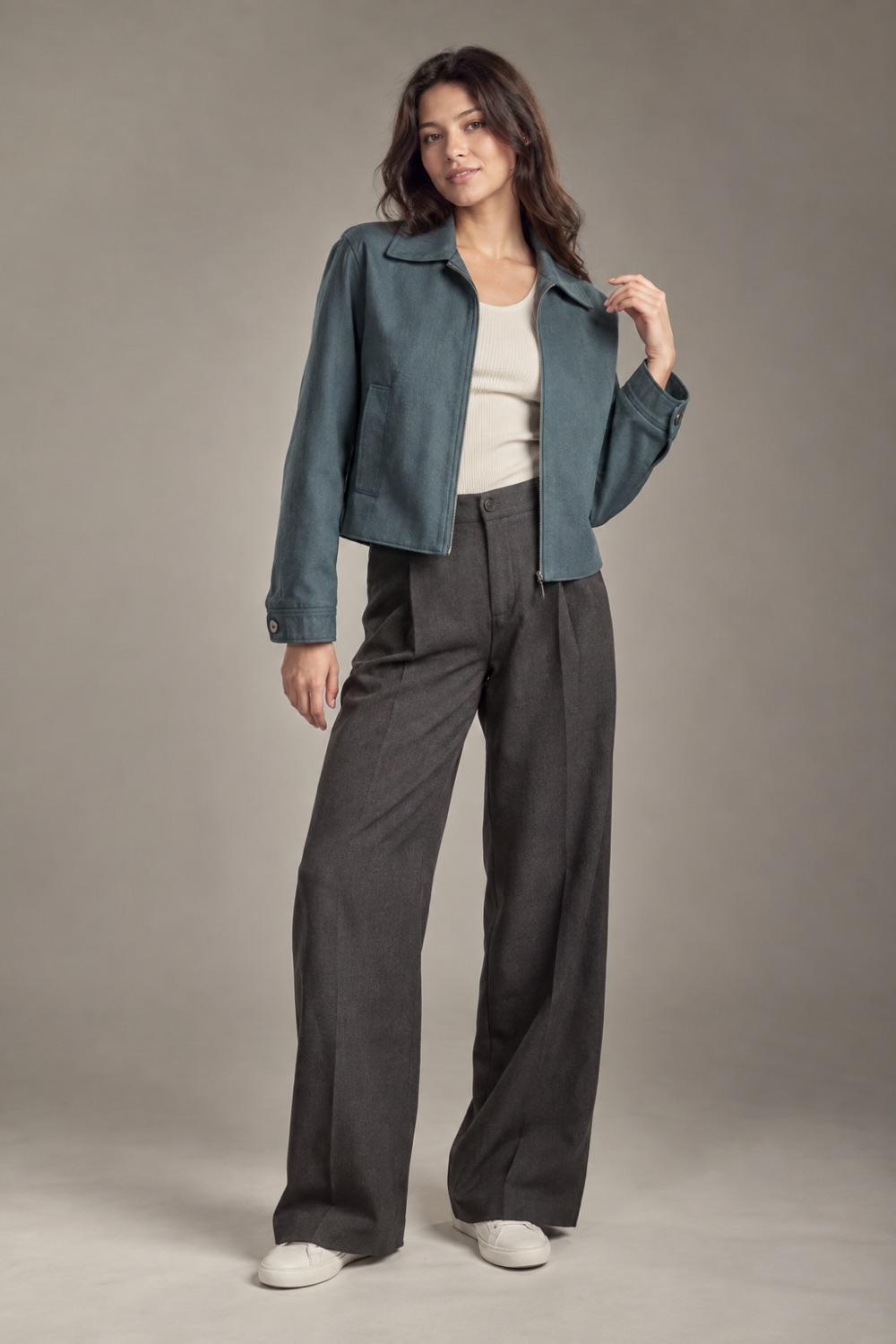 | 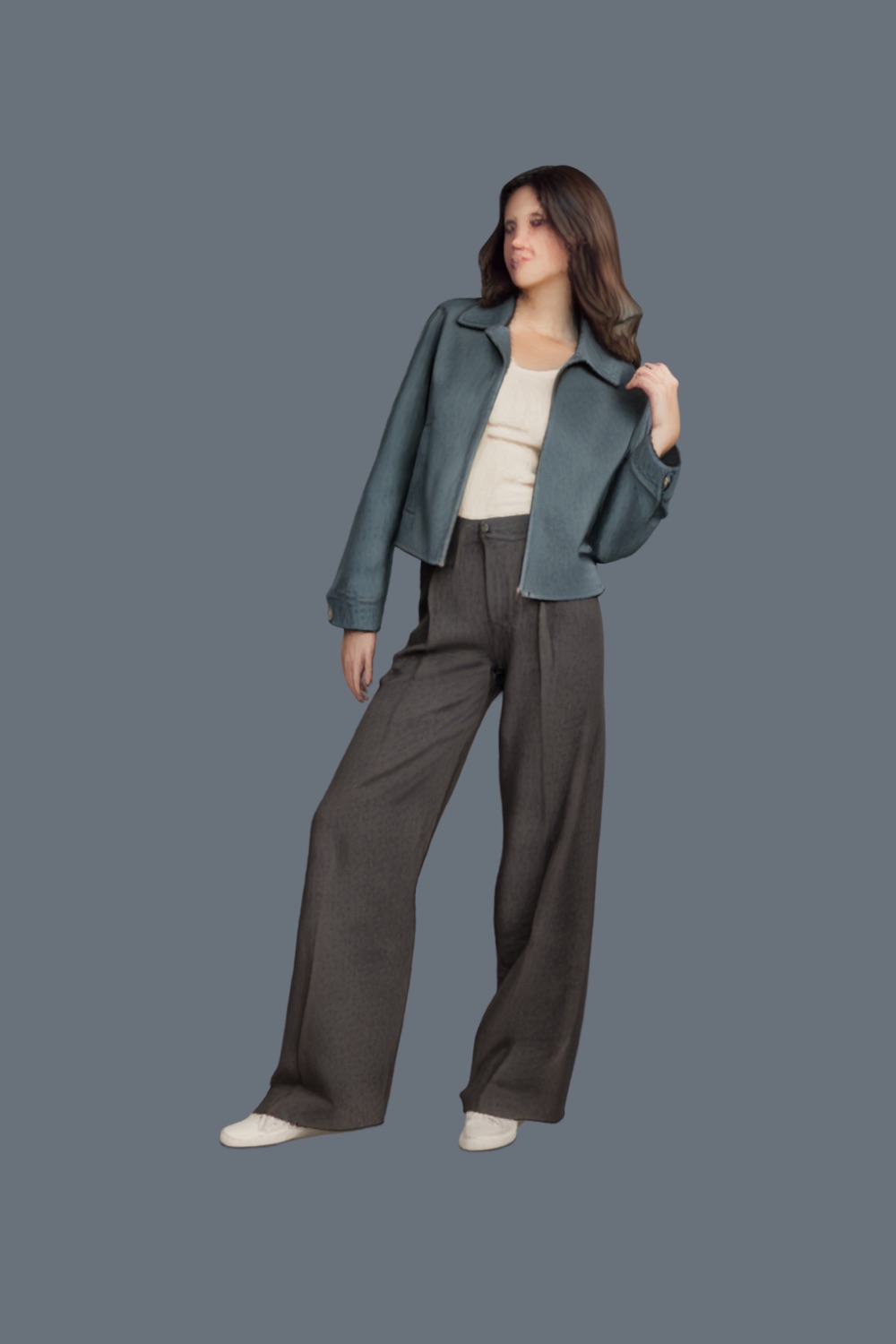 | 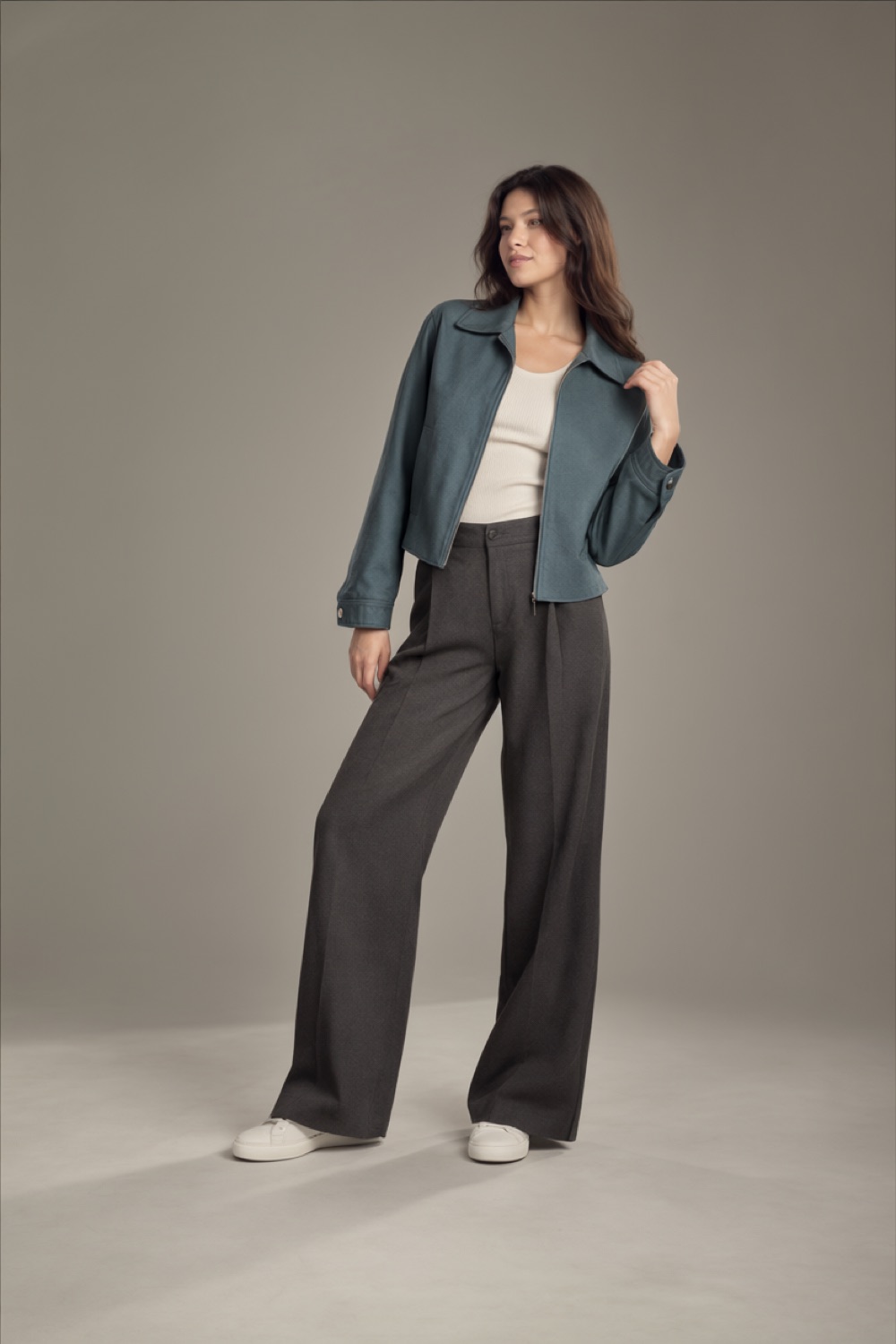 |
|---|---|---|
| Original reference | Guide exported by the node | Result from the example workflow |
Seed 42, 20 steps, CFG 3, euler/simple. DWPose extracts 2D joints only, and the base model treats a structure map as an image reference rather than a ControlNet input, so adherence is model-dependent.
Multi-person scenes and batch views
Version 1.5.7 adds a workbench for several actors at once: actors can be added, copied, reordered, hidden and locked, each with its own shape, pose, position, heading and identity reference. Group photos are detected with DWPose, deduplicated and copied onto the current actor, and one group image can feed two actors while the third keeps a separate reference.
Batch views queues a camera range instead of a single shot: 0° → 330° / 30° renders twelve views, 0° → 360° / 1° renders 360. Guides can be exported on their own as a PNG ZIP plus manifest, or queued straight through the workflow, with each output PNG carrying its own view in its metadata. Camera bookmarks restore azimuth, elevation, zoom, offsets and dimensions, and the lens can be set between 12 and 200 mm, or pinned to 24 / 50 / 85 mm.
The author publishes a measured multi-person matrix alongside the node: of 32 main-matrix jobs, 7 broadly matched person count, key poses and occlusion, 2 matched them partially, and nine-person cases added or lost people. Identity locking and pixel-exact pose control are explicitly not claimed.
Quick start
Install the node through ComfyUI Manager under Comfyui-Qwen-Image-2.1-MultiAngle-T8, or clone it:
cd ComfyUI/custom_nodes
git clone https://github.com/T8mars/Comfyui-Qwen-Image-2.1-MultiAngle-T8.git ComfyUI-AnyAngle-Studio-T8
cd ComfyUI-AnyAngle-Studio-T8
python -m pip install -r requirements.txt
The node expects ComfyUI's Qwen Image 2.1, TripoSplat, BiRefNet and DINOv3 nodes, and the mannequin, frontend assets and example workflows ship with the repository. The basic workflow runs in AnyAngle mode: LoRA 1 · CFG 3 · 20 steps · euler / simple:
An advanced workflow runs LoRA 1 · CFG 1 · 40 steps and needs QwenImage21SpectrumT8, QwenImage21SageAttentionT8, QwenImage21BlockCacheT8, KJNodes, Easy Use and Comfyroll installed. Multi-person and single-guide templates are in the same workflows/ folder.
Availability
AnyAngle Studio · T8 lives at github.com/T8mars/Comfyui-Qwen-Image-2.1-MultiAngle-T8, and the AnyAngle LoRA it optionally drives is lilylilith/QI_2.1_AnyAngle on Hugging Face.
Comments
Sign in with GitHub to join the discussion.