AcademiaSD LoRAlab: Nine LoRA Trainers Behind One Launcher
AcademiaSD LoRAlab Trainer Studio bundles LoRA trainers for Qwen-Image 2.1, FLUX.2 Klein, Krea 2, Z-Image, MiniMax-H3 and more behind one launcher, from 4 GB of VRAM.
models/loras folder.
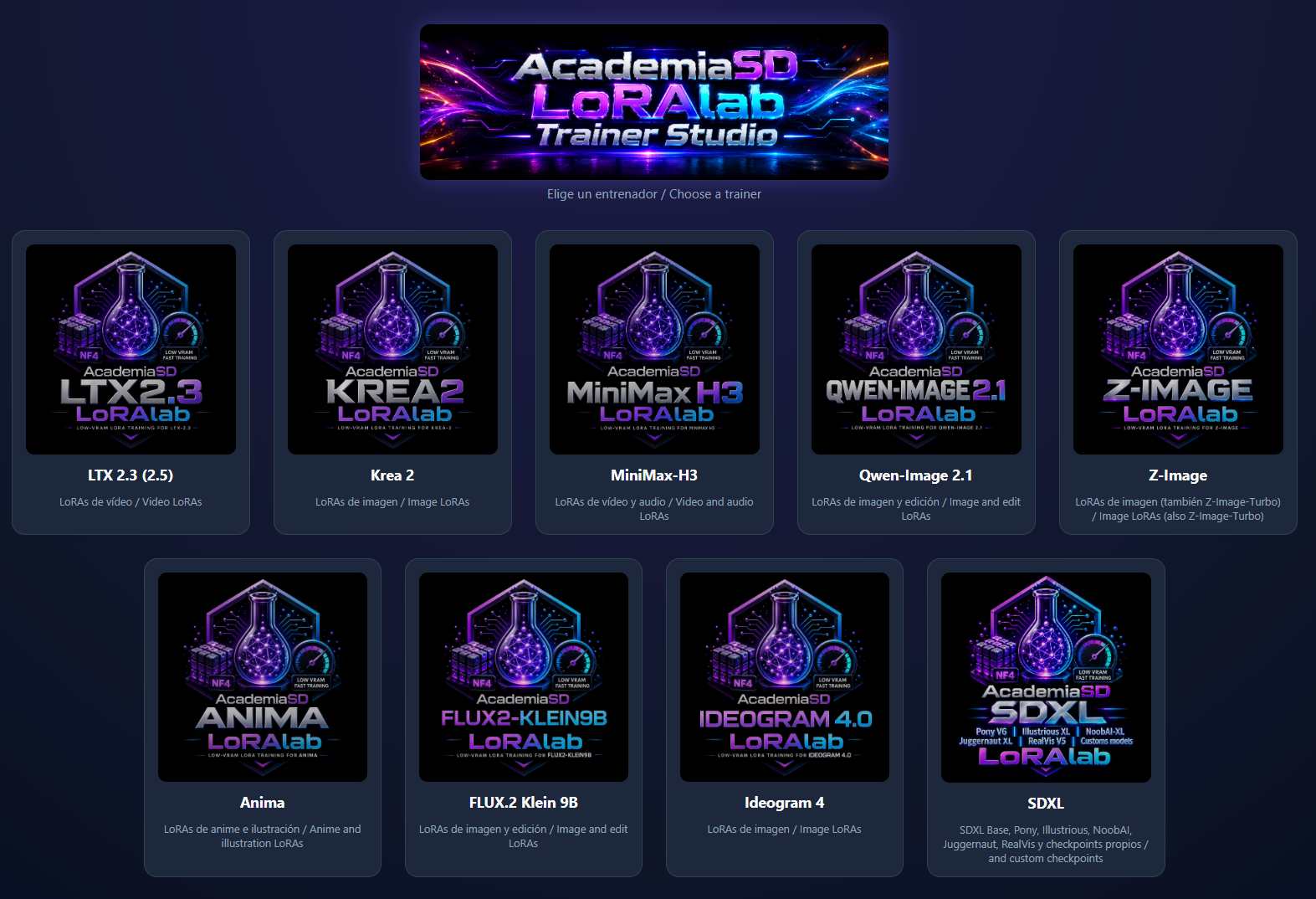
The launcher: pick a trainer and it opens in the browser, while models, projects and settings stay shared.
What it trains, and on how much VRAM
| Trainer | Trains | Minimum VRAM |
|---|---|---|
| Qwen-Image 2.1 | Character, object and style LoRAs, plus edit LoRAs (before → after) | 8 GB |
| Krea 2 | Character, object and style LoRAs for Krea 2 Raw and Turbo | 8 GB |
| Z-Image | Character, object and style LoRAs for Z-Image and Z-Image-Turbo | 8 GB |
| Anima | Anime and illustration character and style LoRAs | 4 GB (NF4) / 6 GB (BF16) |
| FLUX.2 Klein 9B | Character, object and style LoRAs, plus edit LoRAs | 12 GB |
| Ideogram 4 | Character, object and style LoRAs, with JSON captions | 12 GB |
| SDXL | LoRAs for SDXL Base, Pony, Illustrious, NoobAI and other SDXL checkpoints | 4 GB (NF4) / 12 GB (BF16) |
| LTX-2.3 (and LTX-2.5) | Character and style LoRAs for the LTX video model, trained from images | 12 GB |
| MiniMax-H3 | Video LoRAs from images, clips and audio, plus training-free RefMods | 8 GB |
The floor is an NVIDIA GPU with compute capability 7.5 or newer (RTX 20xx / GTX 16xx and up), a 580-series driver or newer for CUDA 13, and 16 GB of system RAM. MiniMax-H3 video clips additionally need ffmpeg on the PATH. GTX 10xx cards are out: PyTorch for CUDA 13 starts at the RTX 20xx generation.
One interface per trainer
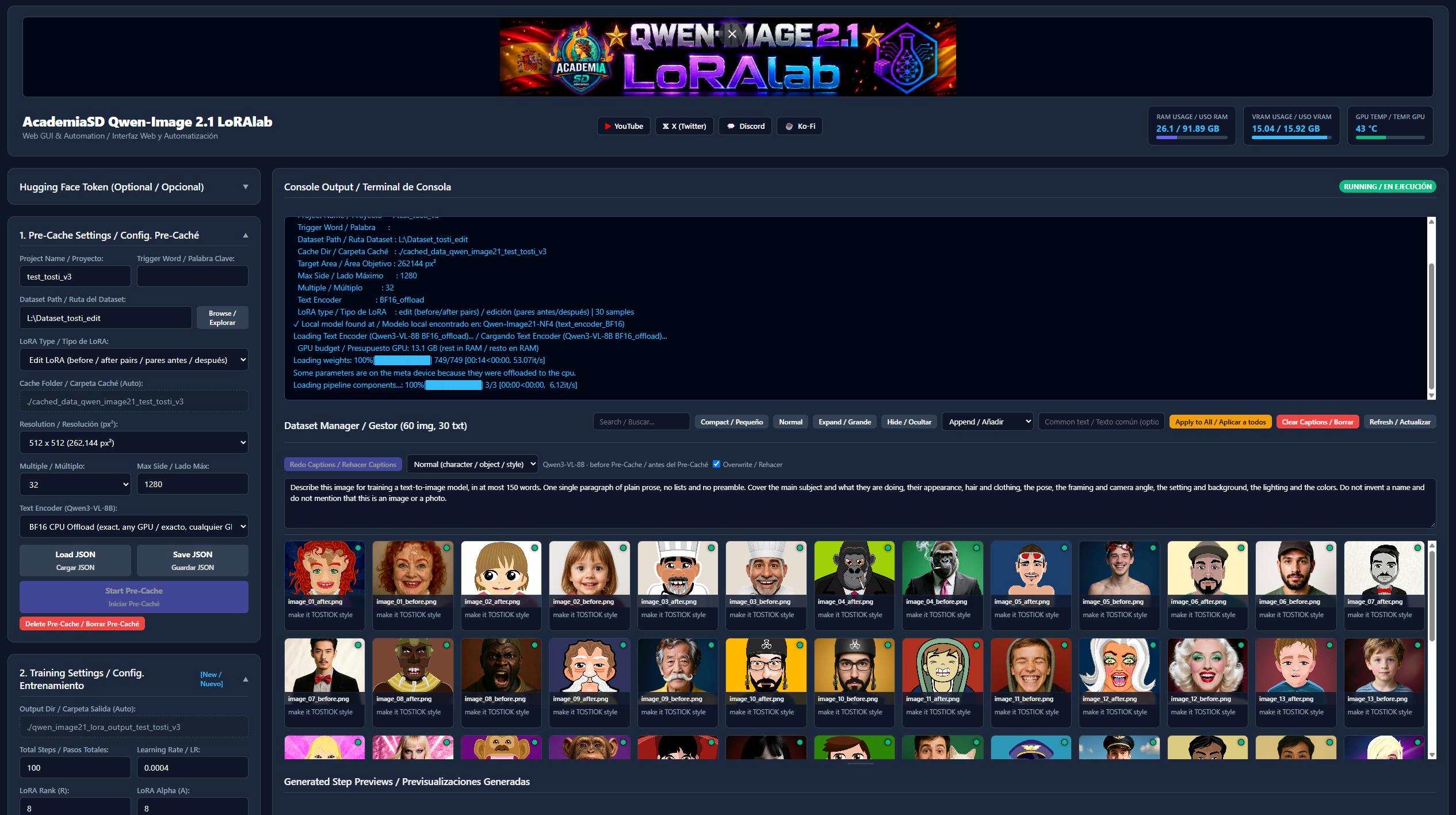
The Qwen-Image 2.1 trainer. All nine trainers share the same panels.
Every trainer follows the same five steps:
- Project and dataset. Name the project, add an optional trigger word, point at a dataset folder. Each image needs a
.txtcaption with the same name, and images can be dragged in as a folder or a.zip. - Captions (optional). A vision-language model writes a caption for every image with the trigger word first; the prompt is editable and existing captions are kept unless you overwrite them.
- Pre-cache. The text encoder and the VAE run once at your chosen resolution and their outputs are stored on disk. Re-running skips images that did not change, and afterwards 100% of the GPU goes to training.
- Train. Set steps, learning rate, rank and alpha, then start. Settings can be changed mid-run and apply on the next step, and Stop Training saves the exact step, so a run resumes days later without losing a step.
- Export.
Send to Modelscopies the LoRA into a ComfyUI (or Forge / A1111)models/lorasfolder that the studio remembers across trainers. Step checkpoints can also be downloaded from the browser, and exported LoRAs carry kohya-style metadata that Civitai and LoRA managers read.
The studio works from another machine on the same network too: the launcher has a remote access mode with a username and password, so a dataset can be uploaded from a laptop and the trained LoRA downloaded back without touching the training PC.
Sharp previews while training
Some of these models are slow enough that sampling needs to be watched, and ComfyUI's default Latent2RGB preview for Qwen-Image 2.1, Krea 2 and FLUX.2 is blocky color. The README's recommended pair is kijai's KJNodes plus AcademiaSD's tiny autoencoders in ComfyUI/models/vae_approx/: TAE-Qwen-Image-2.1, TAE-Krea-2 and TAE_Flux2_AcademiaSD, dropped into the Model Preview Override node between the model and the sampler.
Install
One installer per platform, and one shared venv for every trainer (PyTorch 2.14 on CUDA 13.0, Diffusers from GitHub, Transformers, PEFT, bitsandbytes and Flask):
git clone https://github.com/AcademiaSD/AcademiaSD_LoRAlab-TrainerStudio.gitOn Windows, double-click Install_LoRAlab-TrainerStudio.bat; on Linux every .bat has a .sh equivalent, and the launcher picks the right one. Install_Triton&SageAtten220.bat adds Triton and SageAttention 2.2 if you want them. Updating is a single Update_LoRAlab-TrainerStudio.bat, which keeps models, datasets, projects and settings. The project also ships a RunPod template and a Docker image for cloud training.
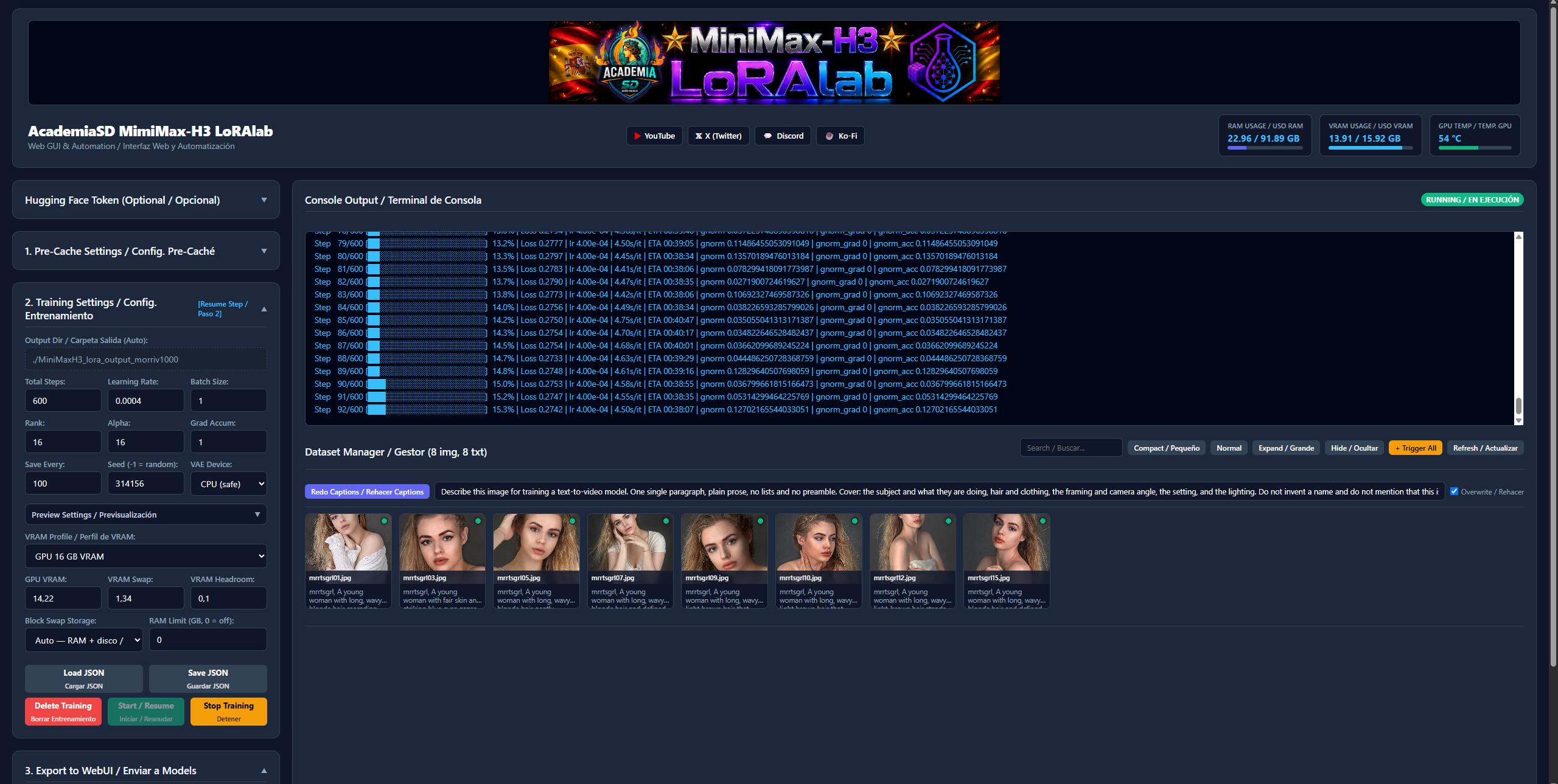
The MiniMax-H3 trainer, one of the two video trainers in the studio.
The author flags the studio as early work: the trainers were added in quick succession, so default training and preview settings may not suit every model, and issues are the intended way to report what breaks.
Availability
AcademiaSD LoRAlab Trainer Studio lives at github.com/AcademiaSD/AcademiaSD_LoRAlab-TrainerStudio, with pre-quantized training packages such as AcademiaSD/Qwen-Image-2.1-NF4-for-LoRA-Training on Hugging Face.
Comments
Sign in with GitHub to join the discussion.