VNCCS 3.2: Qwen Image 2.1 and MiniMax H3 Sprites in ComfyUI
VNCCS 3.2 adds Qwen Image 2.1 and MiniMax H3 to its ComfyUI character pipeline, with transparent sprites, a rebuilt Character Creator and a 358-style library.
VNCCS 3.2 turns the Visual Novel Character Creation Suite into a multi-model pipeline (GitHub | releases). The 3.2.0 release on October 3 added Qwen Image 2.1 and MiniMax H3 generation, transparent sprite output and a rebuilt Character Creator; 3.2.3 on October 5 expanded the style system into a browsable library of 358 visual styles.
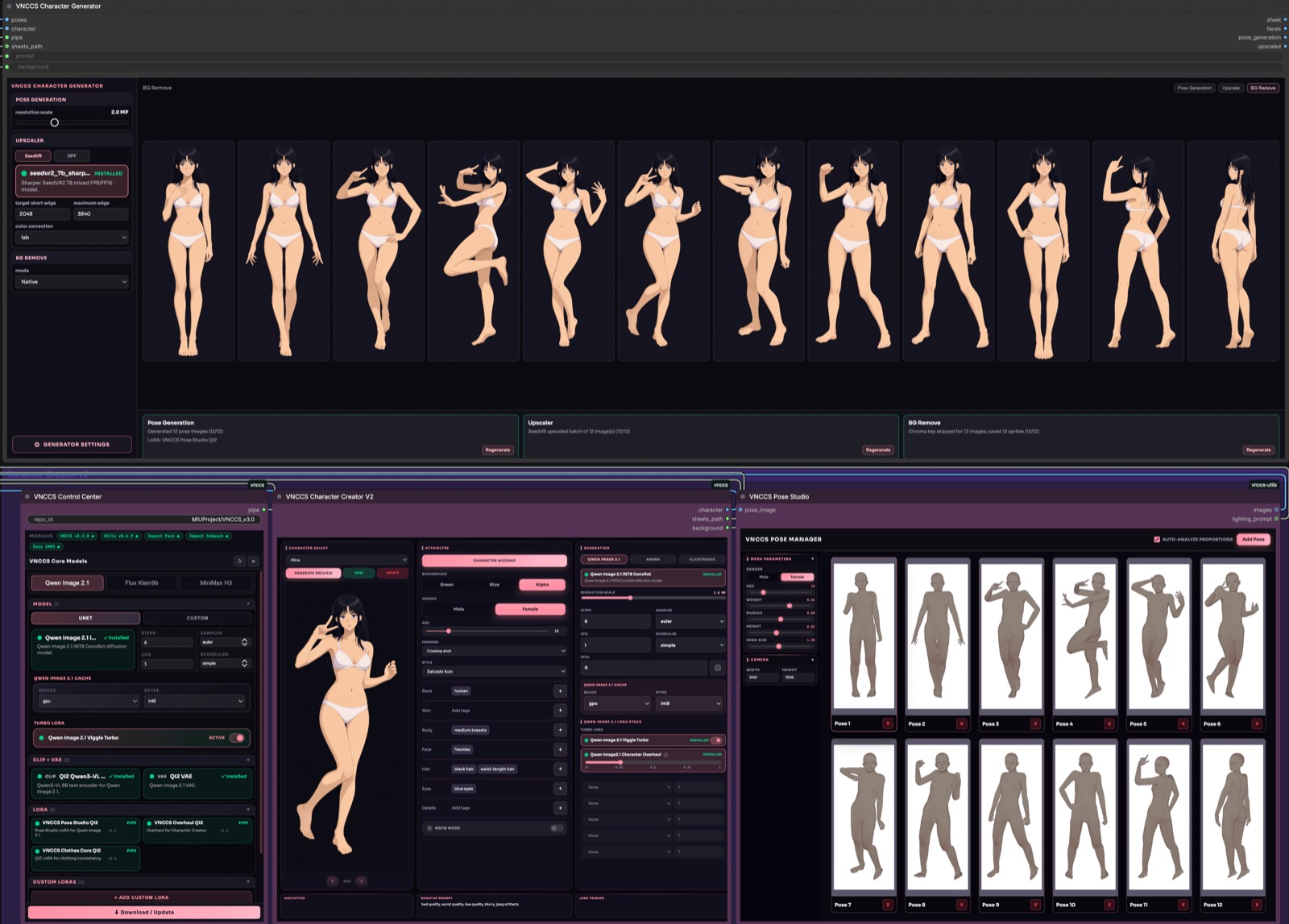
VNCCS 3.2: new models, transparent sprites and a Character Creator makeover.
VNCCS is a ComfyUI node suite for building a character once and generating a consistent sprite set from it: different poses, outfits and expressions, kept in the same identity. It is not a single workflow but a set of step workflows (Creator, Clothes, Emotions, Cloner) that share one character library. The repo has around 1,600 stars and the companion VNCCS Utils pack holds the pose studio.
Qwen Image 2.1 becomes the main model
The 3.2.0 release replaces the older Qwen-Image-Edit 2511 path with a QI2 family built on Qwen Image 2.1, and makes it the default in the Control Center. Qwen Image 2.1 can create the base character, change poses, dress it and generate expressions, and it is wired into Character Creator V2, the pose and clothing workflows and Emotion Studio.
New in this family:
- Standard diffusion-model loading through ComfyUI, plus an INT8 ConvRot diffusion model, a Qwen3-VL 8B INT8 ConvRot text encoder, the QI2 VAE and the VNCCS Pose Studio QI2 LoRA in the model catalog.
- Viggle Turbo generation at 6 steps and CFG 1 alongside standard QI2 sampling at 25 steps and CFG 3. VNCCS handles the adapter and the resolution-dependent sampling schedule itself, so the separate Viggle custom nodes are not required.
- Cache controls with
auto,gpu,cpuandoffdevice choices anddefault,int8andint4storage precision. - Reference conditioning and output resolution are handled separately, so generation follows the requested output area and the reference aspect ratio instead of forcing one.
MiniMax H3 for poses and clothes
MiniMax H3 gets its own family in the Control Center, with FP8 Scaled and INT8 ConvRot model choices. VNCCS uses the video model for poses, outfit generation and clothes cloning, keeping the character image as the first frame. It is the same pipeline, so a character built with Qwen Image 2.1 can be posed or re-dressed with H3, and vice versa.
Character Creator V2 makeover
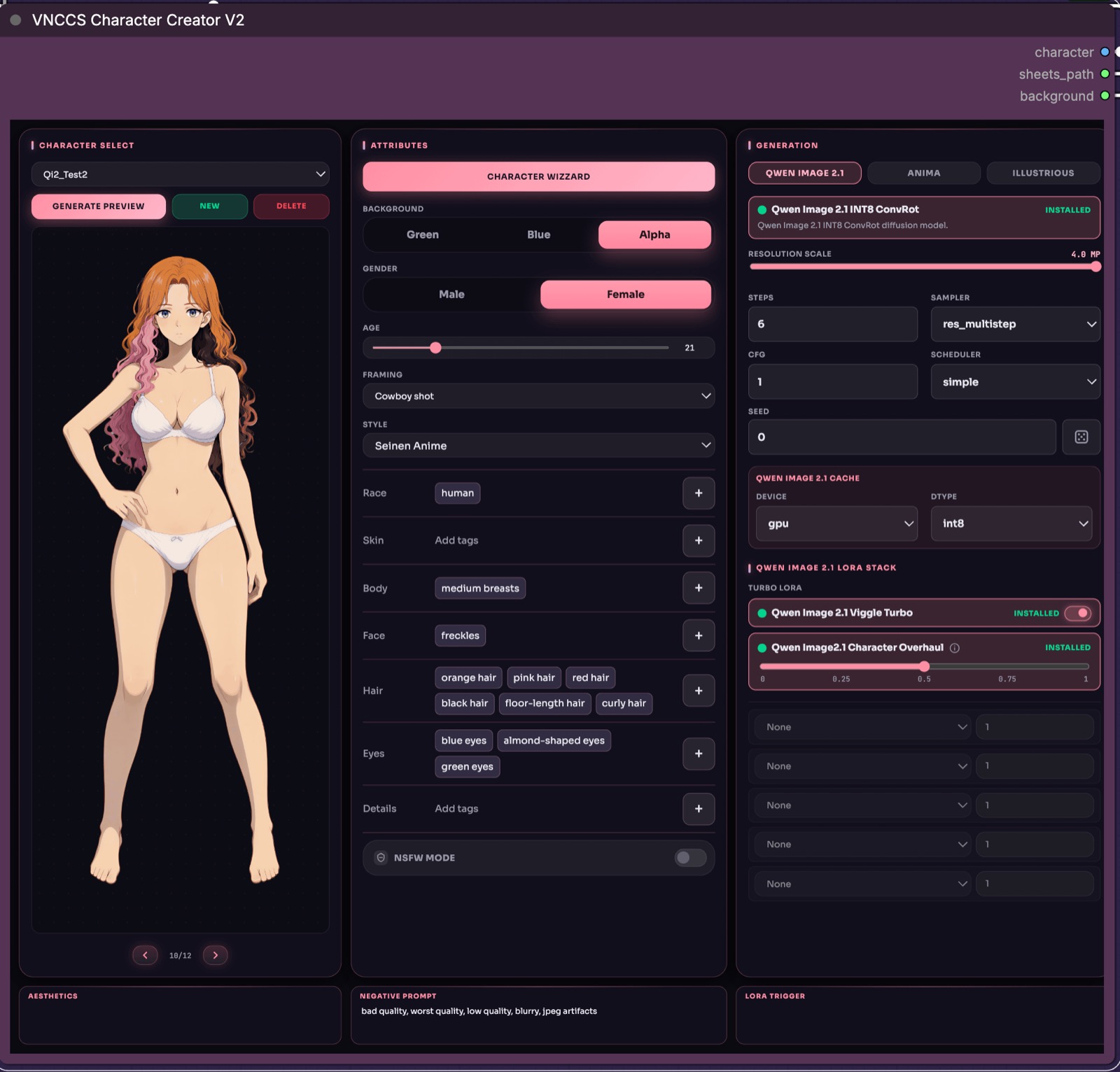
Character Creator V2: character preview on the left, editable trait chips in the middle, generation controls on the right.
The character fields are now editable tag chips with preset buttons instead of one long prompt. Hair, eyes, face, body, skin, species and details each have their own controls, and there are framing presets for full body and cowboy shot.
The built-in presets also grew: 61 species presets that describe the traits they add, combinable for hybrids, and a style system. A Character Wizard can fill the fields from a description, and a Generate Preview button renders the character without running the full pose set. The Qwen Character Overhaul LoRA, bundled with the QI2 family, stabilises characters at a small cost to the model's own style.
Transparent sprites
With Qwen Image 2.1, Creator and Clothes Designer offer an Alpha background option and the generators a background-free mode. Qwen generates the transparency directly and VNCCS keeps it through clothing edits, emotion editing and SeedVR upscaling, so a green-screen pass is no longer mandatory. A new resolution scale slider runs from 1 to 4 MP and controls total image area while pose and clothing generation keep the source proportions. Resolution choices are remembered per model family.
A library of 358 styles
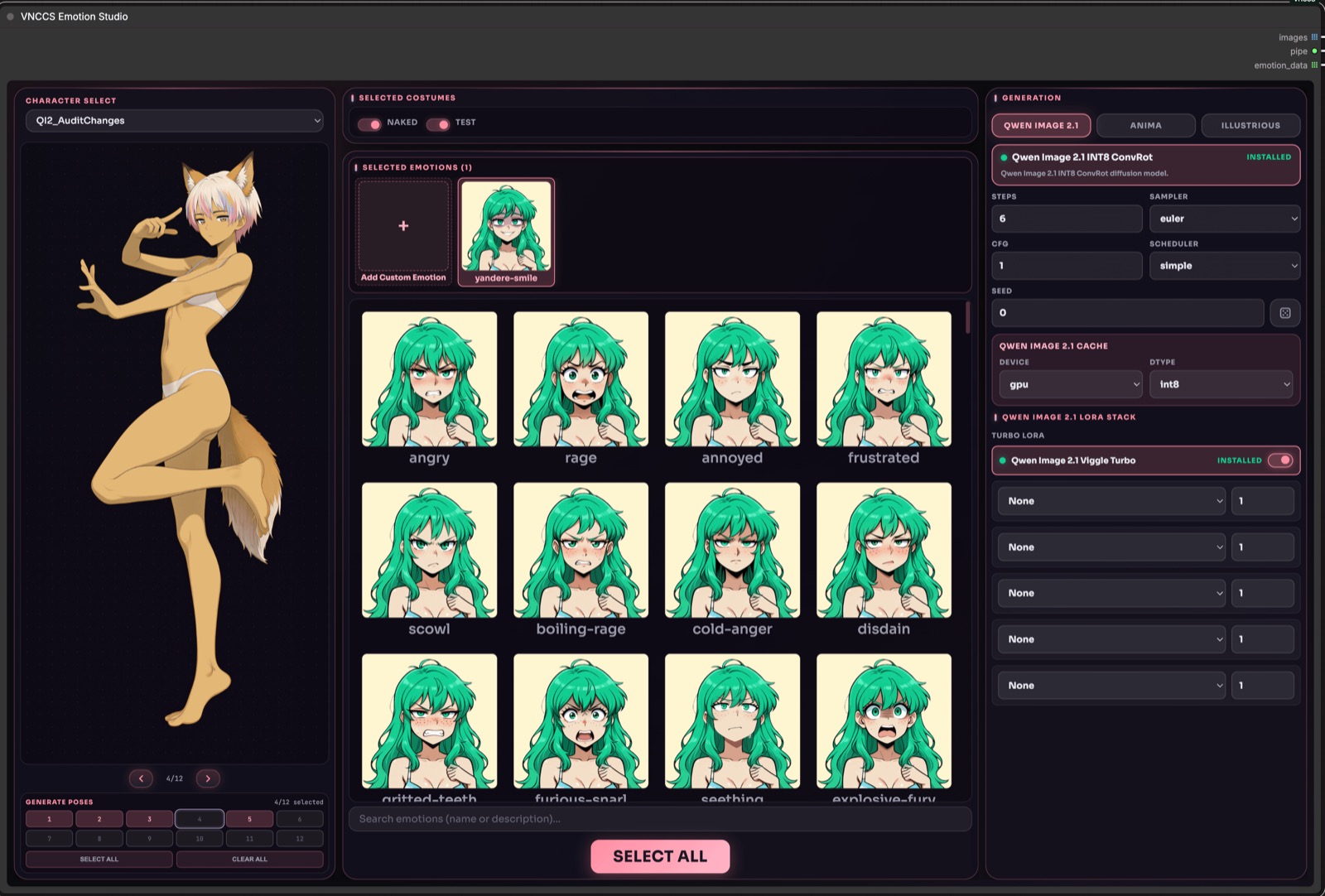
The Control Center: pick a model family, see what is installed and download what is missing.
The 3.2.3 release replaced the style dropdown with a card that opens a searchable gallery with category filters. The built-in catalog expanded from 40 to 358 styles across 13 categories, each with a description, a reference and a generation prompt, and 358 bundled 1024x1024 WebP previews. A custom style editor adds your own entries to a My styles list, with a Generate preview option that renders just the style on the current character.
Getting started
Install VNCCS from ComfyUI Manager, or clone the repo into ComfyUI/custom_nodes/ and install the requirements of ComfyUI_VNCCS_Utils. Open the Control Center, choose a model family and press Download to fetch the missing files, then run the step workflows: Character Creator, Character Clothes and Character Emotions, with Character Cloner for existing images. Existing characters migrate through VNCCS_MigrationAssistant.json.
Availability
Node pack: AHEKOT/ComfyUI_VNCCS
Companion pack: AHEKOT/ComfyUI_VNCCS_Utils
Pose Studio LoRA: MIUProject/VNCCS_PoseStudio_QI2.1
Base models: Qwen/Qwen-Image-2.1 · MiniMax H3
Comments
Sign in with GitHub to join the discussion.