Scumble: A Free Desktop Editor for AI Inpainting on ComfyUI
Scumble is a free, open-source desktop editor for AI inpainting: select an area, prompt a change and get a colour-matched layer back, rendered on your own ComfyUI or an API key.
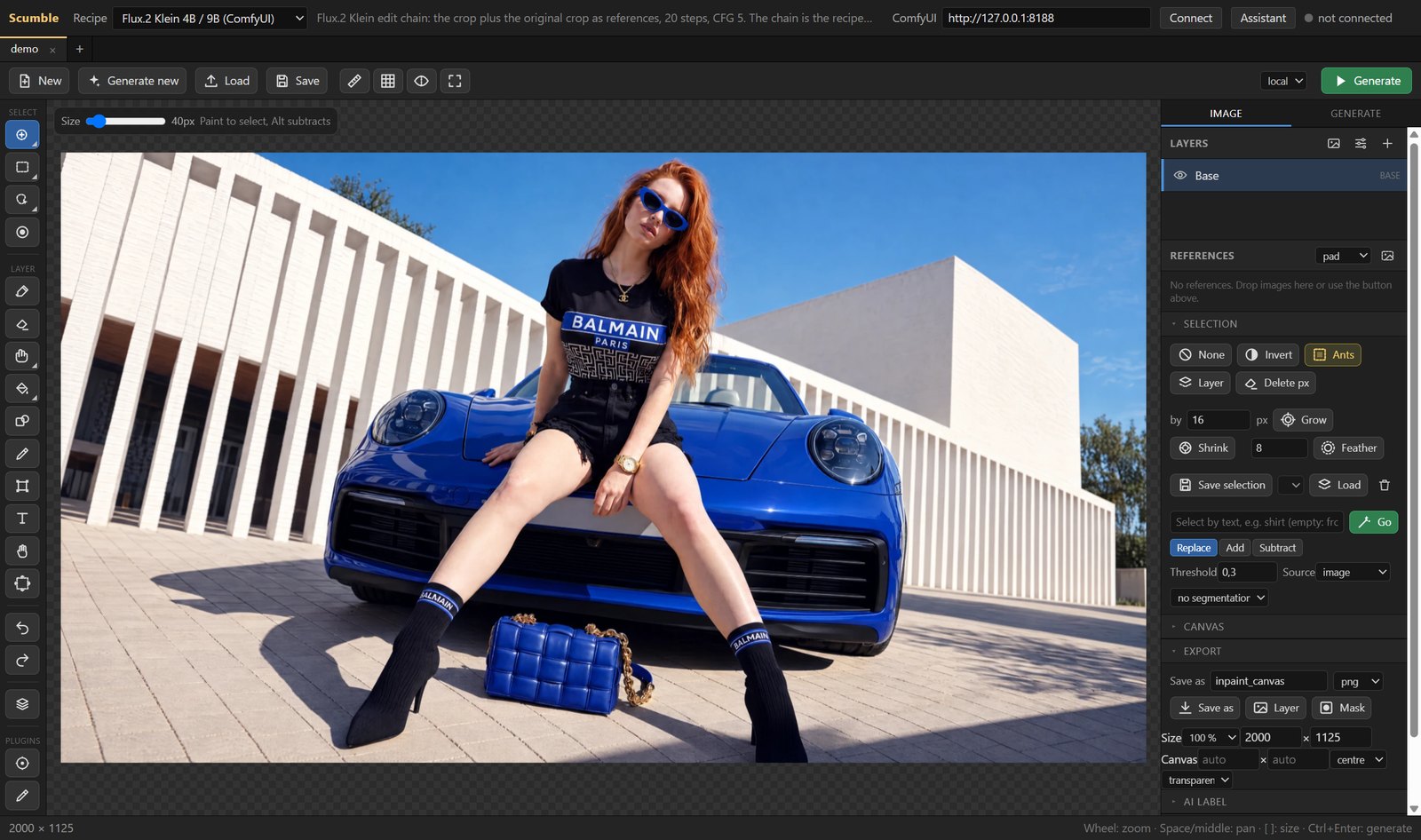
A picture open in Scumble: the tool column, the canvas, the layer stack and the selection panel.
Select, prompt, generate
Scumble keeps the fast inpainting loop of Inpaint Canvas, but as a standalone window. Paint or pick a selection with the brush, a rectangle, an ellipse, a lasso or the magic wand; hover an object to let the in-app SAM2 model mask it, or type a phrase such as "the handbag" for a text selection. Write the prompt, press Generate, and the result arrives as a new layer over the selection.
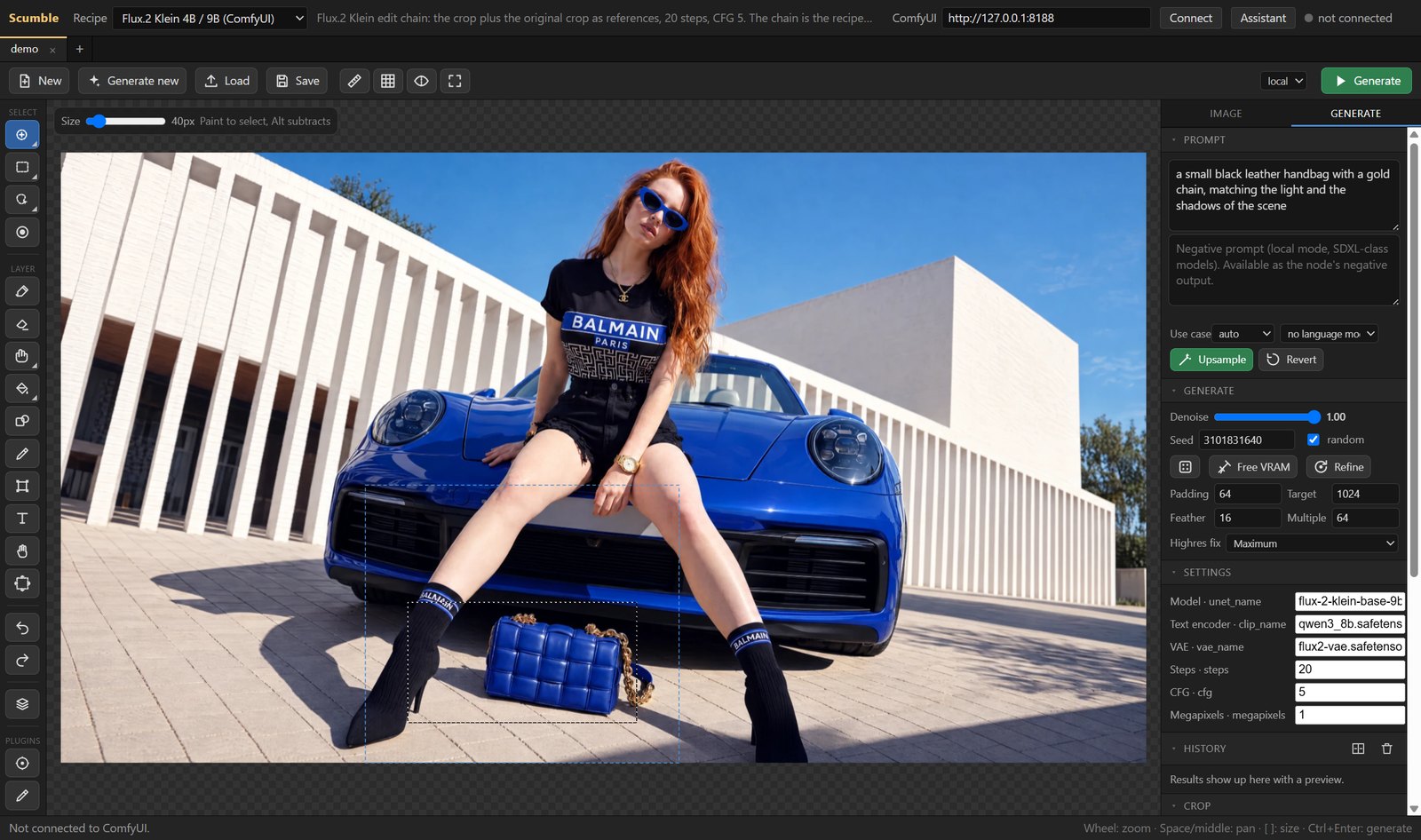
A selection around the handbag, the prompt and the recipe settings in the Generate tab.
Every run is decided by a recipe: pick a model, then the provider it runs on. Scumble ships its own recipes and can import one of your ComfyUI workflows as a recipe when it holds an Inpaint Canvas node, so a local graph becomes a one-click action.
Layers and colour match
Nothing is baked in until the document is flattened. Results stack as layers with masks, blend modes and opacity, next to paint, text and filter layers, plus clone, heal and smudge tools. A colour match slider in each layer row pulls a result back into its surroundings non-destructively, which matters when a model's output comes back a shade off.
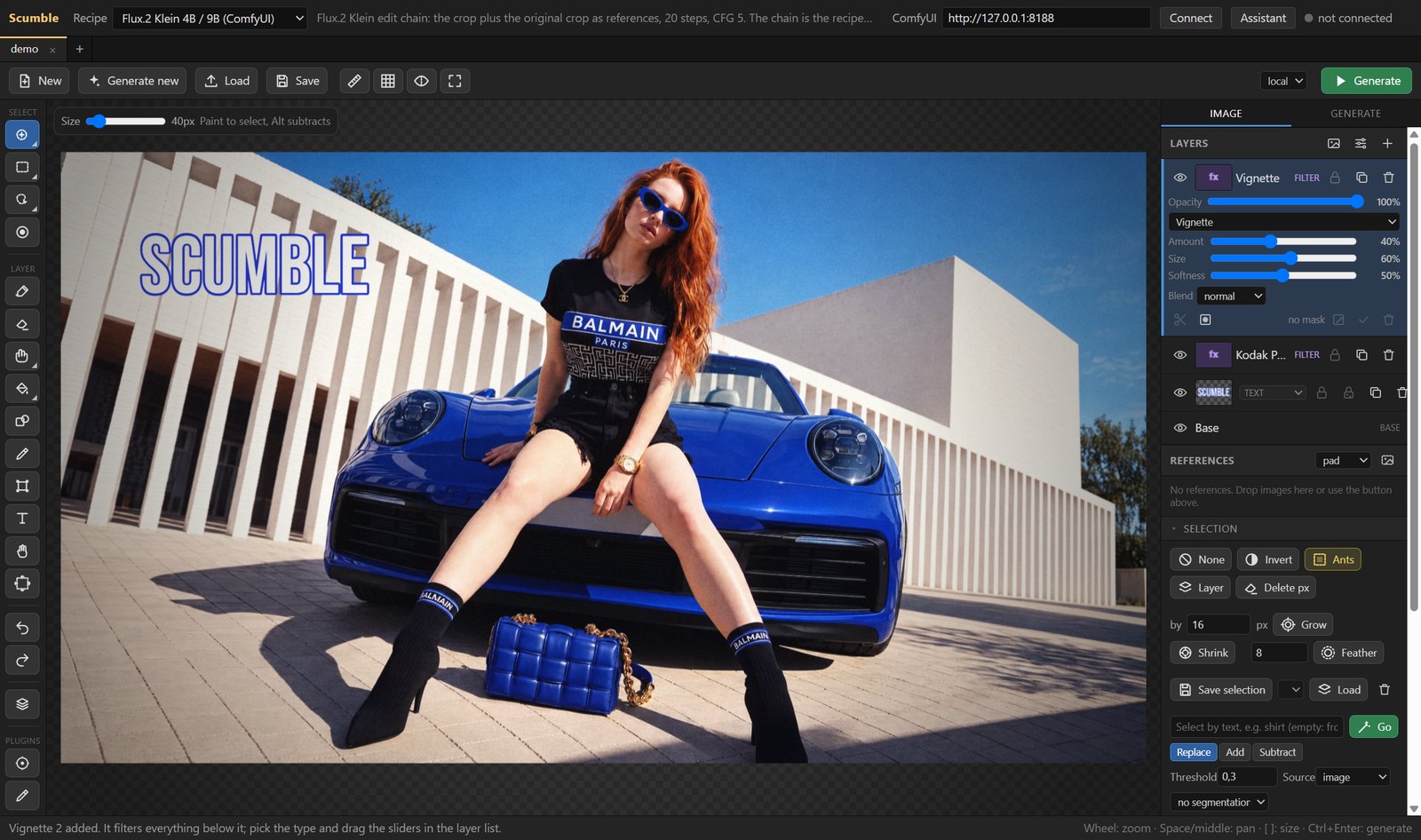
A layer stack: paint, image, text and filter layers over the base image.
The GPU filter stack covers curves, levels, colour balance, HSL, LUT files, vignette, sharpen and blur, and a film pack adds grain, halation and light leaks. Documents export to PNG, JPEG, WebP, PSD or OpenRaster with layers, masks and selections intact.
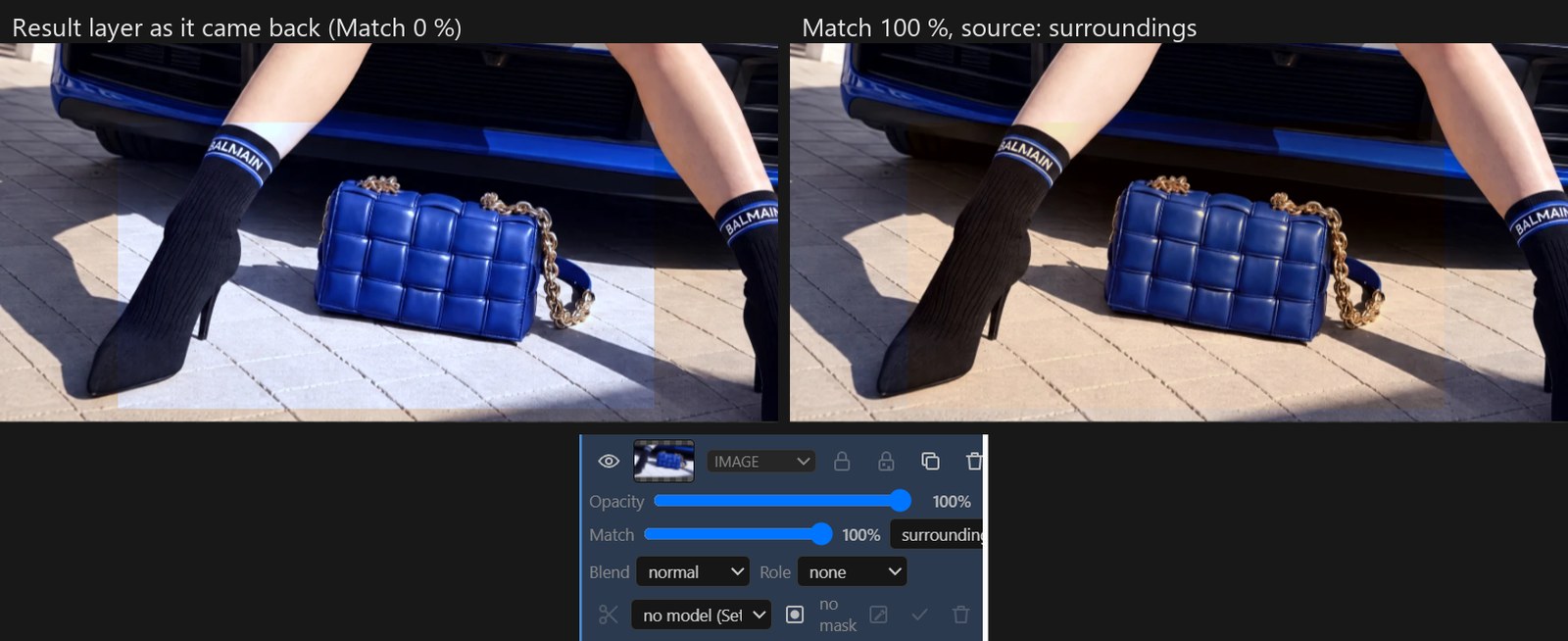
A result layer before and after colour match, and the Match slider in its layer row.
Renders on your ComfyUI or an API key
Each recipe names where it runs. On the local side it drives your own ComfyUI, local or remote, for example on RunPod. On the hosted side it reaches Google (Nano Banana), OpenAI (GPT Image), Black Forest Labs (FLUX 3 Image, FLUX.2 and FLUX.1 Fill), ByteDance Seedream, Qwen Image Edit and Qwen Image 2.1, Ideogram 4.5 and more, either through the model's own API or through ToAPIs, fal.ai, Replicate, WaveSpeedAI, Comfy Cloud, Comfy Router, OpenRouter, Oxen.ai and Magnific. Thirteen of Comfy's own templates come preloaded as Comfy Cloud recipes. Masking and background removal run inside the app through ONNX Runtime with SAM2, BiRefNet and RMBG.
Assistant and MCP
A chat column sits next to the canvas. It runs on your own key, on Anthropic, OpenAI, Google or any OpenAI-compatible endpoint, and drives the editor through the same 90+ commands an external MCP client gets. Anything that costs money, queues on your ComfyUI or touches a layer that is not its own asks for confirmation first, and a single undo can roll back a whole turn.
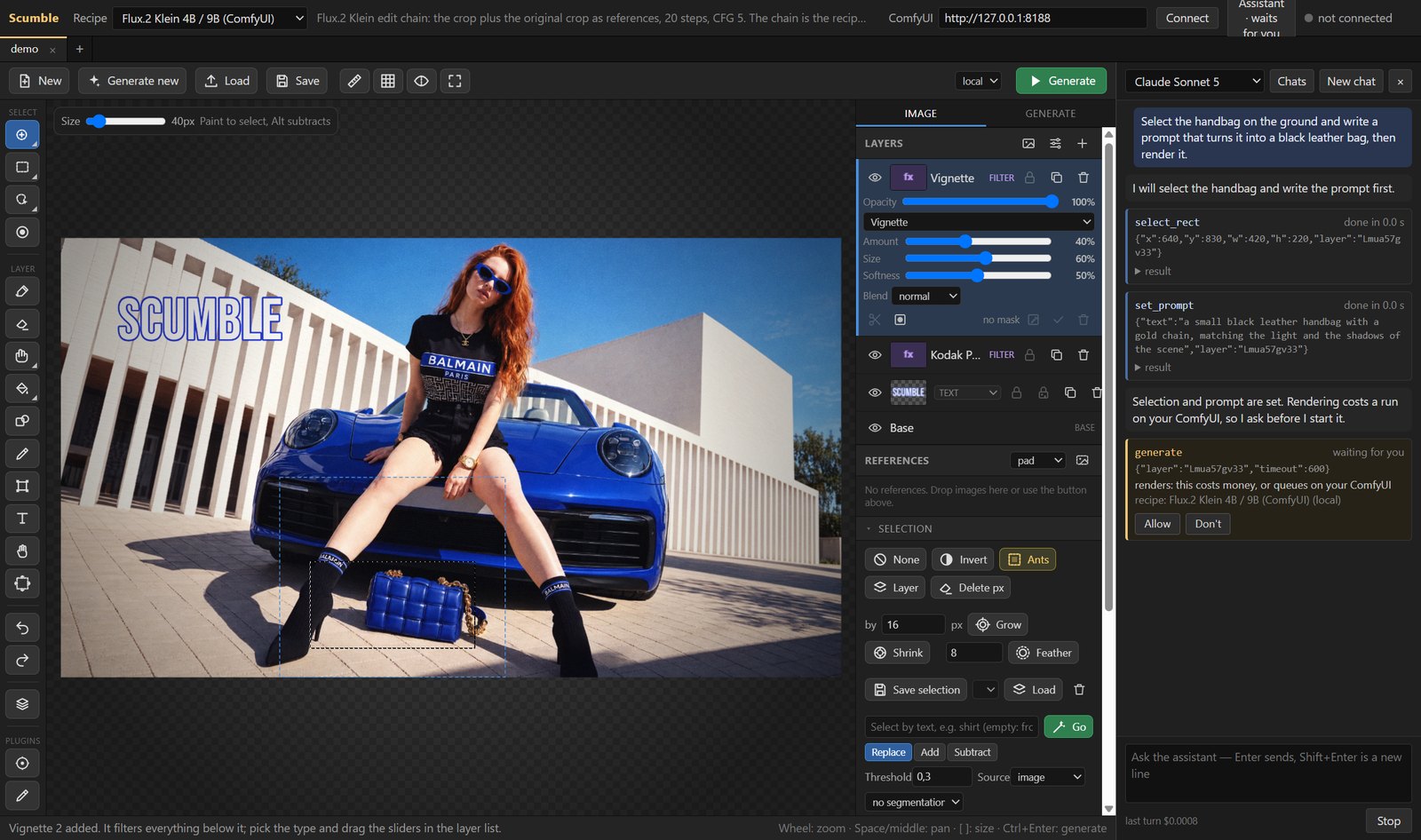
The assistant driving the editor: each call is a card, and paid or destructive steps wait for approval.
Availability
Scumble is at github.com/DenRakEiw/scumble, with the manual, videos and dev blog at denrakeiw.com/scumble. The Windows build ships from the Microsoft Store or as an installer, a Linux AppImage and .deb are provided, and macOS is planned. The project is in early 0.1.x, so the author flags rough edges and asks for backups and bug reports.
Comments
Sign in with GitHub to join the discussion.