Fizgig v7: Anima, SDXL and Fine-Tuning for Every Model
Fizgig v7 adds Anima and SDXL training, full fine-tuning for all six supported models down to an 8 GB card, and a complete driver system the community can extend.
Fizgig v7.0.0, released on October 5, brings Anima and SDXL into the studio and turns full fine-tuning into a feature of every model it supports (GitHub | release notes | driver guide). A v7.0.1 patch followed the same day.
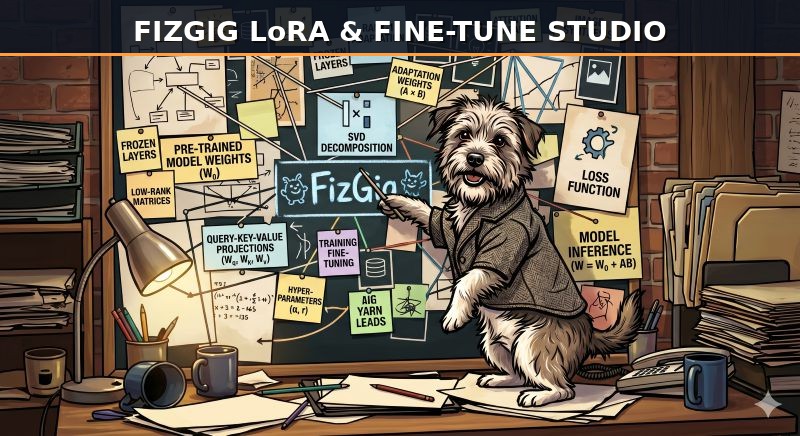
Fizgig: a train, fine-tune, repair and explore workbench for Flux 2 Klein 9B, Krea 2, MiniMax H3, Qwen Image 2.1, SDXL and Anima
The studio already trained LoRAs, LoKRs and fine-tunes for Flux 2 Klein, Krea 2, MiniMax H3 and Qwen Image 2.1. Version 7 closes two gaps at once: it adds the two most requested older families, and it makes the whole workbench available to whichever model a community driver describes.
Two new base models
| Model | Notes |
|---|---|
| Anima (experimental) | CircleStone Labs' anime and illustration model, with the full workbench. Its non-commercial licence carries over. |
| SDXL (experimental) | Any single-file SDXL checkpoint. Its VAE and text encoders are read straight from the checkpoint. Juggernaut XL v9 is the default download, with Illustrious XL offered beside it. |
Both ship with LoRA and LoKR presets, slider LoRAs from prompt pairs or photo pairs, and fine-tuning. Anima gets a Character preset, a Style preset and the model card's own Official recipe; SDXL gets Strong, Standard and Slider presets with EMA on. Community SDXL LoRAs load in the workbench too, including kohya files, LoCon, and speed LoRAs such as Lightning and LCM. Anything past CLIP's 77 tokens is encoded in chunks the way ComfyUI does, so long captions are no longer cut off.
Fine-tuning every model
Fine-tuning is now a single Kind of training choice on the Training tab for all six models, and it is new for Klein 9B, SDXL and Anima. Each run writes a complete checkpoint that replaces the base file.
What changed most is memory planning. Fine-tuning packs as much of the model into each pass as the card can hold, instead of always training one part at a time, and streams the blocks it is not training from system memory where needed. On a big enough card the whole model trains in one pass; on a small card the work is split.
| Model | Fine-tunes from | Whole model in one pass from |
|---|---|---|
| Anima | 8 GB | 10 GB |
| SDXL | 8 GB | 10 GB |
| Qwen Image 2.1 | 12 GB | 24 GB |
| Klein 9B | 16 GB | 32 GB |
| Krea 2 | 16 GB | 48 GB |
| MiniMax H3 | 16 GB | 48 GB |
On a 32 GB card Krea 2 needs two passes instead of four and MiniMax H3 three. In the author's tests, training everything together got through the whole model about 2.6x faster than four separate passes, measured on Anima. A new Window size setting caps how many parts train together, for cards that are close to their limit, and the Training tab shows the plan the current card will get before a run starts.
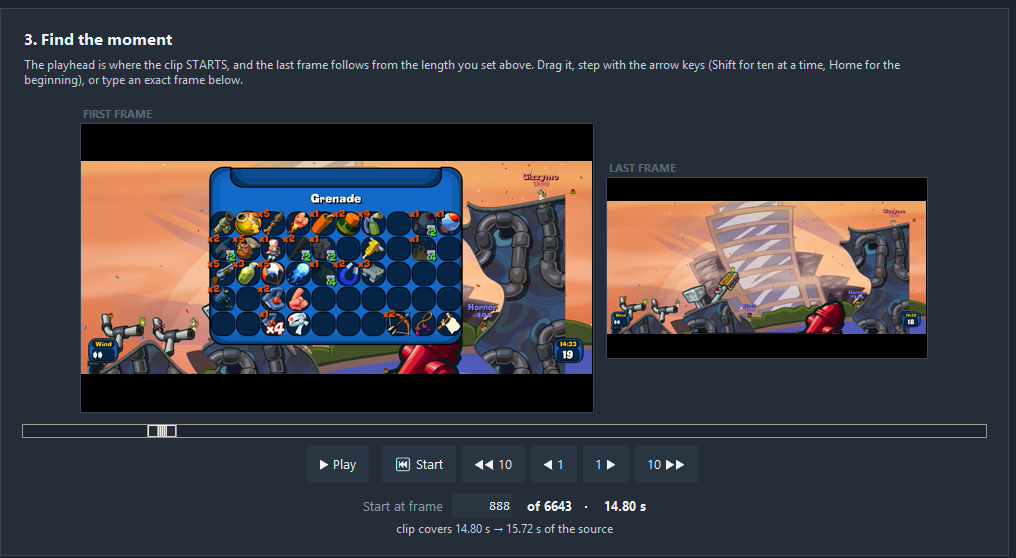
The workbench tools (here the Gizmo video clip prep view) run on every model, and now share one driver interface.
The driver system is complete
Klein and MiniMax H3 now run on the same driver system that Krea 2, Qwen Image 2.1, SDXL and Anima use. A model is described once, as its files, its LoRA format and its model code behind a standard interface, and training, previews, downloads, memory planning and all five workbench tools work from that description.
The practical effect is that a feature built for one model becomes available to the others, and the community can add models. The guide to writing a driver covers where the code is called from, walkthroughs for a stills model and a video model, every optional ability, and a checklist of what a finished model should include. SDXL, Anima and Qwen Image 2.1 were built by following it, and pull requests for new or older models are welcome.
Workbench updates
- Repair Studio now re-renders only the blocks after a slider change, on every model, with the same picture as a full render. It is on by default and can be switched off on the Setup card.
- Checkpoint to LoRA works with every fine-tune, SDXL and Anima included. It converts a fine-tuned checkpoint into a LoRA at chosen ranks; the author notes a LoRA extracted from a fine-tune comes out stronger than one trained directly at the same rank.
- LoHa LoRAs load in the Profiler and Extract. Extract turns a LoHa into a standard LoRA.
- Negative prompts get a proper multi-line box, with a per-model default that remembers edits. Conflict-free exclusions are now kept per model, so a Krea 2 exclusion no longer affects SDXL on the same photos.
- More LoRA formats load: SDXL LoRAs saved in diffusers naming now work everywhere, alongside kohya, LyCORIS, PEFT and ComfyUI-style files.
Saved LoRAs, LoKRs, Repair Studio saves and Extract outputs keep the same format and load through ComfyUI's standard LoRA loader.
Getting it
Existing installs update with update_fizgig.bat, or update_fizgig_rocm.bat on AMD. The Anima and SDXL sections of the Preferences tab download their models, and saved H3 settings carry over.
.safetensors LoRAs that drop straight into ComfyUI/models/loras/.
Comments
Sign in with GitHub to join the discussion.