MiniMax H3 Transformation LoRA: Morph Between Two Images
A MiniMax H3 LoRA that morphs one picture into another: elements, materials and subjects transform into one another across a seamless first-and-last-frame transition in ComfyUI.
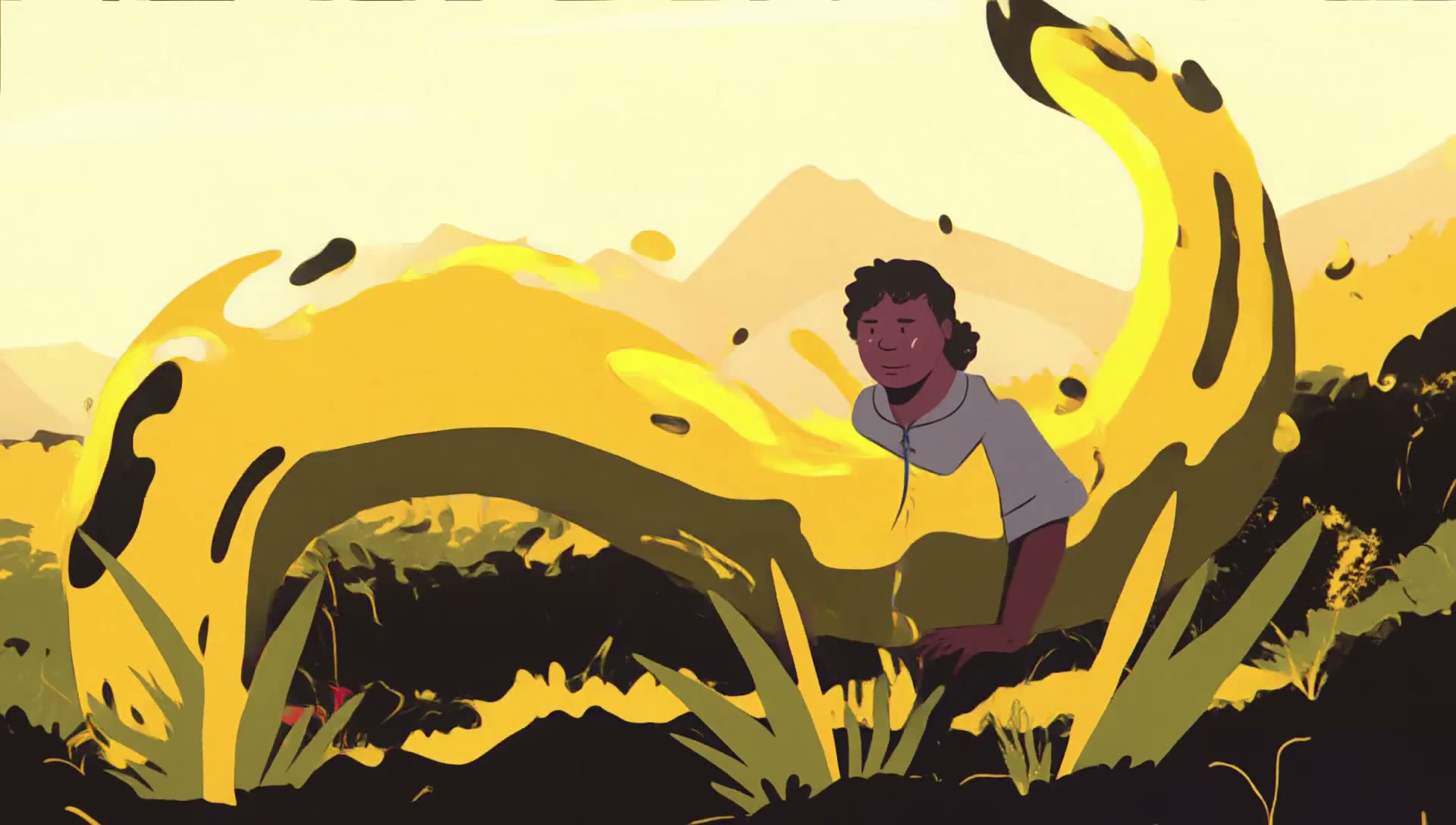
A frame from one of the showcase clips, where each subject in the first picture is assigned its own counterpart in the second.
What it does
MiniMax H3's first-and-last-frame path normally reads two images as the ends of one continuous shot: the camera or the subject moves, and the scene stays recognisably the same. This adapter makes the two frames a beginning and an end state instead. Everything between them is the transition, and the model is trained to carry individual visual elements across it rather than crossfade the whole image.
Because the correspondence is spelled out in the prompt, one move can carry several transformations at once. In the sample below the person in the grey t-shirt becomes the girl in the second picture, the person in the yellow shirt becomes the yellow grass, and the person in the green shirt becomes empty background, all inside a single clip.
The prompt format
The adapter uses a trigger word plus an action connector, and works best when the prompt names how each subject, material or element turns into its counterpart:
- Trigger word:
Tr@nsf0rmation_style - Action connector:
Tr@nsf0rmation into
The recommended template is:
integrated_multimodal_description: [Shot 1] Tr@nsf0rmation_style, Picture 1 Tr@nsf0rmation into Picture 2 with individual elements and subjects Tr@nsf0rmation into one another.A more specific example, from the model card:
integrated_multimodal_description: [Shot 1] Tr@nsf0rmation_style, Picture 1 Tr@nsf0rmation into Picture 2 with individual elements and subjects Tr@nsf0rmation into one another. The bald person in grey T-shirt and blue jeans from <Picture 1> Tr@nsf0rmation into the Girl in <Picture 2>. The person in the Yellow shirt from <Picture 1> Tr@nsf0rmation into the yellow grass from <Picture 2>. The person in the green shirt from <Picture 1> Tr@nsf0rmation into the blank background in <Picture 2>.Samples
Multi-element scene reassembly: each person in the first picture is morphed into a different element of the second.
A straight visual transformation between two scenes.
Pencil stroke evolution, using the more specific prompt variant where individual pencil strokes transform into one another.
Seven more clips, covering fluid transitions, semantic morphing, complex subject swaps and high-fidelity flow, are on the model card.
Recommended settings
| setting | value |
|---|---|
| base weights | MiniMax H3 FL2VA or Ref2V, such as minimax_h3_fl2va_pruned_int8_convrot.safetensors from Comfy-Org/MiniMax-H3 |
| checkpoints | Transformation_style_c1-st2500 is the fully converged one, -st1600 is softer and lighter |
| LoRA strength (st2500) | 1.0 to 1.2 |
| LoRA strength (st1600) | 1.0 to 1.4 |
| stacked setup | st2500 at 1.2 plus st1600 at 1.4, used for the showcase clips |
| sampler / scheduler | res_multistep or euler with simple; ResMultistep gives the most stable transitions |
| steps | 12 with a DMD turbo adapter, or 25 to 30 standard |
| sigma shift | shift_video 8.0 and shift_audio 3.0 |
| resolution | 852 × 480 or 1024 × 576, upscalable to 1080p |
Running it in ComfyUI
The files are distributed in ComfyUI naming (Transformation_style_*_comfyui.safetensors), so no custom nodes are required:
- Download the checkpoint you want into
ComfyUI/models/loras/. - Add a LoraLoaderModelOnly node after your MiniMax H3 UNet loader and set
strength_modelbetween 1.0 and 1.2. - Feed the start picture and the target picture into the first-and-last-frame conditioning nodes.
- Write the prompt with the
Tr@nsf0rmation_styletrigger and theTr@nsf0rmation intoconnector, as shown above.
Availability
- LoRA weights: Ashmotv/transformation_lora
- Base model repack: Comfy-Org/MiniMax-H3
Comments
Sign in with GitHub to join the discussion.