MiniMax H3 Prompt Builder 1.8.0: Masked Clip Editing in ComfyUI
ComfyUI Fantastic H3 Prompt Builder 1.8.0 adds masked clip editing with SAM 3.1, faster RefMod text encoding, and a reworked trim editor for MiniMax H3 prompts.
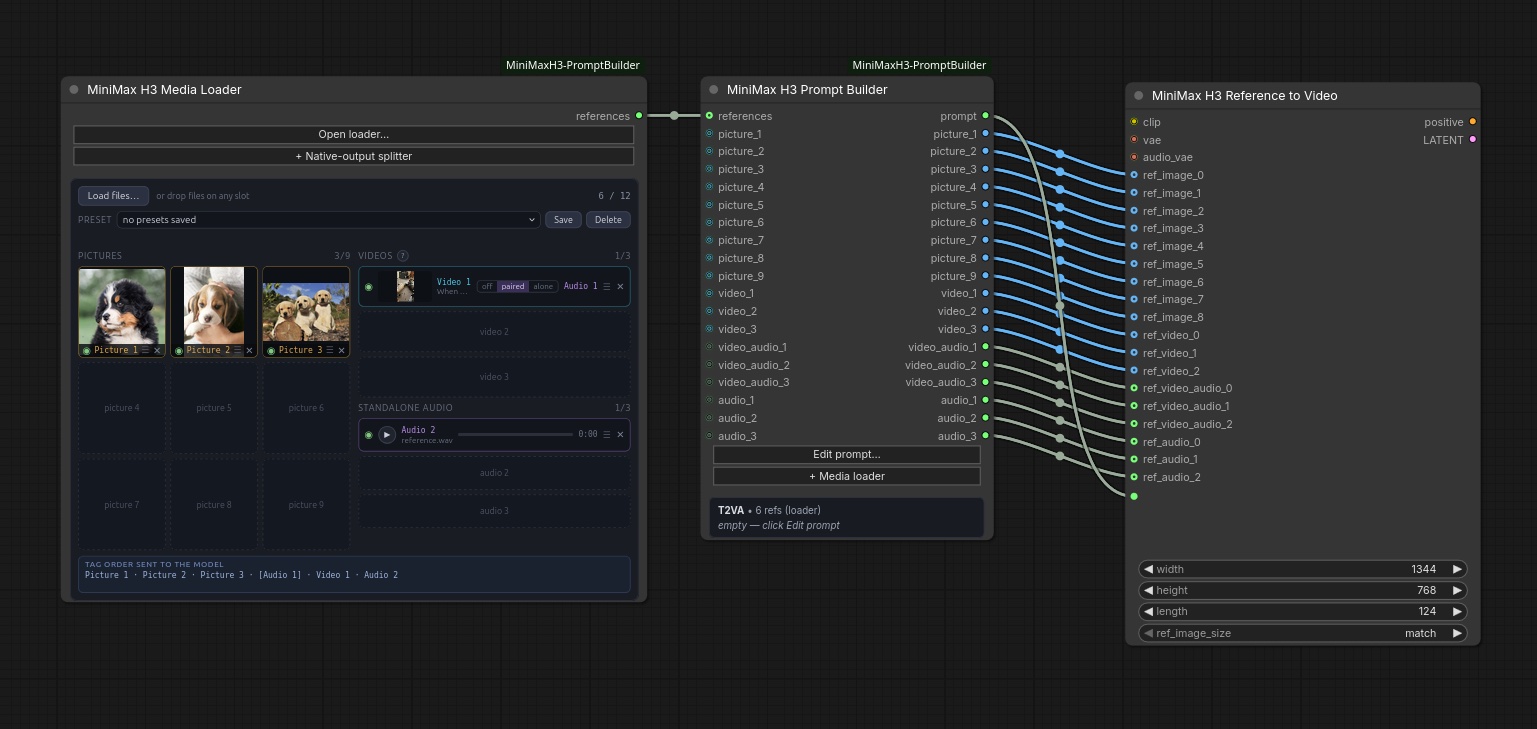
The reference-mode chain shipped with the pack: Media Loader → Prompt Builder → MiniMax H3 Reference to Video.
Masked clip editing
Version 1.8.0 answers a question H3 users keep hitting: change one thing in a clip and leave the rest of the footage alone. The mask decides where the model may change anything, and the prompt decides what that area becomes.
Right-click a clip on the Media Loader and choose Mask for editing to open the mask tab, which works on the clip as it is currently trimmed, cropped and mirrored. Masks are built from layers stacked like an image editor's, with each new layer able to Add its area or Cut it out of the layers below:
- Auto Mask with SAM masks by prompt and dot. Click the target on a clear frame, right-click anything to exclude, and type what it is ("green jacket") so only that part under the dots is masked. Running it on several frames re-seeds tracking at each marked frame, which is how you repair a drifting mask.
- Ellipse, Rectangle and Polygon layers are drawn by hand and keyed: move or resize one on another frame and it follows the subject, with Smooth, Linear or Ease interpolation and a Hidden key for objects that leave the frame.
- Brush paints or erases on one frame, from here to the end, or over the whole clip.
Use this mask merges the layers over the kept range, saves them with the clip so they stay editable, and the card then reads Video 1 · editing. On the graph side, the RefMod Text Encode builds the edit and the new Fantastic H3 Edit Composite node pastes exactly the regenerated area back into the original frames, so everything outside the mask stays as filmed.
The mask path needs the SAM 3.1 checkpoint, sam3.1_multiplex_fp16.safetensors, in models/checkpoints. The pack never downloads it for you.
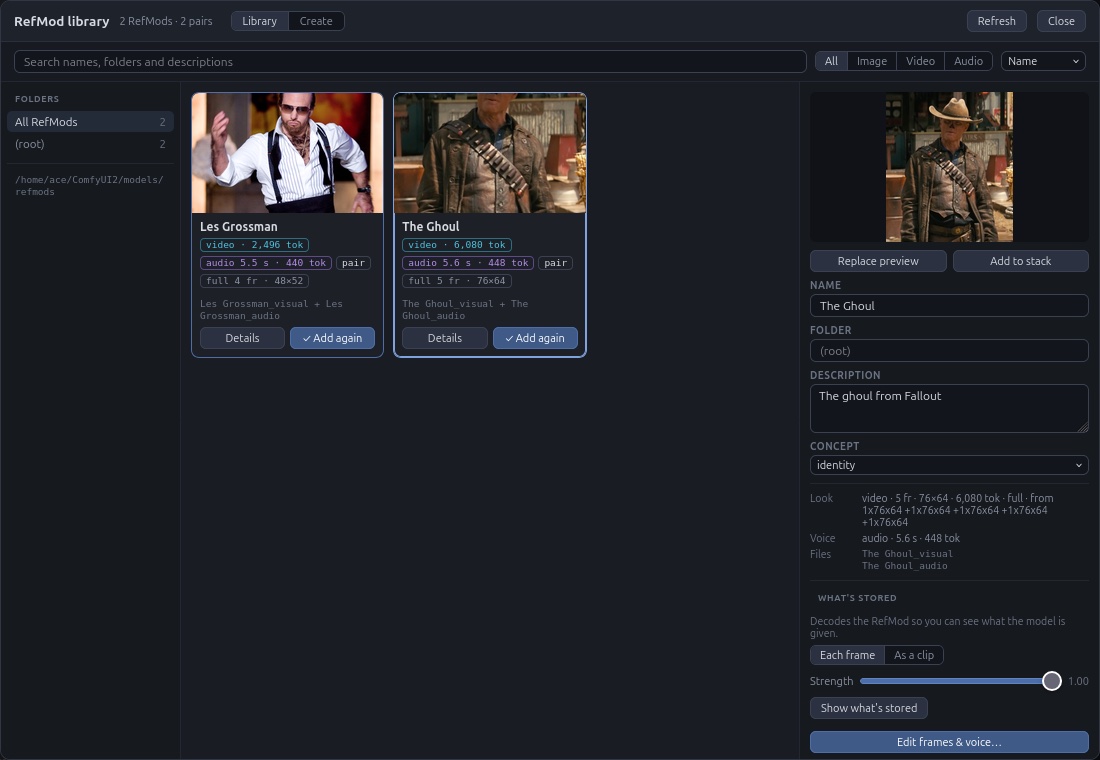
The RefMod library: create, edit, organise and tag reusable reference bundles.
Faster RefMod encoding
RefMods now keep the pictures the text encoder is shown inside their own file, so the encoder no longer decodes them on every run. Older RefMods are decoded once and cached, and a Store encoder frames action in the library writes the frames into old files permanently.
A new experimental stack_pictures setting on the Text Encode chooses how many of a RefMod's pictures reach the encoder: every fourth (the previous behaviour), up to eight, or all of them. Seeing more can help identity and bleeding between multiple RefMods, at a cost in memory and generation time.
The rest of 1.8.0
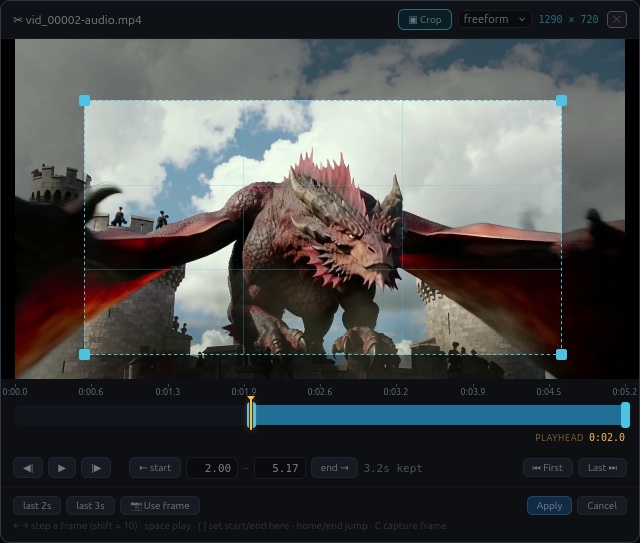
The trim and crop editor, also used to pull a frame straight out of a clip into the picture reference pool.
- The trim editor gained timeline zoom, a readout of how far the playhead sits past the first kept frame, an unsaved-changes prompt before closing, and Ctrl+Z that no longer reaches the graph behind it.
- Right-clicking selected text in any builder field now offers Copy, Cut, Paste and Remove alongside "save selection as phrase".
- Clean up in the Media Loader deletes mask files nothing uses and stale saved latents, keeps masks still referenced by saved media sets and drafts, and offers itself once unused masks pass 500 MB.
voice_description_at_labelwrites each voice RefMod's saved description straight after its<Audio n>:label.- New RefMods default to a 768 px short edge instead of 1024 px.
- The built-in Guide gains Part E on masked editing, and the README's release notes moved to a separate
CHANGELOG.md.
Install
The pack needs ComfyUI 0.30.0 or newer and the usual H3 checkpoints: fl2va for text and keyframe work, ref2va for reference mode. Video and audio decoding go through PyAV, which a working ComfyUI install already has.
cd ComfyUI/custom_nodes
git clone https://github.com/Adudeguyman/ComfyUI-Fantastic-MiniMaxH3-PromptBuilder
Restart ComfyUI completely afterwards, then search the node menu for MiniMax H3. The pack is also installable from ComfyUI Manager by searching for "Fantastic H3 Prompt Builder".
Repository: Adudeguyman/ComfyUI-Fantastic-MiniMaxH3-PromptBuilder
RefMods guide: REFMODS.md
Changelog: CHANGELOG.md
Base model: Comfy-Org/MiniMax-H3
Comments
Sign in with GitHub to join the discussion.