ComfyUI-RMBG v3.2.0: SAM 3.1 Multiplex and Apple Silicon
ComfyUI-RMBG v3.2.0 adds a SAM 3.1 Multiplex node, an instant VRAM unload toggle, Apple Silicon GPU support, and cuts startup node scanning from 15s to under 0.1s.
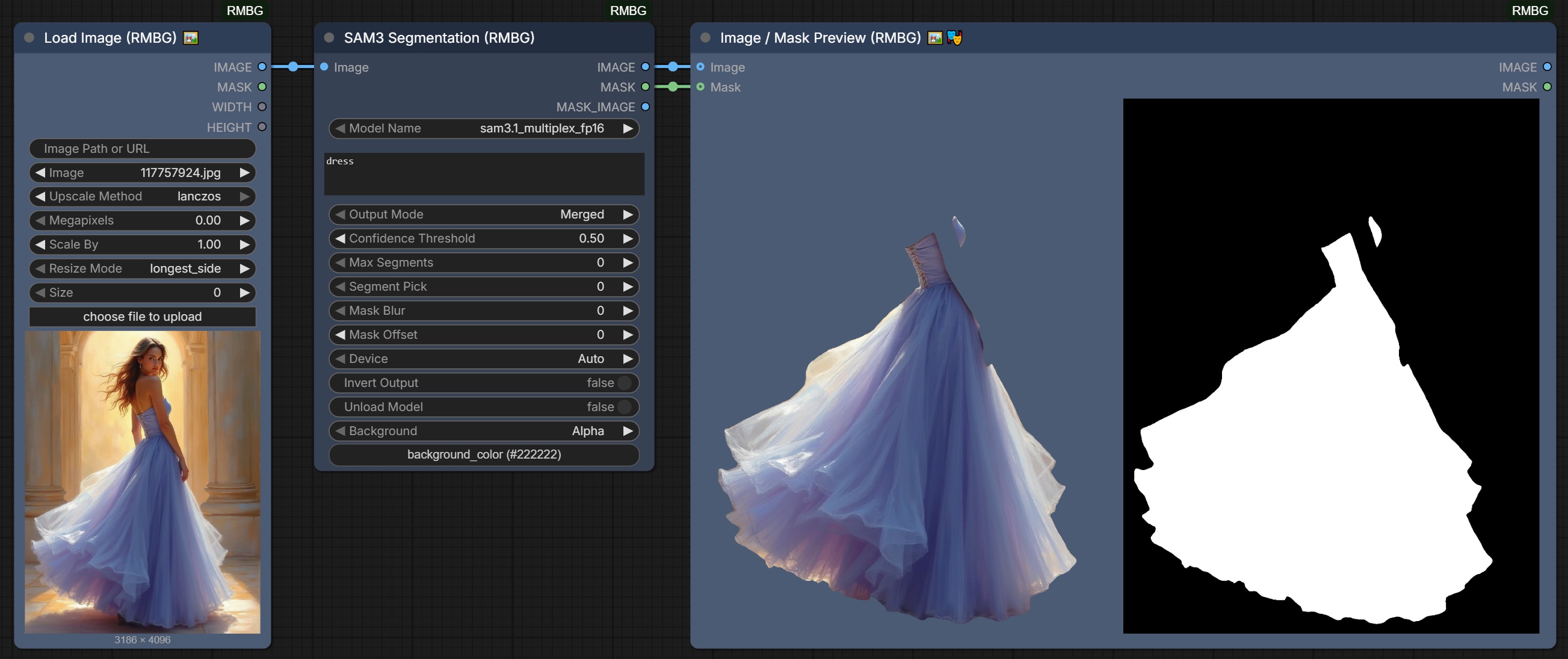
The new SAM 3 Multiplex node, from the repository's own v3.2.0 changelog.
What v3.2.0 changes
SAM 3 Multiplex replaces the older SAM 3 path. The node now loads safetensors checkpoints directly, so sam3.safetensors and sam3.1_multiplex_fp16.safetensors work without a separate conversion step. It is the node to reach for when you want to pick a subject by name or by dot prompts instead of painting a mask by hand.
Every node gains an unload_model toggle. RMBG, BiRefNet, SAM2, SAM3, Segment, SDMatte, YOLOv8 and LamaRemover can now free their GPU memory the moment they finish, which matters when a segmentation pass sits in front of a large video or image model on the same card.
macOS gets GPU acceleration. Segmentation nodes now select the Metal (MPS) device on Apple Silicon machines instead of quietly falling back to CPU, so the same graphs run on a Mac without a rewrite.
Startup drops from about 15 seconds to under 0.1 seconds. The node registration scan was reworked (PR #183), which is the difference between a pack you tolerate and a pack you leave enabled on every launch.
Two new helper nodes
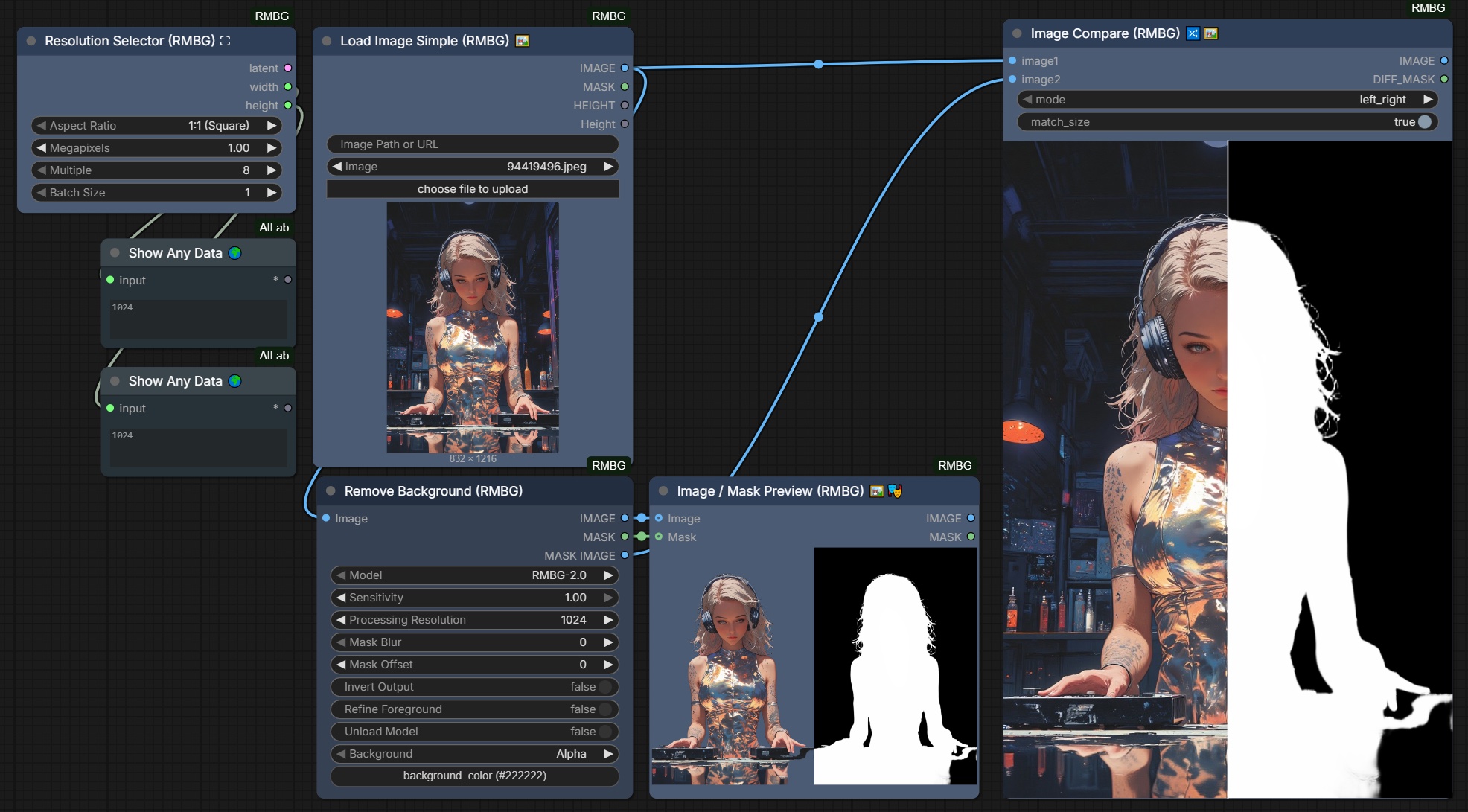
The Resolution Selector and Image Compare View nodes, from the v3.2.0 changelog.
Resolution Selector takes an aspect ratio and a target megapixel count, rounds the result to a chosen multiple, and outputs the matching empty latent. It removes the manual width and height arithmetic that usually needs a second Empty Latent Image node.
Image Compare View renders an interactive comparison on the node itself: drag a wipe line horizontally or vertically, blend two images with an adjustable opacity, view a pixel-difference map, or switch between side-by-side and highlight-diff modes. It also emits a difference mask for downstream work. The older Side By Side Compare node is unchanged and still ships for labelled multi-image collages.
Fixes
The release also ships a batch of stability work: compatibility with transformers 5.x across the RMBG-2.0, SAM, SAM2 and GroundingDINO backbones (PR #194), more reliable batch inference with mismatched image dimensions (PR #202), a crash fix for SDMatte on unmasked inputs, tensor dimension errors in ImageCrop, and naming conflicts between ImageCrop and other SAM3 node packs. The COLORCODE widget also moved to a custom HSV palette with a live preview for ComfyUI Vue Node 2.0 (PR #204).
Install
cd ComfyUI/custom_nodes
git clone https://github.com/1038lab/ComfyUI-RMBG
Install the dependencies with your ComfyUI Python environment, then restart ComfyUI:
python -m pip install -r ComfyUI-RMBG/requirements.txtRepository: 1038lab/ComfyUI-RMBG
Changelog: update.md v3.2.0
Example workflows: example_workflows
Comments
Sign in with GitHub to join the discussion.