Viggle Turbo v0.3: Qwen-Image 2.1 at 6 and 9 Steps in ComfyUI
Viggle's v0.3 distillation of Qwen-Image 2.1 adds a 9-step mode and ships official ComfyUI nodes, workflows and merged single-file weights for 6-step generation and editing.
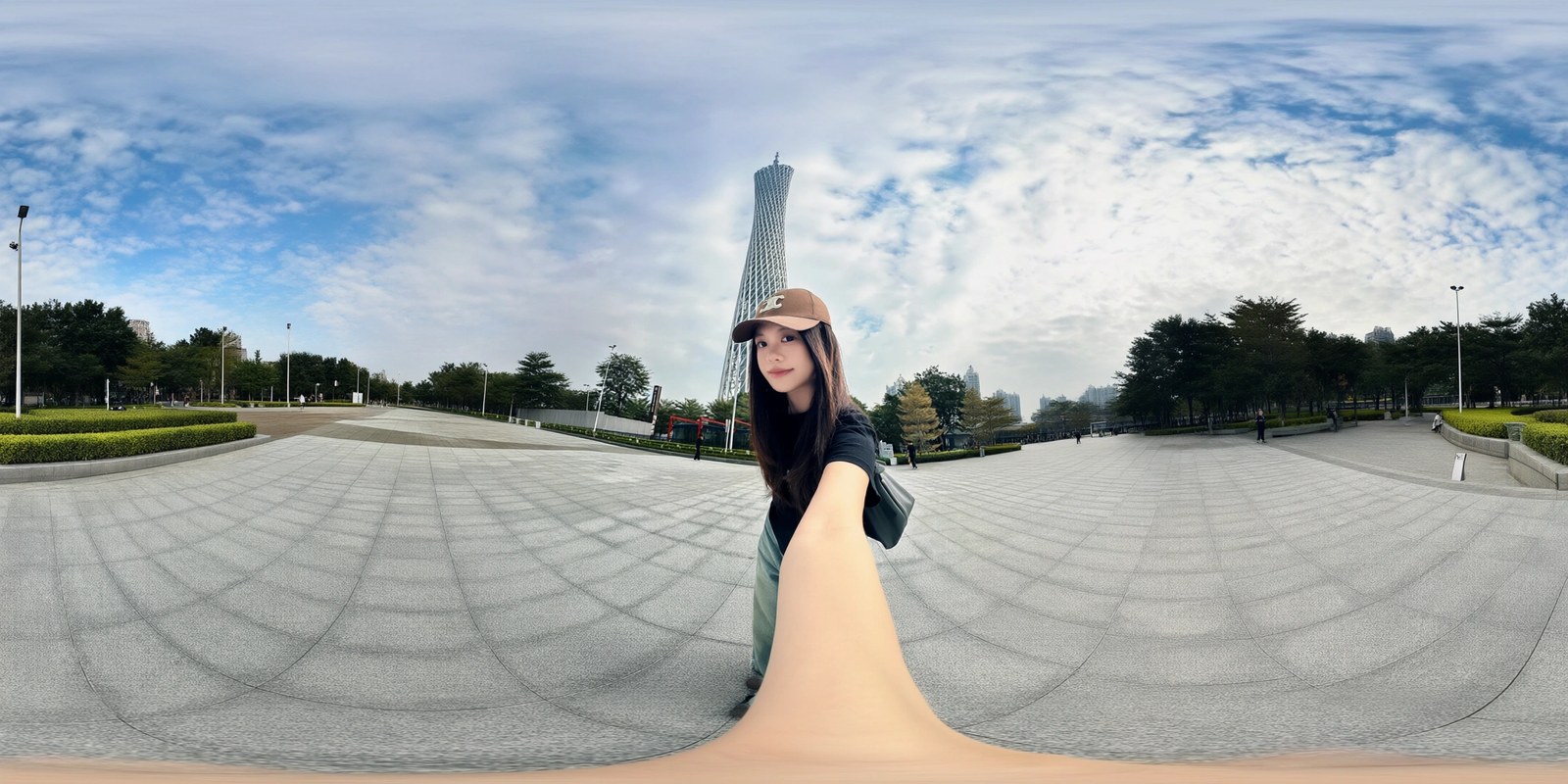
A 360 degree equirectangular panorama built from one perspective photo, generated by v0.3 in 9 steps at 2176x1088. Source: Viggle's demo Space comparison tab.
What v0.3 changes
The distillation itself is unchanged: a rank-256 LoRA on the base Qwen-Image 2.1 transformer, sampled on a fixed sigma schedule with true_cfg_scale=1.0 and no negative prompt. v0.3 moves the balance rather than the method.
- 6 steps, retuned. Against v0.2.1 the results are less grainy and cleaner on flat surfaces, with fine texture a little softer. Viggle is explicit that this is not a strict upgrade: if you preferred the crisper v0.2.1 look, that adapter stays in the repository.
- A new 9-step mode. Seven turbo steps, then the LoRA is switched off and the unmodified base model finishes the last two. Detail is finer and small rendered text comes out right more often. It takes roughly 1.4 to 1.5 times as long as 6 steps, which is still about 3.5 times faster than the 40-step base.
- A stated ceiling. Viggle writes that 6 steps is close to what this student can do: every gain found since v0.2.1 traded something away, sharper coming with more grain and less grain coming with a softer look. Beyond that point quality has to be paid for with steps, which is what the 9-step mode does.
The 9-step mode
The 9-step path is not just a longer schedule. The pipeline computes the text and reference K/V once and reuses them; the 7 turbo steps fill that cache, so the first base-model step has to recompute it before the LoRA is disabled and the base takes over. In diffusers that means a step callback and a wrapper around the transformer forward, both shown in the model card:
SIGMAS_9 = [1.0, 0.9583, 0.9167, 0.875, 0.75, 0.5, 0.25, 1 / 6, 1 / 12]The 6-step schedule keeps the low-noise nodes 0.875, 0.75, 0.5, 0.25 and adds steps at the high-noise end only: 5 steps is [1, 0.875, 0.75, 0.5, 0.25], 7 steps is [1, 0.9583, 0.9167, 0.875, 0.75, 0.5, 0.25]. Moving the low-noise nodes instead makes results softer, and passing a plain step count without the sigma list does not work.
9 steps currently runs in diffusers and the demo Space only. The ComfyUI workflows implement the 6-step schedule.
Official ComfyUI support
This is the part v0.2 did not have. The release now carries a ComfyUI port in the comfyui/ folder of the model repo, tested against ComfyUI 0.37.0, which has native Qwen-Image 2.1 support:
viggle_turbo.pyadds two nodes. Copy it intoComfyUI/custom_nodes/and restart.Viggle Turbo Sigmassupplies the 6-step schedule with the pipeline's resolution-dependent shift, to be used with euler andBasicGuiderinstead of a KSampler scheduler, no CFG and no negative prompt.Viggle Turbo LoRA (unmerged)applies the adapter at runtime the way diffusers does. The stock LoRA loaders merge it into the weights, which Viggle measures as dropping about 30 percent of this adapter's update in bf16 and adding noise on int8. The unmerged node costs 10 to 25 percent more time per step.- Workflows for text-to-image and editing, plus variants for the merged single-file weights and for GGUF.
With the int8 defaults, the r128 LoRA and the prompt enhancer on, the workflows peak at about 26 GB of VRAM at 1248x832. The model card also notes that the ComfyUI port was mostly written with an AI coding assistant, so rough edges are expected and fixes are welcome.
Merged single-file transformers
If you would rather not load a LoRA at all, v0.3 also ships the base transformer with the rank-256 adapter already merged in fp32 and quantized once. The files go into models/diffusion_models/; GGUF versions need ComfyUI-GGUF, and every path still needs Viggle Turbo Sigmas from the custom node. Only the 6-step mode is available this way.
| Format | Size | ComfyUI loader | LPIPS v0.3 | LPIPS v0.2.1 |
|---|---|---|---|---|
| GGUF Q8_0 | 7.7 GB | Unet Loader (GGUF) | 0.051 | 0.054 |
| int8, Comfy-Org convrot recipe | 7.3 GB | Load Diffusion Model | 0.057 | 0.060 |
| GGUF Q6_K | 6.0 GB | Unet Loader (GGUF) | 0.055 | 0.067 |
| fp8 e4m3fn, weight-only | 7.3 GB | Load Diffusion Model | 0.068 | 0.070 |
| GGUF Q5_K_M | 5.1 GB | Unet Loader (GGUF) | 0.076 | 0.083 |
| GGUF Q4_K_M | 4.3 GB | Unet Loader (GGUF) | 0.100 | 0.118 |
| int8 plus the r128 LoRA (the LoRA workflows) | 8.0 GB | Load Diffusion Model | 0.041 | 0.044 |
LPIPS is Viggle's mean VGG distance against diffusers running the rank-256 LoRA, over 96 held-out requests with the same prompt, inputs, seed and noise; lower is closer. For scale, ComfyUI and diffusers differ by about 0.03 to 0.04 with no LoRA loaded.
Merged weights are close to, but not identical to, the LoRA path. On roughly 8 of those 96 requests the merged int8 or Q8_0 build lands on a different composition or outfit, against 3 to 5 for the LoRA workflow. Q4_K_M drifts visibly more, at 23 to 29 of 96, and Viggle only recommends it when nothing larger fits in memory.
40-step base against 6 and 9 steps
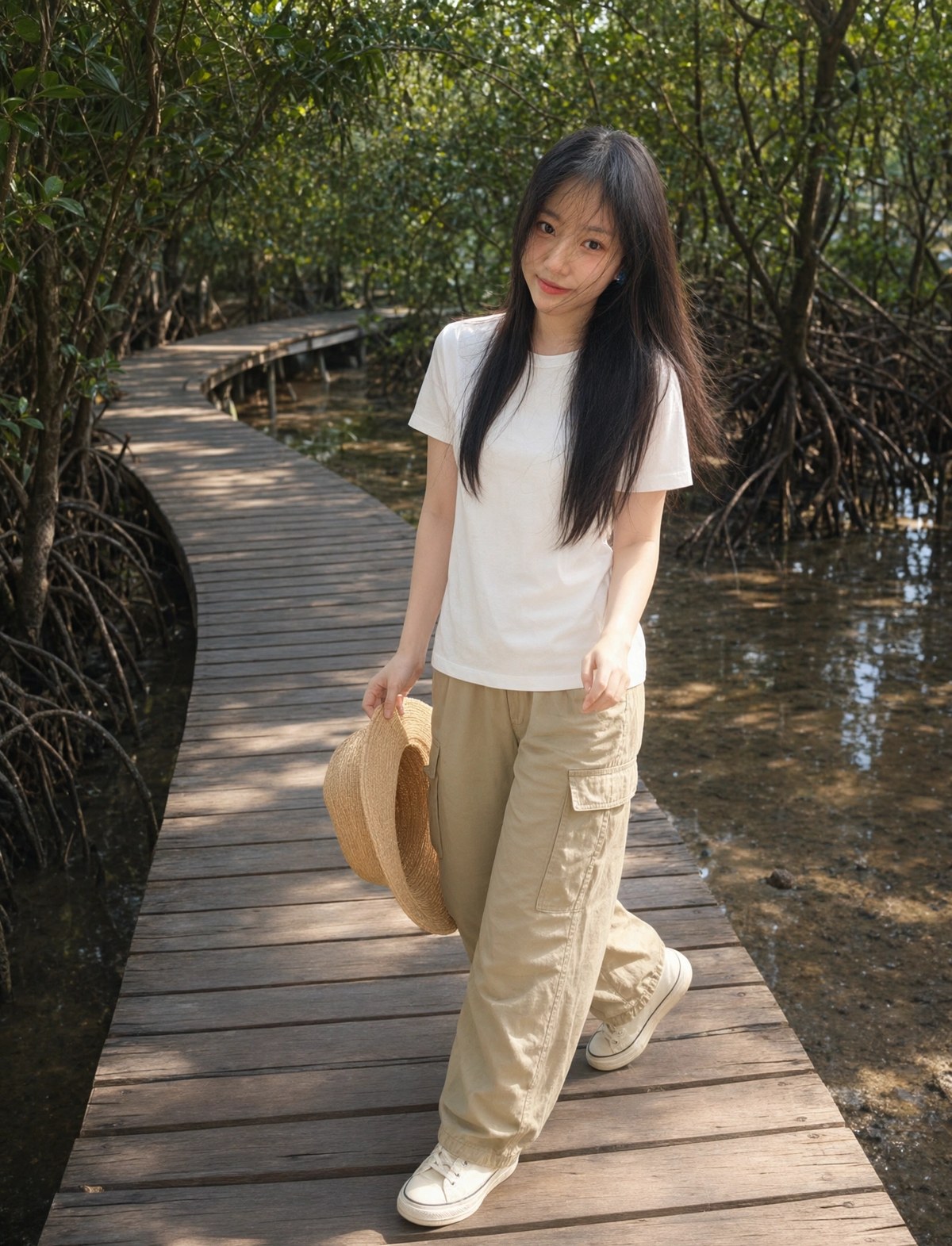
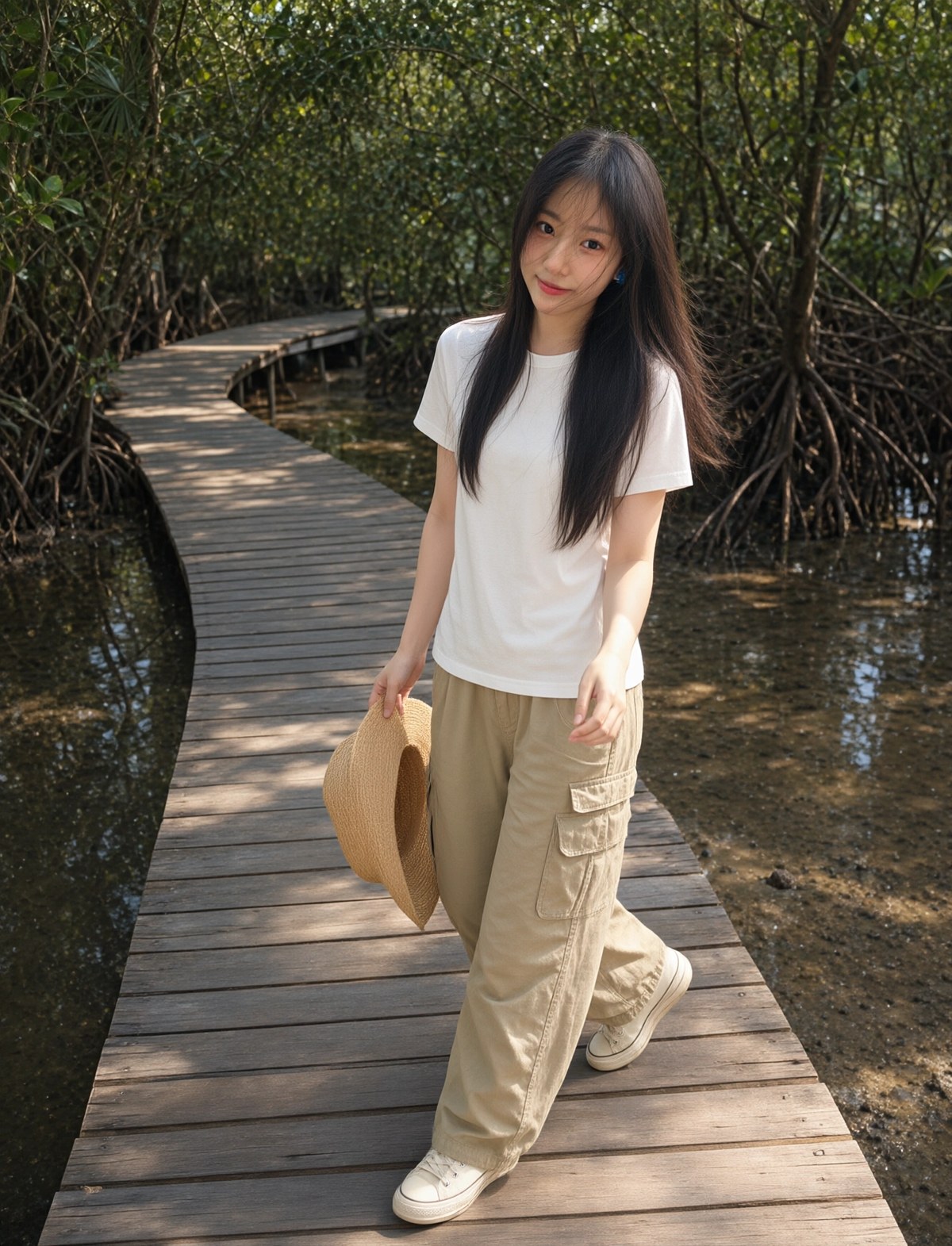
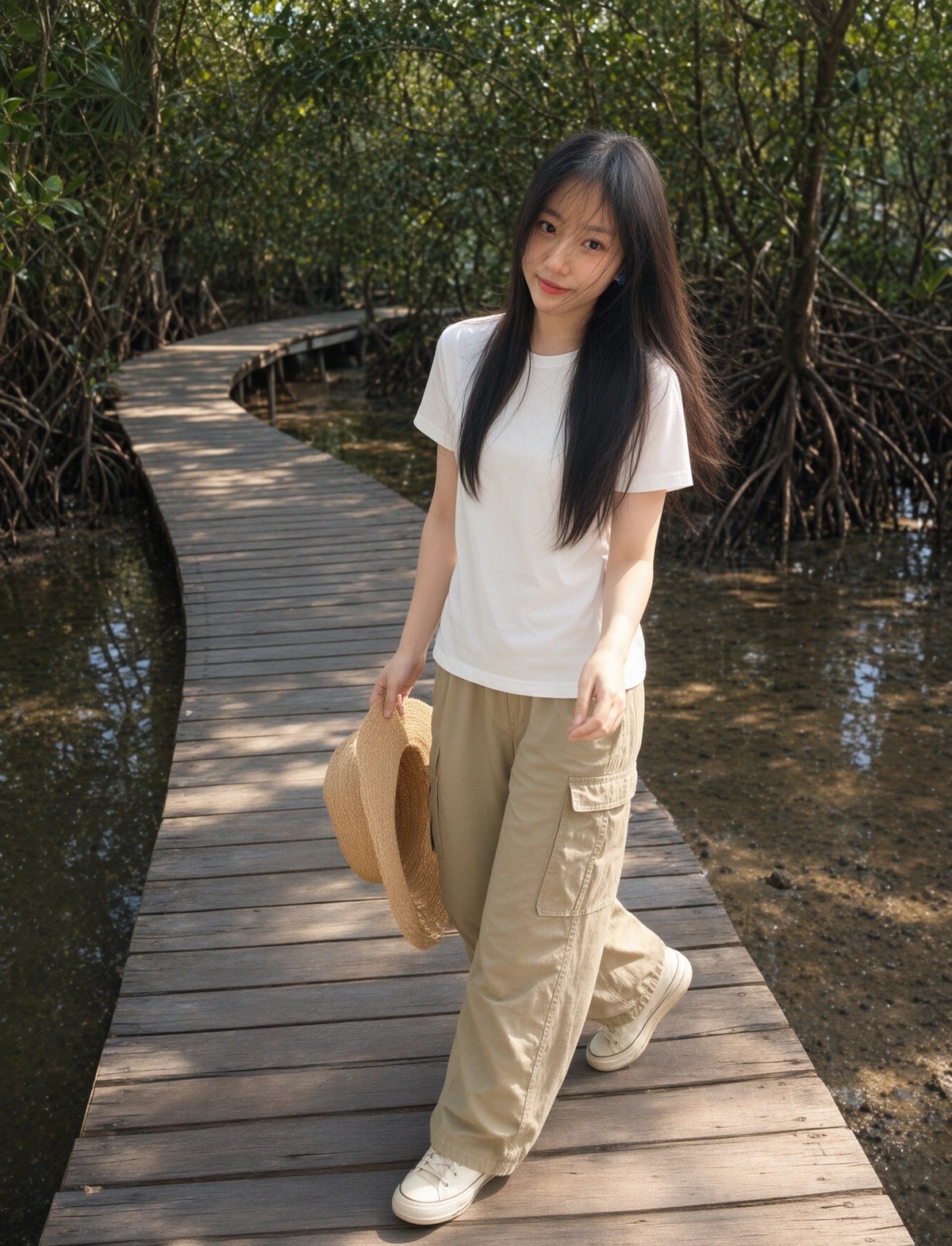
The examples below come from the Comparison tab of Viggle's own demo Space. Every column uses the same prompt, inputs, seed and noise.
 |  |  |
|---|---|---|
| Base model, 40 steps | v0.3, 6 steps | v0.3, 9 steps |
A character reference carried into a mangrove boardwalk scene at 1344x1760. The 6-step result is the cleanest of the two turbo columns; 9 steps brings back some of the fine texture.
The 9-step mode is aimed at the two places the 6-step student still trails the base model: dense rendered text and small detail. A vertical app screenshot with a lot of small interface text at 1536x2720 is a reasonable stress test, and the comparison tab runs one.
 |  |
|---|---|
| Base model, 40 steps | v0.3, 9 steps |
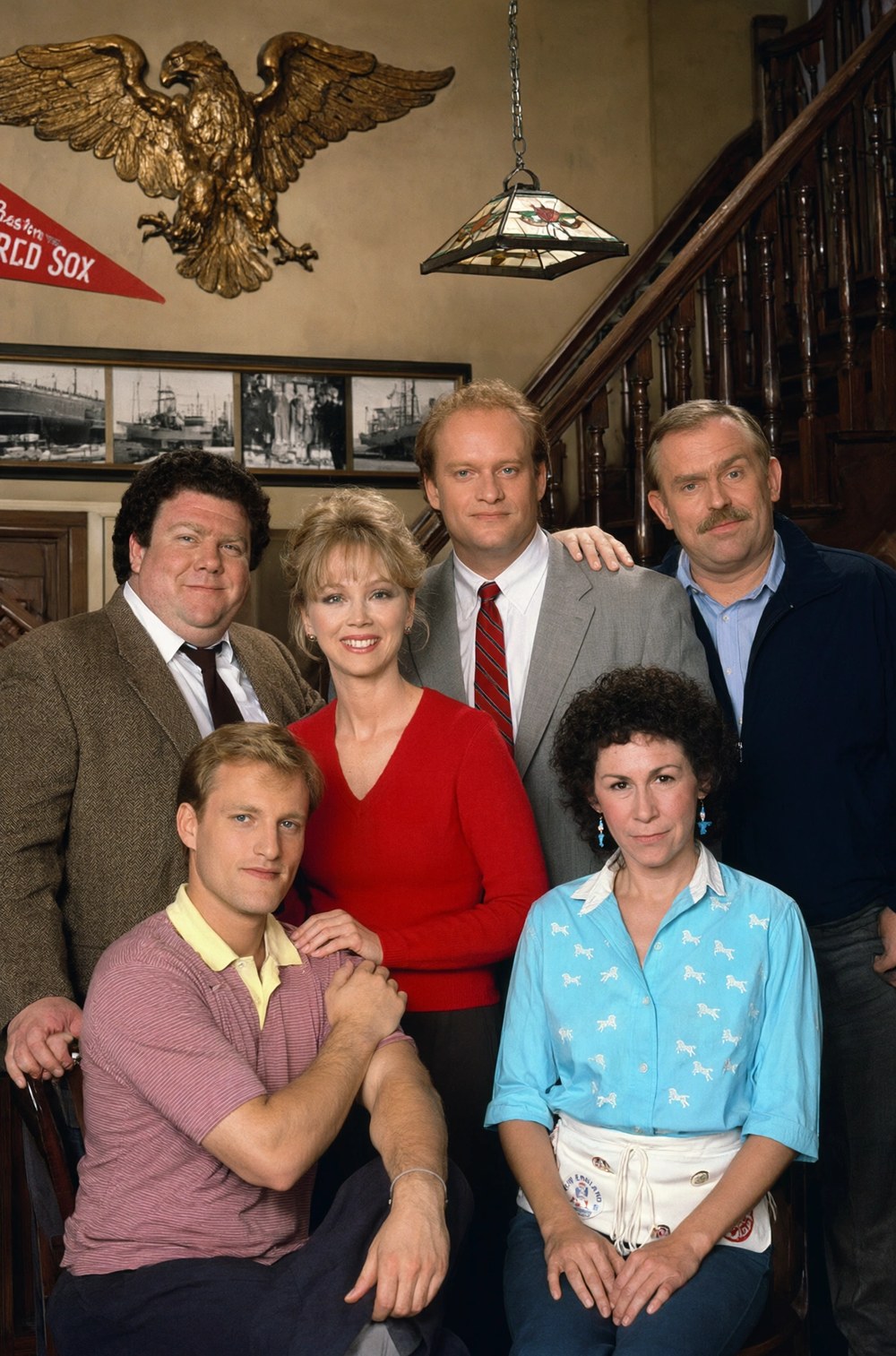
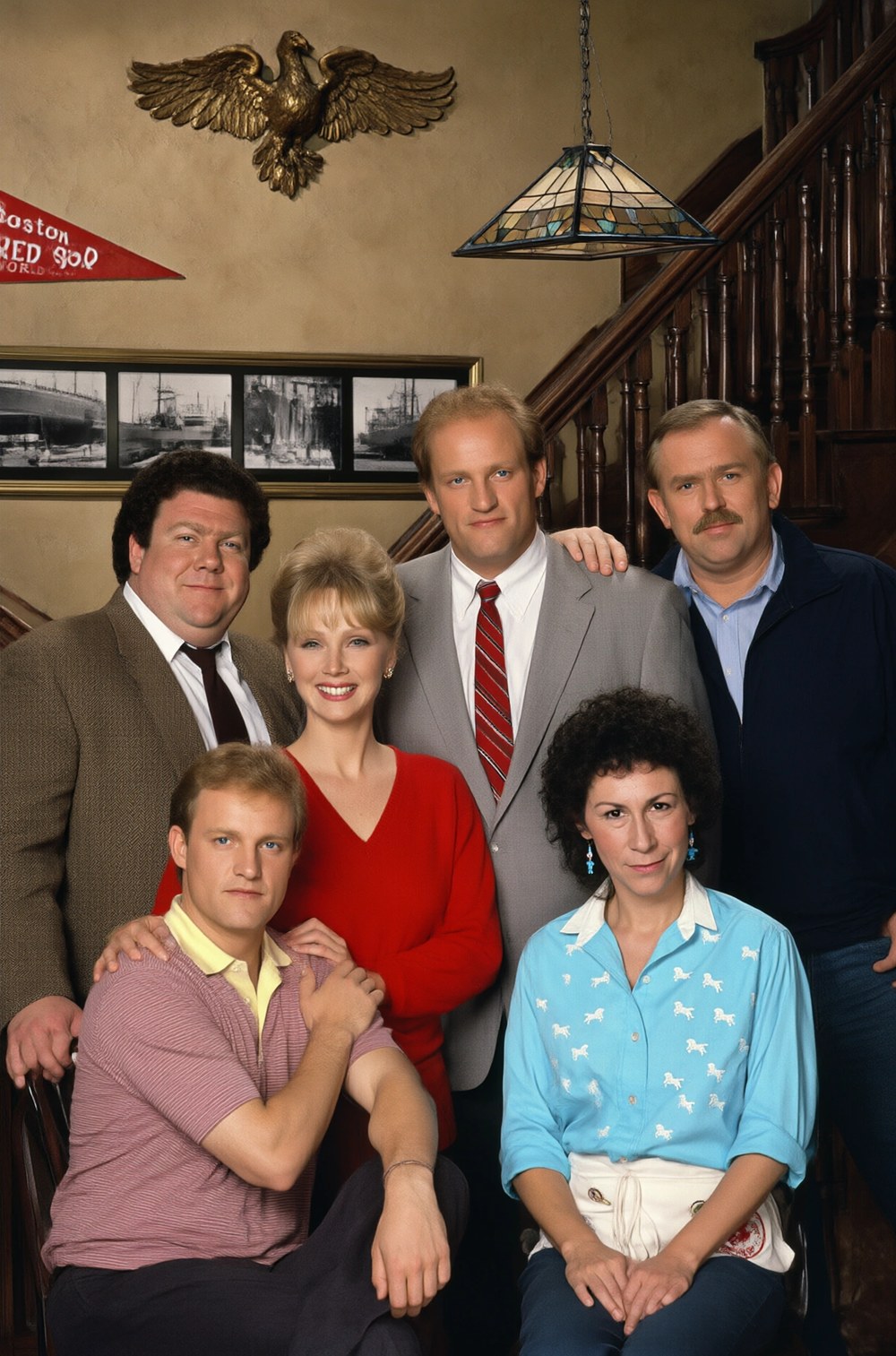
The distillation also runs with up to 3 reference images in diffusers, and the six-image group portrait below exercises that path: six identities, one prompt, one bar interior.
 |  |
|---|---|
| Base model, 40 steps | v0.3, 6 steps |
Speed
Same comparisons, per-image seconds as reported in the demo Space:
| Case | Resolution | Base, 40 steps | v0.3, 6 steps | v0.3, 9 steps |
|---|---|---|---|---|
| Portrait from a reference | 1344x1760 | 14.0 s | 2.9 s | 4.0 s |
| Six-reference group portrait | 1248x1888 | 25.8 s | 5.9 s | 8.8 s |
| Dense app screenshot | 1536x2720 | 26.9 s | 4.9 s | 6.8 s |
| 360 degree panorama | 2176x1088 | 14.3 s | 2.9 s | 4.1 s |
What it still does not do
The model card is unusually direct about the remaining gap. Complicated edits are still where the student trails: multi-reference composition, face swaps and identity-preserving instructions can produce duplicated or ghosted figures and identity drift. Small or long rendered text garbles more often than with the base model, and 9 steps helps without fixing it. Colours come out a few percent less saturated. 2K output, RGBA output, mask-guided edits and edits with more than 3 references are checked by eye on the comparison tab only, with no benchmark claimed.
Comments
Sign in with GitHub to join the discussion.