LTX-2.5 Native Resolution: Tiled 4K and 8K Video Edits in ComfyUI
Lightricks' Native Resolution brings LTX-2.5 4K and 8K video edits to ComfyUI through Tiled Fusion, with new Refine and Restore IC-LoRAs.
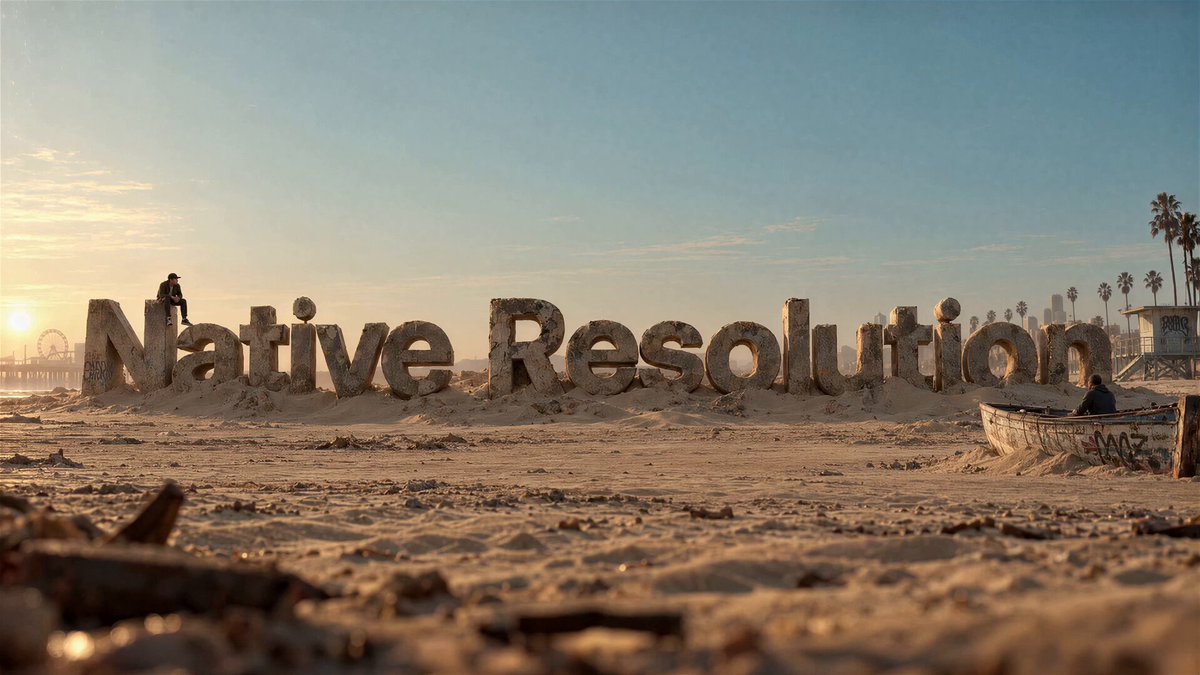
A 1080p plate taken through the LTX-2.5 Native Resolution workflow. Source: LTX.io on X.
Before this, running an IC-LoRA far above its trained window meant either sampling the whole canvas in one pass and running out of VRAM, or generating separate tiles and stitching finished results, which leaves seams. Tiled Fusion applies the tiles inside one shared denoising trajectory instead, which is what makes full HD, 4K and 8K selectable inside a single workflow.
The announcement clip for the Native Resolution workflow.
Two new ComfyUI workflows
The LTX video node pack gained two example graphs on September 29, 2026 (PR #570):
| Workflow | What it does |
|---|---|
LTX-2.5_V2V_TiledFusion_Upscale.json | Detail refine and upscale in one pass. The clip is resized to the selected output size, then eight fused steps run with the Refine Details adapter, using tile_size (qHD, HD or FullHD) tiles. |
LTX-2.5_V2V_TiledFusion_Native_4K_8K.json | The full ladder. A full-frame composition pass at the initial canvas size, then latent upscaling to the selected 4K or 8K output and a tiled refinement pass. |
Both graphs share the same subgraph layout as the other LTX-2.5 examples (Load Models, Inputs, Preprocess, Generate, Decode). A new Get Tiling Sizes node inside Preprocess owns the three size presets: tile_size, initial_canvas_size and output_size. It emits model-legal canvases, meaning dimensions in multiples of 32 with a frame count of 8n+1.
How Tiled Fusion works
LTXVTiledFusionSampler is a different node from the existing LTXVTiledSampler, and the two are not interchangeable. LTXVTiledSampler samples and blends tiles independently. The fusion sampler keeps one latent canvas and one noise field, runs the model on overlapping crops at every denoise step, and Gaussian-blends the stepped tiles back onto the canvas. Because the tiles share a trajectory, seams do not form the way they do when completed tiles are stitched.
Peak VRAM therefore tracks the spatial tile size and the temporal window actually being stepped, not the full canvas. The guide latent that feeds the sampler must come from the IC-LoRA guide node, since it carries the appended guide frames and the noise mask that the sampler crops itself.
The graph shape for the sampler is:
UNET + IC-LoRA
Gemma CLIP → CLIPTextEncode (pos / neg)
guide frames → LTX Add Video IC-LoRA Guide
KSamplerSelect (euler / heun / ...) → SAMPLER
Manual Sigmas (descending, ending at 0)
        │
        ▼
LTXV Tiled Fusion Sampler → LATENT → VAE Decode (tiled)
The Native Resolution ladder
The 4K/8K graph runs in two stages:
- Composition. The source video is resized to
initial_canvas_sizeand a full-frame pass establishes the composition with the whole frame in context. The published graph selectsltx-2.5-22b-ic-lora-day-to-night-0.9.safetensorsfor this stage. - Refine. The latent is enlarged with
ltx-2.5-latent-spatial-upscaler-x2-bf16-1.0.safetensors, applied twice on the 8K path, then Tiled Fusion runs the refinement pass with spatial tiles. Stage two uses a fresh look-and-style prompt, selectsltx-2.5-22b-ic-lora-refine-details-1.0.safetensors, and attaches the original clip resized to the output size as the new guide.
The source audio is encoded and held fixed during generation, then decoded and muxed back into the saved video, so existing sound survives the upscale.
An HD plate run through the workflow and delivered as an 8K EXR into Nuke. Source: LTX.io on X.
The tiled pass is not a substitute for the composition pass. When an adapter has to establish a new global look across a canvas far beyond its trained window, the full-frame stage still does that work.
Settings that matter
| Input | Notes |
|---|---|
tile_width / tile_height | The IC-LoRA's trained spatial window in pixels, in multiples of 32. Smaller tiles see content at the wrong scale. |
overlap_frac | Keep at 0.5 or above. Below that a periodic grid appears on structured content. |
blend_var | Gaussian overlap variance. Default 0.05. |
grid_cycle | 1 is a fixed grid and the cheapest, 4 shifts the grid across steps. Spatial only. |
tile_frames | Temporal window in pixel frames, 97 for LTX. Needs use_streaming enabled on the guide node with the same value. |
| Sampler | Use discrete step methods (euler, heun, dpm_2). History methods such as dpmpp_2m and lms lose their multi-step memory, adaptive samplers cannot fuse, and ancestral methods add independent noise per tile and can seam. |
use_tiled_encode | Must stay false on the guide node. Spatially tiled guide encodes imprint a grid into the conditioning. |
For clips longer than one trained window, turn streaming on and set the same tile_frames on both the guide and the sampler, so each temporal window is re-encoded as its own clip.
Refine Details and Restore
The two adapters that ship with the drop cover different jobs, and both run through the Tiled Fusion Upscale workflow by swapping one file in ComfyUI/models/loras/.
- Refine Details (Hugging Face) rebuilds fine texture, edges and grain in footage that is soft, compressed, generated or already upscaled. It is trained for a
1024 × 576sampling tile and expects the tiled workflow even for a full HD canvas. - Restore (Hugging Face) cleans and colorizes damaged archive footage: low-resolution transfers, compressed broadcast video, tape, sepia and black-and-white film scans. It was trained on LTX-2.3, and its model card documents testing on the unchanged weights with the LTX-2.5 distilled transformer, video VAE and Gemma-4 text encoder. Recommended canvases are
1440 × 1056or1440 × 1088for 4:3 material and1920 × 1088for 16:9, with a960 × 544sampling tile.
For archive material the order matters: run Restore first, then optionally Refine Details for delivery resolution. Refining first can sharpen the damage and reduce the inferred color. Interlaced or telecined footage has to be deinterlaced before either pass.
Limitations
Lightricks is explicit that these are generative tools. Restore synthesizes plausible color and detail rather than recovering the source pixel for pixel, so rebuilt lettering, faces and objects are interpretations and not historical record. Refine Details rebuilds texture and does not guarantee faithful lettering or identity preservation.
On the 8K path, the Refine Details model card recommends a progressive route: refine to 4K first, resize that result to 8K with Lanczos, then apply an optional gentle second pass. A direct 8K pass puts each tile at a larger scale than the adapter was trained on, which can invent texture. Full HD, 4K and 8K are all available in the size selector, but the selector is not a performance guarantee, and peak VRAM and runtime still need to be benchmarked on the target hardware.
Availability
The sampler and the size node live in the official ComfyUI-LTXVideo node pack, so no separate installation is needed beyond updating the pack. The workflows are in example_workflows/2.5/, and the day-to-night adapter used in stage one comes from LTX-2.5-22b-IC-LoRA-Day-To-Night.
The two new adapters and the rest of the version-matched model stack are on Hugging Face, and the Lightricks model repositories are gated, so access has to be requested and granted before downloading. The workflow's Model Links note lists the exact files each graph needs.
Comments
Sign in with GitHub to join the discussion.