Vlo 0.3: Open-Source Video Editor With a Live ComfyUI Bridge
Vlo 0.3 is a free, open-source video editor that drives ComfyUI from the timeline: MiniMax H3 and Qwen workflows, SAM2 masking, grading and frame-accurate export.
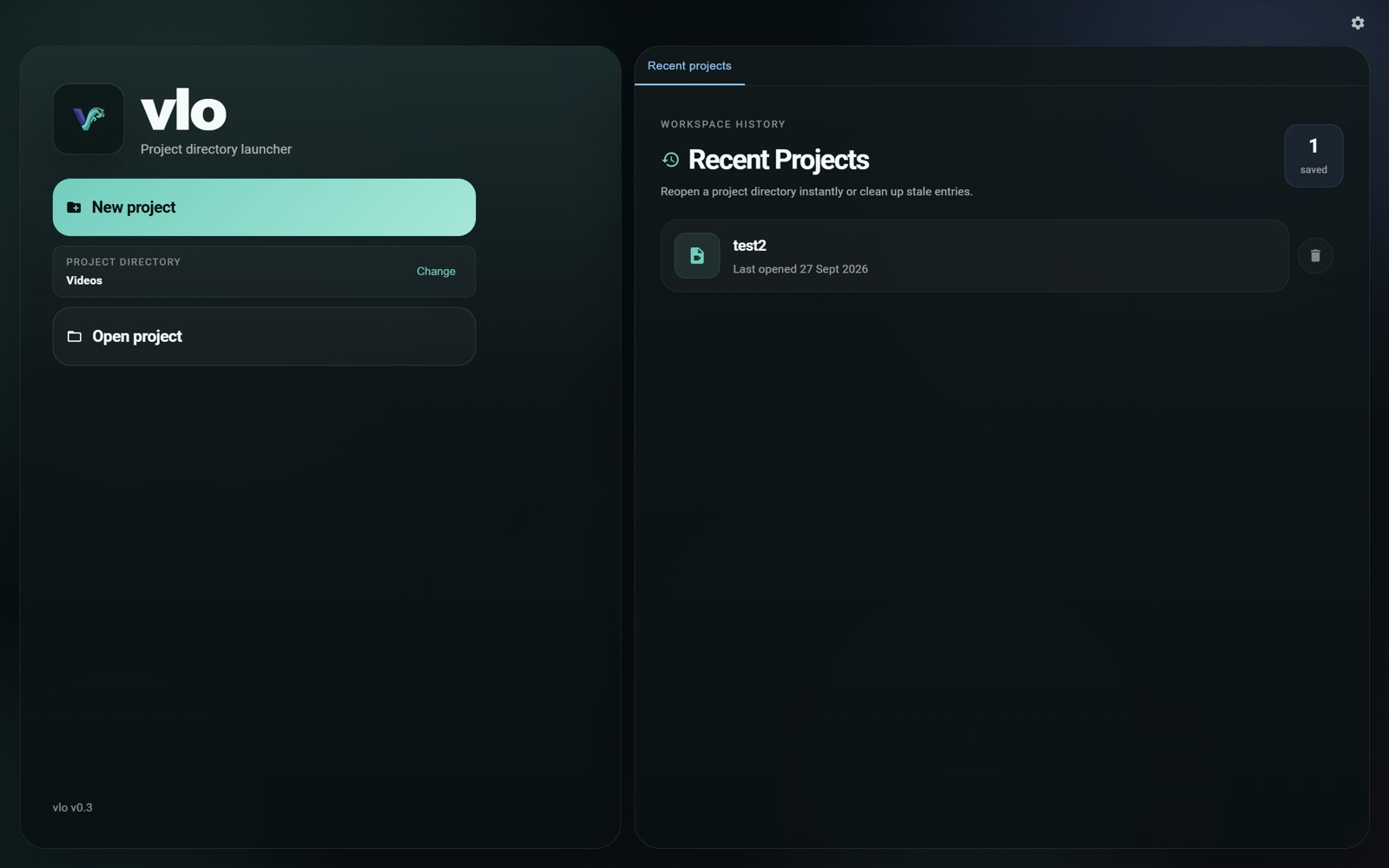
Vlo is project-based. Projects stay on your disk and open whether the app runs on your machine or against a remote GPU.
The ComfyUI bridge
The headline change in 0.3.0 is a live ComfyUI bridge, which the author describes as letting you run any possible ComfyUI workflow from the editor rather than a fixed menu of features:
- Timeline selections, images and videos go out, and Vlo captures the generated media back into the project.
- Automatic aspect ratio handling so a video model can edit footage of any shape without the crop-and-stitch dance.
- Attention to real workflows: Vlo ships a sidecar rules system for aspect ratio adjustment, mask processing and widget exposure, plus default workflows that demonstrate it.
- ComfyUI stays ComfyUI. You can use the built-in generation panel, or open ComfyUI itself from inside the app. When Vlo launches ComfyUI it passes
--enable-manager --preview-method latent2rgb, so ComfyUI-Manager is present and sampling streams live previews.
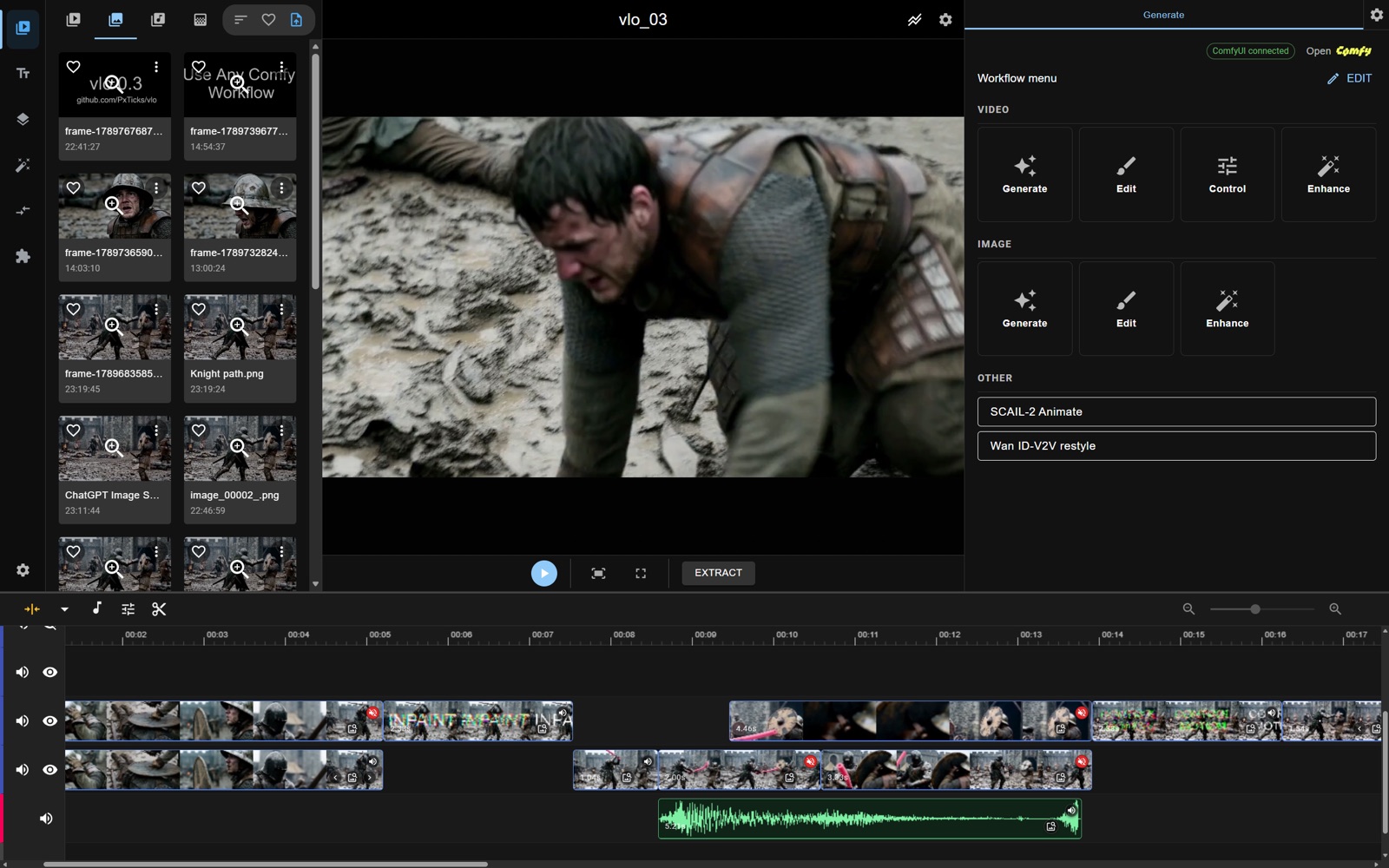
The editor, the timeline and the generation panel in one window. Clips can also be handed to ComfyUI for edits anywhere on the timeline.
Eighteen workflows ship with the app, covering MiniMax H3 (image-to-video, reference-to-video, masked guide, frame-to-frame, inpainting), Qwen Image 2.1 Edit, Krea 2 Turbo, LTX-2.5 (including inpainting, clean plate and IC edit), Flux 2 Klein, VACE inpainting, SeedVR2 upscaling for images and video, and GIMM frame interpolation. They use community node packs you may already have, including Kijai's WanVideoWrapper and KJNodes, Lightricks' LTXVideo pack, ComfyUI-Spectrum-MiniMax-H3, VideoHelperSuite, controlnet_aux and PxTicks' own ComfyUI-vlo nodes. A helper script installs the missing ones.
What else is new in 0.3.0
- Sam-audio stem separation, so a clip's vocals, instruments and effects can be split for editing.
- Composite clips and subtimelines, plus adjustment clips that apply a grade to a whole timeline.
- Color grading, transitions (dissolve, slide-in and more) and blending modes for clip layers.
- A new frame-graph renderer: live preview and export now follow the same render plan, which is what makes frame-accurate output possible.
- An extension SDK, with a per-clip workspace promised to build on it.
- Managed installs for ComfyUI, SAM2 and Sam-Audio, so the app can set up its own backends.
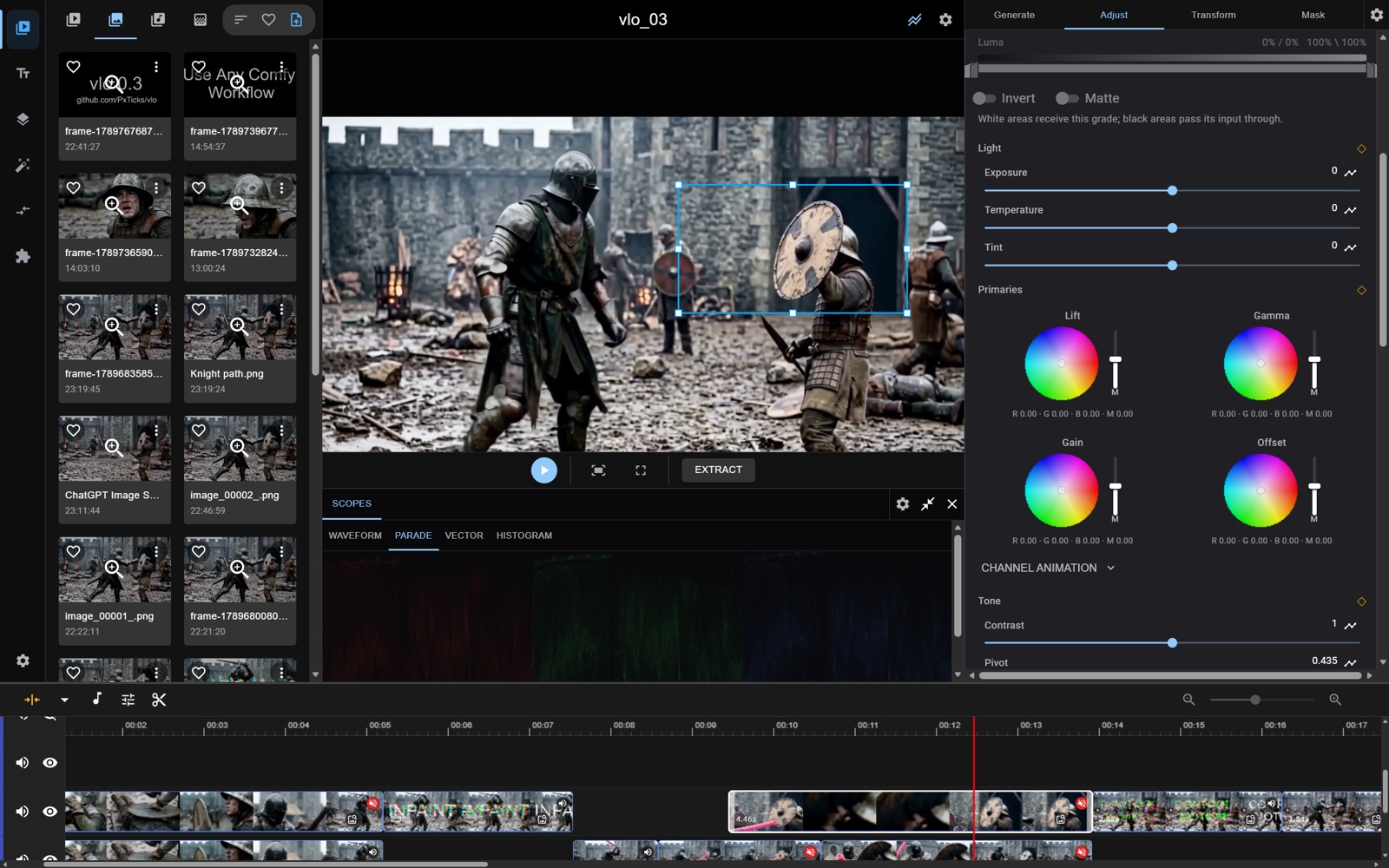
Grading, keyframes and filter effects sit next to the generative tools rather than in a separate application.
Editing features
The non-generative half of the app is a timeline editor rather than a prompt panel: SAM2 points editor and masking with automatic cropping and stitching for video inpainting, mask algebra (unions, intersections and the rest), keyframes and a spline editor for transformations, snappable markers, beat detection, draggable motion paths, asset organisation with hot-swappable generation groups, and multi-track audio tools.
Requirements
Vlo runs in Chromium-based browsers (Chrome, Edge and other Chromium builds), because it uses the File System Access API for on-disk project management and renders media through mediabunny and WebCodecs for frame accuracy. That means Firefox is not supported. The only install prerequisite is git; the installer fetches Node.js, Python and uv if you do not already have suitable versions.
Availability
- Project and source: github.com/PxTicks/vlo
- v0.3.0 release: release notes
- Demo trailer, edited inside Vlo: youtube.com/watch?v=G7HgMuUyfS0
- Workflow rules guide:
HOW_TO_WRITE_WORKFLOW_RULES.md
Version 0.4.0 is planned to bring a new graph data model for resource and parameter sharing, graph-based shader execution for transforms and grading, and a per-clip workspace mode.
Comments
Sign in with GitHub to join the discussion.