AnyAngle: Qwen-Image 2.1 LoRA for Arbitrary Camera Angles
AnyAngle is a Qwen-Image 2.1 LoRA that moves a photo to any camera angle: render the scene from a Gaussian splat or 3D model, then let the edit model carry the view over.
Prompt-only angle changes in edit models tend to land on a handful of fixed azimuths and elevations, and pushing further makes the image drift into a different look. AnyAngle splits the job: geometry decides the new viewpoint, and the edit model decides how the original picture should look from there.
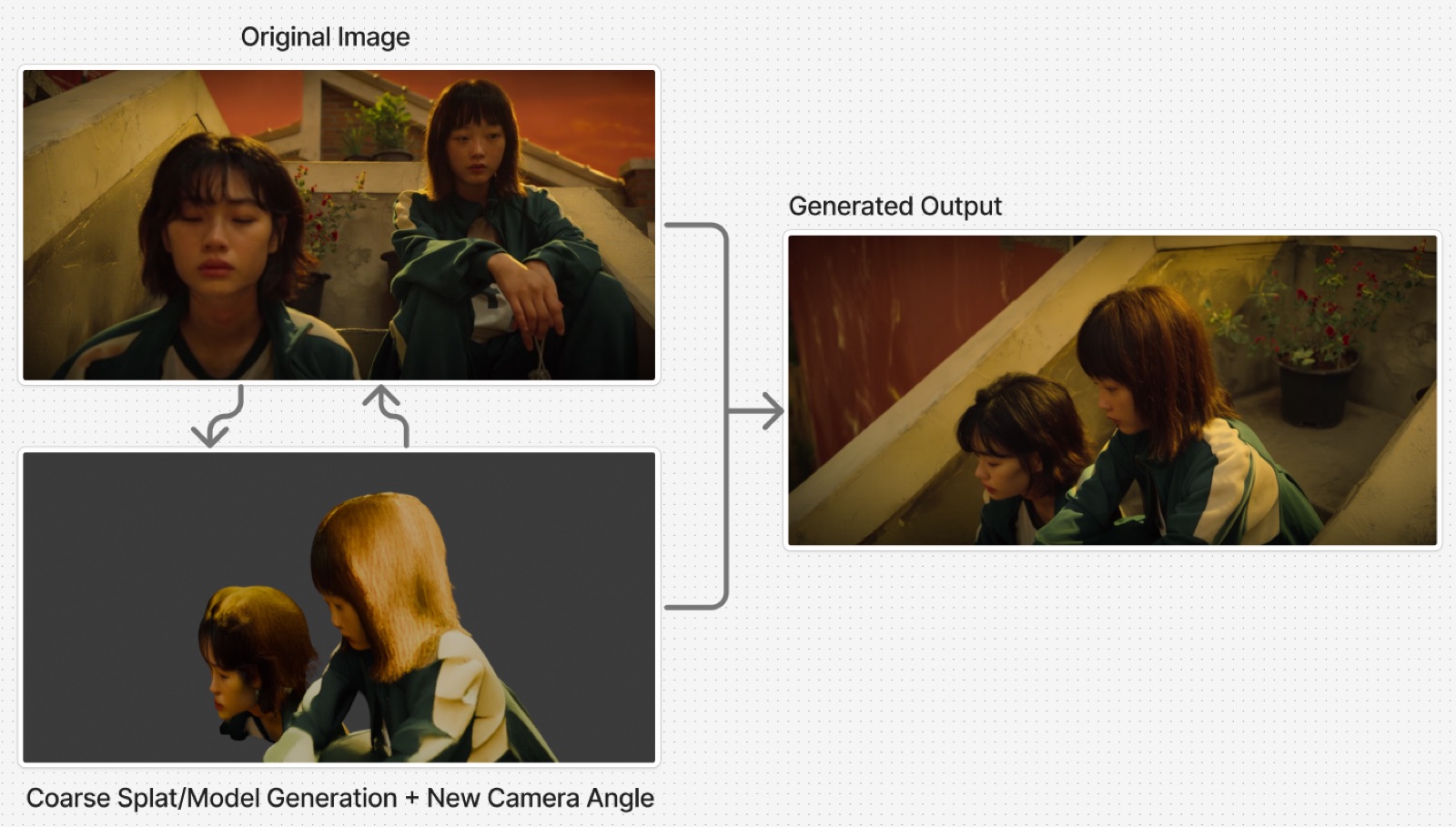
A camera-angle change made with the LoRA, from the model card.
The pipeline
The model card lays the method out as a chain of existing tools rather than a single model:
- Reconstruct the scene. The source image becomes a Gaussian splat (the author uses Tripo Splat, but writes that any splat generator works) or a 3D model through Trellis2 or Pixal3D.
- Move the camera in Blender. Import the reconstruction, add a camera, set it to the angle you want, and render a coarse image of that view.
- Transfer the angle with Qwen-Image 2.1. Feed the coarse render and the original image into the edit model with the AnyAngle LoRA and the prompt below. The output keeps the original image's style and materials while adopting the new viewpoint.
Change the camera angle from <image2> to <image1>.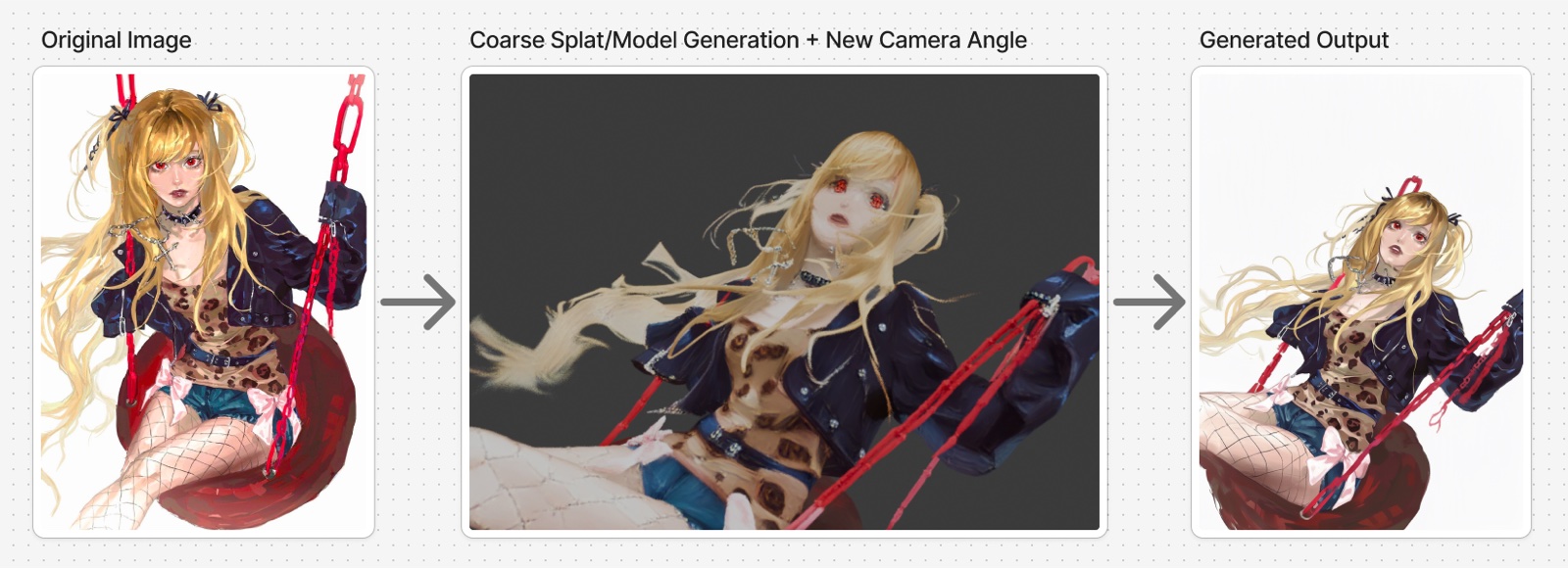
The three-step pipeline as illustrated on the model card: source image, coarse render from the new angle, and the finished edit.
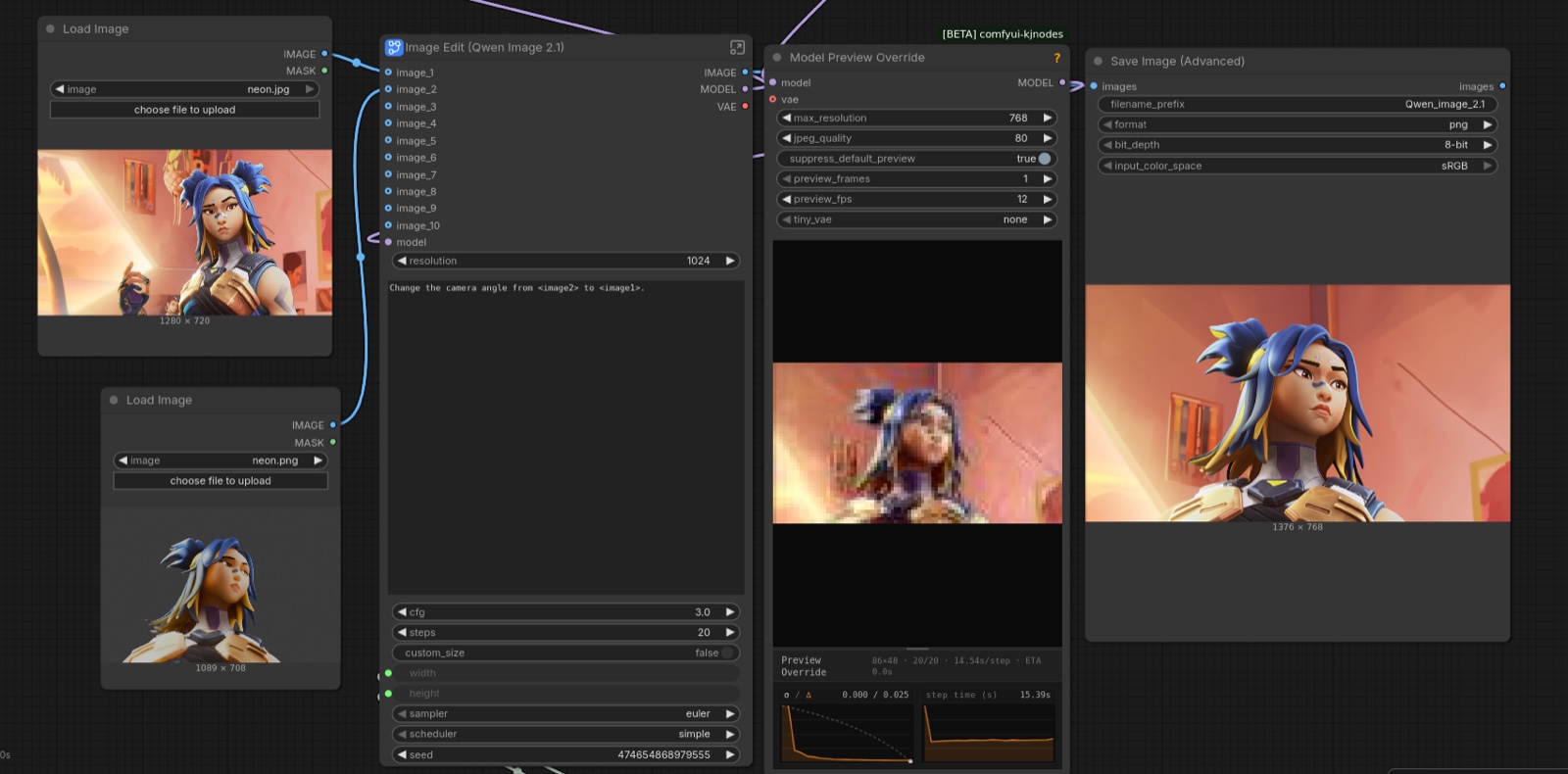
How the pieces connect in the model card's graph: the original image and the coarse render both go into the Qwen-Image 2.1 edit pipeline with the LoRA applied.
Settings
The card is specific about where the LoRA likes to run:
- LoRA strength 1.0.
- CFG 3.0 and 20 steps or more for the best results.
- A turbo LoRA can be stacked to cut latency for boarding and shot planning, at a small cost in quality.
The weight itself is a rank-24 adapter, about 120 MB in bf16, and its keys are laid out as diffusion_model.*, which is the naming ComfyUI's own LoRA loader expects, so it loads without a conversion step.
Training
The dataset mixes real Blender renders, chosen for stylistic variety, with synthetic pairs: original image plus a matching frame at a different camera angle. Because the anchor and the target are renderings of the same scene, the pairs are geometrically consistent rather than hallucinated, which is what keeps styles aligned through large angle changes. To cover illustration and sketch styles, the author used MiniMax H3 image-to-video orbit renders, where everything in frame stays still while the camera moves, then trained for a few thousand steps.
Where it fails
The result is only as good as the reconstruction. If the splat or 3D model is spatially wrong or too coarse, objects can end up misplaced or faces malformed on low-resolution images. The card's examples show a table and a ponytail landing in the wrong arrangement for exactly that reason, and the suggested fixes are to correct the reconstruction's placement or start from a better splat, with the expectation that newer 3D and world generators will keep improving this step.
Availability
- LoRA weights, method and examples: lilylilith/QI_2.1_AnyAngle
- Base model: Qwen/Qwen-Image-2.1, loaded through the official Qwen Image 2.1 edit workflow in ComfyUI
Comments
Sign in with GitHub to join the discussion.