Qwen-Image 2.1 LoRA Pack Adds Anime Consistency and Photo Realism
WarmBloodAban's Qwen-Image 2.1 LoRA pack pairs an anime character-consistency adapter with one that turns illustration into photographic characters.
Preview published with the Qwen2.1_Anime_consistency adapter.
The repository belongs to WarmBloodAban, whose earlier MiniMax H3 work was covered here as H3 Singularity. The pattern is similar: a handful of narrow adapters published as a rolling collection, with the author saying more will be added to the same repository over time. Both files in the current pack target the base Qwen-Image 2.1 editing model, not the older Qwen Image Edit 2509 or 2511 releases.
What is in the pack
| File | Size | What it does | Status |
|---|---|---|---|
Qwen2.1_Anime_consistency.safetensors | 0.17 GB | Keeps an anime character consistent during stylised image editing. Trained mainly on character model sheets with four-view references plus a range of facial-expression edits | Experimental |
Qwen2.1_Anything2RealCharacters.safetensors | 0.32 GB | Turns an image in any artistic style into a realistic human character while leaving the pose and framing recognisable | Released |
Anime character consistency
The first adapter exists mainly as a training experiment. The author states it was built to benchmark training parameters for Qwen-Image 2.1, trained on character model sheets that supply four reference views of the same character, together with expression edits built on top of them. The model card labels it experimental and warns that editing results and output stability are not guaranteed, so it is closer to a parameter probe than a finished product.
Illustration to photorealistic character
The second adapter is the headline of the update. It takes an illustrated or stylised input and re-renders the subject as a photographic person, trained on real human imagery paired with facial-expression control reference groups. The author recommends the Euler sampler with FlowMatchEulerDiscreteScheduler for softer, more natural skin and lighting, which is the sampler pairing Qwen-Image 2.1 itself is normally run with.
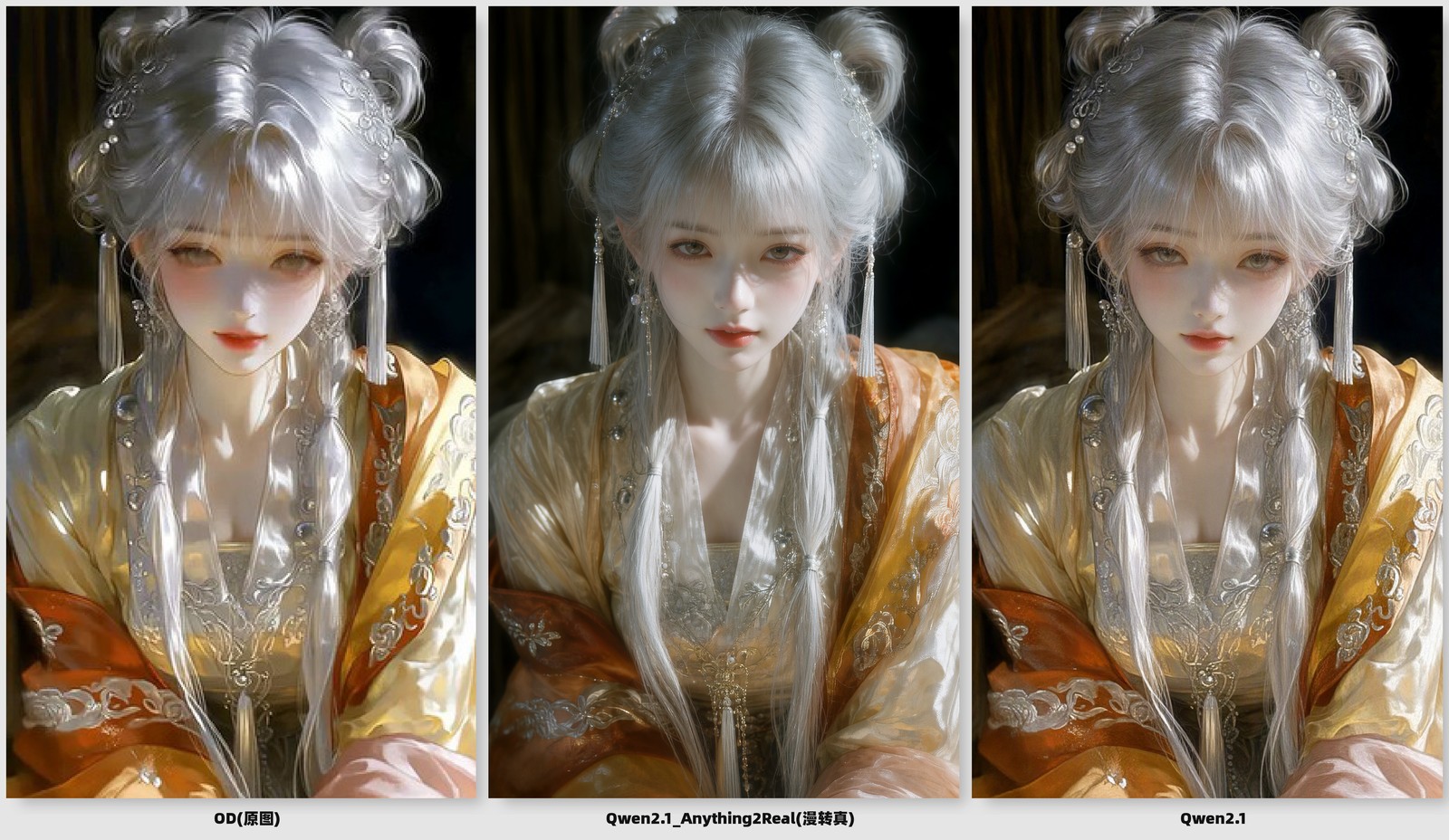
Showcase published with the Qwen2.1_Anything2RealCharacters adapter.
Loading both adapters in ComfyUI
The two files are not shipped in the same weight layout, and that decides what ComfyUI will accept directly:
Qwen2.1_Anything2RealCharacters.safetensorsstores its tensors under thediffusion_model.*prefix, the naming ComfyUI's diffusion-model LoRA loader expects. Drop it intoComfyUI/models/loras/and load it with the usual LoRA loader alongside the Qwen-Image 2.1 diffusion model, its Qwen3-VL text encoder and matching VAE.Qwen2.1_Anime_consistency.safetensorsstores its tensors in the diffusers layout (transformer_blocks.*.lora_A.default.weight). Those keys have to be remapped to thediffusion_model.*form before ComfyUI will read the adapter.
Both adapters are applied as ordinary LoRA weights, so no custom node pack is required.
Recommended settings
The model card keeps the sampling configuration on the base model: use Qwen-Image 2.1's own recommended step count and CFG scale rather than adapter-specific values, and start LoRA strength between 0.6 and 0.8, raising or lowering it against test edits. Resolution should follow the base model's supported sizes, since the adapters change appearance rather than the pipeline's geometry.
Availability
Weights: WarmBloodAban/Qwen-Image-2.1-LoRAs
Base model: Qwen/Qwen-Image-2.1
ComfyUI repack: Comfy-Org/Qwen-Image-2.1
Author's earlier release covered here: H3 Singularity
Comments
Sign in with GitHub to join the discussion.