Qwen-Image 2.1 Prompt Enhancer Models Run in ComfyUI
Qwen's PE-T2I and PE-I2I prompt rewriting models expand short requests and edit instructions, and a community node pack runs both in ComfyUI through Load CLIP.
Two rewriters, one for each task
The PE checkpoints are fine-tuned Qwen3.5-VL 9B models, released on 2026-09-20 together with the base model, and the official Qwen-Image 2.1 README recommends them as the default way to prepare prompts: "For best results, we recommend using the official prompt rewriting models to expand short prompts into detailed, high-quality descriptions."
- PE-T2I turns a brief request in any language into a long English prompt plus a recommended aspect ratio. Its answer comes back as JSON after a
thinkblock:{"rewritten_prompt": ..., "wh_ratio": "16:9"}. - PE-I2I takes an edit instruction together with up to 10 reference images, addressed as
<image1>,<image2>and so on, and returns a precise edit prompt. Its JSON answer addsratio_follow, which names the input image whose aspect ratio the output should inherit.
Both are meant to be sampled with thinking enabled: the official example uses temperature 1.0, top_p 0.95, top_k 20, with max_new_tokens 16256 for the text-to-image checkpoint and 24000 for the editing one.
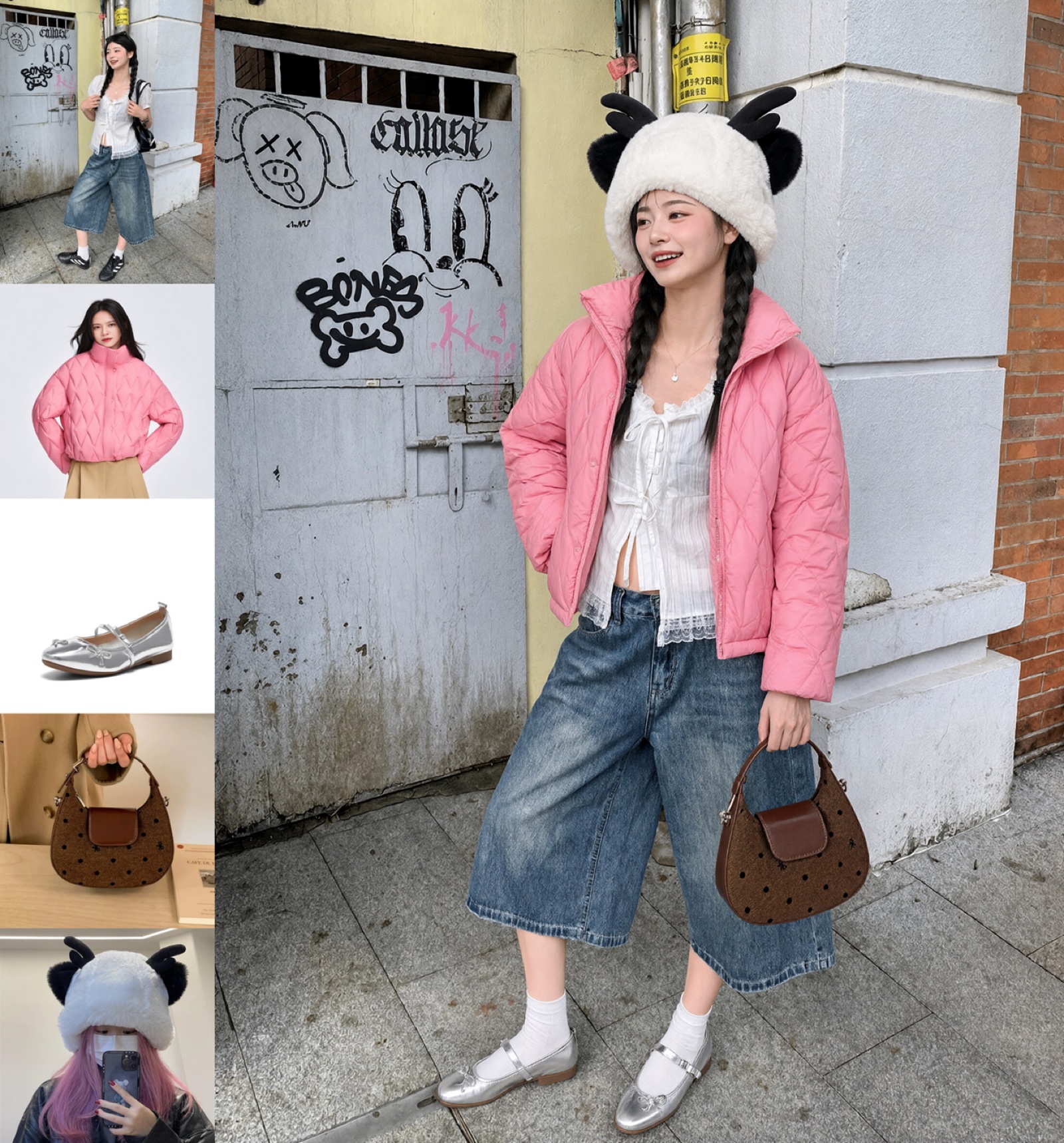
Official Qwen-Image 2.1 example: an outfit assembled from five reference images, the kind of multi-image instruction the PE-I2I rewriter is trained to turn into an explicit prompt.
Running them inside ComfyUI
ComfyUI's three official Qwen-Image 2.1 templates cover text-to-image, image edit and background removal, and none of them call the rewriters. Comfy-Org did repackage the two PE weights as int8 convrot files inside Comfy-Org/Qwen-Image-2.1 (text_encoders/qwen3.5_9b_qwen_image_2.1_pe_t2i.int8_convrot.safetensors and ..._pe_i2i...), but loading them is only half the job: something still has to build the chat prompt, read the JSON back and expose the result to a sampler.
The node pack does exactly that with two nodes, both registered under the Qwen Image category:
| Node | Inputs | Outputs |
|---|---|---|
QwenImage21_T2IPromptRewrite | CLIP, prompt, sampling controls | positive_prompt, negative_prompt, wh_ratio, thinking, parse_ok |
QwenImage21_EditPromptRewrite | CLIP, prompt, image_1 … image_10 | same, plus ratio_follow |
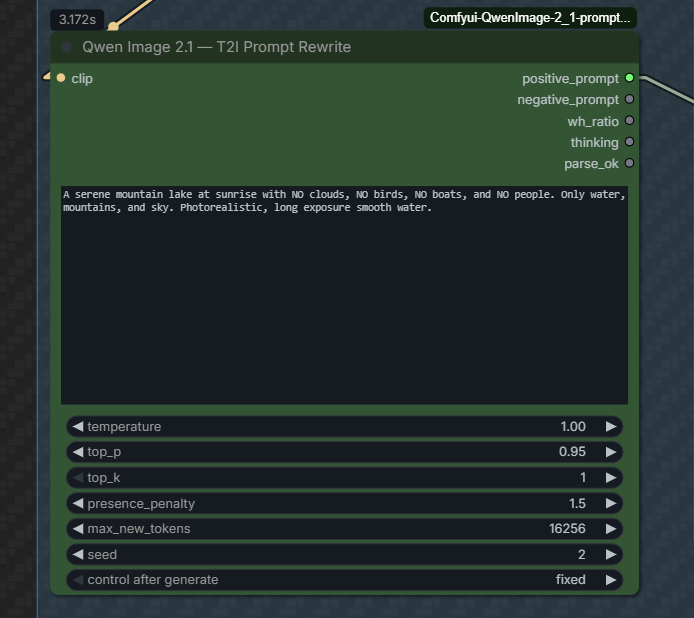
The T2I rewrite node: a short prompt goes in, the expanded prompt, aspect ratio and reasoning trace come out.
The PE file is loaded by the ordinary Load CLIP node with type = qwen_image, and generation runs through ComfyUI's own clip.tokenize() → clip.generate() → clip.decode() path, the same mechanism behind the built-in TextGenerate node. No external server, no separate transformers pipeline.
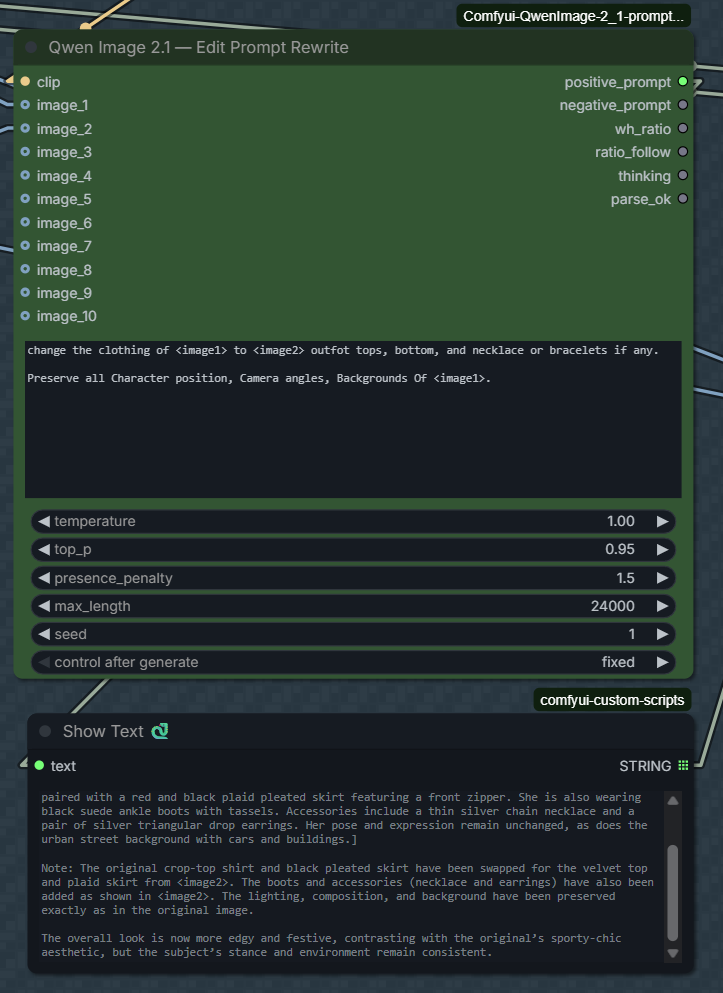
The edit node exposes ten image slots and returns the rewritten instruction plus the ratio to inherit.
A few settings are worth copying from the README, because the two checkpoints do not share them:
| Parameter | T2I | Edit |
|---|---|---|
presence_penalty | 1.5 | 0 |
max length | 16256 | 24000 |
thinking | on | on |
The high penalty keeps the text-to-image rewriter from repeating itself, while the edit rewriter is meant to run without it. Both models were trained with think blocks, so the pack splits the reasoning trace from the answer before parsing the JSON and reports parse_ok when the answer parses cleanly. Installing the optional json_repair package lets it salvage slightly malformed answers instead of failing.
Wiring it into a graph
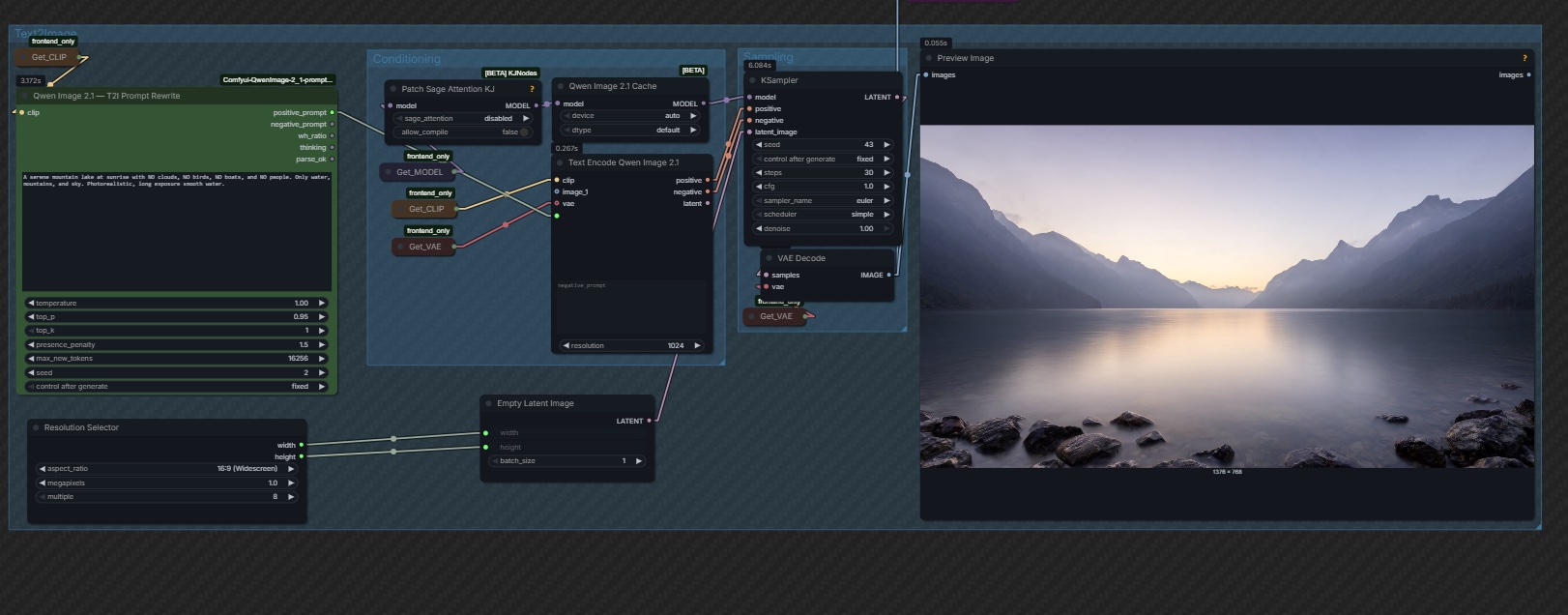
The README's graph: Load CLIP on the PE checkpoint feeds the rewrite node, and its positive_prompt continues into Text Encode Qwen Image 2.1.
For a text-to-image run the rewritten string replaces whatever you would have typed into the text encode node, and wh_ratio can drive a resolution selector instead of a hand-picked width and height. For an edit run the reference images go into the node's image slots, the instruction references them as <image1> and <image2>, and ratio_follow decides which input the output canvas should match.
Availability
- PE-T2I: Qwen/Qwen-Image-2.1-PE-T2I on Hugging Face
- PE-I2I: Qwen/Qwen-Image-2.1-PE-I2I on Hugging Face
- ComfyUI-ready copies: Comfy-Org/Qwen-Image-2.1 under
text_encoders/, int8 convrot - Node pack: benjiyaya/ComfyUI-Qwen-Image-2.1-Prompt-Enhancer, cloned into
ComfyUI/custom_nodes/ - Official rewriting code:
prompt_rewrite/in the Qwen-Image 2.1 repository, with transformers, vLLM and vLLM server entry points
Comments
Sign in with GitHub to join the discussion.