Krea 2 Anygles: Camera Viewpoint Control LoRA for ComfyUI
Krea 2 Anygles turns one photo of a person into a new camera view with a 3D human normal LoRA, plus ComfyUI nodes and a workflow for orbit, elevation and distance.
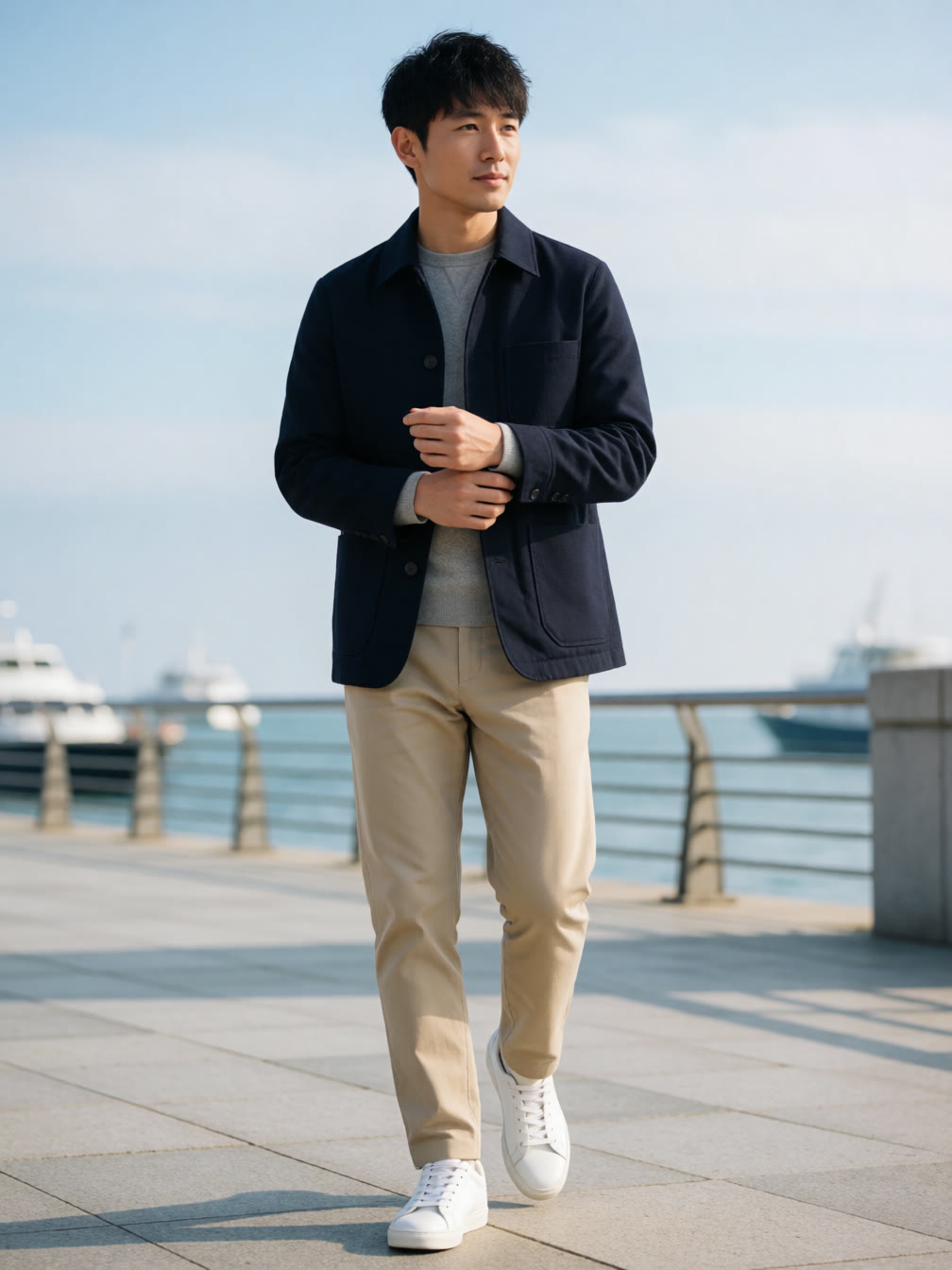
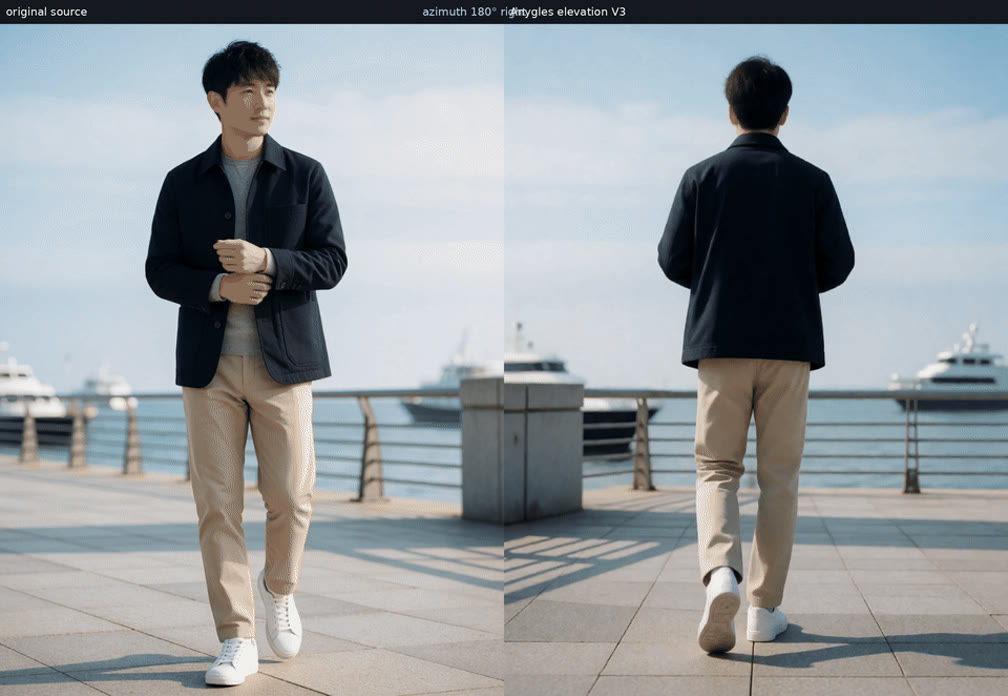
Point a camera at a person, then move it: horizontal orbit, elevation and distance control all come from one adapter. Anygles recovers a 3D human mesh and an aligned normal map from the source image, rotates that mesh to the requested pose, and feeds the rendered normal into Krea 2 as spatial control. The original image stays the identity and style reference, so the model generates a new view instead of editing the old one.
 |  |
|---|---|
| Source image, single human subject | The same subject from a rotated camera position |
A horizontal orbit. Every frame is generated independently from the original source, so views do not chain into each other.
What it controls
- Full horizontal orbit: continuous yaw across a complete 360 degree turn.
- Elevation: move the viewpoint above or below the subject while keeping body proportions natural.
- Distance: pull from closer framing to wider views.
- Combined motion: vary yaw, elevation and distance together along one smooth path.
- Independent generation: each view starts from the original source image, which avoids the drift that builds up when generated frames are fed back into the model.
- Source-aware framing: the output keeps the source aspect ratio with 16 pixel aligned dimensions.
The exposed control ranges are elevation from -60 to +60 degrees and distance from 0.6x to 1.8x, described by the author as interface guardrails rather than hard limits. The release sweeps cover elevation -45 to +45 degrees and distance 1.35x to 0.78x.
Azimuth, elevation and distance changing together along a single closed camera path.
The current release targets one clear human subject. It is not built for animals, general objects, crowds, or exact reconstruction of a full 3D scene.
Compared with a multiple-angles Qwen baseline
The source repository includes a practical head-to-head against a Qwen-Image-Edit 2511 multiple-angles LoRA running with a 4 step Lightning schedule. Both sides receive the original source image independently for every generated frame, and all outputs are the first result from a frozen prompt and seed.
A 360 degree horizontal orbit comparison between the Qwen multiple-angles baseline and Anygles.
The author notes this is a feature comparison rather than an identical-conditioning ablation, since the Qwen baseline does not receive the target normal used by Anygles.
How it works
- A human mesh is recovered once from the source image with SAM 3D Body.
- The mesh is rotated around the pelvis and rendered as an aligned target normal inside a canvas that matches the source aspect ratio.
- The original image remains the semantic and identity reference for Krea 2.
- The target normal is VAE encoded and injected through the spatial Control-LoRA projection at the noisy image input.
- A short relative camera sentence carries the intended view semantics. Internal angles are normalized to the training convention, for example a request 50 degrees to the right is sent as 310 degrees to the left, while the UI keeps signed controls.
Run it in ComfyUI
Install the nodes:
cd ComfyUI/custom_nodes
git clone https://github.com/alexw5702-afk/krea2-anygles
cd krea2-anygles
pip install -r requirements.txt
Accept the SAM 3D Body license and download the human mesh checkpoint, then place the LoRA in the usual folder:
hf download facebook/sam-3d-body-dinov3 --local-dir ComfyUI/models/sam3d_body| File | Destination |
|---|---|
krea2_anygles_rank32.safetensors | ComfyUI/models/loras |
krea2_turbo_int8_convrot.safetensors | ComfyUI/models/diffusion_models |
qwen3vl_4b_fp8_scaled.safetensors | ComfyUI/models/text_encoders |
qwen_image_vae.safetensors | ComfyUI/models/vae |
sam-3d-body-dinov3 | ComfyUI/models/sam3d_body |
The node pack adds four nodes:
- Krea2 Anygles Camera resizes the source to an aligned canvas, recovers the human mesh, rotates it with yaw, elevation and distance, renders the target normal, and assembles the camera prompt.
- Krea2 Anygles Encode sends the source to Qwen3-VL and the Krea 2 clean reference path, and encodes the full canvas target normal.
- Krea2 Anygles Load LoRA applies the adapter and keeps its spatial projection instead of dropping that non standard tensor.
- Krea2 Anygles Model Patch injects the aligned normal tokens at the noisy image input and caches the clean visual reference K/V.
Recommended settings from the model card: 8 steps, Euler, simple scheduler, CFG 1.0, adapter strength 1.0, VLM reference and reference K/V cache enabled. SAM 3D Body and Krea 2 run sequentially, so both full models never need to sit on the GPU at the same time.
Availability
- LoRA weights: yijunwang2/krea2-anygles on Hugging Face, single rank 32 file.
- ComfyUI nodes and workflow: alexw5702-afk/krea2-anygles on GitHub.
- Demo Space: yijunwang2/krea2-anygles for trying the adapter without a local install.
- Portable Python path: the repository includes
prepare_normal.pyandexample.pyfor running outside ComfyUI with the Diffusers pipeline.
This is an unofficial community release. Hidden sides and background content are generated rather than recovered from measured geometry, so accessories, text, fingers and occluded details can change, and large camera moves can alter lighting or body proportions. Poor body recovery, severe occlusion, tiny subjects or multiple people can produce incorrect normal control.
Comments
Sign in with GitHub to join the discussion.