MiniMax H3 VFX Edit LoRA Brings Prompt-Directed Video Editing
Alissonerdx's MiniMax H3 LoRA pack adds prompt-directed VFX Edit plus documented Style Transfer and Head Swap adapters, with ComfyUI workflows and example clips.
The repository is the same one behind the H3 sharpness LoRA covered earlier in September, and it is one of the more heavily used H3 LoRA packs, with roughly 239 likes and 26,600 downloads at the time of writing. All of the models are trained against H3's ref2va weights and share the same conditioning trick: the source clip is injected as an aligned guide through the core MiniMaxH3AddGuide node at frame_idx = 0, so the model sees the original take frame-aligned instead of as a loose video reference.
What is in the pack
| Model | What it does | Trigger | Workflow |
|---|---|---|---|
minimax_h3_vfx_edit_v1.0_r128 | Prompt-directed VFX editing on an aligned source clip | vfx_edit: | minimax_h3_vfxedit_wokflow.json |
minimax_h3_vfx_edit_v1.0_r128_ffp | Higher-resolution VFX Edit with experimental first-frame propagation | vfx_edit: | same workflow |
minimax_h3_style_transfer_v1.0_r64 | Restyle a whole clip from an image or text description | style_transfer: | minimax_h3_style_transfer_workflow.json |
minimax_h3_head_swap_v1.0_r32 | Experimental head replacement on an aligned clip | head_swap: | minimax_h3_head_swap_workflow.json |
minimax_h3_lms_v1.0_r64 | Sharpness and detail recovery (the original adapter) | fixed caption | minimax_h3_lms_workflow.json |
A separate latent upscaler experiment ships alongside the LoRAs, and the VFX Edit weights were uploaded on September 21, 2026.
VFX Edit
VFX Edit is the headline addition: give it a clip plus a one-sentence instruction and it returns the same take with only that change applied.
vfx_edit: Add fire effects to the man's hands while preserving his identity, pose, motion, clothing, framing, lighting and background.The pattern the docs recommend is to state the edit first, then list what must survive, and never ask the model to preserve the exact region it is supposed to replace. Two versions are published:
- Standard (
r128) was trained at the 384 resolution bucket on 73-frame clips and needs no image reference. - FFP (
r128_ffp, first-frame propagate) continues that training at the 512 bucket on 124-frame clips and adds experimental support for pushing an edited first frame through H3's native image-reference channel. If an image is supplied, the prompt has to name<Picture 1>explicitly and explain its role; if not, the prompt must not mention<Picture 1>or<Subject 1>at all.
To run it, put the whole source clip into MiniMaxH3AddGuide rather than a video-reference slot, match the source aspect ratio and a supported frame count, and start at LoRA strength 1.0. The published limitations are honest about what this is not: identity drift, rewritten text and logos, weak fine detail, and worse results on long clips. It is not a compositor, and it does not guarantee pixel-exact preservation.
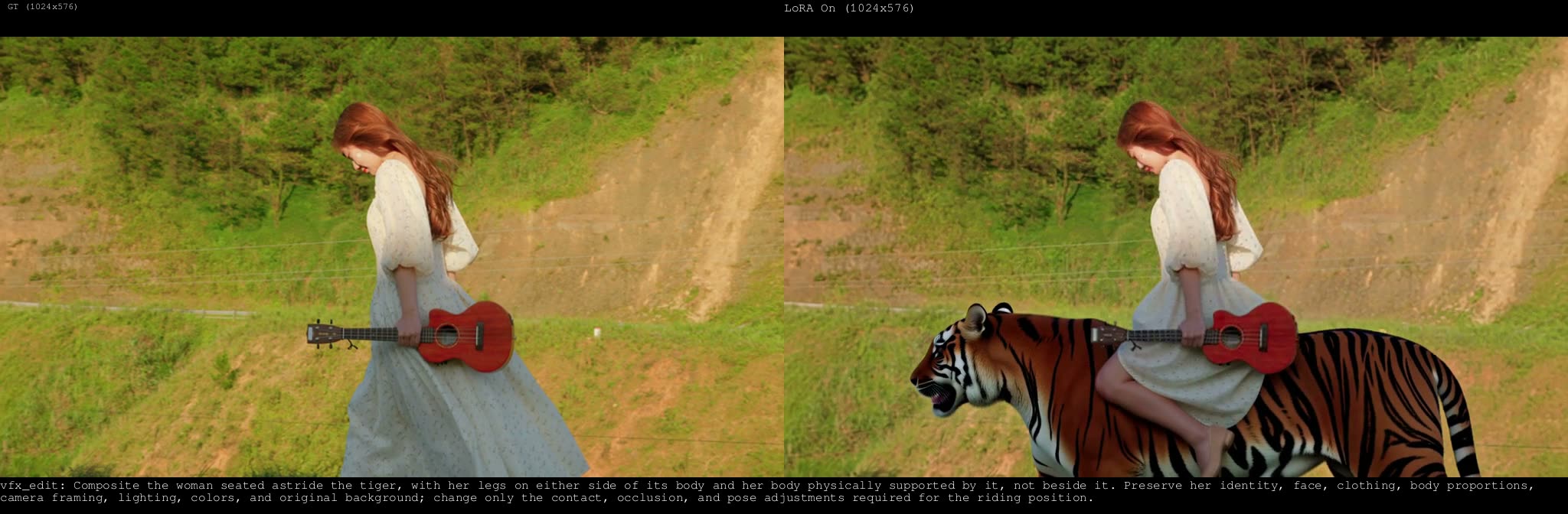 | 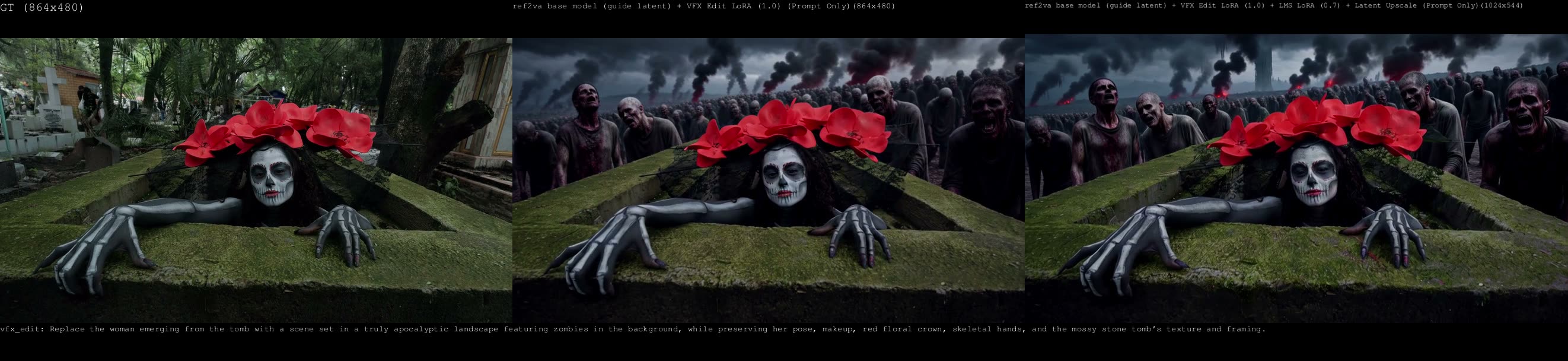 |
|---|---|
| VFX Edit example clips from the repository | A second VFX Edit example |
Style Transfer and Head Swap
Style Transfer restyles an entire clip while trying to keep motion, framing and timing intact. The source video goes into MiniMaxH3AddGuide and the style image into the native reference channel as <Picture 1>, at strength 1.0, dropping to roughly 0.7 if the style starts overriding the original motion. Text-only style prompts work for looks the base model already knows. The docs warn against naming an artist alongside a reference image, since the text can overpower the image.
Head Swap is marked experimental and takes both conditioning paths with different roles: the replacement face goes through the native reference channel as <Picture 1> / <Subject 1>, while the complete base video goes through MiniMaxH3AddGuide at frame_idx = 0 as <Video 1>. The base video must not be routed through the native video-reference channel. The documentation also carries an explicit responsible-use notice: research and creative use only, no impersonation, fraud or deception.
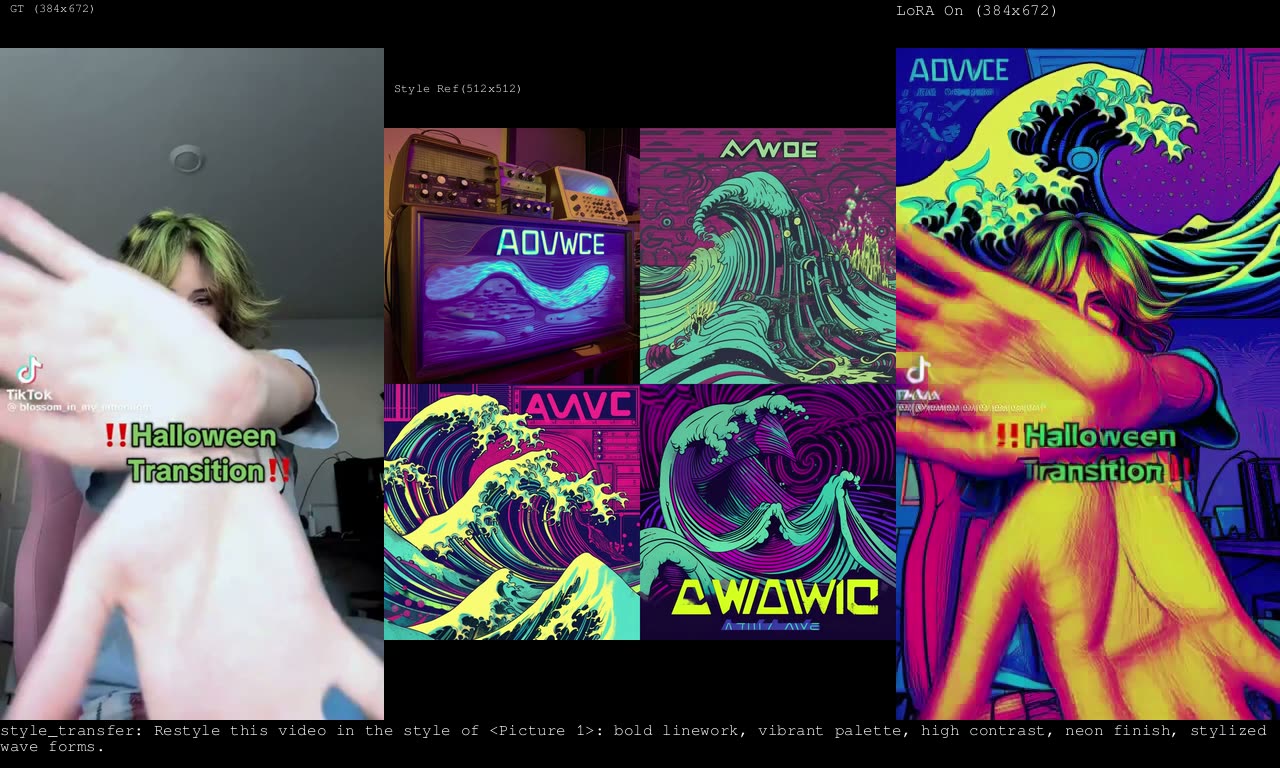
A Style Transfer example from the repository
Latent upscaler experiment
The pack also documents an experimental latent-upscaler checkpoint, h3_upscaler_lms_v0.1, which started from the LBH-123-AI latent upscaler and was fine-tuned for 2,000 steps on the same sharpness dataset used for the LMS LoRA. The same weights are published twice, under latent_upscaler/ and experiments/, and the guide states plainly that no dedicated example video or workflow has been uploaded for it yet.
Availability
Download the LoRAs from the repository, place them in ComfyUI/models/loras/, and load the matching workflow from the workflows/ folder: each one lists the models it needs. The LoRA conditioning path itself runs on core MiniMax H3 nodes (including MiniMaxH3AddGuide), but the bundled example workflows also load video, resize frames and run the latent upscaler through third-party node packs, so install whatever each workflow's own notes list as missing.
Comments
Sign in with GitHub to join the discussion.