CrossView-Warp LoRA: New Camera Angles for MiniMax H3 Video
Cseti ports CrossView-Warp to MiniMax H3: a Ref2VA LoRA plus a ComfyUI node that re-renders existing footage from a new camera angle using a MoGe depth warp.
This is the third release in the CrossView family, after the LTX-2.3 IC-LoRA versions, and the first built on MiniMax H3 Ref2VA rather than prompt-driven camera phrases. Instead of describing where to move the camera, the node warps the existing footage with real geometry and hands the result to the model as a guide, so the new angle lands where the depth map says it should.
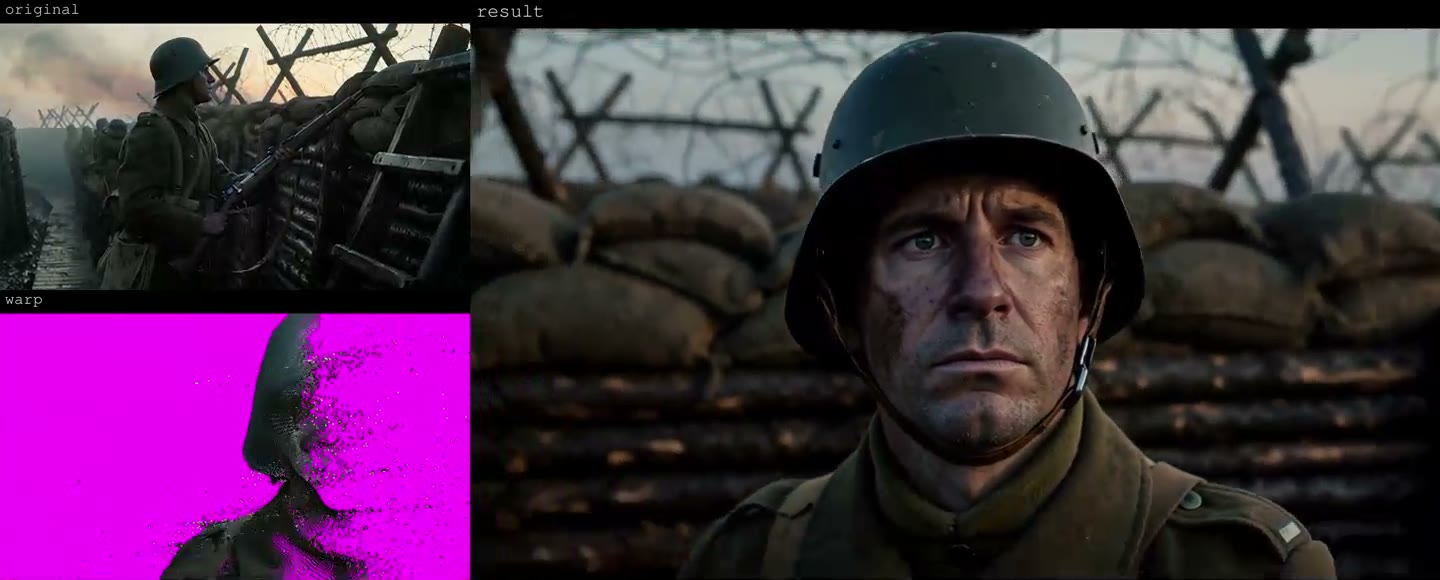
Each model page clip is a three-panel comparison: the depth warp, the original footage and the generated result.
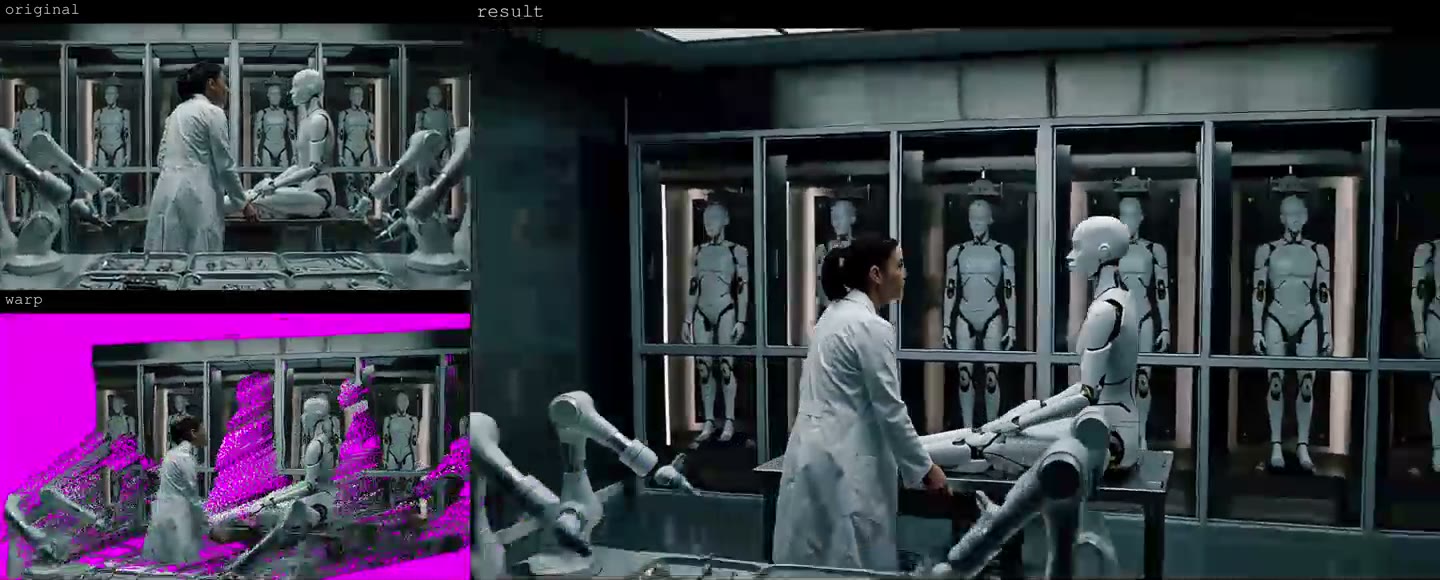 | 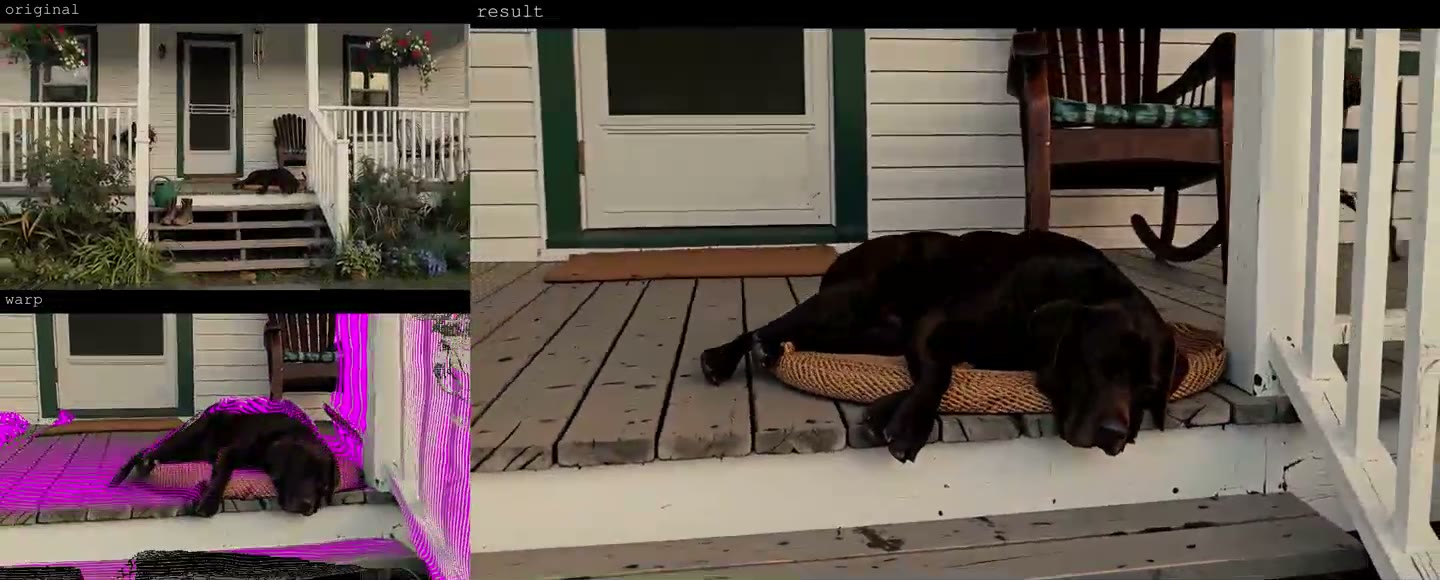 |
|---|---|
| A second camera move | A third camera move |
The full comparison clips are on the model page: 00010, 00014.
How it works
The LoRA reads two videos at once. The first is a depth warp of your clip, produced by the CrossViewWarp node running MoGe geometry inference, and it carries the viewpoint change. The second is the clip itself, which carries identity, lighting and appearance. The warp goes into the model's guide path at frame 0, the source clip goes into the reference path, and the crossview trigger word switches the adapter on.
Because the geometry comes from the warp rather than from a text prompt, the camera offset is set numerically in the node, with the same control surface as the LTX release. Areas the original camera never saw are flagged in the node's preview, and you can prompt what should appear there.
Prompt and settings
The trigger word is crossview. LoRA strength runs from 0.8 to 1.0, with 0.8 recommended on the four-step distilled path.
| Setting | Value |
|---|---|
| Trigger word | crossview |
| LoRA strength | 0.8 (0.8 to 1.0) |
| Frames | 124 |
| First pass | 0.5 MP, 16:9 |
| Second pass | 1.5 MP, 16:9 |
| Sampler / steps | res_multistep, 8 steps with the DMD 8-step turbo LoRA |
| Sigma shift | 12 video / 3 audio |
The node's walkthrough video covers the camera controls, and the settings above are the ones the published examples were generated with.
Training details
| Parameter | Value |
|---|---|
| Base model | MiniMax H3, ref2va |
| Framework | musubi-tuner (minimax-h3 branch) |
| Strategy | Ref2VA with aligned_guide_indices = [0] |
| Released checkpoint | step 3,500 of 6,000 |
| LoRA rank / alpha | 32 / 32 |
| Optimizer | adamw8bit, 1e-4 |
| Base precision | INT8 ConvRot |
| Training resolution | 512x512, 73 frames |
| Schedule | 6,000 steps, batch 1 |
| Measured | 20.35 s/step, 33 h 55 min on an RTX PRO 6000 Blackwell |
The training set is the same 719 Blender scenes used for the LTX v2 release, rendered across camera offsets so the adapter learns the relationship between a warp and the view it implies.
Availability
The adapter is published as a single safetensors file and loads onto the H3 ref2va checkpoint. The release notes point out that the regions the original camera never saw are called out in the node's preview, and that reference images or prompts can be used to steer what gets generated there.
LoRA: Cseti/MiniMax-H3_Ref2VA-LoRA-CrossView-Warp_v1
Node: cseti007/ComfyUI-CrossViewWarp
Base model: MiniMaxAI/MiniMax-H3
Comments
Sign in with GitHub to join the discussion.