Viggle Meridian Brings Geometry-Guided Re-Camera to ComfyUI
Viggle Meridian re-cameras MiniMax H3 video from a geometry render: feed an existing clip plus a camera path and get a new viewpoint. Two LoRAs, two nodes, ready graphs.
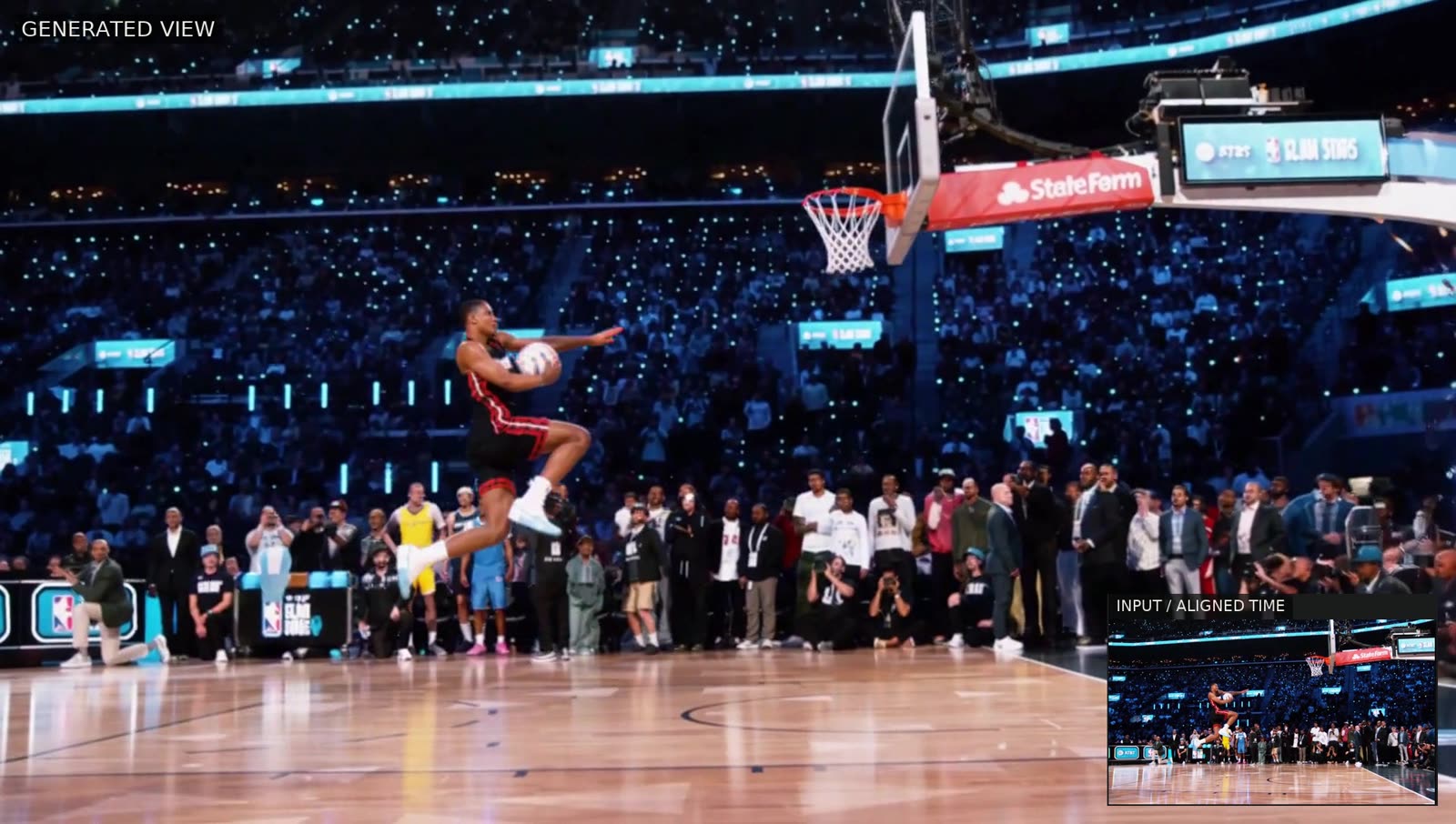
A dunk seen from new angles. The edit mixes generated views with frames taken from the original footage.
How it works
Meridian splits the job into geometry and generation instead of asking a video model to imagine a camera move from nothing:
- Build the geometry. VGGT-Omega estimates depth and camera poses from the input video, and the selected frames become coloured 3D points.
- Render the new view. For each output frame, a moment from the input is paired with a chosen camera viewpoint, and the points are rendered from that angle. Regions the original camera never saw come out as grey holes.
- Generate the shot. The source video and the matching rendered video are both fed to Meridian as references, which fills the holes and refines the result.
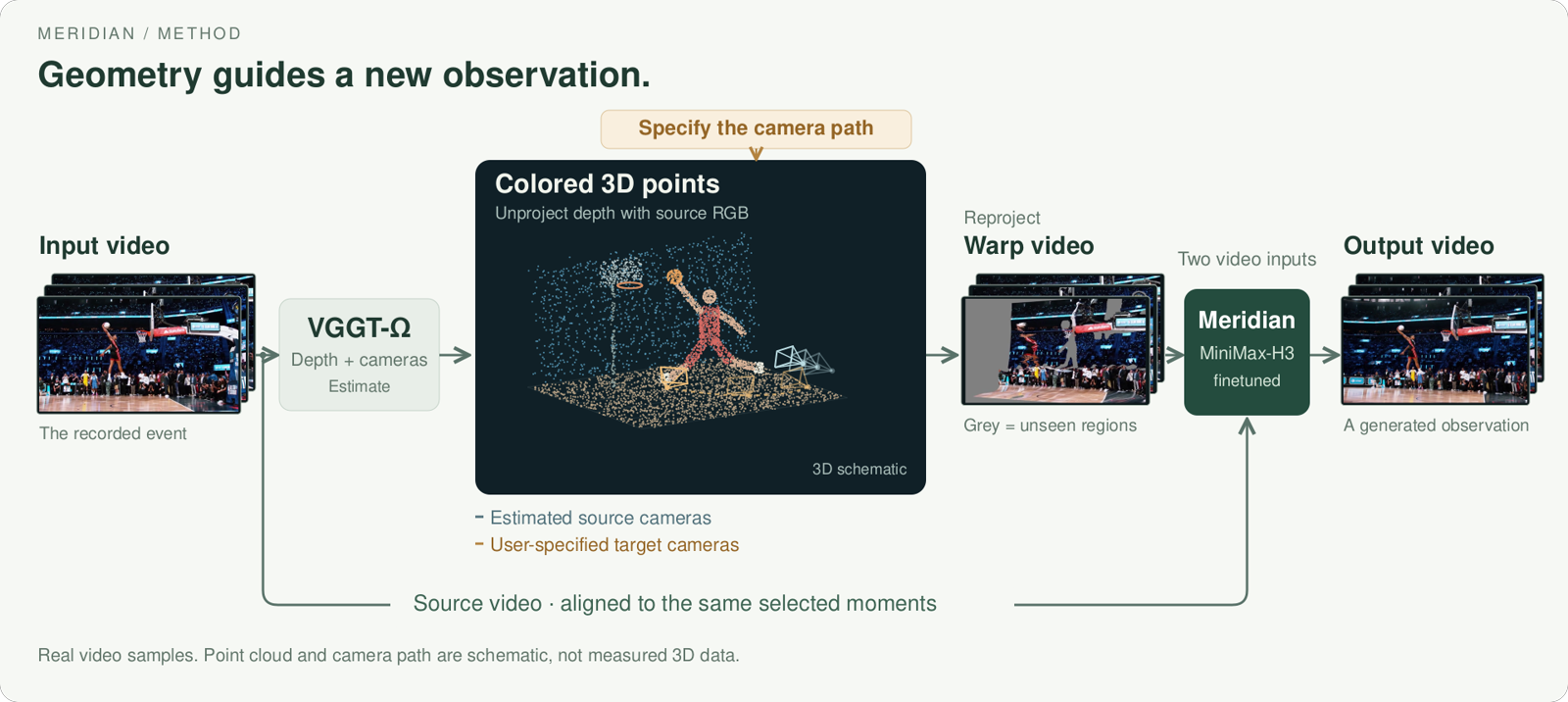
Depth and camera poses from VGGT-Omega, rendered along a chosen path. Frames are real; points and cameras are schematic.
Because the geometric render is cheap once the points exist, the framing can be previewed, gaps spotted, and the path adjusted before the video model runs. Space and time are controlled separately: pick where to watch from, pick when to watch, and decide how the two meet, which is what makes bullet-time style moves possible without being the only trick the model can do.
Two LoRAs, no merged checkpoint
Meridian uses MiniMax H3's transformer and VAE without loading a text encoder at inference: the task's text embeddings are precomputed, and the transformer architecture is unchanged.
| Component | Role |
|---|---|
teacher_lora/ | The re-camera adapter that reads a geometric render. 2.5 GiB, its own grid is --steps 50 --flow-shift 12 |
turbo_lora/ | A distillation of the teacher into 3 forwards. 2.5 GiB, default --steps 4 --flow-shift 3 |
legacy/ | The first release: one 61.7 GiB fused transformer plus its adapter, kept for reproducibility |
Both adapters load together and neither should be merged into the base weights. The default run sums them at weight 1.0, which is the combination the turbo was distilled against: merging is lossy in bf16, and for the turbo it erases essentially all of the update.
Running it in ComfyUI
Viggle publishes both adapters in ComfyUI's generic LoRA format under comfyui/, next to two custom node files and two API-format graphs. Drop either graph on the canvas and the frontend builds it.
- Load
minimax_h3_fl2va_bf16.safetensorsfrom Comfy-Org/MiniMax-H3. Meridian is trained on H3'sfl2vapartition, so theref2vafile is the wrong base. - Apply
comfyui/meridian_teacher_lora.safetensorsand thencomfyui/meridian_turbo_lora.safetensors, both at strength 1.0. - Sample with
euleron thesimplescheduler atcfg1.0. There is no negative branch, so wire the same conditioning into both inputs. - ComfyUI's
stepsruns one below the repository's--steps, because its schedulers append the trailing zero: the turbo pair isMiniMaxH3SigmaShift3.0 withsteps3, and the teacher alone is shift 12.0 withsteps49.
Output is 24 fps on a 768-class, aspect-matched canvas: 1344x768 for a 16:9 input. Valid lengths are 73, 90, 107, 124, 141, 158, 175 or 243 frames, roughly 3 to 10 seconds per take. The CLI reads frames by index, so source footage should be a continuous shot exported at constant 24 fps; it will not normalise frame rate or detect cuts.
Examples
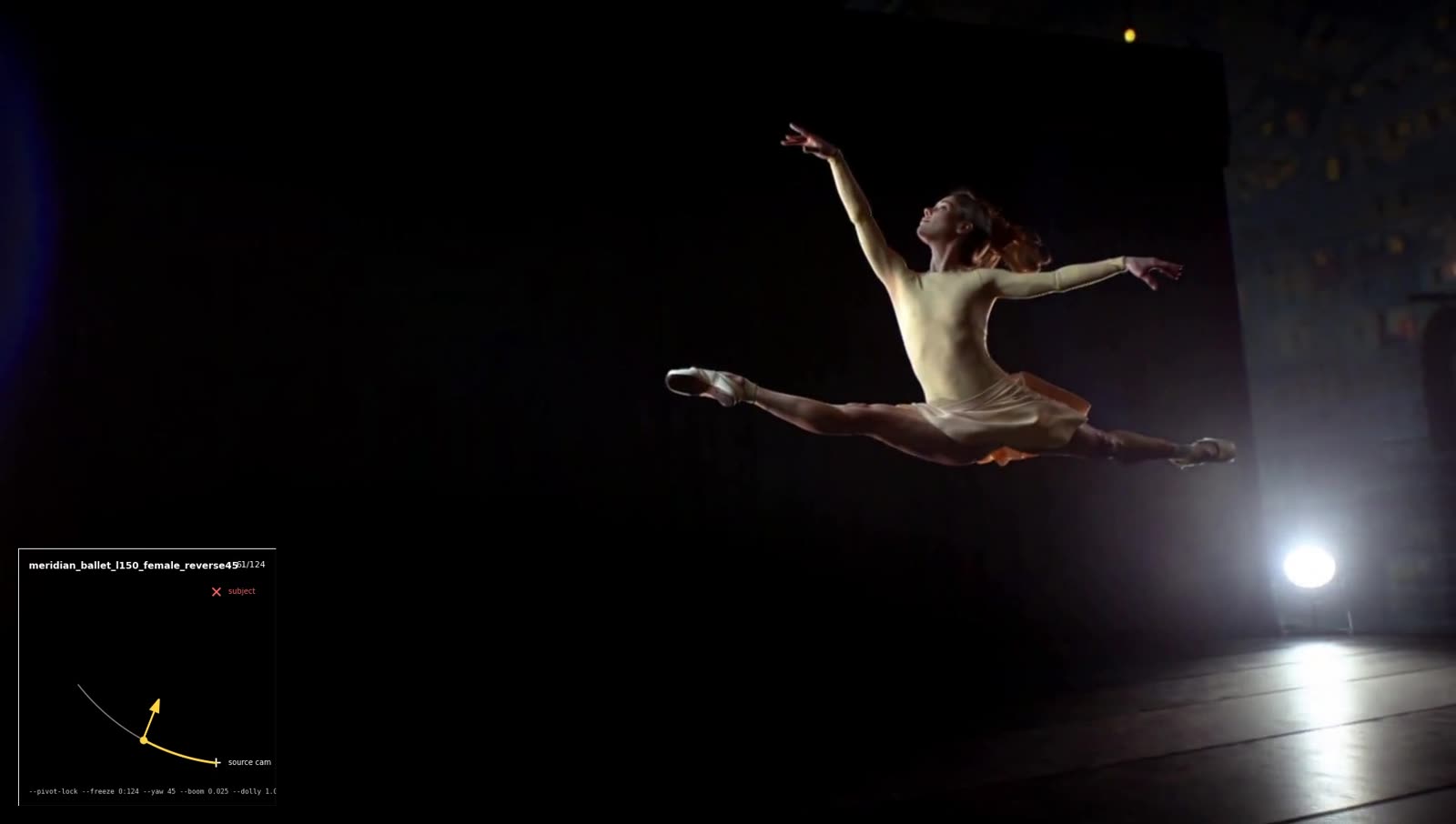
A camera move authored from one still photograph.
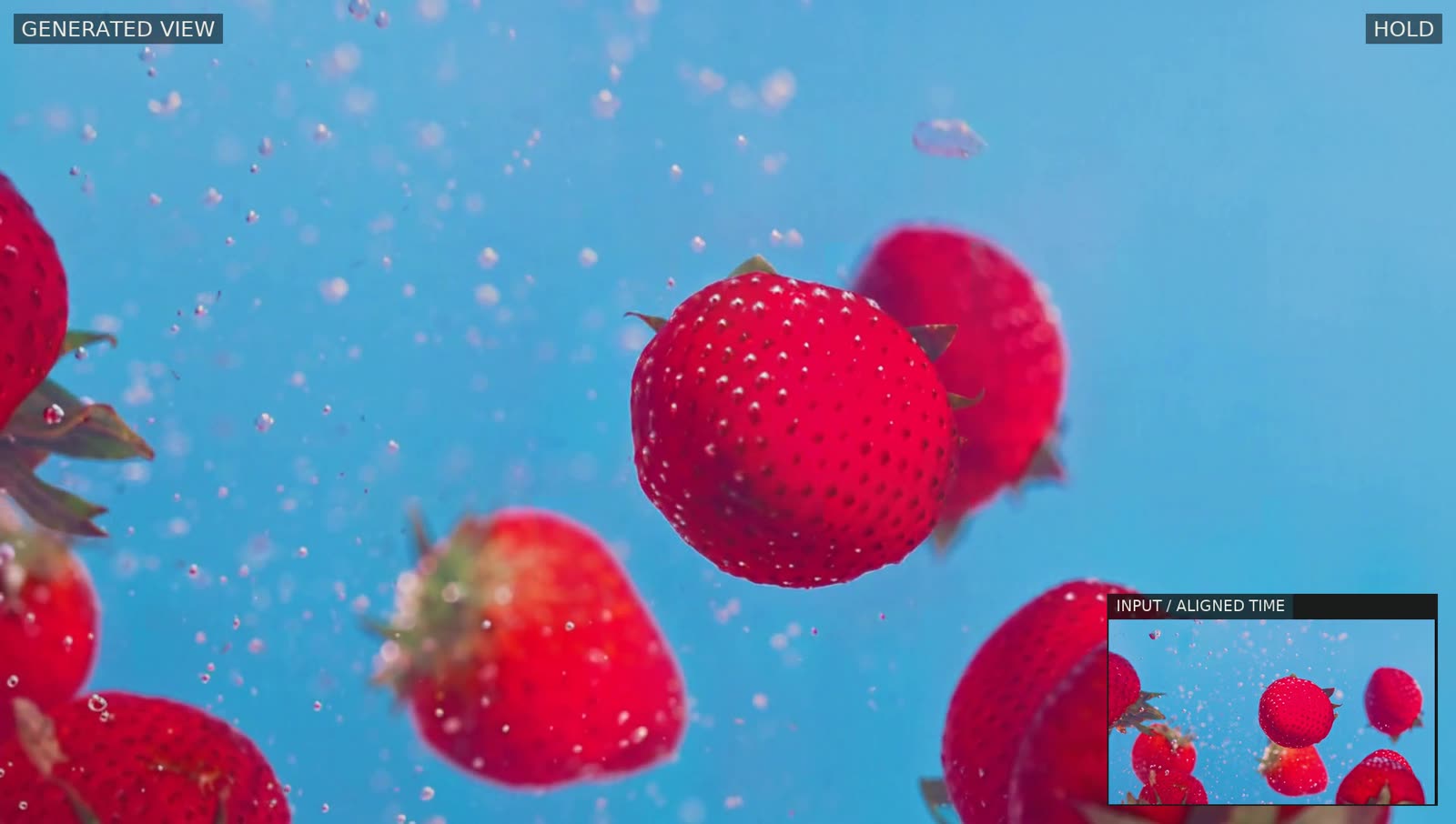
Source time advances, holds while the camera moves, then resumes.
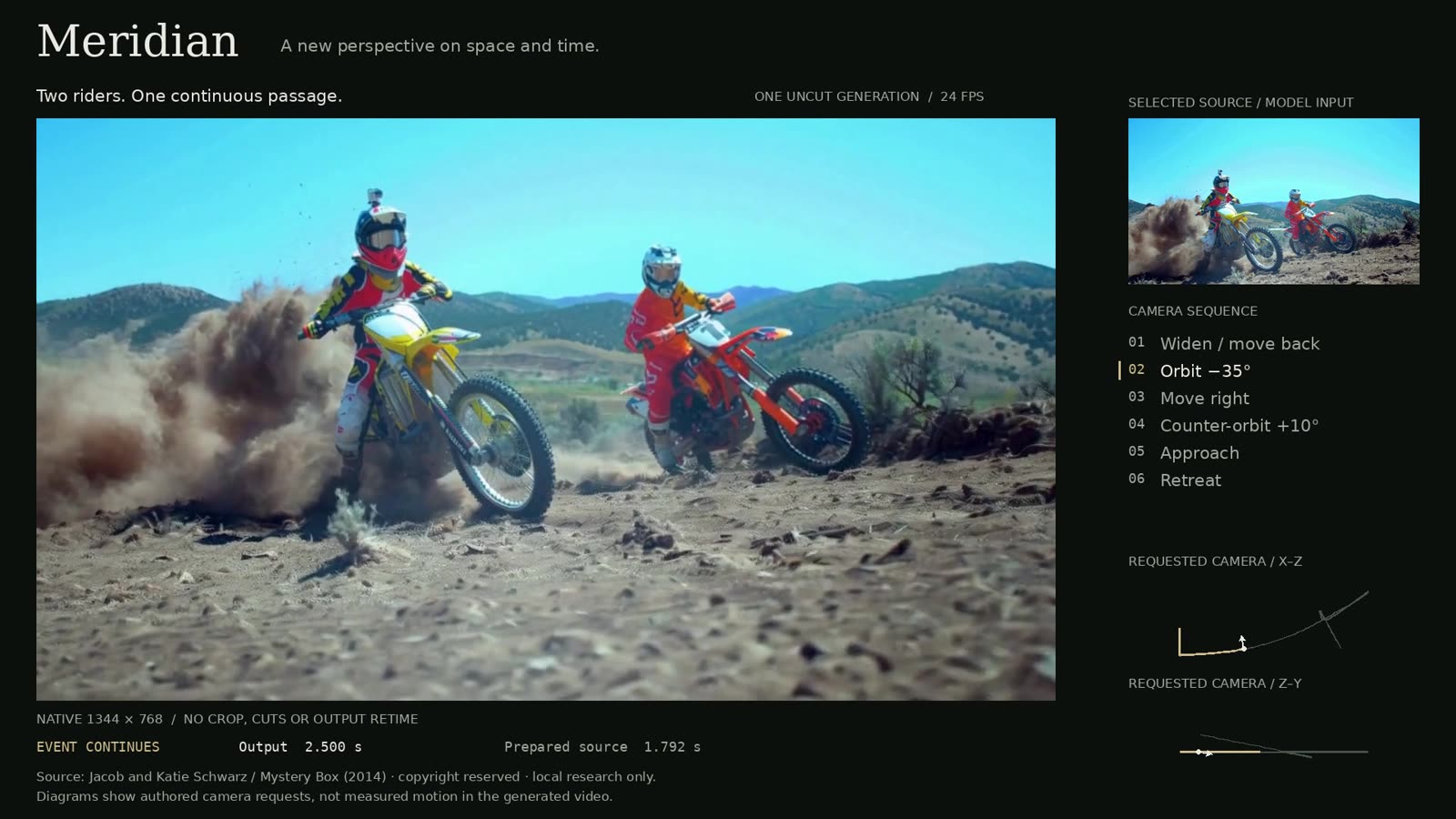
Orbit, move sideways and change distance inside a single continuous shot.
Requirements and limits
The reference implementation runs on one high-memory CUDA GPU and does not currently expose quantization, CPU offloading or multi-GPU sharding, so consumer cards are out of reach for now. Viggle explicitly invites the community to bring Meridian to smaller GPUs such as the RTX 4090, noting that keeping H3's architecture and dropping the text encoder is a useful starting point for memory-saving work. VGGT-Omega's geometry model is obtained separately through its own repository and is not bundled with the adapters.
Availability
Weights, adapters, ComfyUI nodes, graphs and the inference CLI are on Hugging Face. The repository also includes sample clips and a prototype Studio for designing camera paths with real-time 3D feedback before committing to a generation.
Comments
Sign in with GitHub to join the discussion.