Qwen-Image 2.1: 7B T2I and Editing Model in ComfyUI
Download Qwen-Image 2.1 for ComfyUI: qwen_image_2.1_bf16 and int8_convrot safetensors, qwen3vl_8b encoder and official 2K text-to-image, edit and background removal workflows.
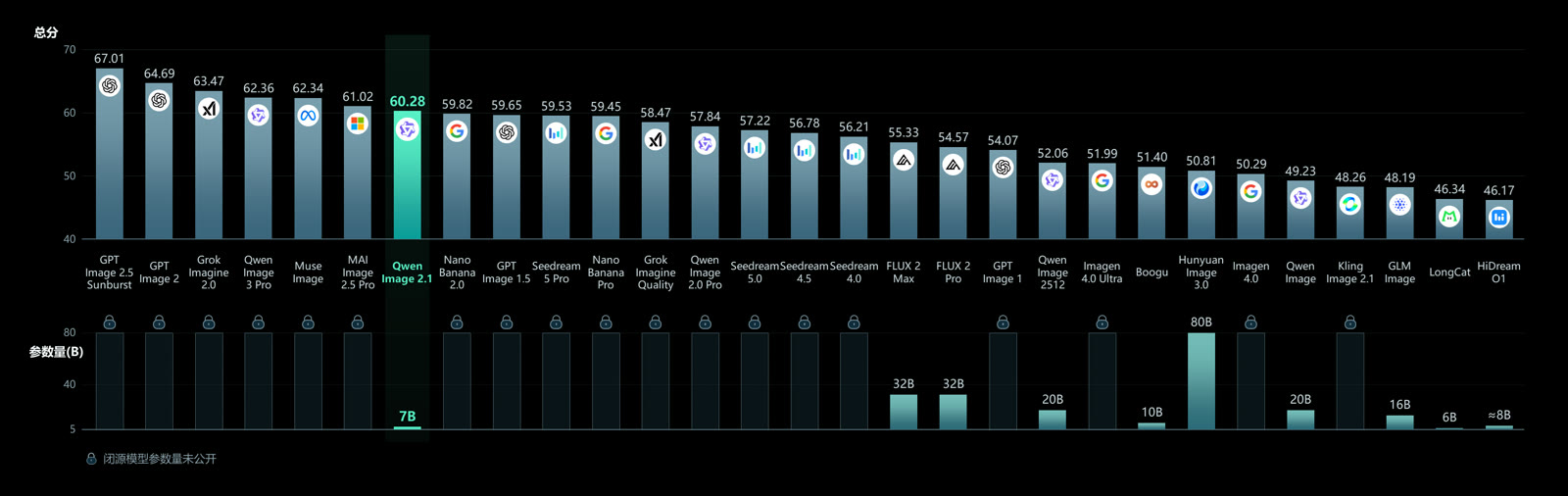
Examples from the official Qwen-Image 2.1 model card.
What is new in Qwen-Image 2.1
The previous Qwen-Image generation used a 20B MMDiT backbone with a Qwen2.5-VL-7B text encoder. Qwen-Image 2.1 replaces the visual generation side with a 7B component made of 32 single-stream DiT layers, and the four headline changes are:
- Compact and efficient. Mixed-granularity attention plus prefix KV cache reuse keeps quality high at a much lower compute cost than the 20B line.
- Native transparency, unified generation and editing. One model writes normal or transparent (RGBA) images from text, edits transparent layers, and extracts subjects out of photographs.
- Versatile editing. Up to 10 reference images per request, local edits specified with circles, painted annotations or a separate mask, and identity preservation for people and products.
- Realistic textures and refined aesthetics. Better typography, portrait lighting and fine detail.
Native output sizes are wider than the 1024-class square the older workflows used: 2048x2048 at 1:1, 2400x1792 at 4:3, 2528x1696 at 3:2 and 2752x1536 at 16:9, with the matching portrait ratios.
Transparent images with a real alpha channel
The headline feature is alpha that survives into the file. Instead of generating on a flat backdrop and then cutting the subject out with a separate matting model, Qwen-Image 2.1 writes the transparency itself, so a sticker, a product render or a UI asset comes out ready to composite. The model card recommends an explicit prompt format to trigger it:
This is an RGBA image with transparency. <your subject description>.
The image has alpha channel and the background is transparent.


Native transparent image generation, straight from the official showcase. The files carry an alpha channel, not a painted checkerboard.
Editing from up to ten references
Editing is where the reference budget matters. Qwen-Image 2.1 accepts up to ten images in a single pass, which makes group compositions, multi-product scenes and character sheets possible without stitching separate generations together. Local edits can be aimed with a circle, a painted annotation or a mask node.
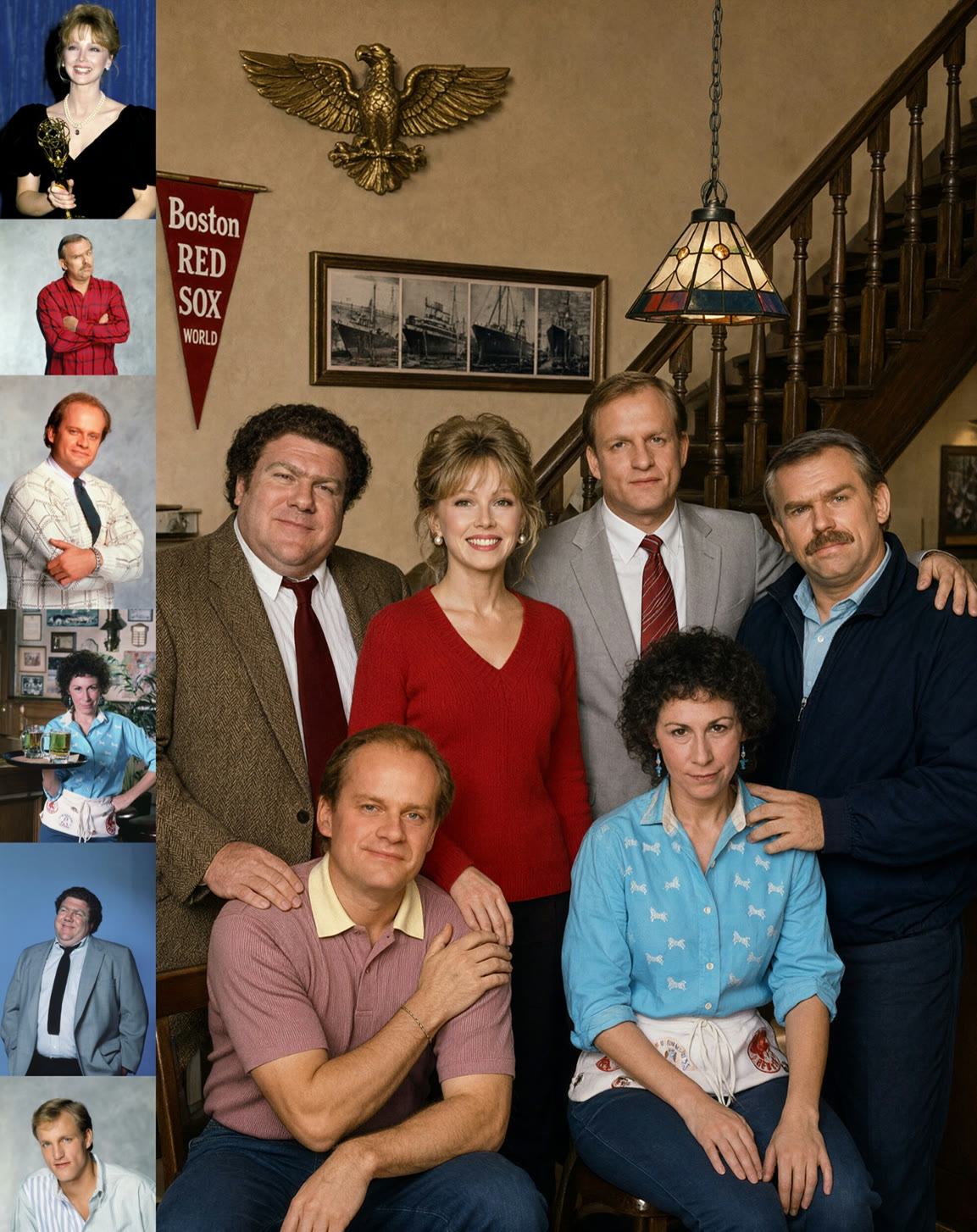
One group photograph generated from six portrait references.
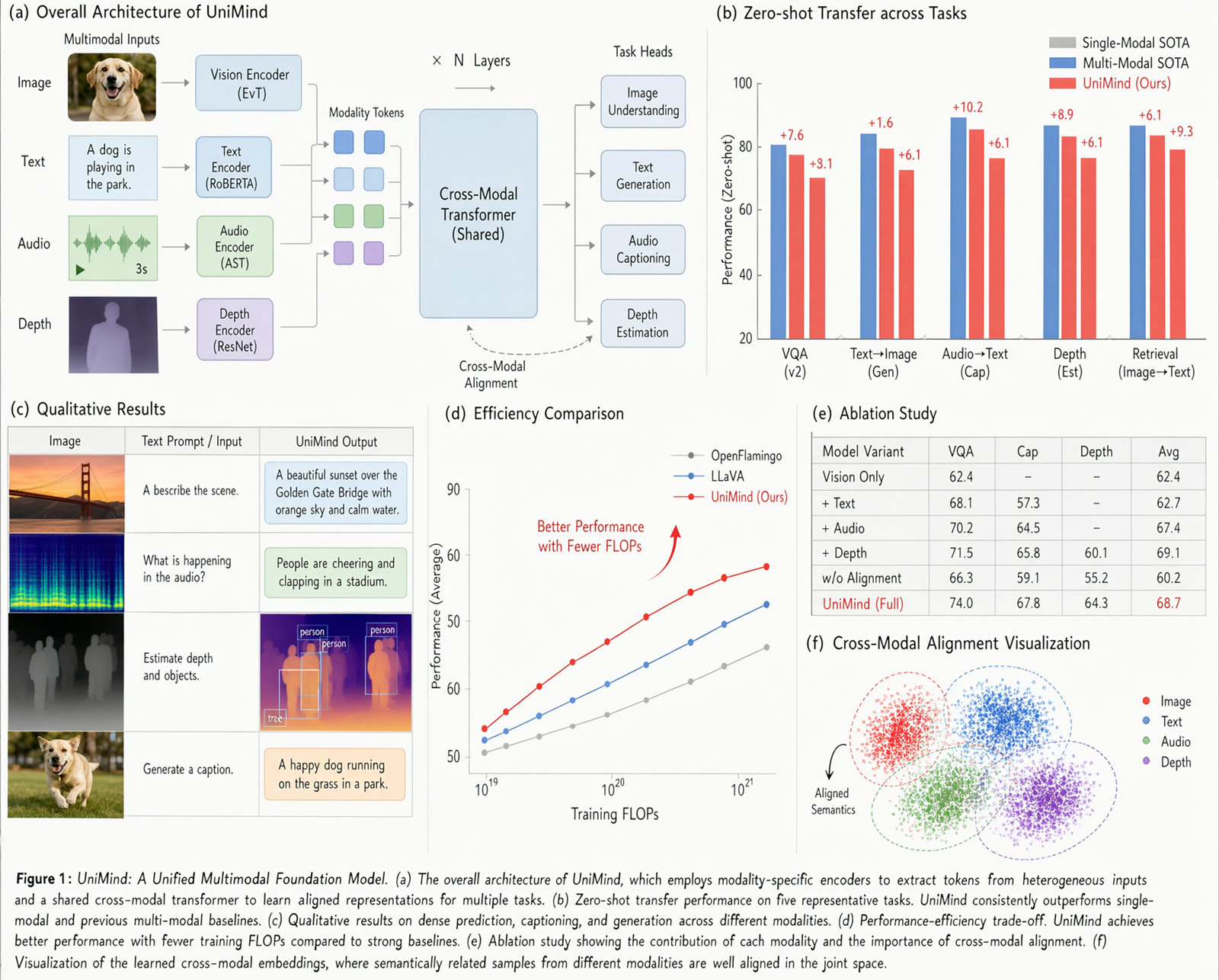
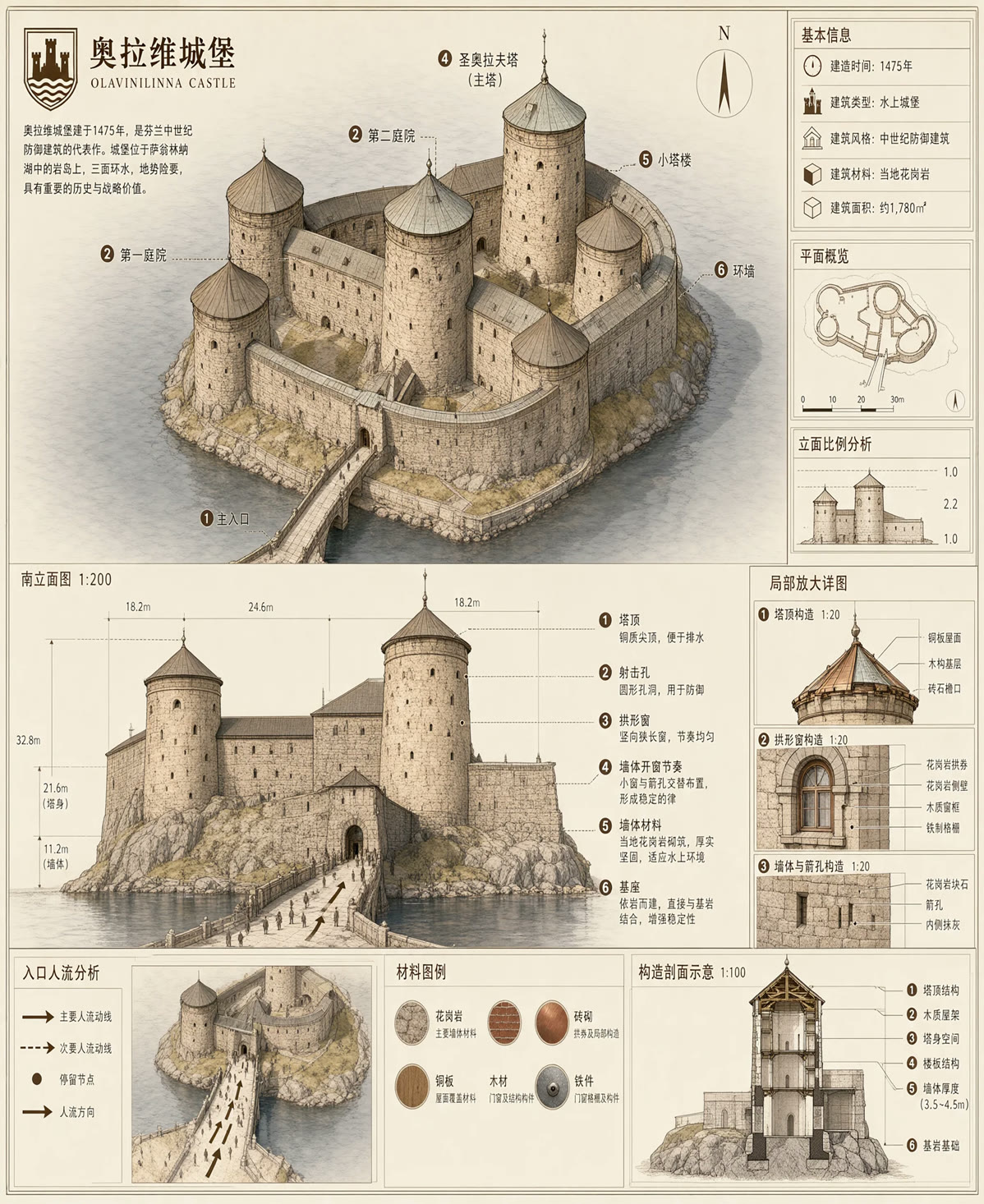
Typography and layout examples from the model card.
Day-0 ComfyUI support
ComfyUI merged Qwen-Image 2.1 support in Comfy-Org/ComfyUI #16400 (CORE-423, by Kijai), and the three official templates below require ComfyUI 0.37.0 or newer. Later commits added transformer block compilation and improved KV cache placement for the model.
Repackaged single-file weights live in Comfy-Org/Qwen-Image-2.1, and the templates are part of the built-in workflow gallery, so they can also be opened from the template browser instead of dragging a JSON.
| Template | What it does |
|---|---|
| Text to Image | One 1024x1024 image over 25 sampling steps, native 2K output, typography and alpha support |
| Image Edit | Two reference images through the single generation-and-editing checkpoint, useful for character-consistent edits and product cutouts |
| Remove Background | One input image in, one transparent result out, using the model's native RGBA output |
Model files
The Comfy-Org repackage splits into the usual folders:
📂 ComfyUI/
└── 📂 models/
    ├── 📂 diffusion_models/
    │   ├── qwen_image_2.1_bf16.safetensors
    │   └── qwen_image_2.1_int8_convrot.safetensors
    ├── 📂 text_encoders/
    │   ├── qwen3vl_8b_bf16.safetensors
    │   ├── qwen3vl_8b_int8_convrot.safetensors
    │   └── qwen3vl_8b_w4a8.safetensors
    └── 📂 vae/
        └── qwen_image_2.1_vae_bf16.safetensors
Alongside those, the repackage also carries prompt enhancer text encoders, qwen3.5_9b_qwen_image_2.1_pe_t2i and qwen3.5_9b_qwen_image_2.1_pe_i2i in INT8 convrot form. Those are the LLMs Qwen fine-tuned to expand a short request into the template format the image model prefers, and they are optional: any capable LLM can fill the same prompt template, and the image model itself runs without one.
What early users are reporting
The model has been in users' hands since launch day, and the same handful of practical notes keep coming up:
- Native size matters. Pushing well past the 2048-class training resolution destabilises exposure, while oversized input references slow generation sharply. Resizing a reference before loading it is cheaper than letting the sampler chew through it.
- CFG below 1 is not usable. Guidance around 1 behaves like the previous Qwen-Image line, and a small CFG with a quality-focused negative prompt is what people reach for when text in the image needs to be sharper.
- Style transfer is still hit or miss. Text instructions change style reliably, whereas style supplied through reference images has been less dependable, echoing what users ran into on the earlier Qwen-Image Editing models.
Availability
The weights are on Hugging Face and ModelScope, with the launch post on the Qwen blog. Day-0 integrations besides ComfyUI include Diffusers via QwenImage21Pipeline, vLLM-Omni, SGLang and LightX2V.
Comments
Sign in with GitHub to join the discussion.