obvpm Timeline: MiniMax H3 Clip Editing Nodes for ComfyUI
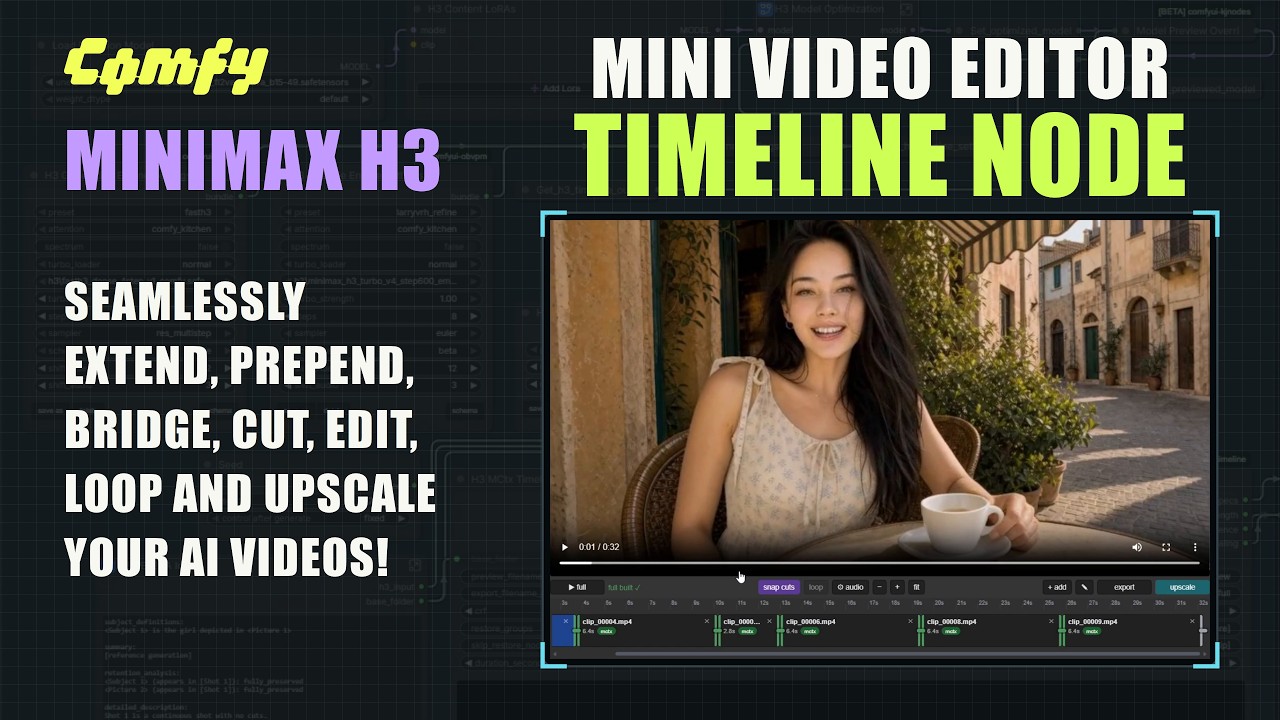
comfyui-obvpm-timeline adds a mini video editor to ComfyUI for MiniMax H3: extend, prepend, bridge and loop clips with latent-grade joins and a one-pass upscale.
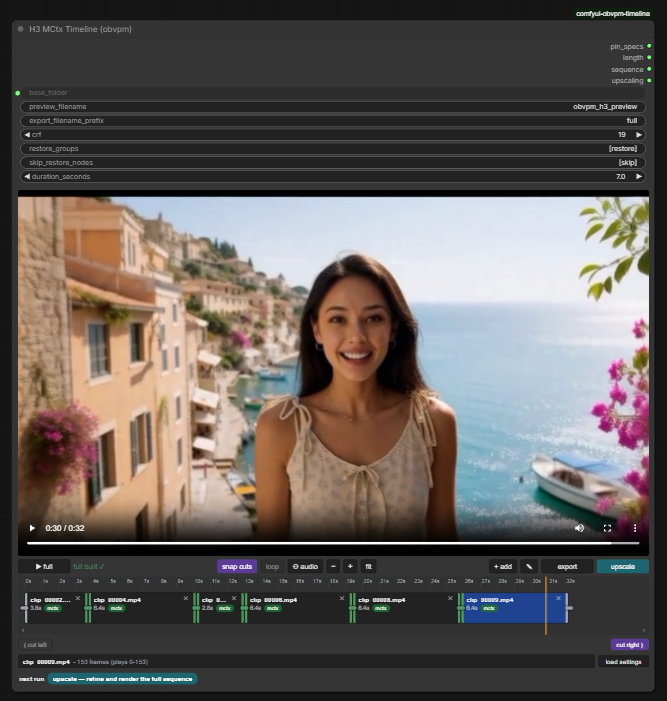
The Timeline node is a mini video editor inside a single node: clips, playhead, cuts, and the clip the next generation continues from.
Editing instead of re-rolling
Every queue run produces one take. You preview it joined to its neighbours, and the preview rates how seamless that join is, so you decide whether to keep it, delete it or dismiss it before it reaches the timeline.
Once a take is on the timeline it can seed the next generation in four directions:
| Action | What it generates |
|---|---|
| Extend | What happens after a clip |
| Prepend | What happens before a clip |
| Bridge | What happens between the end of one clip and the start of another, so a section in the middle can be redone. Bridging onto a fresh generation is also the way back if the quality of a long chain has drifted |
| Loop | Bridging the last clip back to the first one, for a seamless looping video |
Clips can be cut first and extended from the cut, with snap cuts kept on the latent frame grid, and the timeline itself works like a small editor: drag clips in from anywhere, reorder and trim them, cut left or right at the playhead, undo cuts, open gaps, and swap between earlier takes of the same extension. Load Settings, Prompts from Clips restores the prompt, seed, settings and references a clip was generated with, and the whole sequence is also available as text for copying into another workflow.
Sidecar latents instead of pixel round-trips
Each take is saved as a clip pair: the delivered MP4 plus a .mctx.safetensors sidecar holding the take's raw video and audio latents and a metadata header. The sidecar is the master copy, so a continuation runs through latent masks rather than re-encoded pixels, which is what keeps joins free of lighting changes and flicker, and what lets a clip be extended at full quality days or months later.
The header records the clip's lineage (parent_id, relation, parent_join_frame), the pins that describe exactly which windows of which source clips were reused, and the SHA-256 of the paired MP4, which is verified on every load: a video that has been re-encoded, edited or swapped since the take was saved is refused for latent continuation, and can only be used through the pixel route. The workflow and the API-format prompt are embedded in the sidecar the way ComfyUI embeds them in a PNG. Sidecars run roughly 2 to 3 MB per second of video at 1280x704.
Clips that were never generated by the pack, such as external videos, have no sidecar. They can still be extended, with seam improvements applied automatically.
One-pass upscale of the whole sequence
The optional upscale pass runs a latent upscale and refine over the entire sequence in a single pass, so detail stays consistent across the joins instead of being refined clip by clip. Sampling is done in windows, so long or high resolution sequences still fit in VRAM, and each clip's conditioning is stored with it, so the upscale uses the same references the clip was generated with. The usual pattern is to iterate at low resolution and upscale once at the end.
Requirements and install
The workflow needs ComfyUI 0.35.0 or newer, because its model optimisation uses the core Model Sparse Attention node, and it needs the author's companion pack comfyui-obvpm 0.2.5 or newer for the Bundles and Settings Presets it is built around. The node pack itself installs with no extra Python dependencies:
cd ComfyUI/custom_nodes
git clone https://github.com/chanon/comfyui-obvpm-timeline
The example workflow also uses ComfyUI-KJNodes, Comfyui_Minimax_h3_latent_Upscaler for the upscale pass, ComfyUI-MiniMax-H3-Turbo, ComfyUI-Spectrum-MiniMax-H3 and rgthree-comfy. Every node in this pack carries an (obvpm) suffix, so searching the node menu for obvpm finds all of them.
-Plus fork of the H3 latent upscaler registers a node with the same id and name but a different widget set, which makes a saved workflow load with its settings shifted by one field. Separately, kat3ri/ComfyUI-MiniMax-H3-Extend replaces two core ComfyUI functions at import time (MiniMaxH3.extra_conds and PackedLayout.<strong>init</strong>), which drops the denoise masks extensions rely on and shows up as colour and brightness drift at the joins of every H3 run in the session.
Community response
The pack came up on r/StableDiffusion on 2026-09-25 in a thread from a user recommending it for clip extension. Users who tried it describe it as well organised and easy to use, and prefer a fresh generation for long chains: quality degradation and colour shifting were reported past roughly 40 seconds of chained extensions, which is the same limit users hit with other looping nodes.
Availability
The workflow file is in the repository's workflows folder, the tutorial below walks through the timeline and the pins, and the pack is published on the Comfy Registry as well.
Repository: chanon/comfyui-obvpm-timeline
Companion pack: chanon/comfyui-obvpm
Workflow tutorial: youtu.be/kqP09NfJXaQ
Base model: MiniMaxAI/MiniMax-H3
Comments
Sign in with GitHub to join the discussion.