Krea 2 Lineart Edit LoRA Turns Sketches Into Rendered Images
Two community LoRAs for Krea-2-Raw paint a finished image while following your lineart, using the Ostris edit nodes and a Realistic Lineart preprocessor in ComfyUI.
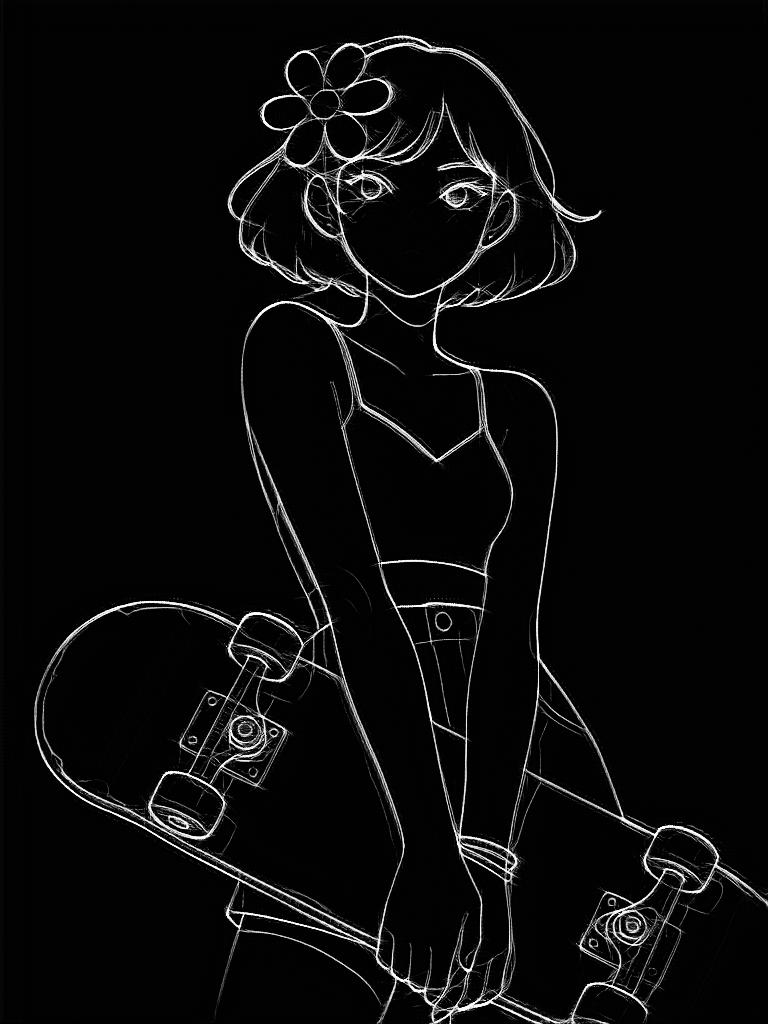 | 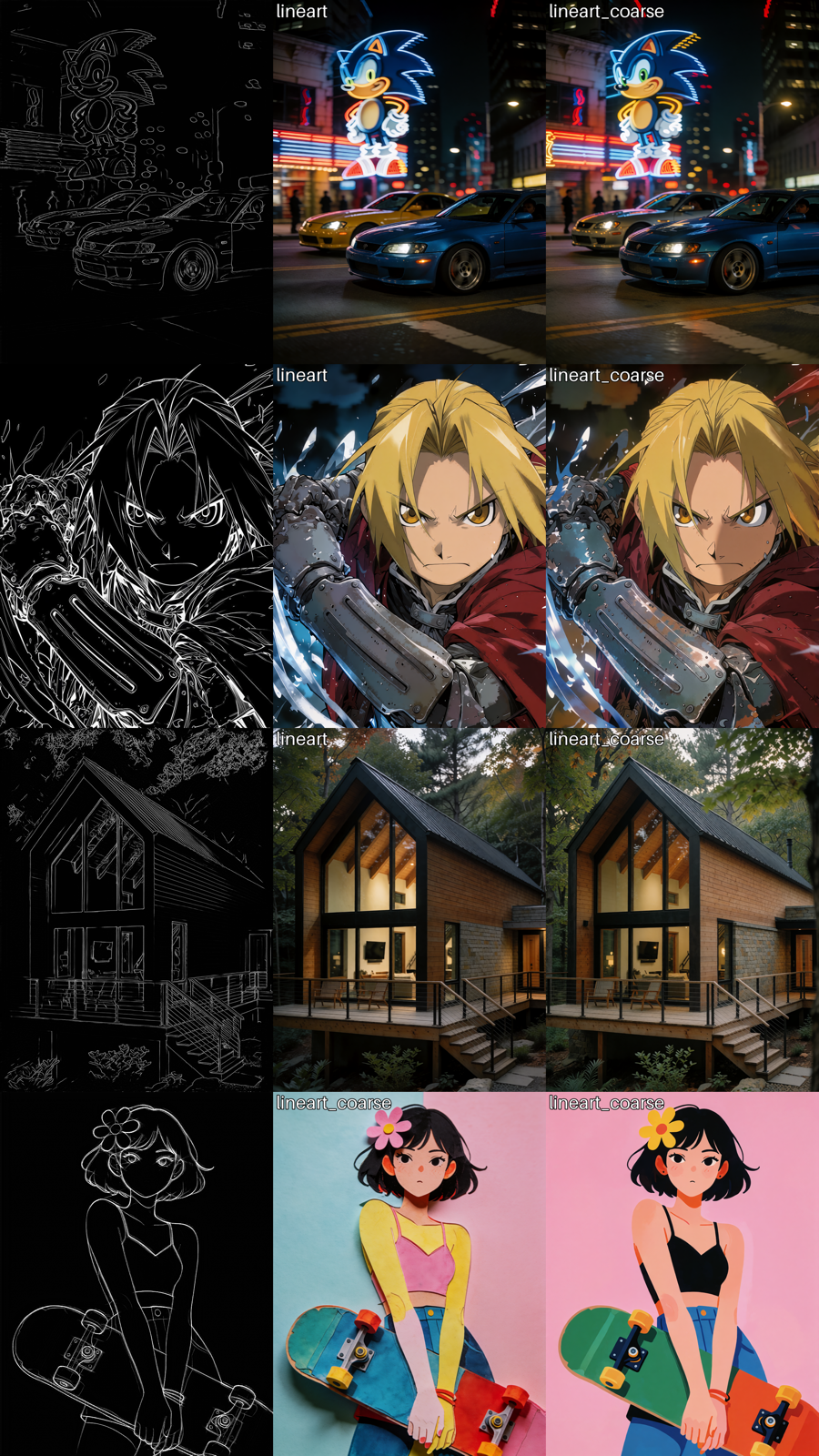 |
|---|---|
| Lineart input | Fully rendered output following the lines |
Two LoRAs, two levels of fidelity
The release includes two variants trained for the lineart format, for example extracted from a photo with the Realistic Lineart preprocessor from comfyui_controlnet_aux:
krea2_lineart_edit_v1.safetensors: the faithful one, following the sketch most closely.krea2_lineart_coarse_edit_v1.safetensors: a looser interpretation that takes more stylistic freedom with your lines.
The comparison table above uses the coarse variant in its example workflow.
How to run it in ComfyUI
The LoRAs plug into the existing Krea 2 edit pipeline rather than introducing new nodes:
- Load the Krea-2-Raw base checkpoint.
- Load either LoRA file in
ComfyUI/models/loras/. - Feed your lineart into the LoadImage node. The LoRAs work best with the Realistic Lineart preprocessor style, so run photos through it first.
- Describe the final image in the TextEncodeKrea2OstrisEdit node: style, colors, setting.
- Queue the prompt with the Krea2OstrisEditModelPatch node in the graph.
If you want to test before downloading anything, there is a hosted demo Space where you can try both variants online.
Availability
Both LoRAs are free on Hugging Face at Cierpliwy/krea2_lineart_edit, under the Krea-2 community license. The example workflow lineart_example.json ships in the repo, and the required Ostris edit nodes plus the lineart preprocessor come from ComfyUI-Krea2-Ostris-Edit and comfyui_controlnet_aux.
Comments
Sign in with GitHub to join the discussion.