ComfyUI-VOSR2 Brings the One-Step VOSR 2.0 Upscaler to ComfyUI
Community nodes for VOSR 2.0: a one-step 1.4B super-resolution model with a Qwen-Image VAE and DINOv2 conditioning, auto-downloading weights and tiled 4x upscaling.
What VOSR 2.0 is
VOSR 2.0 is a one-step super-resolution model built from three fixed pieces: a LightningDiT backbone, the Qwen-Image 2D VAE as its latent space, and a DINOv2-L vision encoder for conditioning. It is generative rather than a classical resize-and-sharpen pass, so it can rebuild structure that is not literally present in the low-resolution input, such as text glyphs, facial features and building edges.
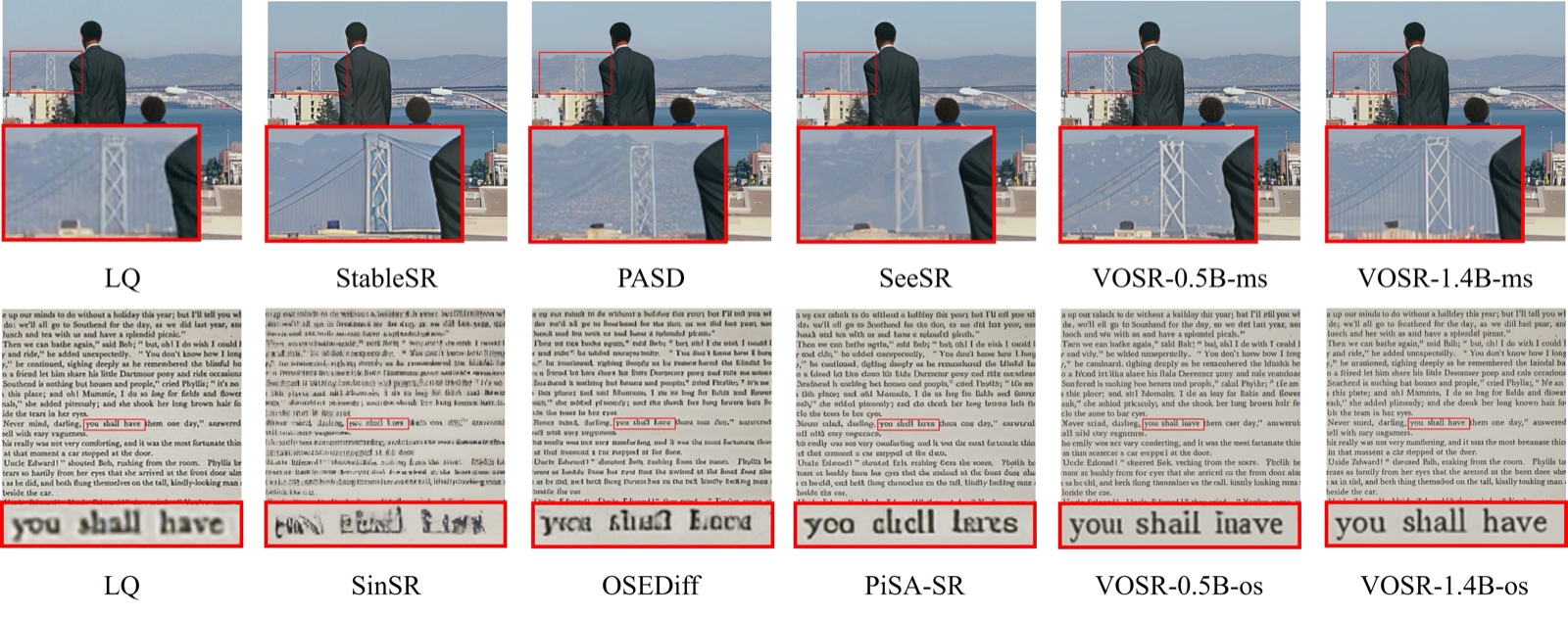
The model card's comparison across fine structures and small text, where the paper positions VOSR 2.0 as strongest.
Because the pieces belong to one trained set, the node package treats them as a bundle: the DiT only works with the Qwen 2D VAE it was trained against, and the vision encoder is matched the same way. There is no separate VAE or encoder input to swap.
The two nodes
Both nodes live under image/upscaling/VOSR2:
| Node | Class | Role |
|---|---|---|
| VOSR 2.0 Model Loader | VOSR2ModelLoader | Loads a bundle folder and returns a VOSR2_MODEL, so queued images do not rebuild the weights |
| VOSR 2.0 Upscale | VOSR2Upscale | Runs one-step super-resolution on an image batch |
The upscale node takes an upscale multiplier (default 4, uncapped), a seed for the latent noise where batch item i uses seed + i, a color_alignment mode (wavelet, adain or none) that post-processes against the bicubic target, and separate DiT and VAE tiling controls.
Tiling is not optional past 512px
This is the part worth reading before you queue a job: VOSR 2.0 was trained natively at up to 512 px, so whenever the upscaled output lands above 512x512 you need to set tile_size (512 is the documented value) or quality degrades. For outputs well past 1024 px, vae_tile_size should also be set, around 1024, otherwise the full-image VAE decode will most likely run out of memory.
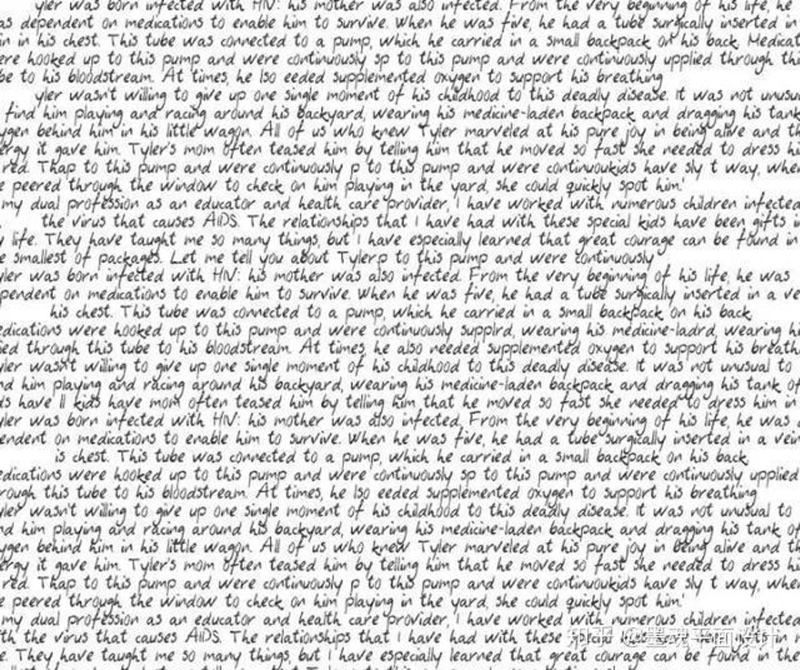 | 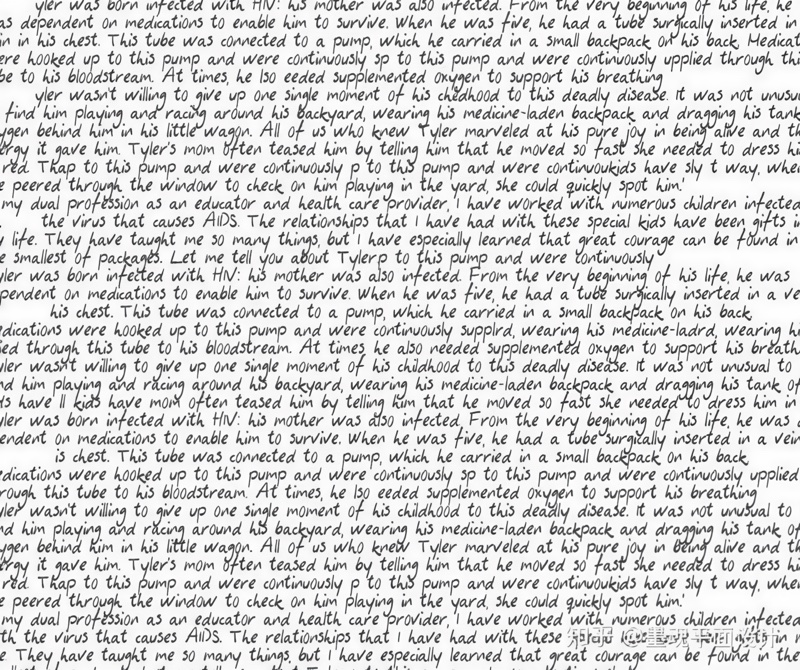 |
|---|---|
| Low-resolution input with small text | VOSR 2.0 output |
The loader validates args.json against the fixed VOSR 2.0 architecture before building anything, so an incompatible checkpoint fails with a clear message instead of loading partially. Any bundle folder with an args.json placed under models/vosr2/ shows up in the model dropdown, but only VOSR2 is downloaded automatically.
Workflow
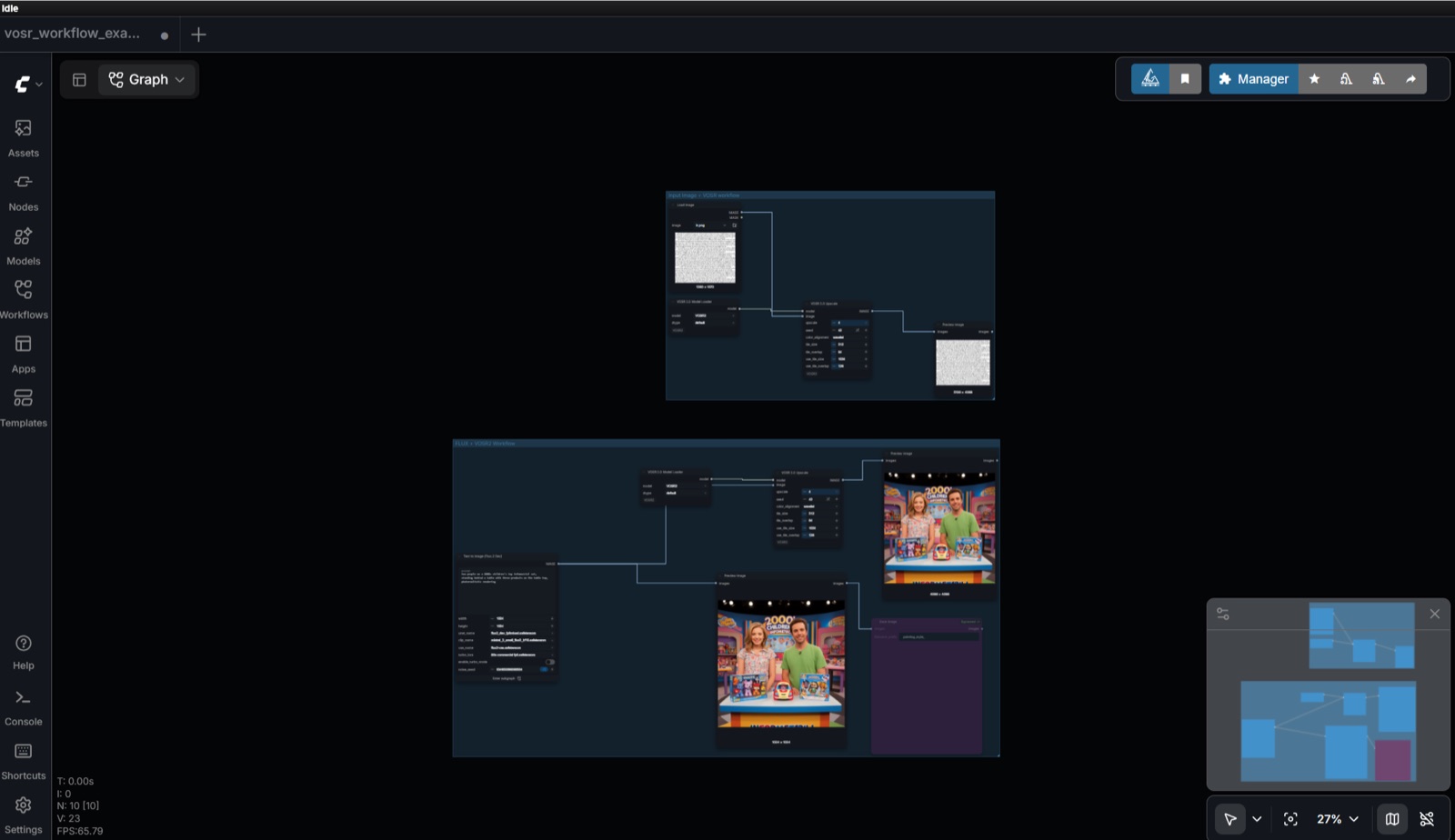
Example workflow: two loader and upscale pairs, keeping the loaded bundle out of the per-image path.
Availability
Clone ylchen333/ComfyUI-VOSR2 into ComfyUI/custom_nodes and restart. It requires ComfyUI with a recent PyTorch, and the package checks that up front so an old environment logs one clear error instead of vanishing from the node list.
On first run the loader downloads any missing piece from the pinned CSWRY/VOSR repository into a models/vosr2/VOSR2/ bundle and skips the download afterwards. The DINOv2-L file in that repo is a raw PyTorch pickle; the loader converts it to safetensors automatically, and the README documents the manual conversion for offline installs.
Comments
Sign in with GitHub to join the discussion.