Pixal3D Multi-View Comes to ComfyUI: Better 3D From 4 Angles
ComfyUI core adds native Pixal3D multi-view support with new official bf16 and INT8 weights, turning four orbit shots or MV-diffusion output into a cleaner mesh.
Pixal3DMultiViewConditioning node combines them into a single, more accurate mesh. New official Comfy-Org/Pixal3D weights ship in bf16 and INT8 ConvRot.
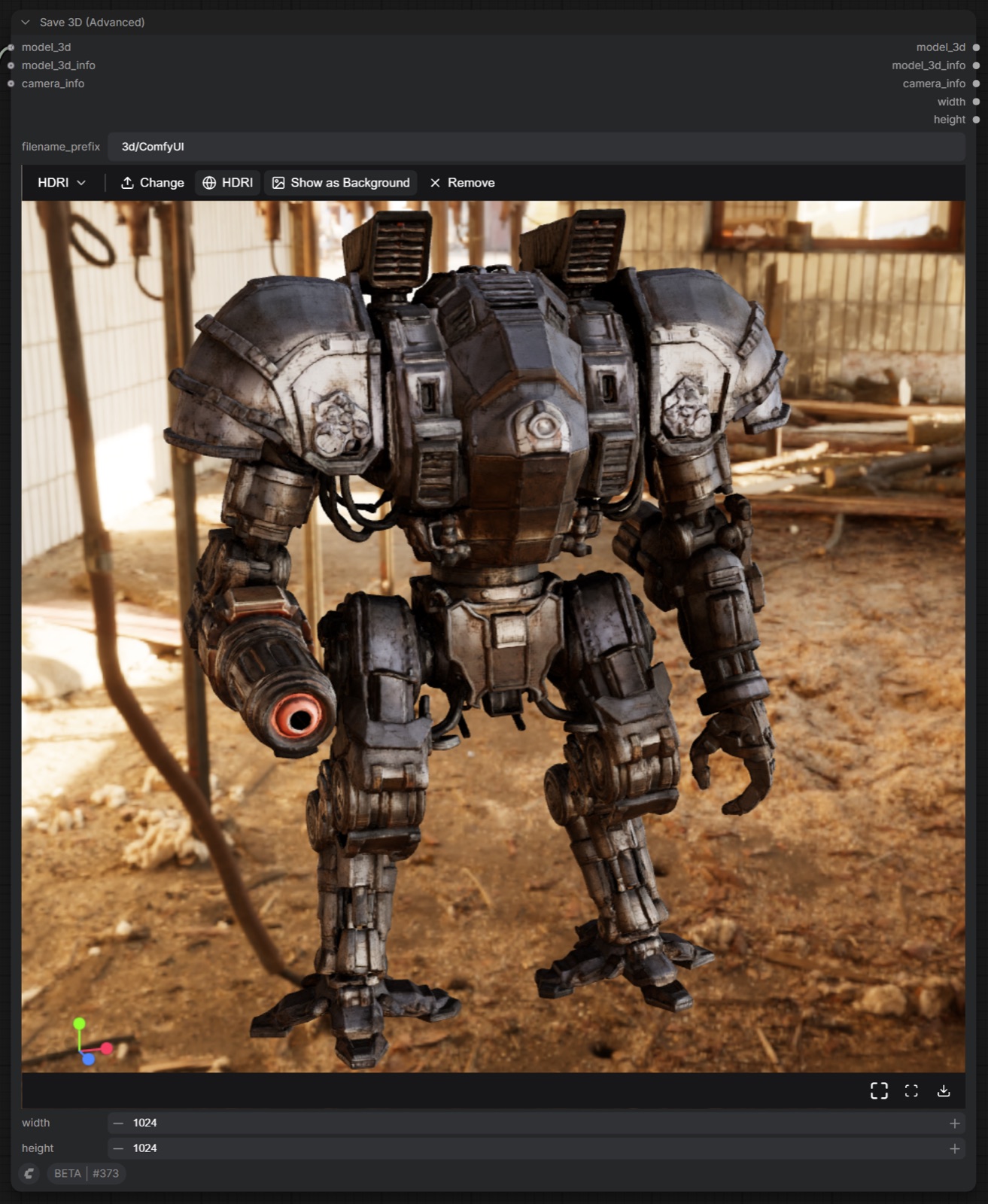
Example from the multi-view support PR: several views of the same object condition one generation pass.
Why multi-view input matters
A single photo leaves the back of an object to the model's imagination, which is where image-to-3D results most often fall apart: hallucinated geometry, smeared text, or textures that bend around the silhouette. Pixal3D's multi-view path conditions the shape and texture cascade on several views of the same object at once, so surfaces that appear in any input image are reconstructed from observation instead of guessed.
Typical sources for those views:
- A few photos taken around a physical object
- Frames rendered from an existing 3D asset you want to restyle
- Output from a multi-view diffusion model, which is exactly the orbit format the model expects
What the ComfyUI integration adds
The integration PR extends the existing TRELLIS.2/Pixal3D node set with one new node and two new official weights:
Pixal3DMultiViewConditioning: takes a CLIP vision model plus up to four view images (front, left, back, right). The first view defines the object's front; the node warns if your pose disagrees. A singlefovparameter (default20.0) describes the camera for all views, which matches the synthetic orbit rigs multi-view diffusion models produce.- New weights in Comfy-Org/Pixal3D:
pixal3d_multiview_bf16.safetensorsandpixal3d_multiview_int8_convrot.safetensorssit alongside the single-image checkpoints in the samediffusion_modelsfolder. Shape VAE, texture VAE and the DINOv3 CLIP vision encoder are shared with the single-image pipeline, so an existing Pixal3D install only needs the new diffusion model file.
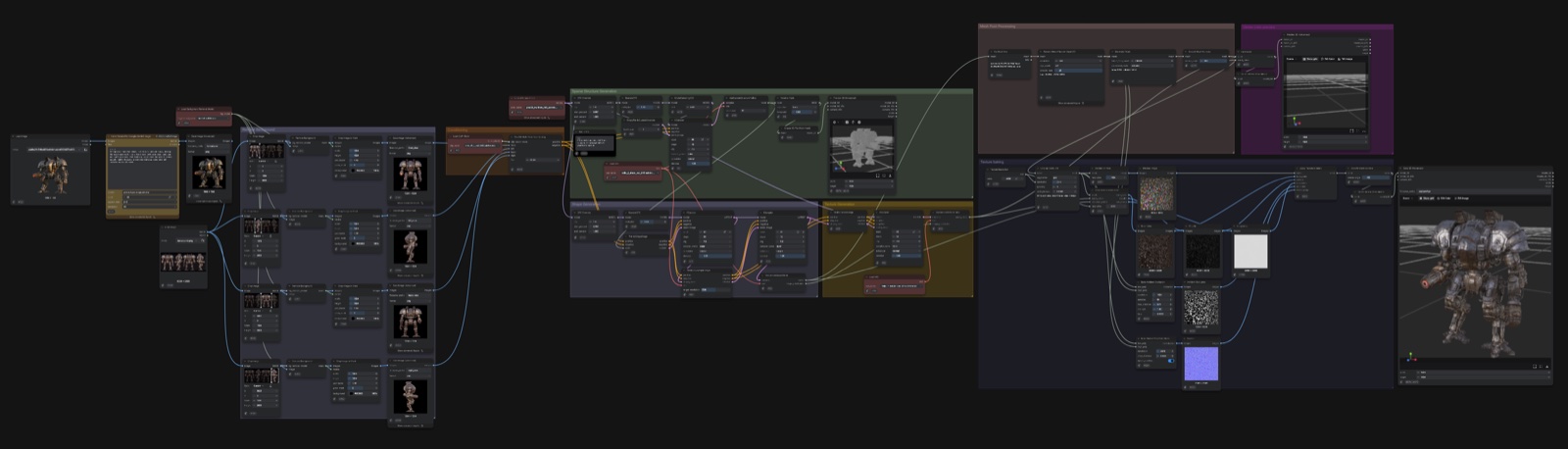
The official multi-view test workflow: four view images enter Pixal3DMultiViewConditioning ahead of the shared shape and texture stages (source: Comfy-Org/ComfyUI PR #16048).
How to use it in ComfyUI
- Update ComfyUI to a build that includes PR #16048 (September 8, 2026 or later).
- Download
pixal3d_multiview_bf16.safetensors(or the INT8 ConvRot version for lower VRAM) from Comfy-Org/Pixal3D intoComfyUI/models/diffusion_models/. - Load the workflow below and connect your views: front first, then left, back and right. Views without an alpha channel are matted automatically, but keep each view un-cropped, since framing encodes the camera.
If you only have one view of the object, keep using the original single-image workflow from our previous coverage: the multi-view weights are a separate file, not a replacement.
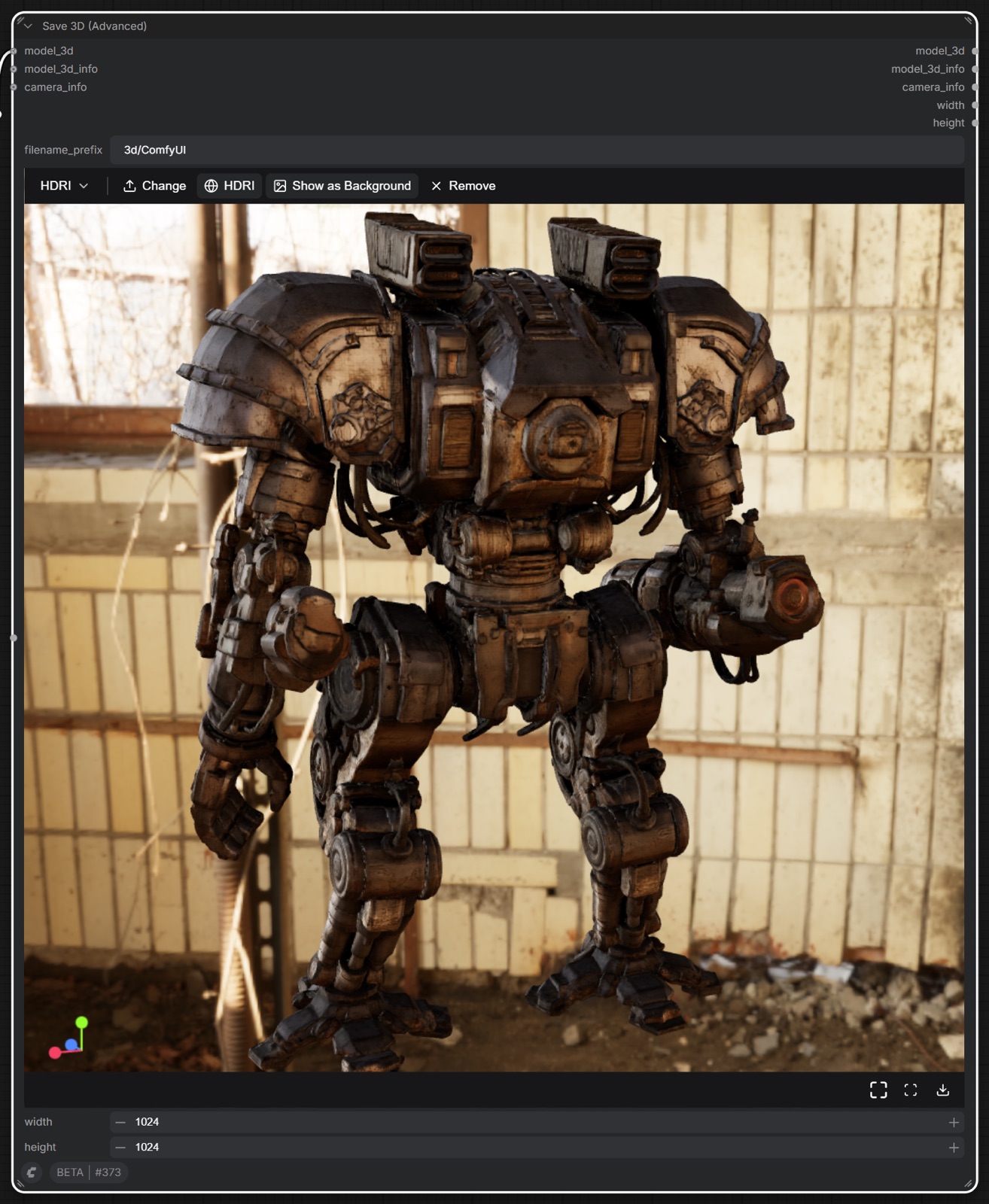
Second example from the PR: orbit views and the resulting textured mesh.
Availability
- Weights: Comfy-Org/Pixal3D (repackaged for ComfyUI, MIT license) and the original TencentARC/Pixal3D repository, whose
ckpts/*_mvcheckpoints the ComfyUI files correspond to. - Reference implementation:
inference_mv.pyin the TencentARC/Pixal3D repo, released September 1, 2026 with a Blender/NeRF-styletransforms.jsoncamera format for custom view rigs. - Demo: the TencentARC/Pixal3D Space currently covers the single-image path.
Comments
Sign in with GitHub to join the discussion.